SME_Jig_User_Guide(Eng_Ver1).pdf - 第62页
4-4 User's Guide For Tape Fe eder Calibration Jig 6. Clic k the <Close> button to fi nish program installation. 7. Once th e installation is finished, run the program which exists at the following path: w Path…
4-3
Program Installation
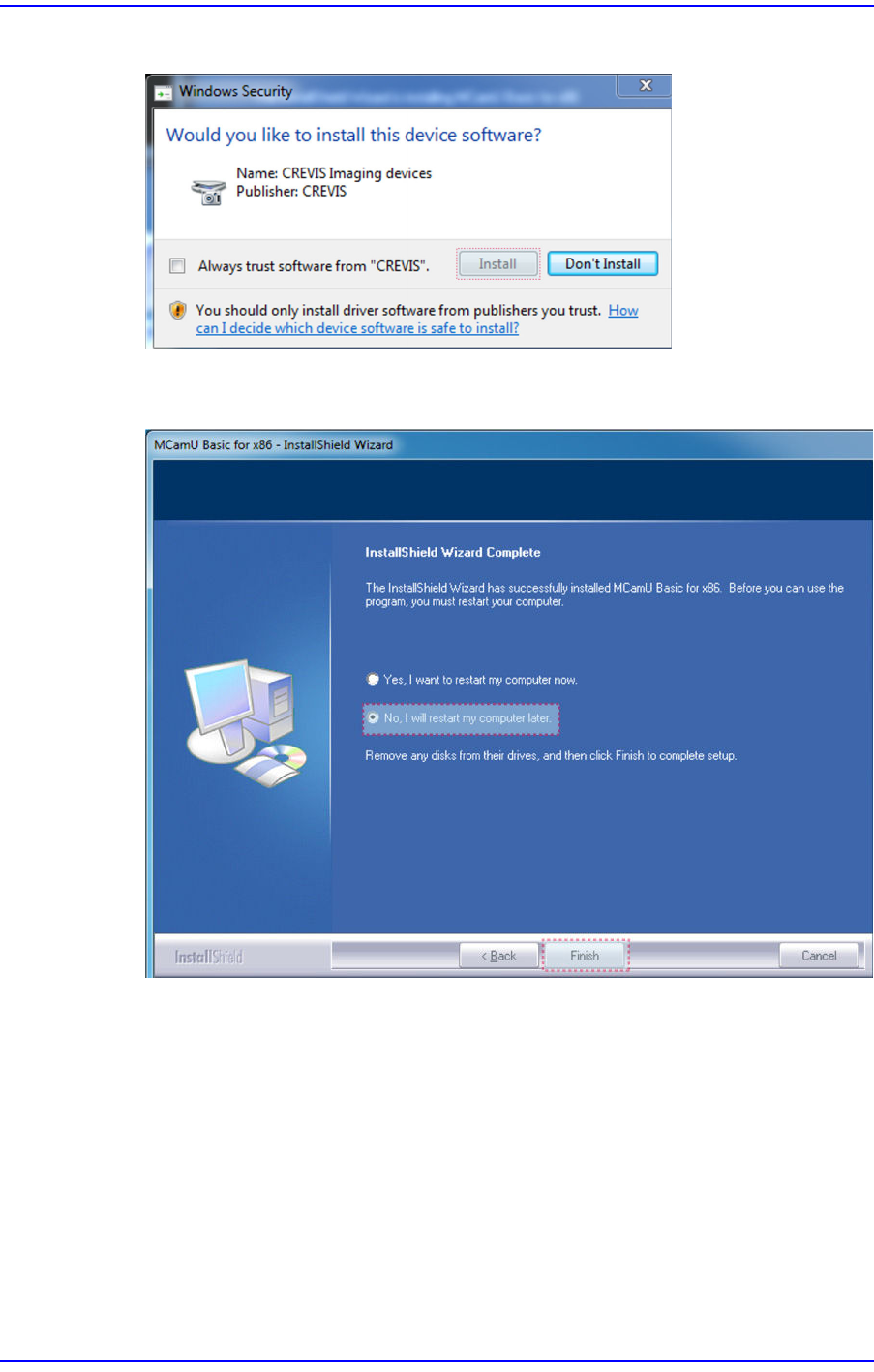
4. Click the <Install> button to proceed with program installation.
5. After finishing program installation, select the option not to reboot the PC and click
the <Finish>button.
4-4
User's Guide For Tape Feeder Calibration Jig
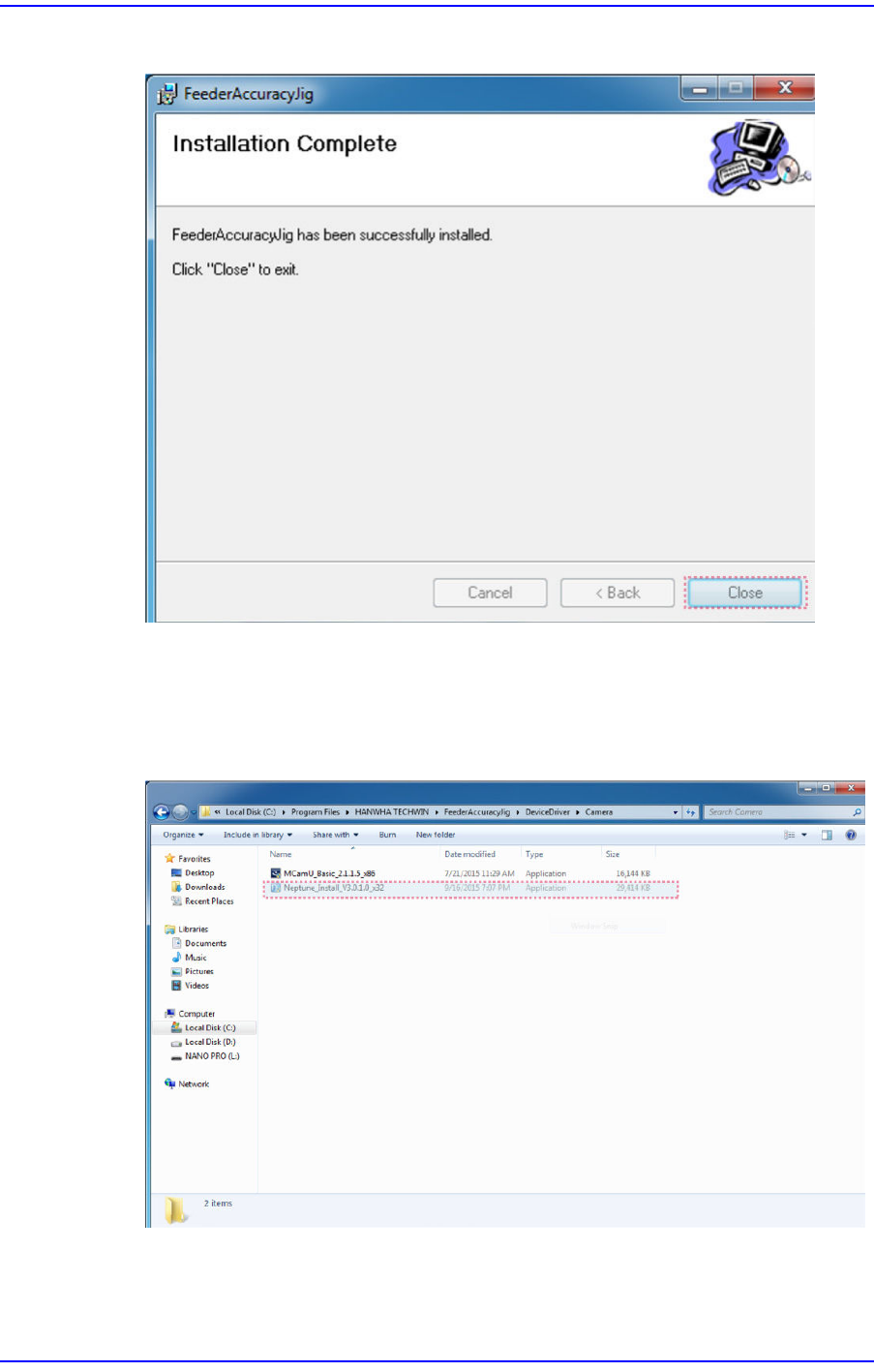
6. Click the <Close> button to finish program installation.
7. Once the installation is finished, run the program which exists at the following path:
w Path (Path)
C:/Program Files/HANWHA TECHWIN/ FeederAccuracyJig/DeviceDriver/
Camera/Neptune_Insrall_V3.0.1.0_x32
4-5
Program Installation
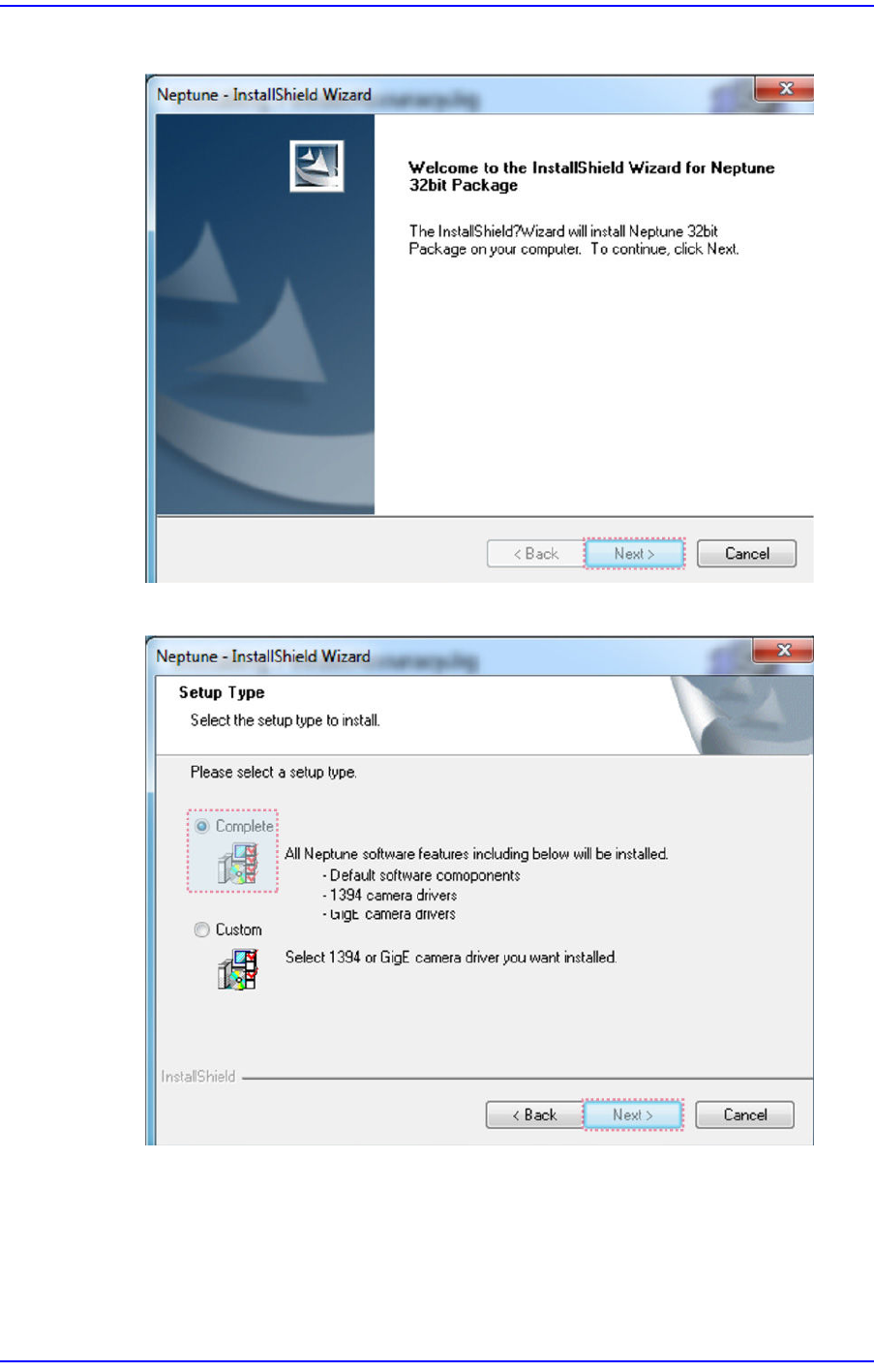
8. Click the <Next> button.
9. Click the <Next> button.