SME_Jig_User_Guide(Eng_Ver1).pdf - 第69页
4-11 Program Installation 22. Select the <I accept the agreement> option button in the ’VCI Lic ense Agreement’ dialog box a nd click the <Next> button. 23. Click the <Next> button or < Install> b…
4-10
User's Guide For Tape Feeder Calibration Jig
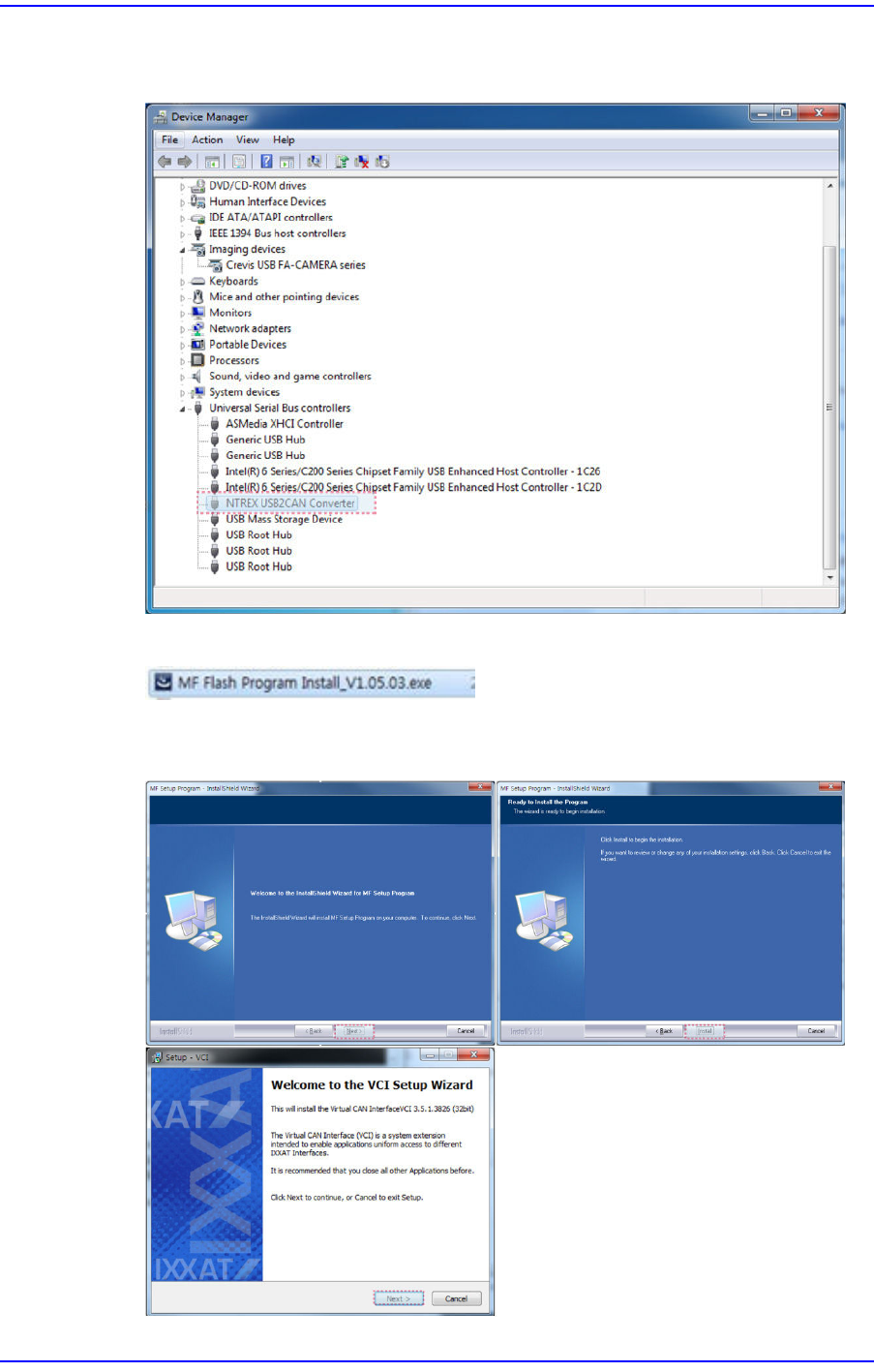
19. Check whether the [NTREX USB2CAN Converter] is recognized properly to the
’Universal Serial Bus controllers’ in the Device Manager.
20. Run the Feeder Firmware Download program saved in the USB.
21. Click the <Next> button or <Install> button until the ’VCI License Agreement’ dialog
box appears.
4-11
Program Installation
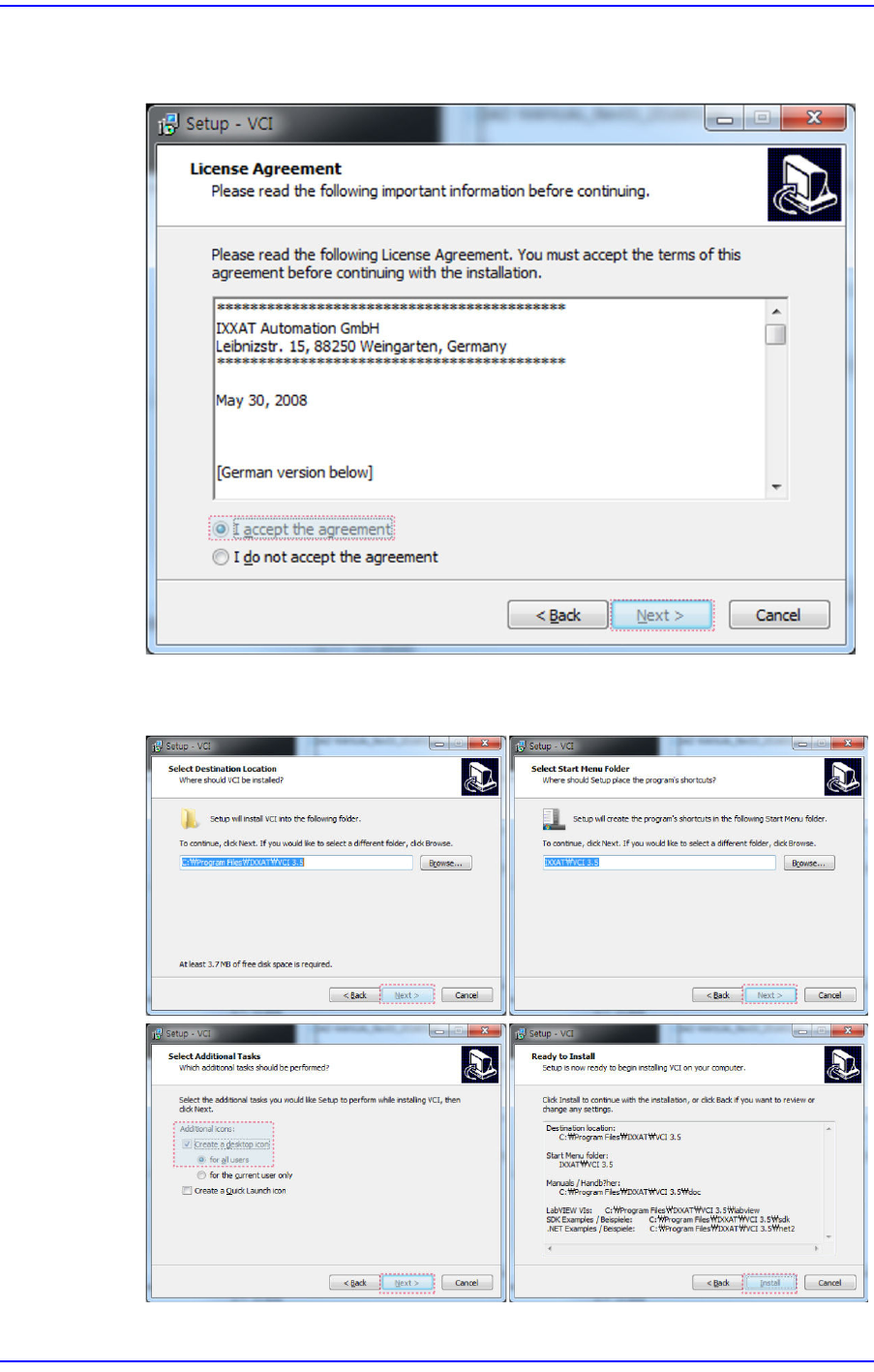
22. Select the <I accept the agreement> option button in the ’VCI License Agreement’
dialog box and click the <Next> button.
23. Click the <Next> button or <Install> button until the ’Windows Security’ dialog box
appears.
4-12
User's Guide For Tape Feeder Calibration Jig
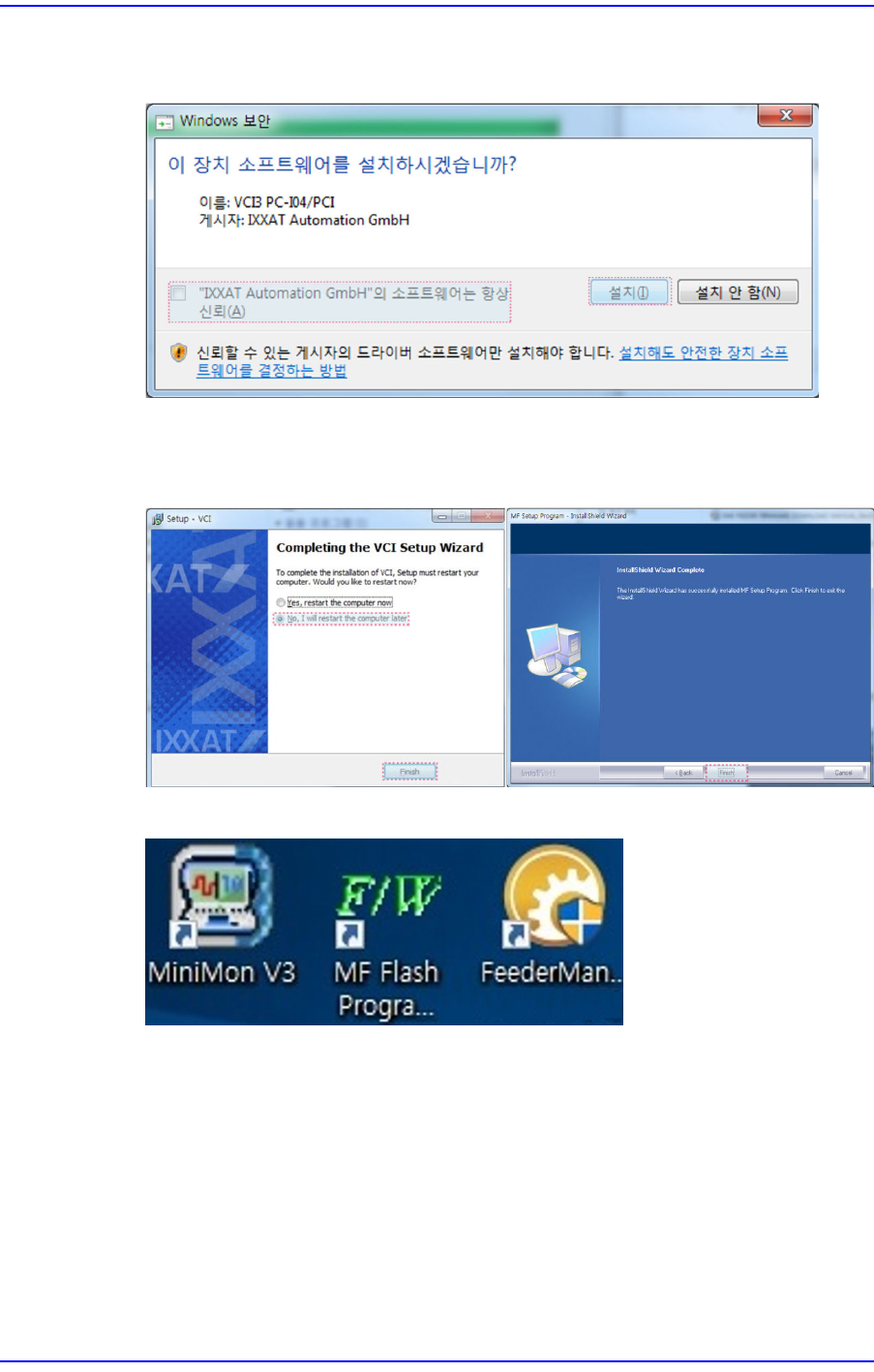
24. Select the <"IXXAT Automation GmbH" software is always credibility (A)> check
box and click the <Install> button.
25. Click the <Finish> button after selecting the <No, I will restart the computer later>
option button, and click the <Finish> button once again to finish the driver
installation.
26. Once the driver is installed in the PC, three icons are created in the desktop.
w MiniMon V3
Unnecessary icon. Delete it from the desktop.
w MF Flash Program
Refers to the icon to execute the tape feeder firmware upgrade program.
w Feeder Management Program
Refers to the icon to execute the calibration jig program.