SME_Jig_User_Guide(Eng_Ver1).pdf - 第39页
3-7 Tape Feeder Calibration Caution Teach the master feeder ori gin again without fail in the following cases: 1) Wh en the jig camera, lens or stage comes into conta ct with other objects (article, person) If the came r…
3-6
User's Guide For Tape Feeder Calibration Jig
Caution
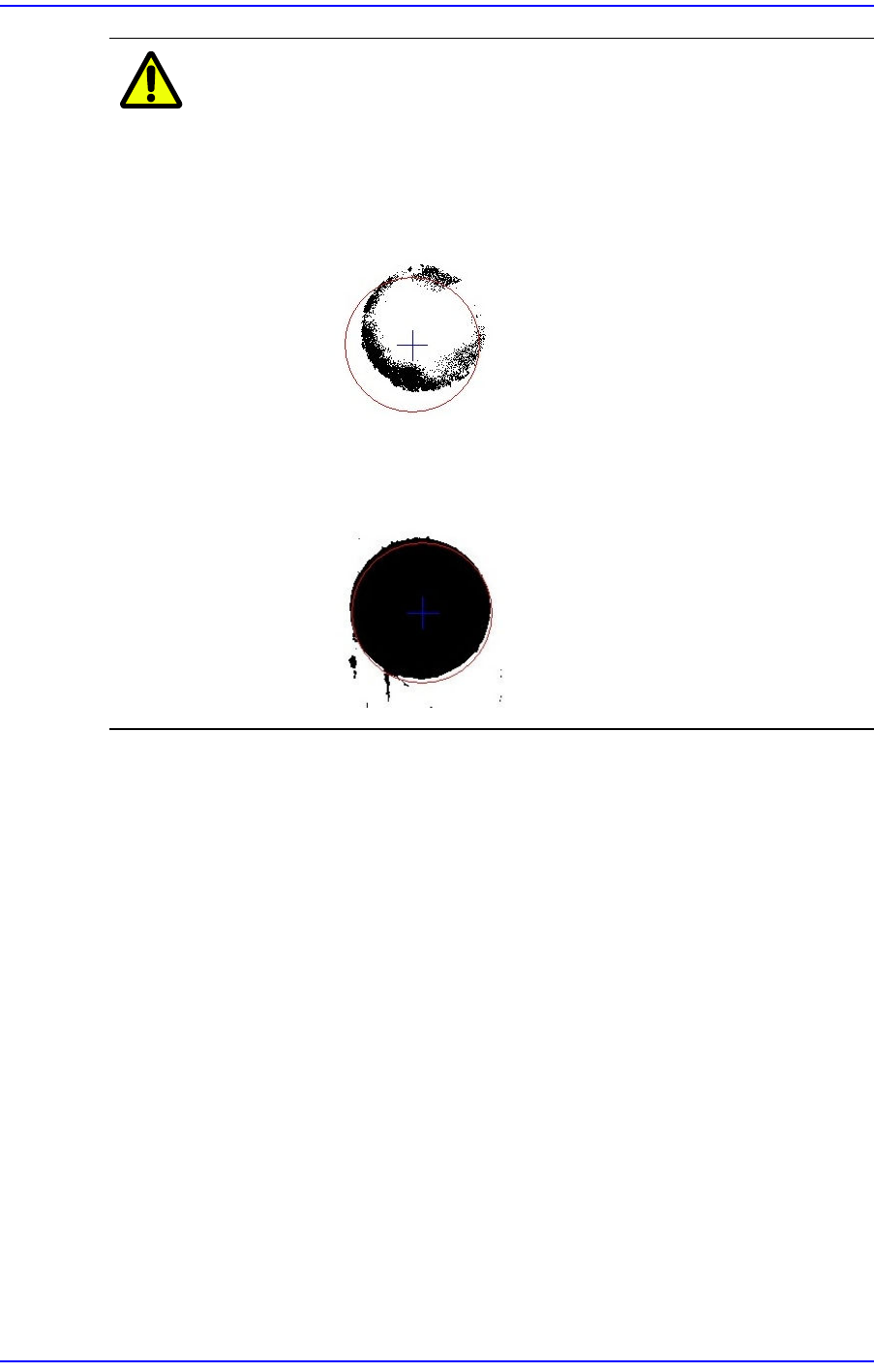
When setting the threshold, if the value is too small or large,
a recognition error occurs. Exercise care so that a
recognition error does not occur.
w In case it fails to recognize the origin mark of the master feeder
when the threshold value is small
w In case it fails to recognize the origin mark of the master feeder
when the threshold value is large
3-7
Tape Feeder Calibration
Caution
Teach the master feeder origin again without fail in the
following cases:
1) When the jig camera, lens or stage comes into contact with other
objects (article, person)
If the camera, lens or stage comes into contact with other objects,
the conditions of the optical system measuring the master feeder
origin may be changed. Therefore, in such cases, teach the master
feeder origin again.
2) When the user moved out of the place at which the jig was
located and returned back while using the jig
Since the No. 1 case may have occurred while the user moved out
of the place at which the jig was located, teach the master feeder
origin again without fail in such cases.
3) When the jig has been used for more than 4 hours
Since the master feeder is made of metal, our temperature
standard for the jig must be observed. However, the temperature
at the place where the jig is located cannot meet our temperature
standard due to a cause that cannot be controlled by the user.
Therefore, when the jig has been used for more than 4 hours,
teach the master feeder origin again without fail.
3-8
User's Guide For Tape Feeder Calibration Jig
3.3. Tape Feeder Check (Feeder Check)
When it is necessary to check the part supply accuracy of the feeder and the data saved in
the feeder, or a problem occurs to the feeder, check the feeder. The tools necessary for
checking the tape feeder are as follows:
w Calibration jig
w Calibration software
w Feeder to be calibrated
w Master tape
3.3.1. Serial Number Input (Barcode Scan)
The procedure to input the serial number of the feeder to be calibrated is as follows:
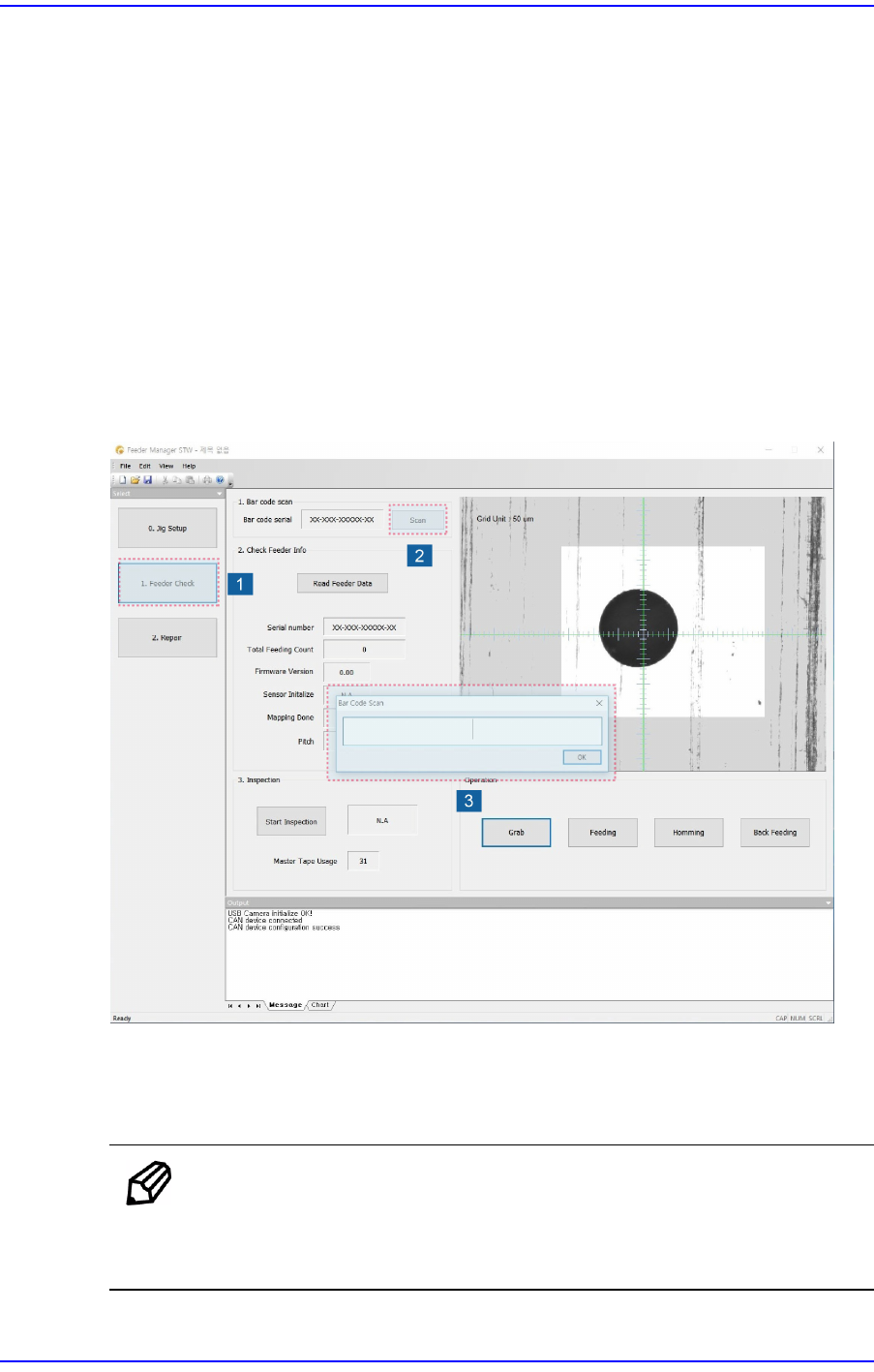
1. Install the tape feeder on the calibration jig and click the <Feeder Check> button.
2. Click the <Scan> button in the Feeder Check screen to execute the barcode scan
window.
Memo
After executing the calibration jig program, installing the feeder on
the calibration jig will automatically display the barcode scan dialog
box.