SME_Jig_User_Guide(Eng_Ver1).pdf - 第72页
4-14 User's Guide For Tape Fe eder Calibration Jig Cauti on When upgrading the tape feeder main board firmware , performing upgrade after selecting an inco rrect feeder type may cause a malfunction of t he feeder. S…
4-13
Program Installation
4.2. Tape Feeder Firmware Upgrade
Caution
The calibration jig program must be installed in the PC first.
Install the jig program in the PC first referring to "4.1.
Installation of Calibration Jig Program".
In order to use the feeder calibration jig, the tape feeder main board firmware version must
be the latest version provided by us. The versions that can be supported by the firmware
are as follows:
w Tape feeder using an old main board: Firmware Version 1.26 or above
w Tape feeder using a new main board: Firmware Version 2.10 or above
If the version is not the latest, upgrade the feeder main board firmware in the following
order:
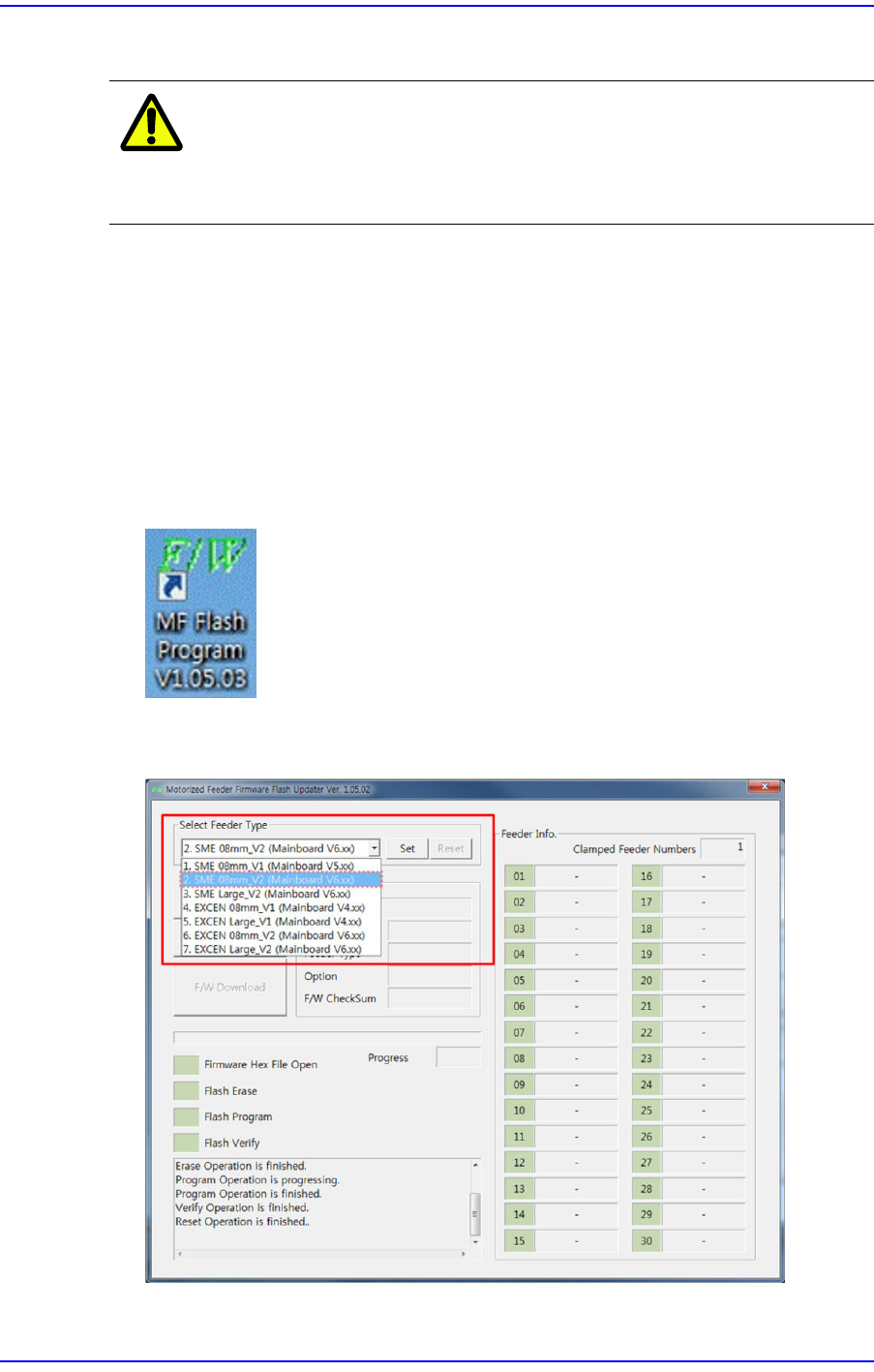
1. Execute the ’MF Flash Program V1.05.03.exe’.
2. Select the tape feeder for which the firmware is to be upgraded from the combo box in
the <Select Feeder Type> area.
4-14
User's Guide For Tape Feeder Calibration Jig
Caution
When upgrading the tape feeder main board firmware,
performing upgrade after selecting an incorrect feeder type
may cause a malfunction of the feeder. Set the feeder type
referring to the following:
w SME 8mm_V1(Mainboard V5.xx): Firmware version 1.xx (SME
8mm old main board)
w SME 8mm_V2(Mainboard V6.xx): Firmware version 2.xx (SME
8mm new main board)
w SME Large_V2(Mainboard V6.xx): Firmware version 2.xx (SME
new, large main board)
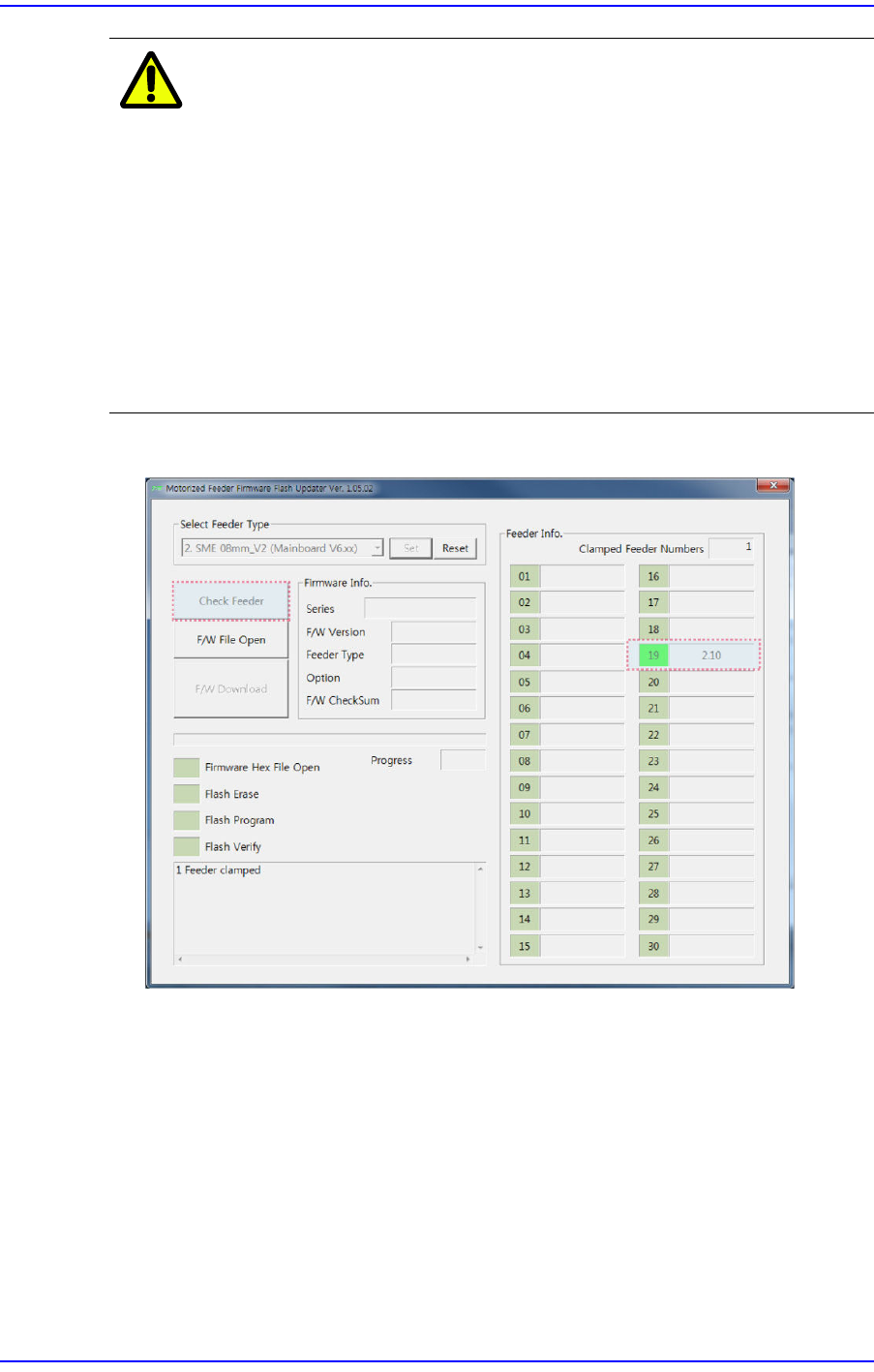
3. Click the <Check Feeder> button to check the firmware version of the installed feeder.
4-15
Program Installation
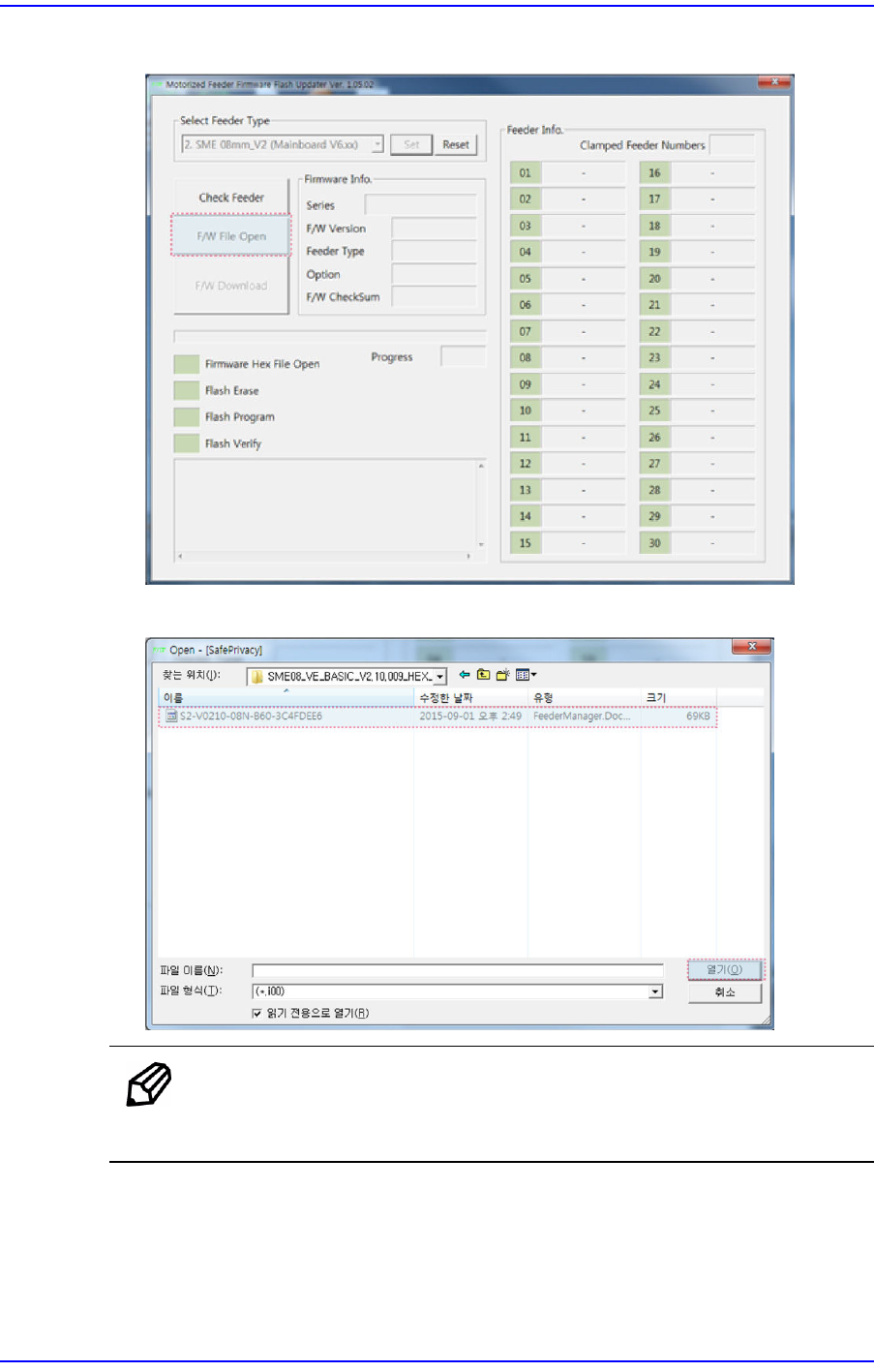
4. Click the <F/W File Open> button.
5. Select the firmware Hex file.
Memo
The "V0210" section in the Hex file name in the No. 5 step means
that the firmware version is "2.10".