SME_Jig_User_Guide(Eng_Ver1).pdf - 第41页
3-9 Tape Feeder Calibration 3. Input the barc ode information by scan ni n g the barcode using a barcode reader or keyboard and click the <OK> button. Memo Scanning the serial number using a barcode reader will imm…
3-8
User's Guide For Tape Feeder Calibration Jig
3.3. Tape Feeder Check (Feeder Check)
When it is necessary to check the part supply accuracy of the feeder and the data saved in
the feeder, or a problem occurs to the feeder, check the feeder. The tools necessary for
checking the tape feeder are as follows:
w Calibration jig
w Calibration software
w Feeder to be calibrated
w Master tape
3.3.1. Serial Number Input (Barcode Scan)
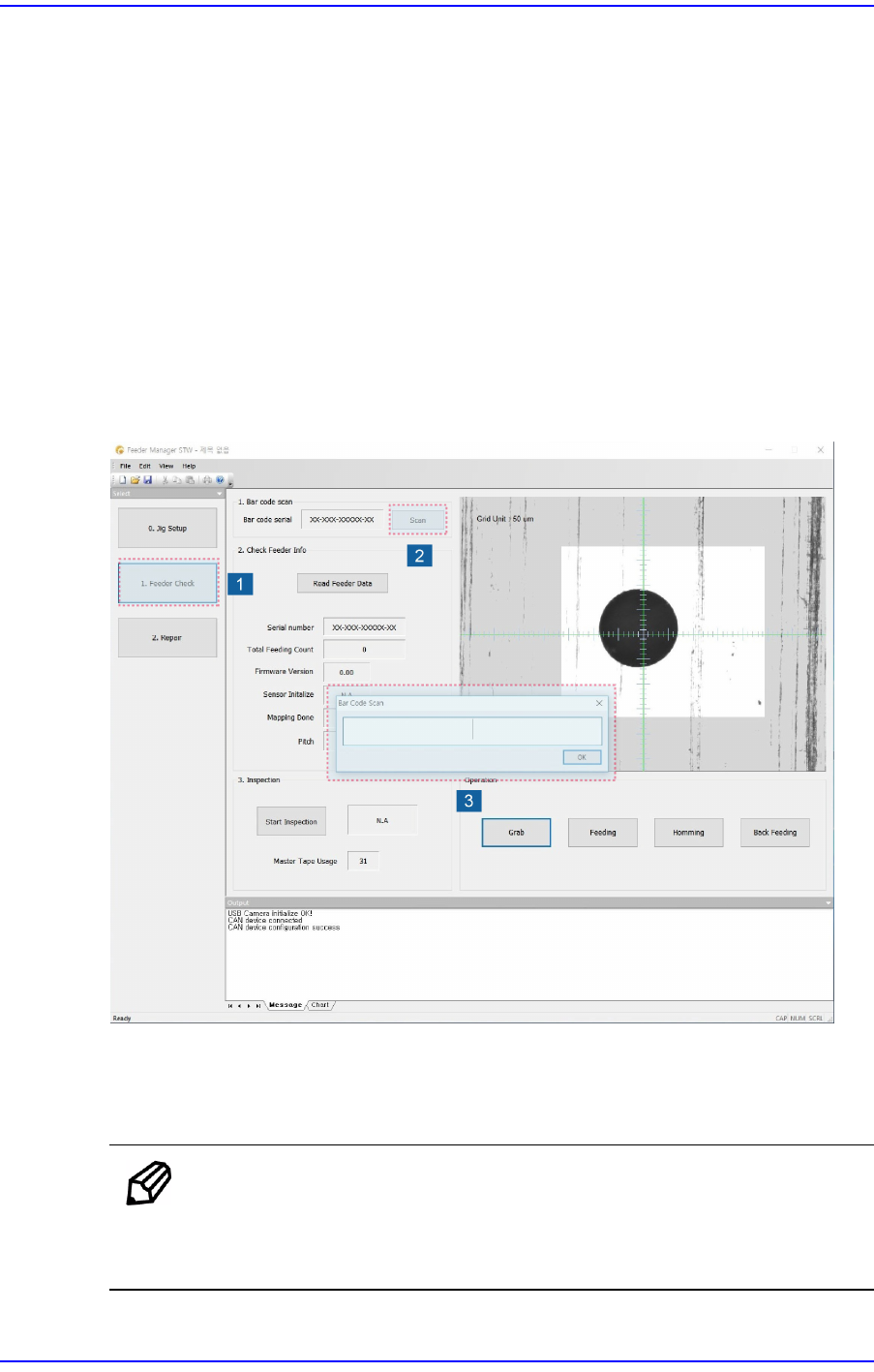
The procedure to input the serial number of the feeder to be calibrated is as follows:
1. Install the tape feeder on the calibration jig and click the <Feeder Check> button.
2. Click the <Scan> button in the Feeder Check screen to execute the barcode scan
window.
Memo
After executing the calibration jig program, installing the feeder on
the calibration jig will automatically display the barcode scan dialog
box.
3-9
Tape Feeder Calibration
3. Input the barcode information by scanning the barcode using a barcode reader or
keyboard and click the <OK> button.
Memo
Scanning the serial number using a barcode reader will immediately
save the serial number scanned on the main board of the tape feeder
and exit the barcode scan window.
Caution
If the serial number of the feeder is not inputted correctly, an
error message is displayed.
Even though the serial number can be inputted using the
keyboard, it is recommended to scan the serial number
using a barcode reader.
3-10
User's Guide For Tape Feeder Calibration Jig
3.3.2. Feeder Data Check (Check Feeder Info)
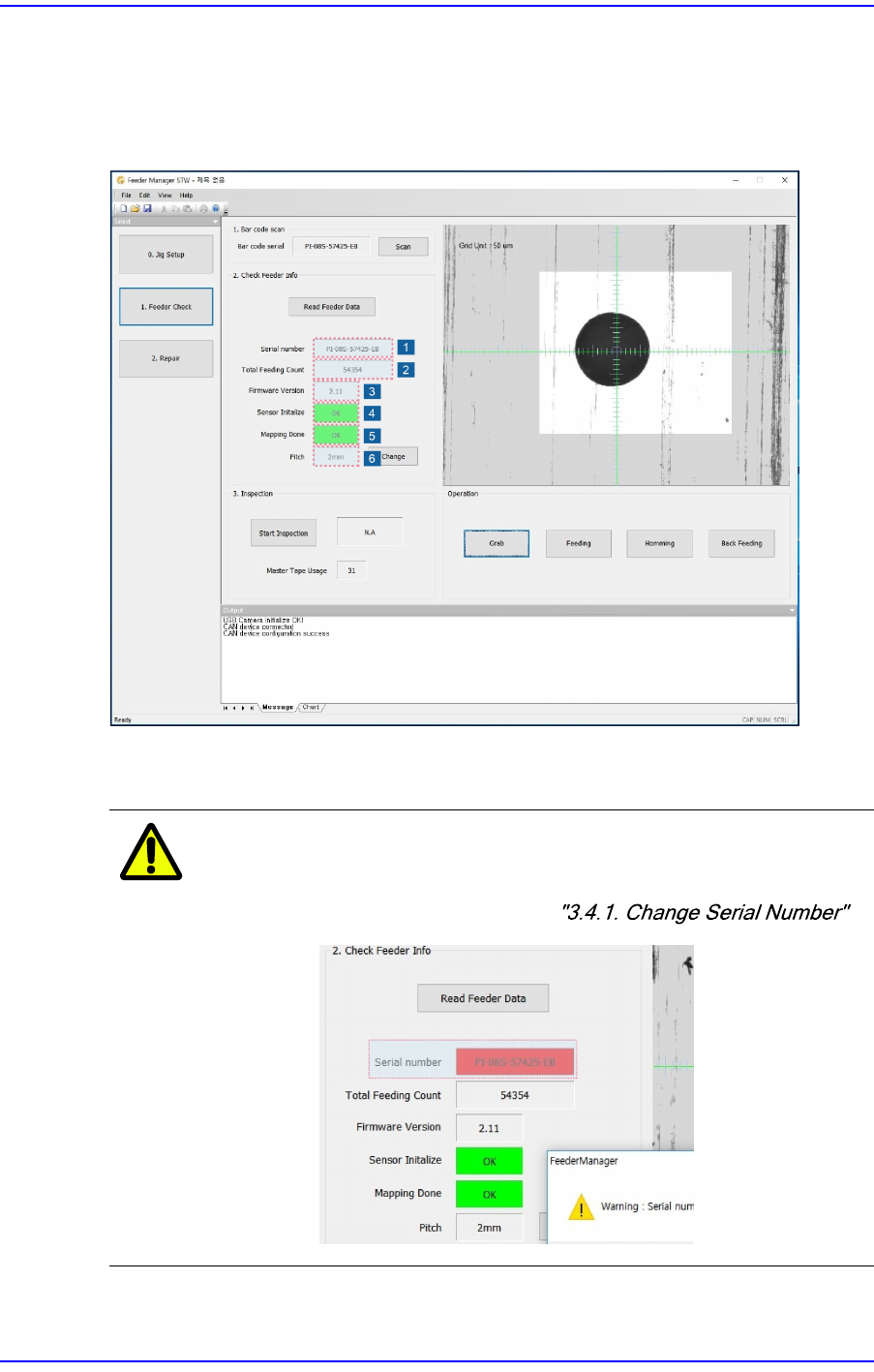
After executing the calibration jig program, performing the"3.3.1. Serial Number Input"
procedure will display the feeder data as shown below. Check whether the feeder data is
normal.
1. Check whether the serial number displayed in the <Serial number> caption box
corresponds to that of the sticker attached to the tape feeder.
Caution
If the serial number is different, the serial number caption
box turns red along with a warning message. Modify the
serial number referring to .
2. Check the cumulative feeding count displayed in the <Total Feeding Count> caption