SME_Jig_User_Guide(Eng_Ver1).pdf - 第24页
1-4 User's Guide For Tape Fe eder Calibration Jig
1-3
Overview of Product
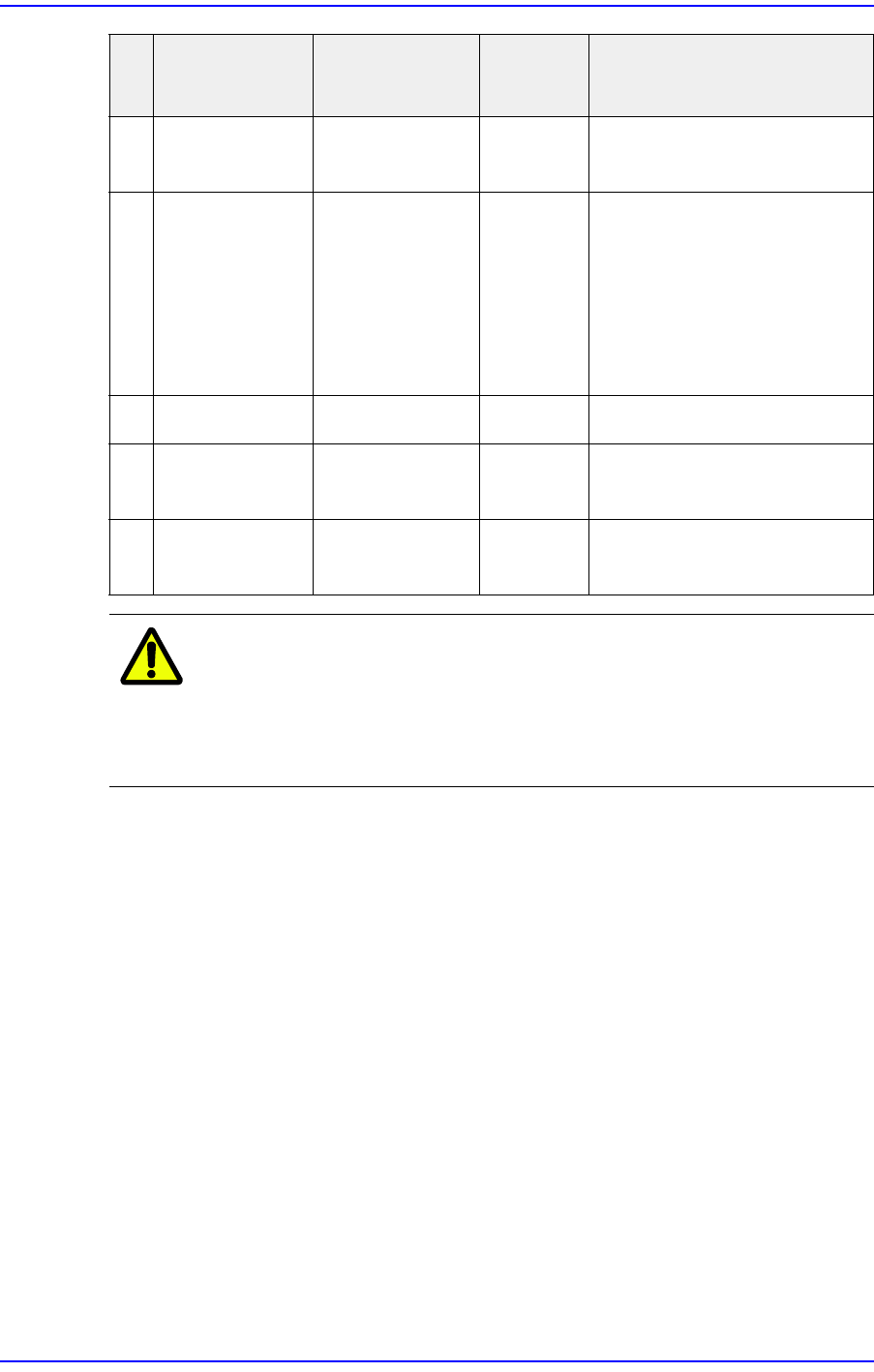
Caution
When using a USB hub, install a USB hub in the left USB
3.0 port of a laptop computer. Installing a USB hub in the
right USB 2.0 port may cause defective camera operation
and defective CAN communication.
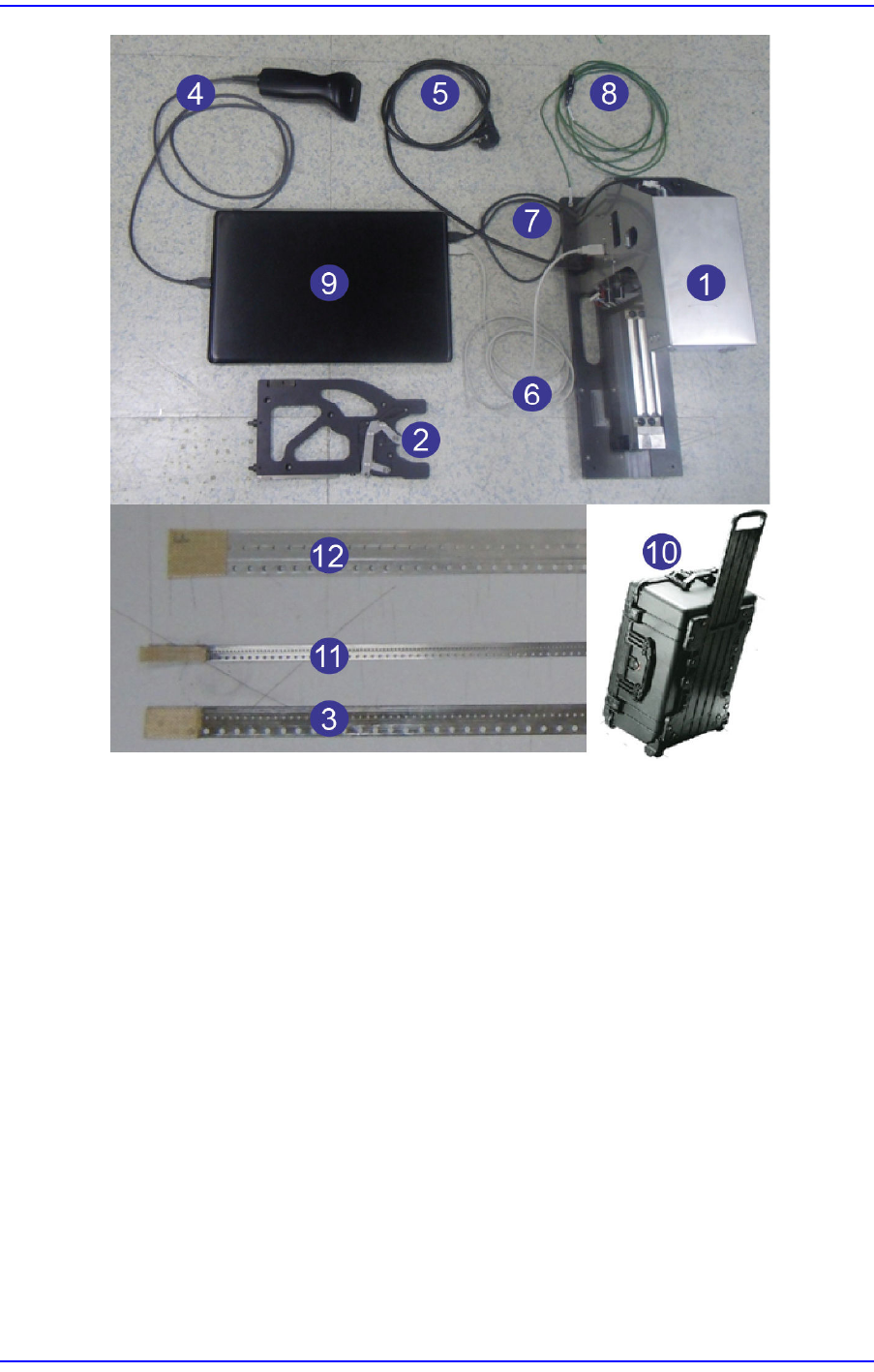
8 Grounding
Cable
AM16-001582A Default Refer to "6.2 Use of
Grounding Cable"
9 Laptop
Computer
CD02-001006 Option When using a USB hub, use
the left USB port.
w Left USB port (one): USB
3.0
w Right USB ports (two):
USB 2.0
10 Pelican Case FC29-001155 Option Carrier Type
11 SME W4P1
Master Tape
AM03-021437A Option For W4P1 feeder calibration
12 SME 12mm
Master Tape
AM03-018989A Option For 12mm/16mm feeder
calibration
NO
.
PART NAME PART NO.
Option
Division
Reference
1-4
User's Guide For Tape Feeder Calibration Jig
1-5
Overview of Product
1.2. Product Function
1.2.1. Major Functions
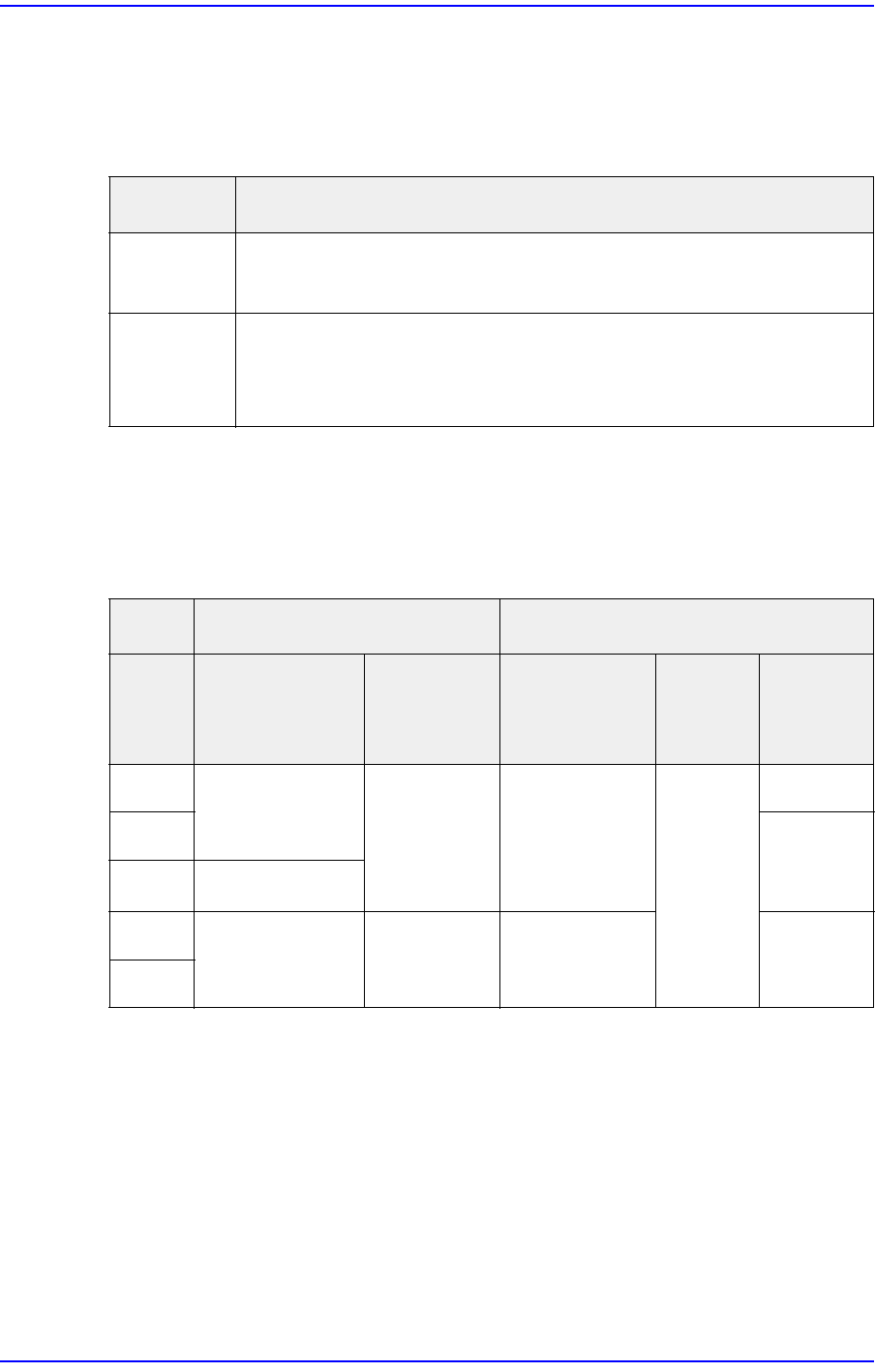
Major functions of a calibration jig are as follows:
1.2.2. Part Supply Accuracy of a Feeder after Calibration
After feeder calibration, the part supply accuracy of the feeder is as follows. (Based on the
mater tape hole.)
Purpose Description
Inspection Supply accuracy inspection
Saved data inspection
Calibration Sensor initialization
Mapping inspection
Serial number change
X Spec Y Spec
Feeder
Absolute
Accuracy (mm)
Range (mm)
Absolute
Accuracy
(mm)
Cpk 3σ (μm)
8mm
± 0.12
Less than
0.1
± 0.06
Greater
than 1.0
-
0402
Less than
27
W4P1
± 0.15
12mm
± 0.16
- ± 0.08 -
16mm