SME_Jig_User_Guide(Eng_Ver1).pdf - 第64页
4-6 User's Guide For Tape Fe eder Calibration Jig 10. Click the <Y es> button. 1 1. Click the <Insta ll> button to proceed with program installation. 12. After finishing program installation, select the …
4-5
Program Installation
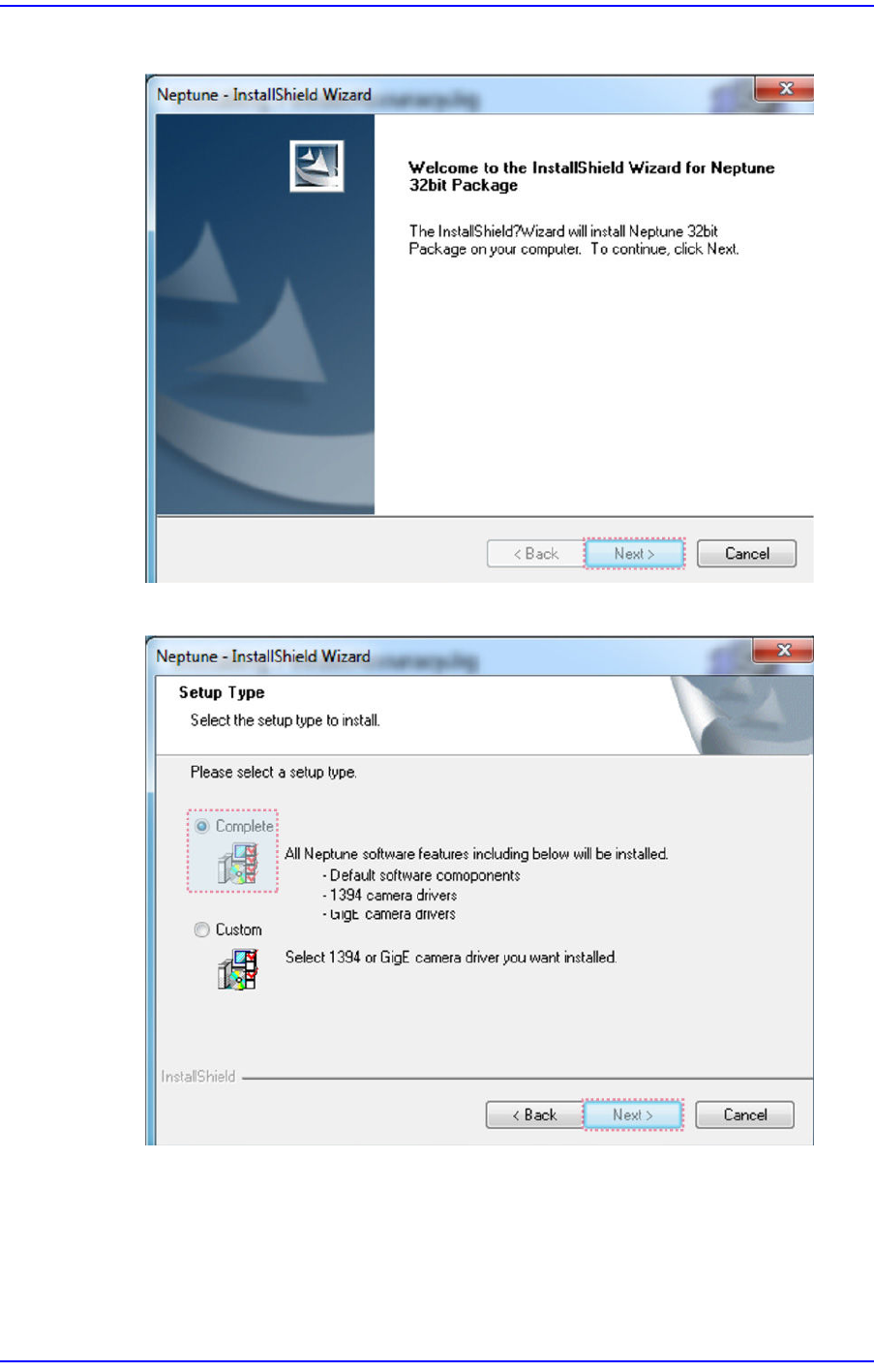
8. Click the <Next> button.
9. Click the <Next> button.
4-6
User's Guide For Tape Feeder Calibration Jig
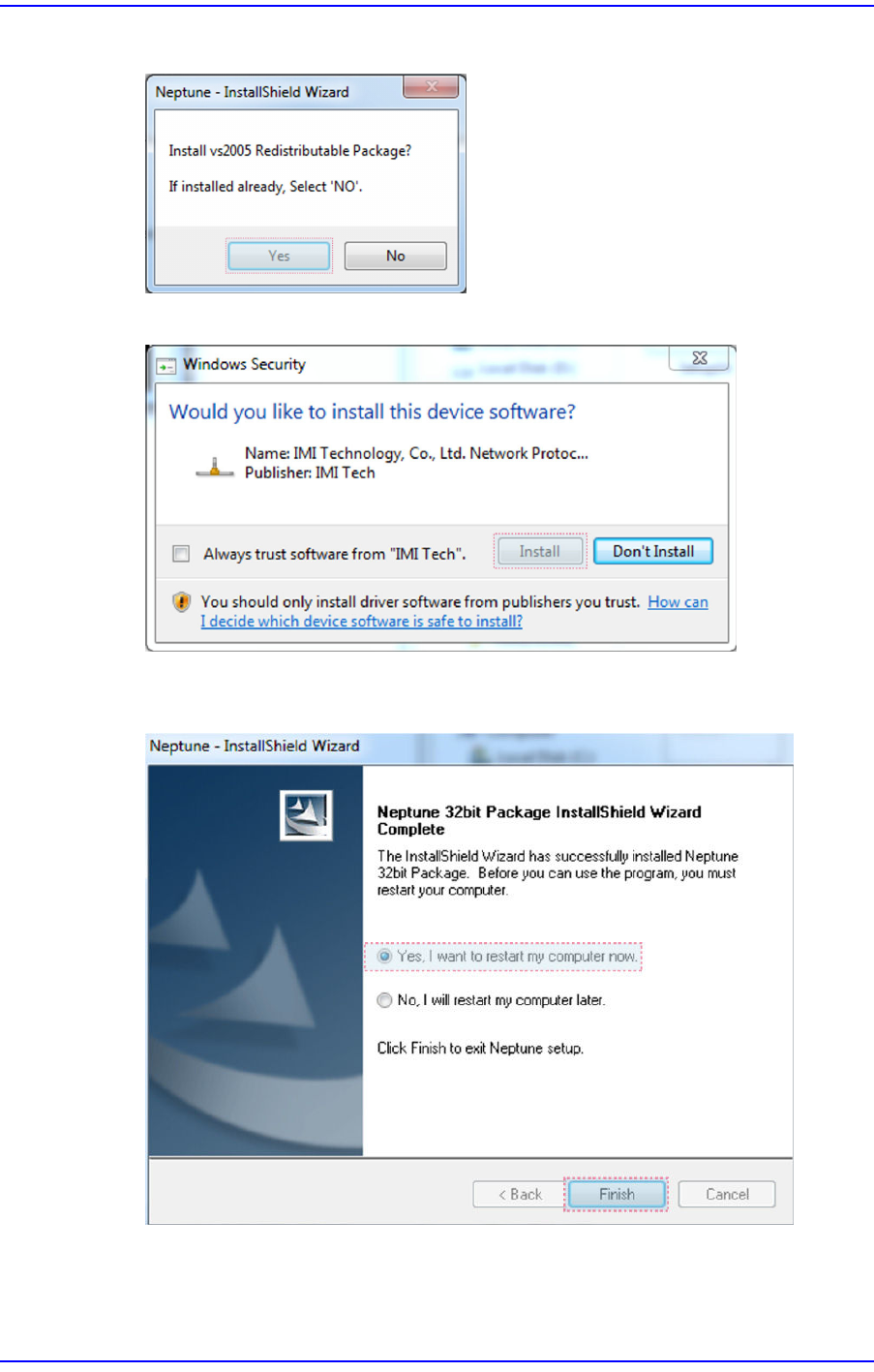
10. Click the <Yes> button.
11. Click the <Install> button to proceed with program installation.
12. After finishing program installation, select the option to reboot the PC and click the
<Finish>button to reboot the PC.
4-7
Program Installation
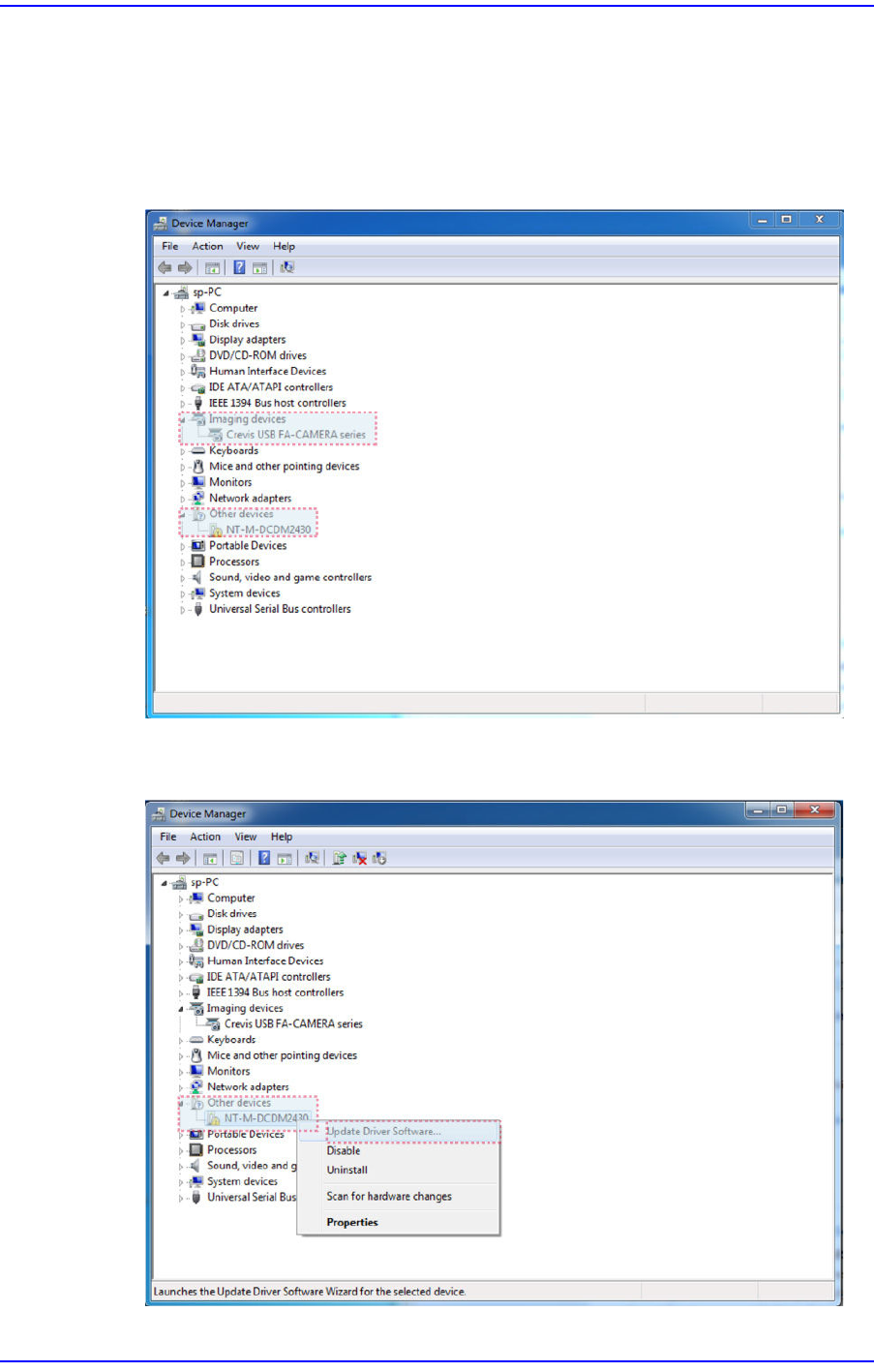
13. After rebooting the PC, connect the USB cable of the jig to the PC and execute the
Windows Device Manager to check whether the following items were recognized
properly.
w [Imaging Devices] - [Crevis USB FA-CAMERA series]
w [Other Devices] - [NT-M-DCDMxxxx]
14. Select the [NT-M-DCDMxxxx] device with the mouse and right click the mouse to
select the ’Update Driver Software’.