SME_Jig_User_Guide(Eng_Ver1).pdf - 第50页
3-18 User's Guide For Tape Fe eder Calibration Jig 3.4. Tape Feeder Calibratio n (Repair) When the main board of the feeder is replaced due t o d efective s upply accuracy , or the index motor , index gear or sprock…
3-17
Tape Feeder Calibration
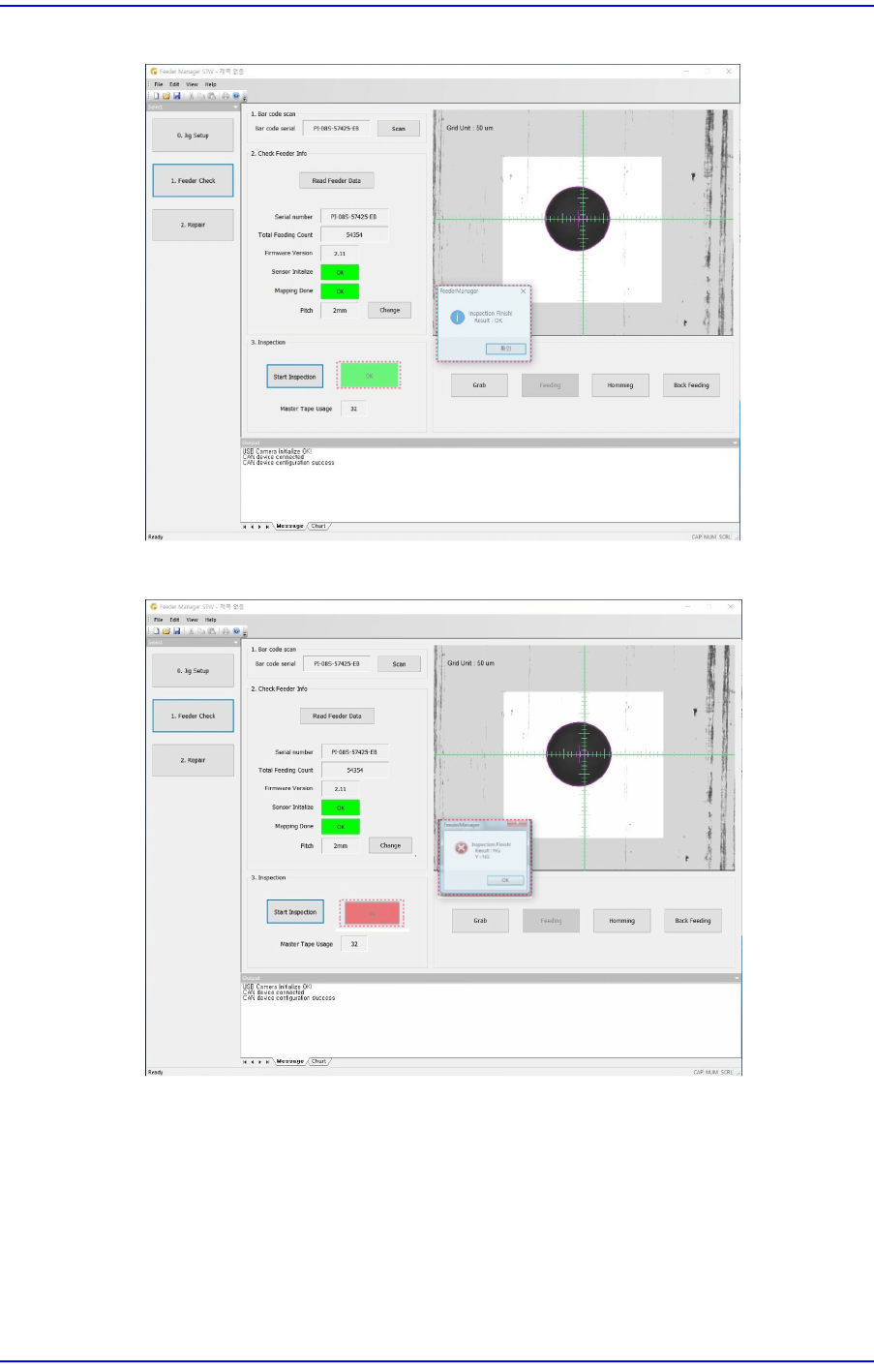
Figure3.1 When Inspection Result is Good
Figure3.2 When Inspection Result is Not Good
w When the inspection result is ’X NG’
Set the eccentric pin of the feeder again referring to the "5.3.3. Adjustment of X
Eccentric Pin of Tape Feeder".
w When the inspection result is ’Y NG’
Initialize the sensor referring to "3.4.3. Mapping Inspection" and perform
mapping inspection. If the inspection results are found to be NG more than 2
times, solve the problem referring to "6.1. Problems and Measures".
3-18
User's Guide For Tape Feeder Calibration Jig
3.4. Tape Feeder Calibration (Repair)
When the main board of the feeder is replaced due to defective supply accuracy, or the
index motor, index gear or sprocket components were reassembled or replaced, calibrate
the tape feeder without fail by initializing the feeder sensor and performing mapping
inspection.
The tools necessary for tape feeder calibration are as follows:
w Calibration jig
w Calibration software
w Feeder to be calibrated
w Master tape
3.4.1. Change Serial Number (Write Serial Number)
When the serial number was lost due to main board replacement and data loss, the serial
number saved in the tape feeder main board can be changed by performing the following
procedure:
Memo
Changing the serial number will delete the existing serial number
saved in the tape feeder main board.
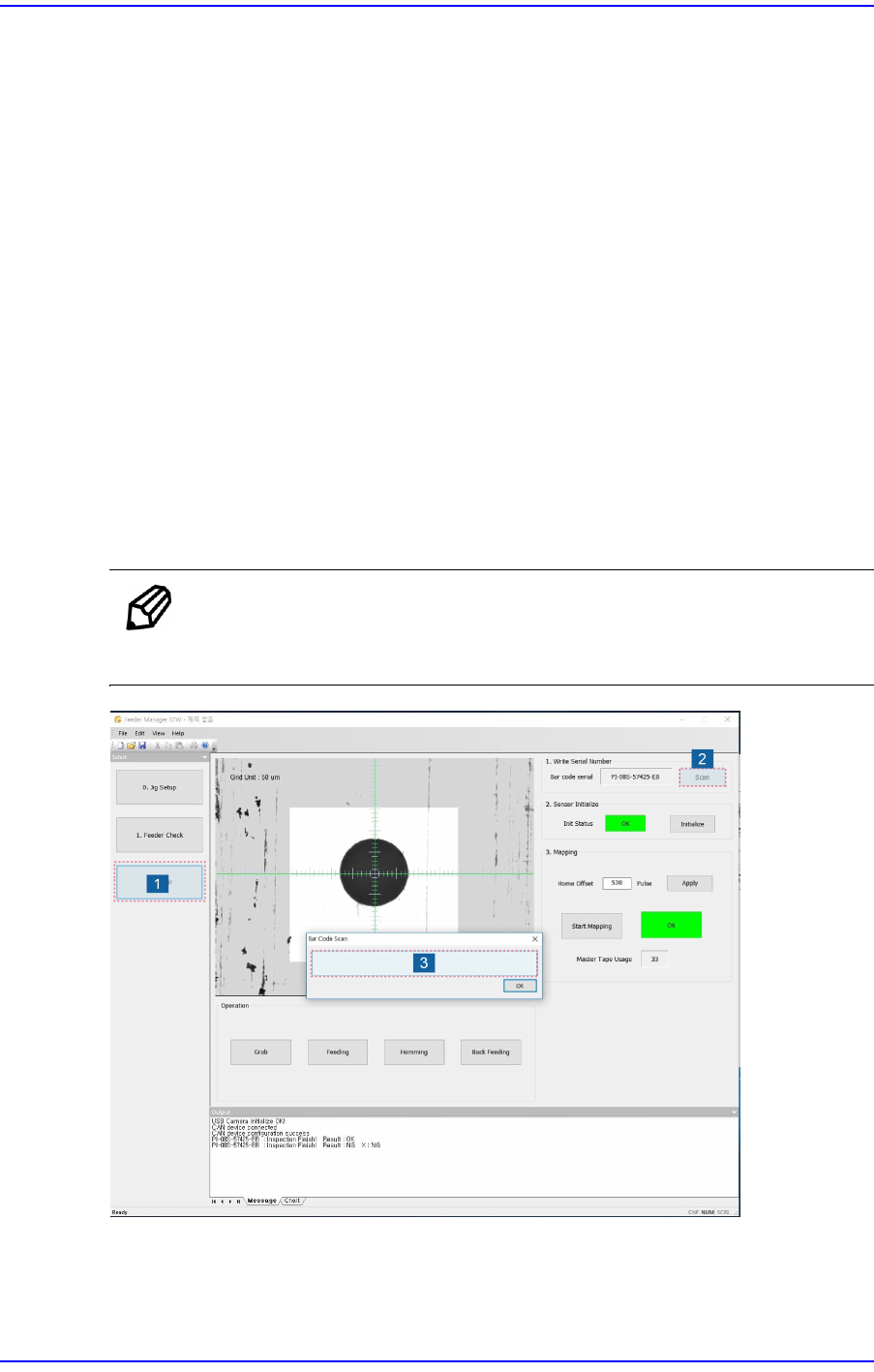
1. Click the <Repair> button.
2. Click the <Scan> button to enable the barcode scan window in which the serial
number is to be inputted.
3-19
Tape Feeder Calibration
3. Input the tape feeder serial number and click the <OK> button to save it.
Memo
Scanning the serial number using a barcode reader will immediately
save the serial number scanned on the main board of the tape feeder
and exit the barcode scan window.
Caution
If the serial number of the feeder is not inputted correctly, an
error message is displayed.
Even though the serial number can be inputted using the
keyboard, it is recommended to scan the serial number
using a barcode reader.
Changing the tape feeder serial number will automatically
delete the sensor data and mapping data.