SME_Jig_User_Guide(Eng_Ver1).pdf - 第60页
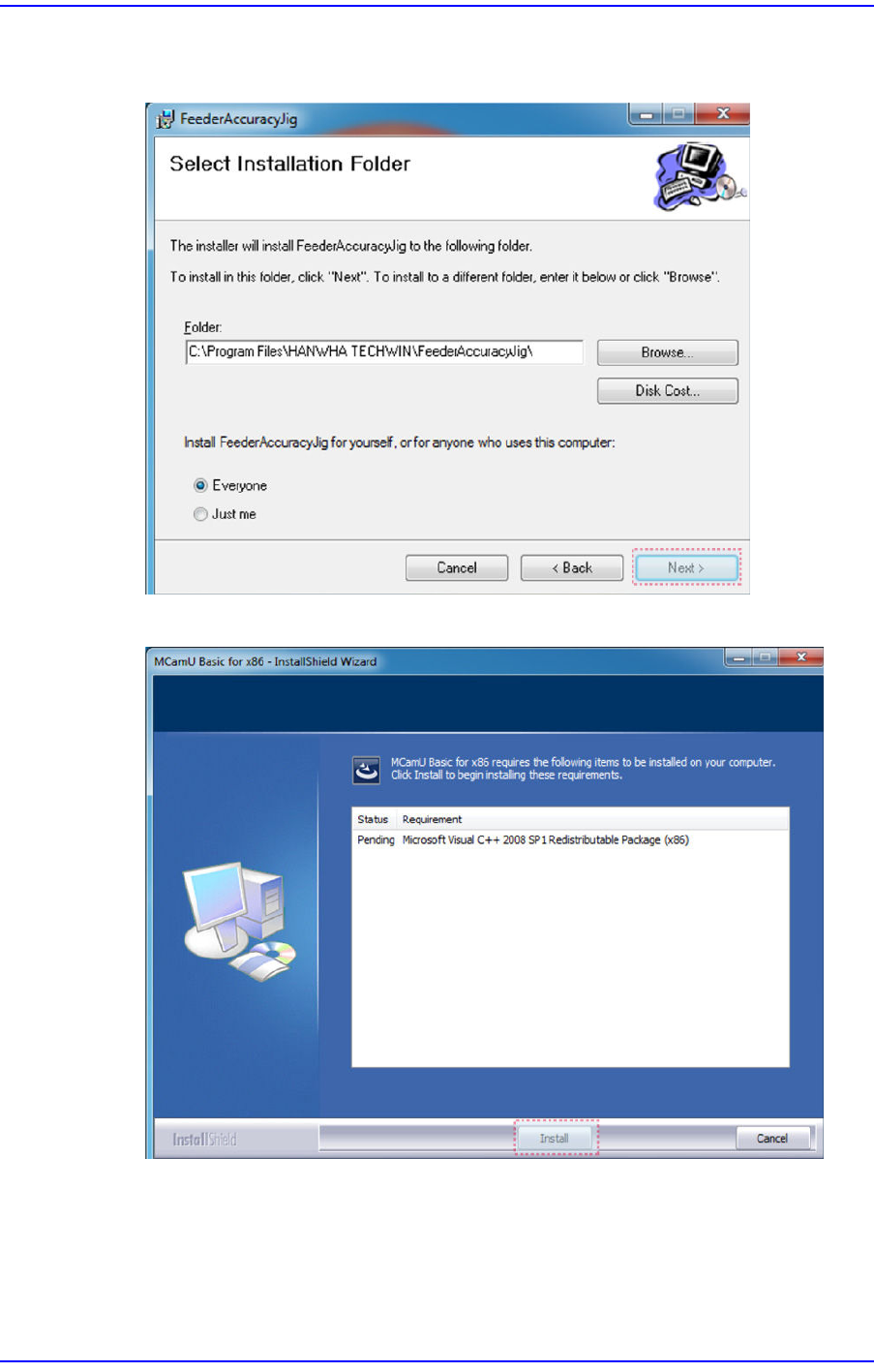
4-2 User's Guide For Tape Fe eder Calibration Jig 2. Clic k the <Next> button continuously until the < Install> but ton appears as shown in the following figure: 3. Clic k the <Install > button.
4-1
Program Installation
Chapter4. Program Installation
4.1. Installation of Calibration Jig Program
The calibration jig program is provided along with a USB. Install the program according to
the following procedure:
Caution
This program is dedicated to English Version Windows 7
(32 bit) and above. This program cannot be used in
Windows 7 (62 bit) since it does not currently support the
device driver.
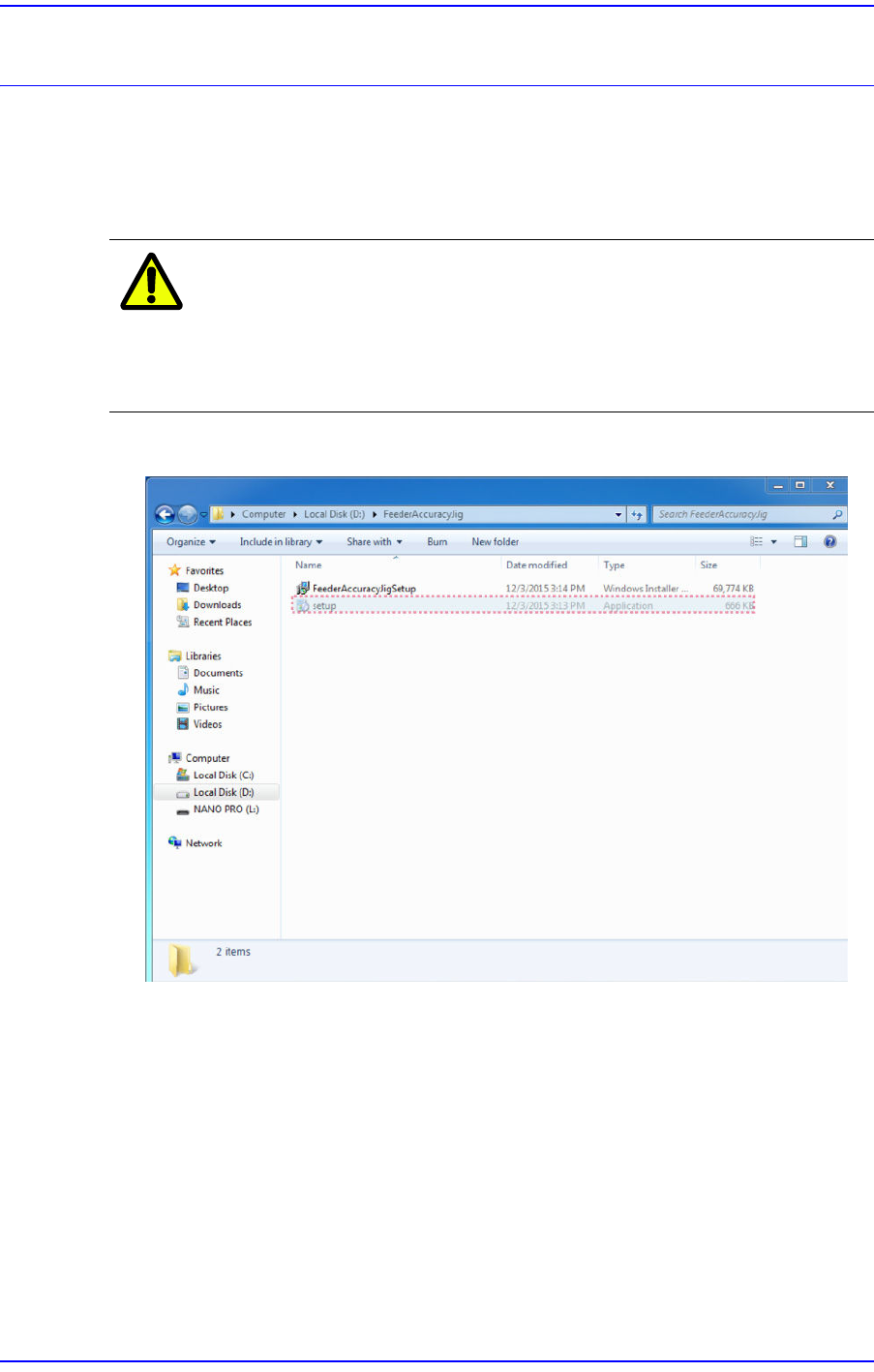
1. Execute the Setup.exe file.
4-2
User's Guide For Tape Feeder Calibration Jig
2. Click the <Next> button continuously until the <Install> button appears as shown in
the following figure:
3. Click the <Install> button.
4-3
Program Installation
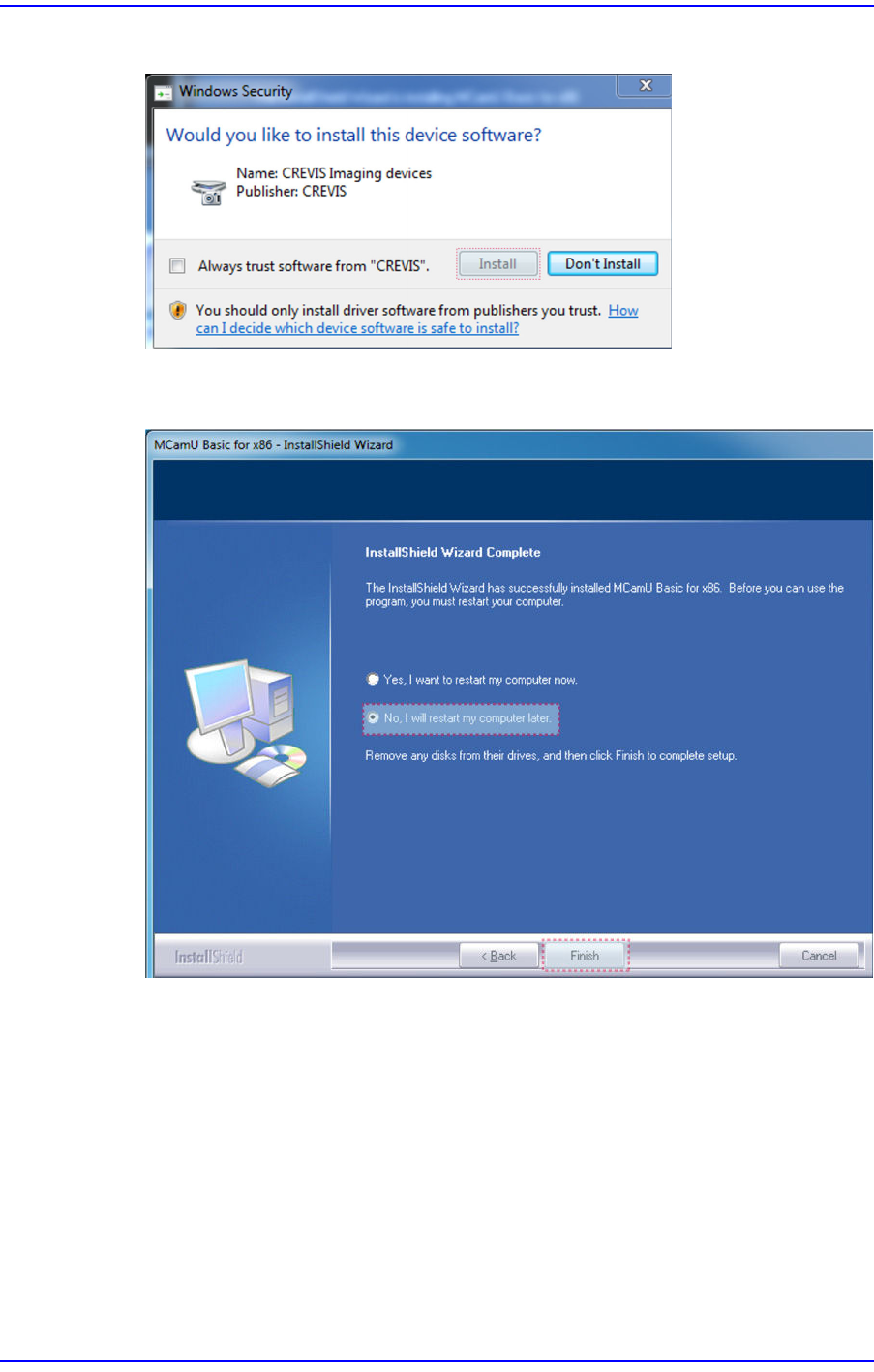
4. Click the <Install> button to proceed with program installation.
5. After finishing program installation, select the option not to reboot the PC and click
the <Finish>button.