1OPERATION_.pdf - 第10页
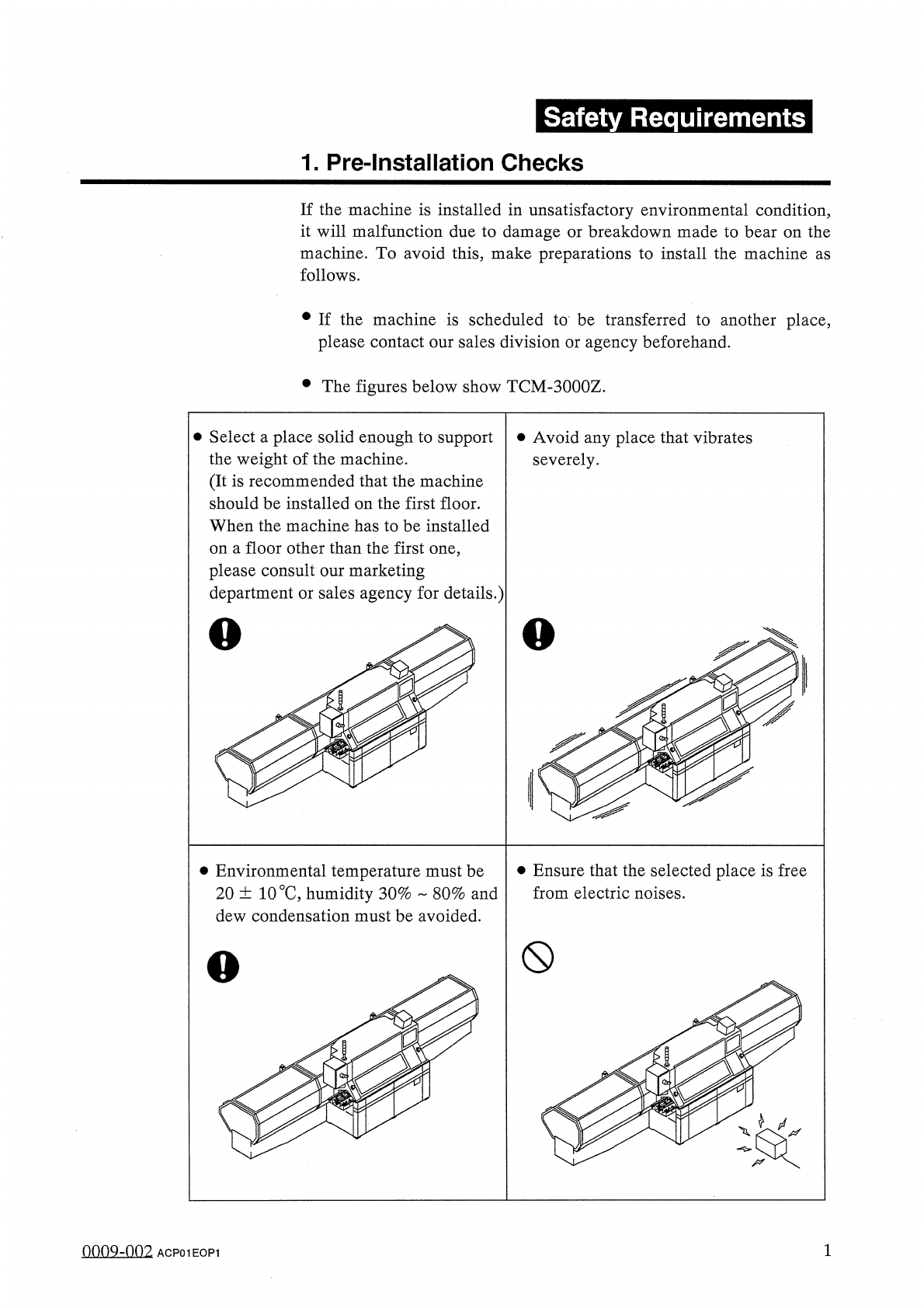
Safety Requirements 1 . Pre - Installation Checks If the machine is installed in unsatisfactory environmental condition , it will malfunction due to damage or breakdown made to bear on the machine . To avoid this , make …
©
DMTE
T
^
Page
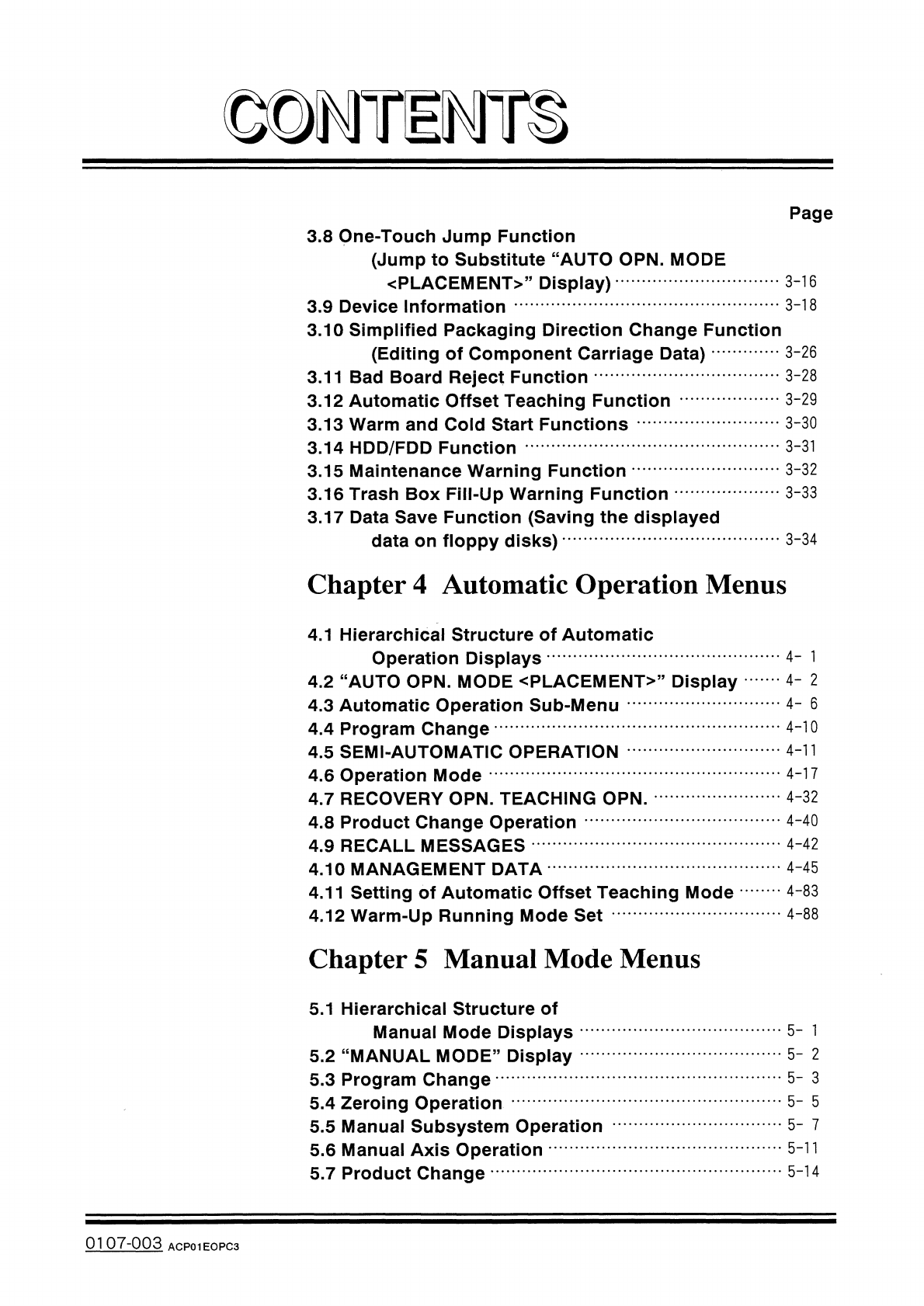
3.8
One
-
Touch
Jump
Function
(
Jump
to
Substitute
“
AUTO
OPN
.
MODE
〈
PLACEMENT
〉
,
,
Display
)
3.9
Device
Information
3.10
Simplified
Packaging
Direction
Change
Function
(
Editing
of
Component
Carriage
Data
)
3.11
Bad
Board
Reject
Function
3.12
Automatic
Offset
Teaching
Function
3.13
Warm
and
Cold
Start
Functions
3.14
HDD
/
FDD
Function
3.15
Maintenance
Warning
Function
3.16
Trash
Box
Fill
-
Up
Warning
Function
3.17
Data
Save
Function
(
Saving
the
displayed
data
on
floppy
disks
)
3
-
16
3
-
18
3
-
26
3
-
28
3
-
29
3
-
30
3
-
31
3
-
32
3
-
33
3
-
34
Chapter
4
Automatic
Operation
Menus
4.1
Hierarchical
Structure
of
Automatic
Operation
Displays
4.2
“
AUTO
OPN
.
MODE
<
PLACEMENT
>
”
Display
4.3
Automatic
Operation
Sub
-
Menu
4.4
Program
Change
4.5
SEMI
-
AUTOMATIC
OPERATION
4.6
Operation
Mode
4.7
RECOVERY
OPN
.
TEACHING
OPN
.
4.8
Product
Change
Operation
4.9
RECALL
MESSAGES
4.10
MANAGEMENT
DATA
4.11
Setting
of
Automatic
Offset
Teaching
Mode
4.12
Warm
-
Up
Running
Mode
Set
4
-
l
4
-
2
4
-
6
4
-
10
4
-
11
4
-
17
4
-
32
4
-
40
4
-
42
4
-
45
4
-
83
4
-
88
Chapter
5
Manual
Mode
Menus
5.1
Hierarchical
Structure
of
Manual
Mode
Displays
5.2
“
MANUAL
MODE
”
Display
5.3
Program
Change
5.4
Zeroing
Operation
5.5
Manual
Subsystem
Operation
5.6
Manual
Axis
Operation
5.7
Product
Change
5
-
1
5
-
2
5
-
3
5
-
5
5
-
7
5
-
11
5
-
14
0107
-
003
ACP
01
EOPC
3
Safety
Requirements
1
.
Pre
-
Installation
Checks
If
the
machine
is
installed
in
unsatisfactory
environmental
condition
,
it
will
malfunction
due
to
damage
or
breakdown
made
to
bear
on
the
machine
.
To
avoid
this
,
make
preparations
to
install
the
machine
as
follows
.
•
If
the
machine
is
scheduled
to
be
transferred
to
another
place
,
please
contact
our
sales
division
or
agency
beforehand
.
•
The
figures
below
show
TCM
-
3000
Z
.
•
Select
a
place
solid
enough
to
support
the
weight
of
the
machine
.
(
It
is
recommended
that
the
machine
should
be
installed
on
the
first
floor
.
When
the
machine
has
to
be
installed
on
a
floor
other
than
the
first
one
,
please
consult
our
marketing
department
or
sales
agency
for
details
.
)
•
Avoid
any
place
that
vibrates
severely
.
o
o
K
¥
:
•
Ensure
that
the
selected
place
is
free
from
electric
noises
.
•
Environmental
temperature
must
be
20
土
10
°
C
,
humidity
30
%
80
%
and
dew
condensation
must
be
avoided
.
0
X
0009
-
002
ACP
01
EOP
1
Safety
Requirements
1
.
Pre
-
Installation
Checks
0009
-
003
2
ACP
01
EOP
2