1OPERATION_.pdf - 第274页
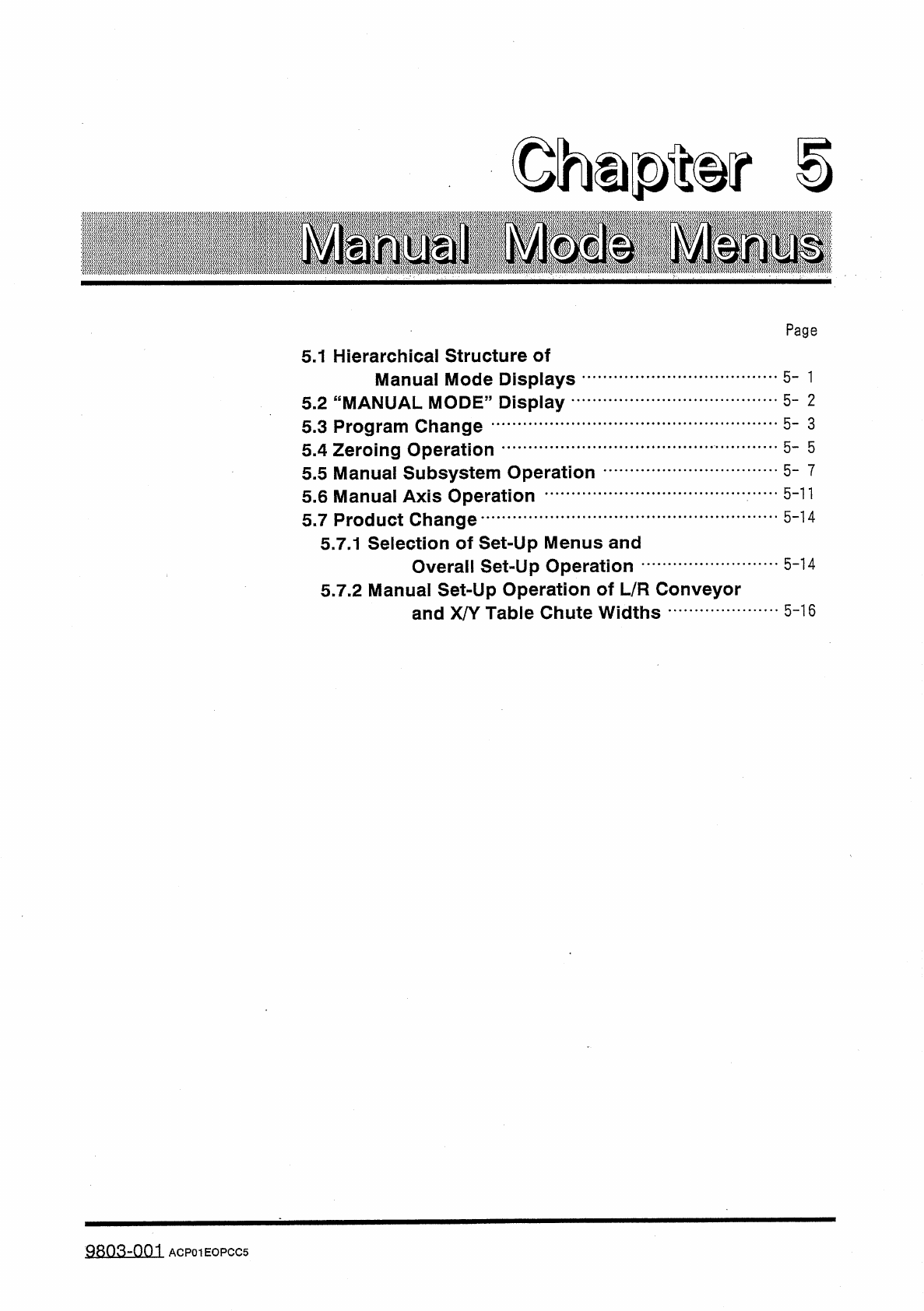
Page 5.1 Hierarchical Structure of Manual Mode Displays 5.2 " MANUAL MODE ” Display 5.3 Program Change 5.4 Zeroing Operation 5.5 Manual Subsystem Operation 5.6 Manual Axis Operation 5.7 Product Change 5.7 . 1 Select…
4.12
Warm
-
Up
Running
Mode
Set
(
2
)
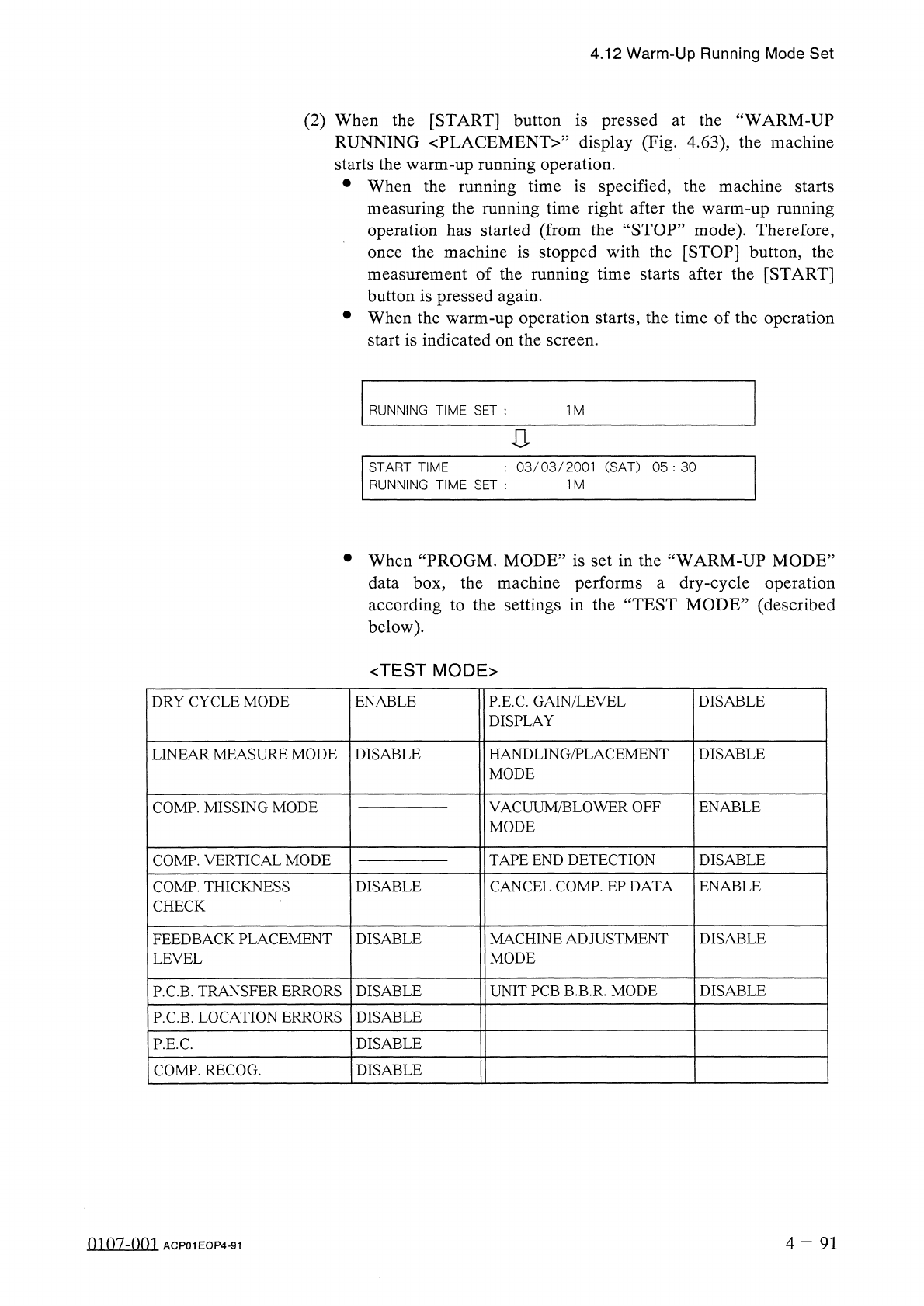
When
the
[
START
]
button
is
pressed
at
the
“
WARM
-
UP
RUNNING
〈
PLACEMENT
〉
”
display
(
Fig
.
4.63
)
,
the
machine
starts
the
warm
-
up
running
operation
.
•
When
the
running
time
is
specified
,
the
machine
starts
measuring
the
running
time
right
after
the
warm
-
up
running
operation
has
started
(
from
the
“
STOP
”
mode
)
.
Therefore
,
the
machine
is
stopped
with
the
[
STOP
]
button
,
the
measurement
of
the
running
time
starts
after
the
[
START
]
button
is
pressed
again
.
•
When
the
warm
-
up
operation
starts
,
the
time
of
the
operation
start
is
indicated
on
the
screen
.
once
RUNNING
TIME
SET
:
1
M
:
03
/
03
/
2001
(
SAT
)
05
:
30
START
TIME
RUNNING
TIME
SET
:
1
M
•
When
“
PROGM
.
MODE
”
is
set
in
the
“
WARM
-
UP
MODE
”
data
box
,
the
machine
performs
a
dry
-
cycle
operation
according
to
the
settings
in
the
“
TEST
MODE
”
(
described
below
)
.
<
TEST
MODE
>
DRY
CYCLE
MODE
ENABLE
P
.
E
.
C
.
GAIN
/
LEVEL
DISPLAY
DISABLE
HANDLING
/
PLACEMENT
MODE
DISABLE
LINEAR
MEASURE
MODE
DISABLE
VACUUM
/
BLOWER
OFF
MODE
COMP
.
MISSING
MODE
ENABLE
COMP
.
VERTICAL
MODE
TAPE
END
DETECTION
DISABLE
CANCEL
COMP
.
EP
DATA
COMP
.
THICKNESS
CHECK
DISABLE
ENABLE
FEEDBACK
PLACEMENT
LEVEL
DISABLE
MACHINE
ADJUSTMENT
MODE
DISABLE
UNIT
PCB
B
.
B
.
R
.
MODE
DISABLE
P
.
C
.
B
.
TRANSFER
ERRORS
DISABLE
P
.
C
.
B
.
LOCATION
ERRORS
DISABLE
DISABLE
P
.
E
.
C
.
COMP
.
RECOG
.
DISABLE
4
-
91
0107
-
001
ACP
01
EOP
4
-
91
Page
5.1
Hierarchical
Structure
of
Manual
Mode
Displays
5.2
"
MANUAL
MODE
”
Display
5.3
Program
Change
5.4
Zeroing
Operation
5.5
Manual
Subsystem
Operation
5.6
Manual
Axis
Operation
5.7
Product
Change
5.7
.
1
Selection
of
Set
-
Up
Menus
and
Overall
Set
-
Up
Operation
5.7
.
2
Manual
Set
-
Up
Operation
of
L
/
R
Conveyor
and
X
/
Y
Table
Chute
Widths
5
-
n
fl
«
n
.
s
-
nm
ACP
01
EOPCC
5
5.1
Hierarchical
Structure
of
Manual
Mode
Displays
5.1
Hierarchical
Structure
of
Manual
Mode
Displays
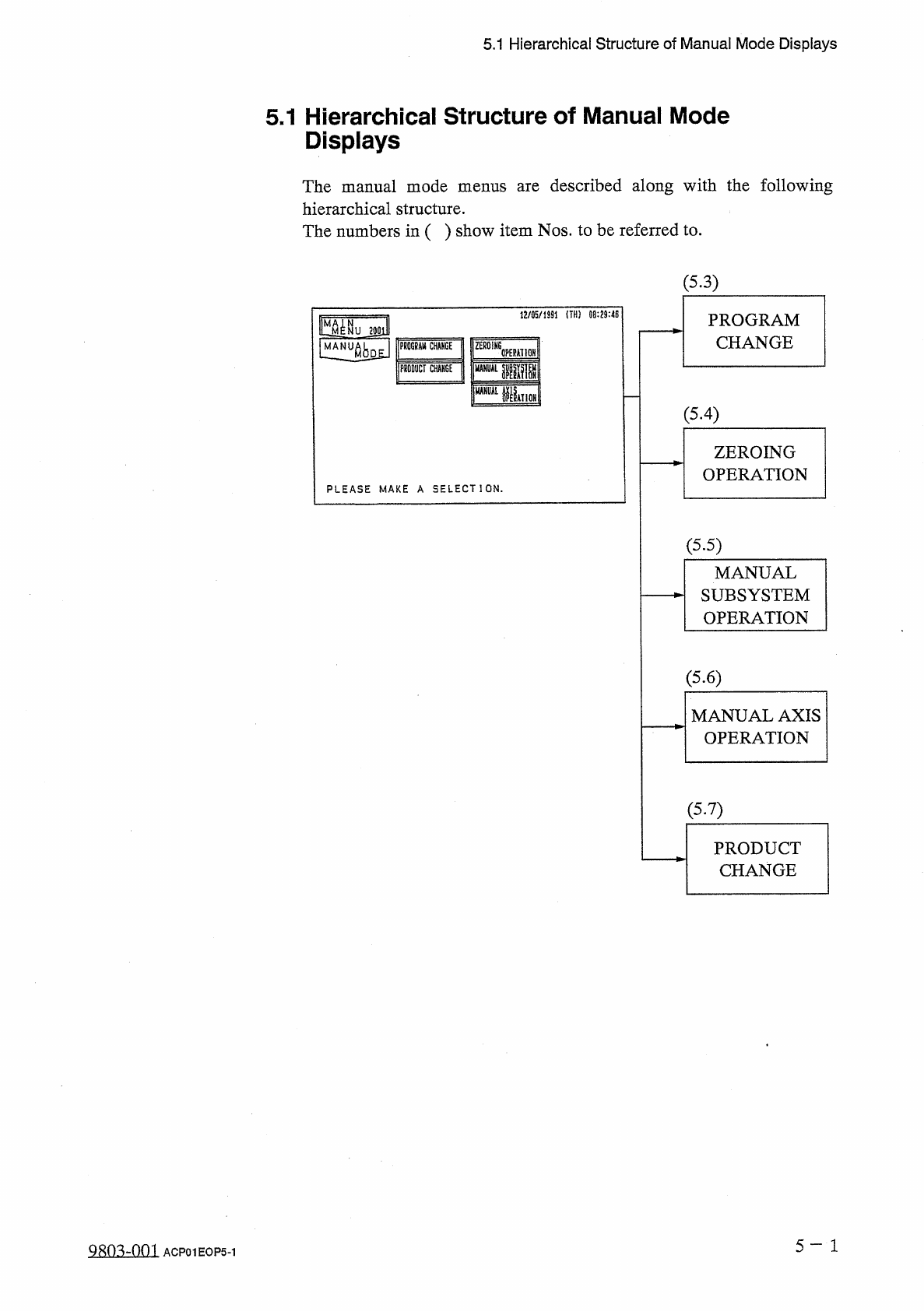
The
manual
mode
menus
are
described
along
with
the
following
hierarchical
structure
.
The
numbers
in
(
)
show
item
Nos
.
to
be
referred
to
.
(
5.3
)
1
J
/
05
/
1
SS
1
!
TH
!
09
:
29
:
4
E
PROGRAM
CHANGE
|
MM
^
NU
2
J
0
lll
匕
limJ
lMIV
腦
j
rniiTcliicf
m
CT
CHM
6
E
'
psr
腿
HI
OH
I
pir
(
5.4
)
ZEROING
OPERATION
PLEASE
MAKE
A
SELECT
]
ON
.
(
5.5
)
MANUAL
SUBSYSTEM
OPERATION
(
5.6
)
MANUAL
AXIS
OPERATION
(
5.7
)
PRODUCT
CHANGE
5
-
1
Qsm
-
nm
ACP
01
EOP
5
-
1