1OPERATION_.pdf - 第131页
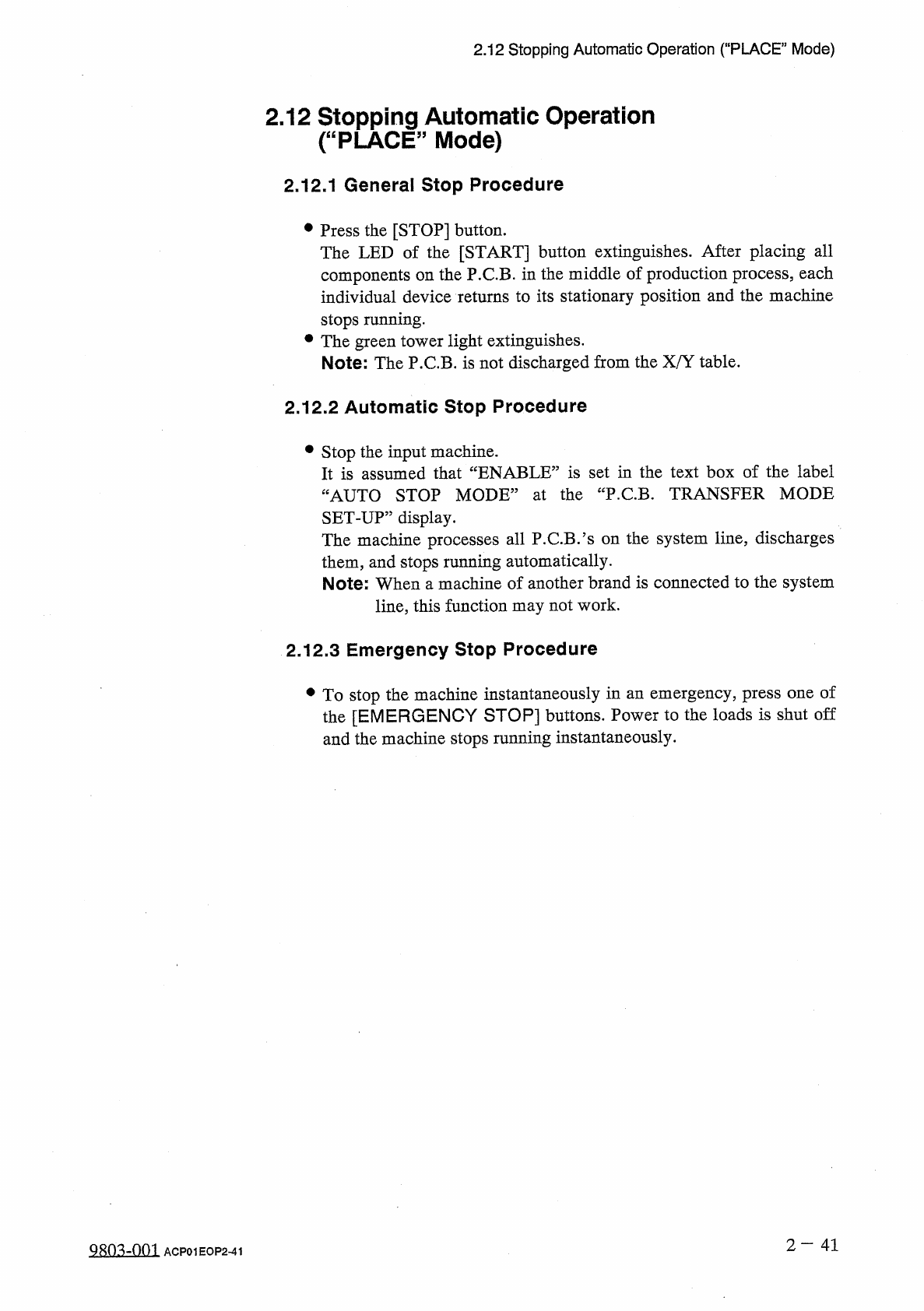
2.12 Stopping Automatic Operation ( “ PLACE ” Mode ) 2.12 Stopping Automatic Operation ( “ PLACE ” Mode ) 2.12 . 1 General Stop Procedure • Press the [ STOP ] button . The LED of the [ START ] button extinguishes . After…
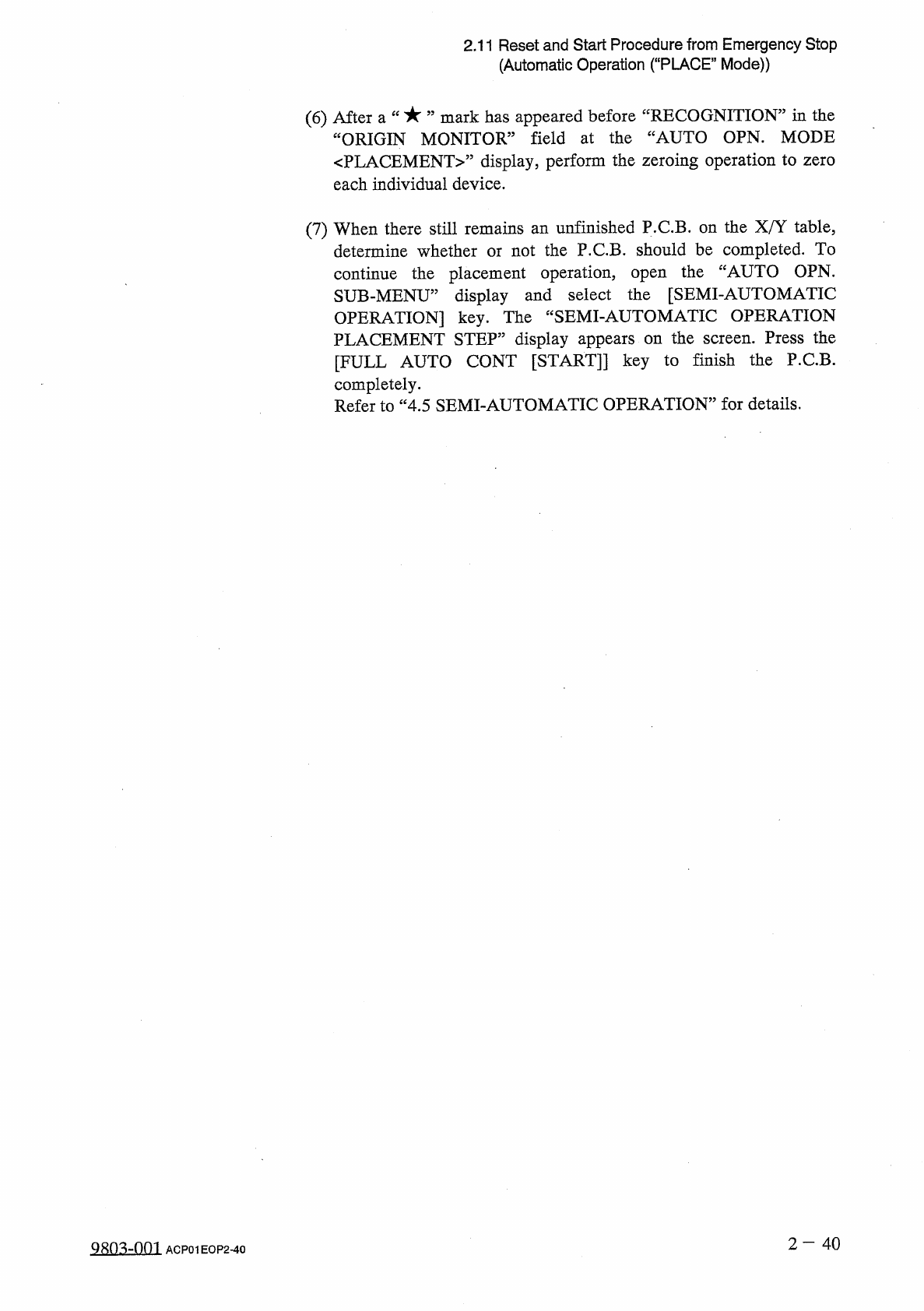
2.11
Reset
and
Start
Procedure
from
Emergency
Stop
(
Automatic
Operation
(
“
PLACE
”
Mode
)
)
(
6
)
After
a
“
mark
has
appeared
before
^
RECOGNITION
”
in
the
ORIGIN
MONITOR
”
field
at
the
“
AUTO
OPN
.
MODE
〈
PLACEMENT
〉
”
display
,
perform
the
zeroing
operation
to
zero
each
individual
device
.
(
7
)
When
there
still
remains
an
unfinished
P
.
C
.
B
.
on
the
X
/
Y
table
,
determine
whether
or
not
the
P
.
C
.
B
.
should
be
completed
.
To
continue
the
placement
operation
,
open
the
“
AUTO
OPN
.
SUB
-
MENU
”
display
and
select
the
[
SEMI
-
AUTOMATIC
OPERATION
]
key
.
The
“
SEMI
-
AUTOMATIC
OPERATION
PLACEMENT
STEP
”
display
appears
on
the
screen
.
Press
the
[
FULL
AUTO
CONT
[
START
]
]
key
to
finish
the
P
.
C
.
B
.
completely
.
Refer
to
“
4.5
SEMI
-
AUTOMATIC
OPERATION
”
for
details
.
2
—
4 0
Q
80
^
-
nm
ACP
01
EOP
2
-
40
2.12
Stopping
Automatic
Operation
(
“
PLACE
”
Mode
)
2.12
Stopping
Automatic
Operation
(
“
PLACE
”
Mode
)
2.12
.
1
General
Stop
Procedure
•
Press
the
[
STOP
]
button
.
The
LED
of
the
[
START
]
button
extinguishes
.
After
placing
all
components
on
the
P
.
C
.
B
.
in
the
middle
of
production
process
,
each
individual
device
returns
to
its
stationary
position
and
the
machine
stops
running
.
•
The
green
tower
light
extinguishes
.
Note
:
The
P
.
C
.
B
.
is
not
discharged
from
the
X
/
Y
table
.
2.12
.
2
Automatic
Stop
Procedure
•
Stop
the
input
machine
.
It
is
assumed
that
“
ENABLE
”
is
set
in
the
text
box
of
the
label
“
AUTO
STOP
MODE
”
at
the
“
P
.
C
.
B
.
TRANSFER
MODE
SET
-
UP
”
display
.
The
machine
processes
all
P
.
C
.
B
/
s
on
the
system
line
,
discharges
them
,
and
stops
running
automatically
.
Note
:
When
a
machine
of
another
brand
is
connected
to
the
system
line
,
this
function
may
not
work
.
2.12
.
3
Emergency
Stop
Procedure
•
To
stop
the
machine
instantaneously
in
an
emergency
,
press
one
of
the
[
EMERGENCY
STOP
]
buttons
.
Power
to
the
loads
is
shut
off
and
the
machine
stops
ranning
instantaneously
.
2
一
41
QRO
^
-
nm
ACP
01
EOP
2
-
41
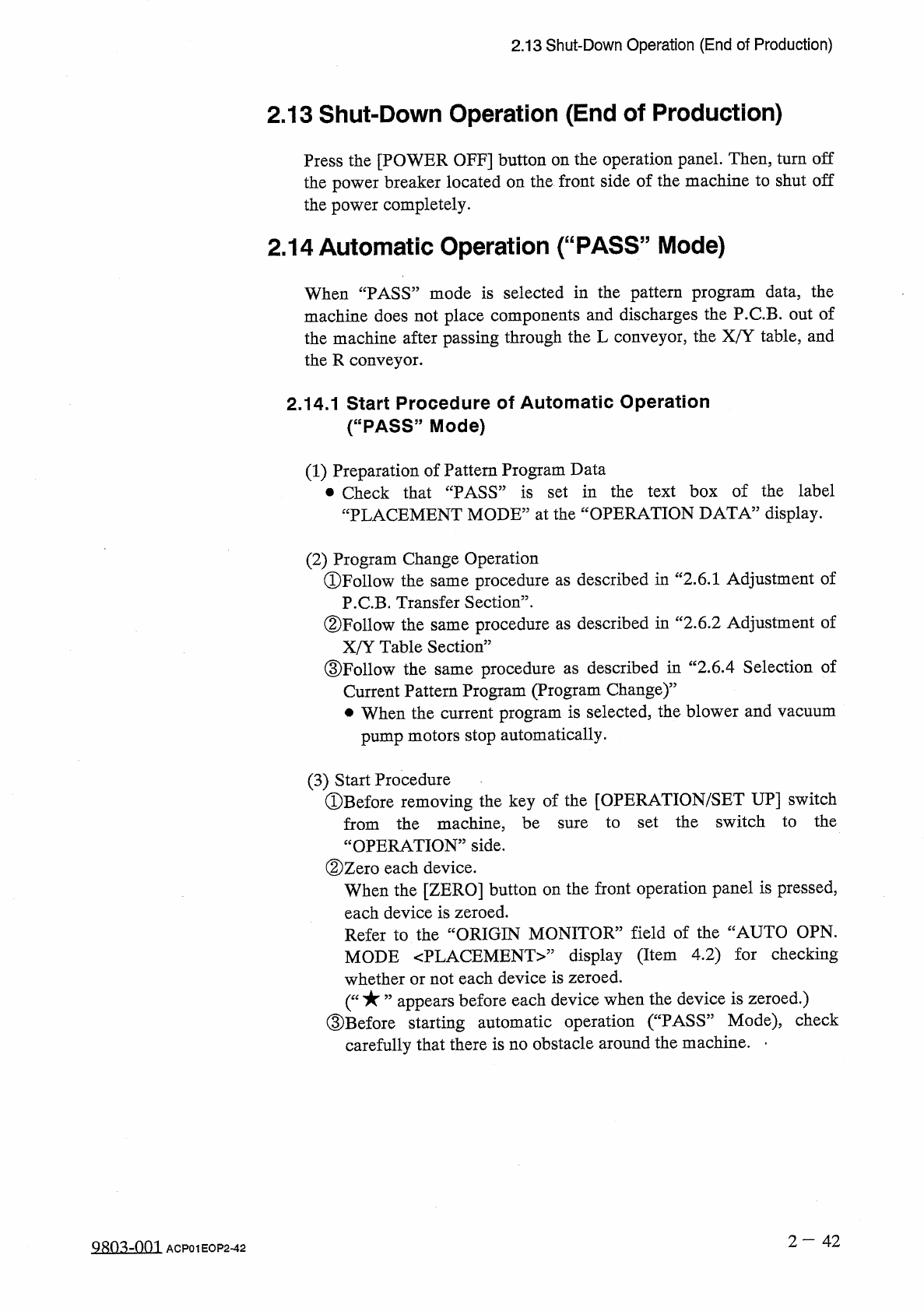
2.13
Shut
-
Down
Operation
(
End
of
Production
)
2.13
Shut
-
Down
Operation
(
End
of
Production
)
Press
the
[
POWER
OFF
]
button
on
the
operation
panel
.
Then
,
turn
off
the
power
breaker
located
on
the
front
side
of
the
machine
to
shut
off
the
power
completely
.
2.14
Automatic
Operation
(
“
PASS
”
Mode
)
When
“
PASS
”
mode
is
selected
in
the
pattern
program
data
,
the
machine
does
not
place
components
and
discharges
the
P
.
C
.
B
.
out
of
the
machine
after
passing
through
the
L
conveyor
,
the
X
/
Y
table
,
and
the
R
conveyor
.
2.14
.
1
Start
Procedure
of
Automatic
Operation
(
“
PASS
,
,
Mode
)
(
1
)
Preparation
of
Pattern
Program
Data
•
Check
that
“
PASS
”
is
set
in
the
text
box
of
the
label
“
PLACEMENT
MODE
”
at
the
“
OPERATION
DATA
”
display
.
(
2
)
Program
Change
Operation
①
Follow
the
same
procedure
as
described
in
“
2.6
.
1
Adjustment
of
P
.
C
.
B
.
Transfer
Section
”
.
②
Follow
the
same
procedure
as
described
in
c
<
2.6
.
2
Adjustment
of
X
/
Y
Table
Section
”
③
Follow
the
procedure
as
described
in
“
2.6
.
4
Selection
of
Current
Pattern
Program
(
Program
Change
)
”
•
When
the
current
program
is
selected
,
the
blower
and
vacuum
same
pump
motors
stop
automatically
.
(
3
)
Start
Procedure
©
Before
removing
the
key
of
the
[
OPERATION
/
SET
UP
]
switch
to
set
the
switch
to
the
from
the
machine
,
be
“
OPERATION
”
side
.
②
Zero
each
device
.
When
the
[
ZERO
]
button
on
the
front
operation
panel
is
pressed
,
each
device
is
zeroed
.
Refer
to
the
“
ORIGIN
MONITOR
”
field
of
the
“
AUTO
OPN
.
MODE
〈
PLACEMENT
〉
”
display
(
Item
4.2
)
for
checking
whether
or
not
each
device
is
zeroed
.
appears
before
each
device
when
the
device
is
zeroed
.
)
③
Before
starting
automatic
operation
(
“
PASS
”
Mode
)
,
check
carefully
that
there
is
no
obstacle
around
the
machine
.
-
sure
2
—
42
Q
803
-
001
ACP
01
EOP
2
-
42