1OPERATION_.pdf - 第87页
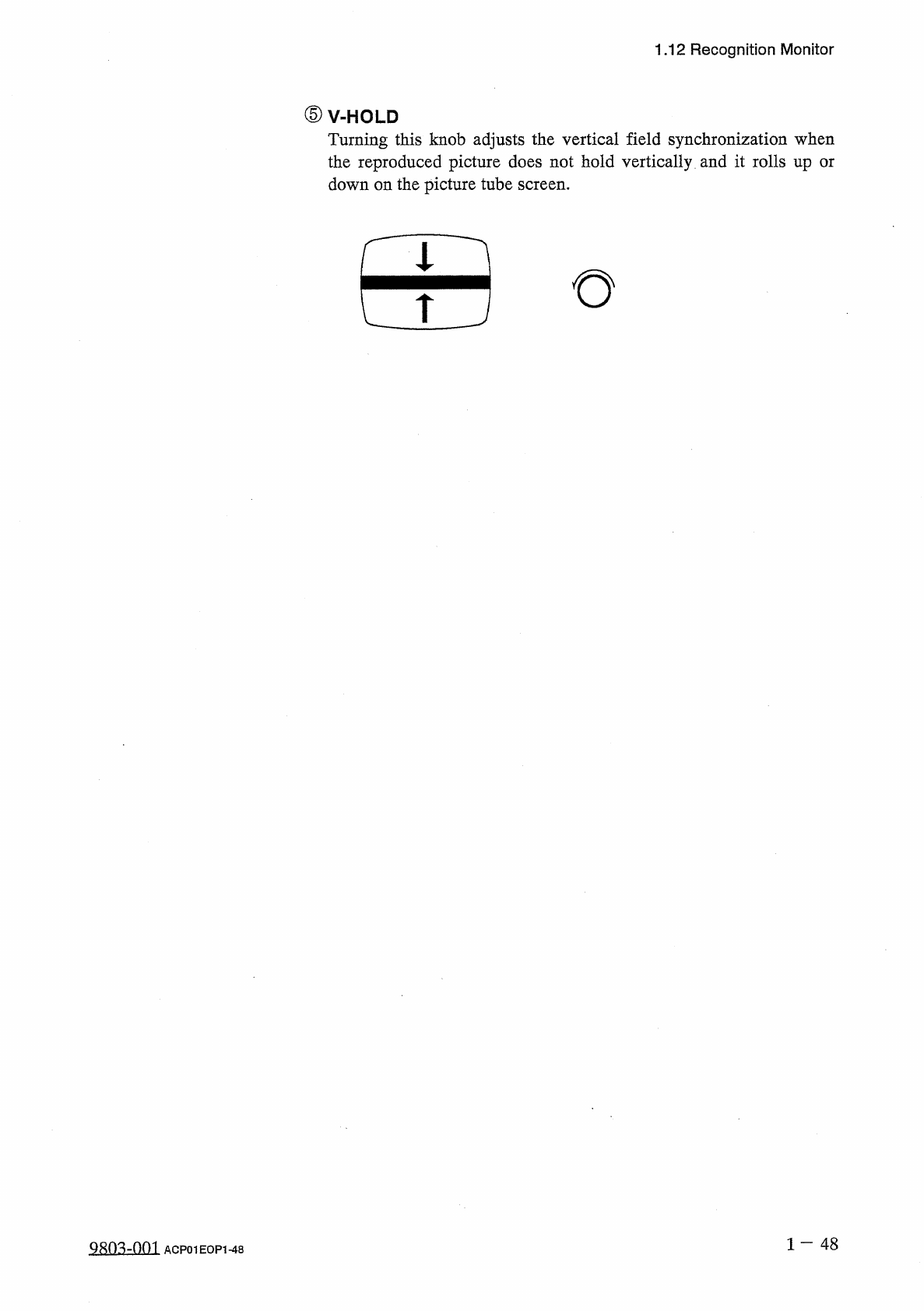
1.12 Recognition Monitor ⑤ V - HOLD Turning this knob adjusts the vertical field synchronization when the reproduced picture does not hold vertically and it rolls up or down on the picture tube screen . 田 1 — 4 8 ACP 01 …
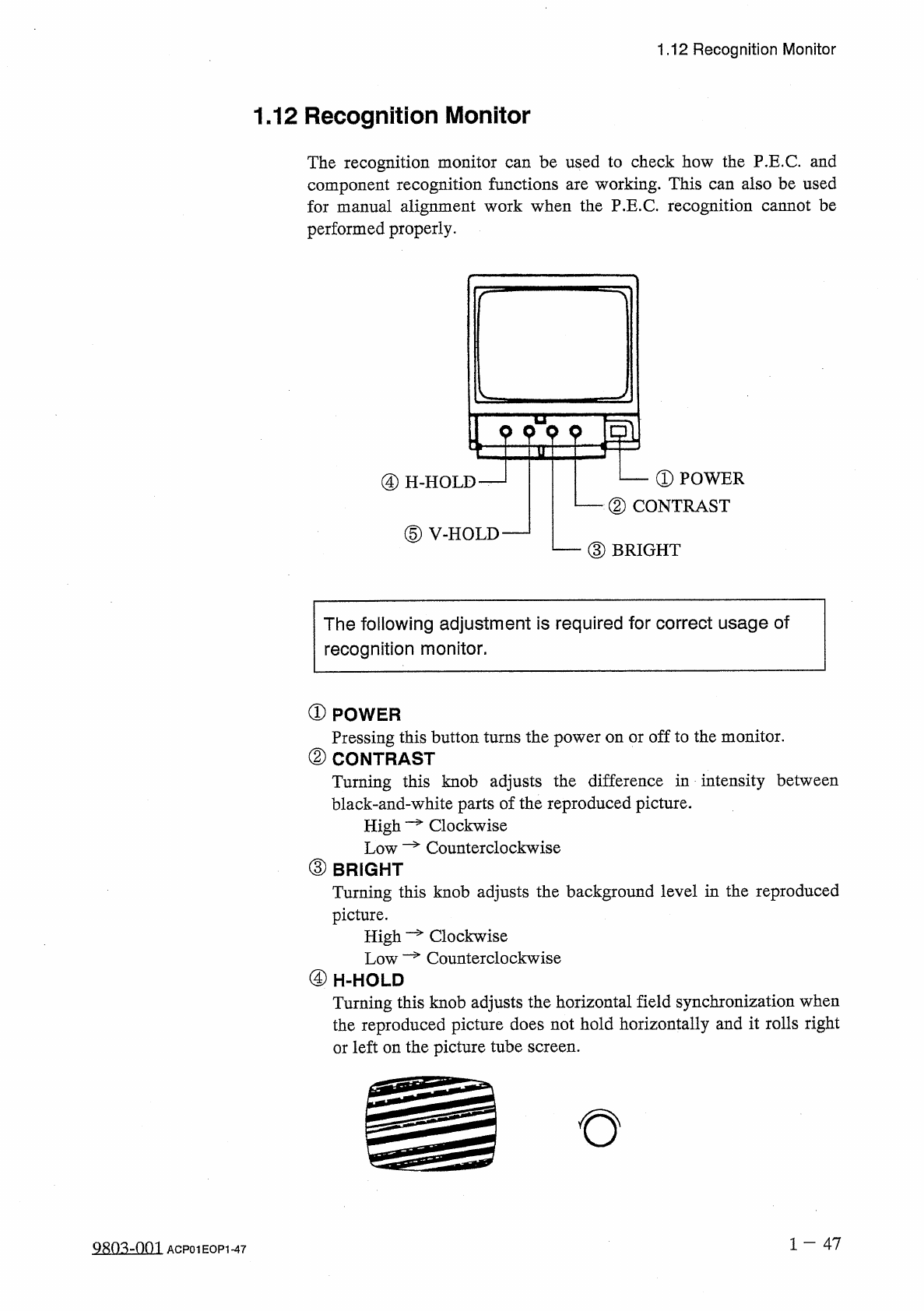
1.12
Recognition
Monitor
1.12
Recognition
Monitor
The
recognition
monitor
can
be
used
to
check
how
the
P
.
E
.
C
.
and
component
recognition
functions
are
working
.
This
can
also
be
used
for
manual
alignment
work
when
the
P
.
E
.
C
.
recognition
cannot
be
performed
properly
.
O
—
①
POWER
②
CONTRAST
④
H
-
HOLD
—
1
⑤
V
-
HOLD
—
—
③
BRIGHT
The
following
adjustment
is
required
for
correct
usage
of
recognition
monitor
,
①
POWER
Pressing
this
button
turns
the
power
on
or
off
to
the
monitor
.
②
CONTRAST
Turning
this
knob
adjusts
the
difference
in
intensity
between
black
-
and
-
white
parts
of
the
reproduced
picture
.
Clockwise
High
Low
—
Counterclockwise
③
BRIGHT
Turning
this
knob
adjusts
the
background
level
in
the
reproduced
picture
.
High
Low
—
Counterclockwise
Clockwise
④
H
-
HOLD
Turning
this
knob
adjusts
the
horizontal
field
synchronization
when
the
reproduced
picture
does
not
hold
horizontally
and
it
rolls
right
or
left
on
the
picture
tube
screen
.
1
一
47
ACP
01
EOP
1
-
47
1.12
Recognition
Monitor
⑤
V
-
HOLD
Turning
this
knob
adjusts
the
vertical
field
synchronization
when
the
reproduced
picture
does
not
hold
vertically
and
it
rolls
up
or
down
on
the
picture
tube
screen
.
田
1
—
48
ACP
01
EOP
1
-
48
◎
h
_
_
r
1
Page
2
-
1
2.1
Hierarchical
Structure
of
Operation
Displays
-
2.1
.
1
“
MAIN
MENU
”
Display
2.1
.
2
Hierarchical
Structure
of
Operation
Menus
2.1
.
3
Hierarchical
Displays
2.1
.
4
Touch
Screen
Keys
2.2
Notes
on
Handling
Touch
Screen
2.3
Power
Supply
2.3
,
1
Confirmation
of
Correct
Power
Supply
and
Air
Pressure
2
-
1
2
-
3
2
-
4
2
-
5
2
-
6
2
-
8
2
-
8
2
-
9
2.3
.
2
Power
Up
the
Machine
2.3
.
3
Displays
for
Initialization
at
Power
ON
2.4
Thorough
Procedures
(
from
starting
through
ending
operations
including
preparation
)
for
Automatic
Operation
(
Component
Placement
)
2.5
Preparation
of
Pattern
Program
Data
2.5
.
1
Creation
of
Current
Pattern
Program
Data
•
-
2.5
.
2
Registration
(
Storage
in
Memory
)
of
Current
Pattern
Program
Data
-
2
-
10
2
-
13
2
-
15
2
-
15
2
-
15
2
-
17
2.6
Program
Change
2.6
.
1
Adjustment
of
P
.
C
.
B
.
Transfer
Section
2.6
.
2
Adjustment
of
X
/
Y
Table
Section
2.6
.
3
Preparation
of
Tape
Feeders
2.6
.
4
Selection
of
Current
Pattern
Program
(
Program
Change
)
2.6
.
5
All
Data
Clear
Operation
for
Feeder
(
B
)
Offset
2.7
Verification
of
Current
Pattern
Program
Data
2.7
.
1
P
.
E
.
C
.
Recognition
Test
2.7
.
2
X
/
Y
Table
Test
at
P
.
E
.
C
.
Position
2.7
.
3
Operation
for
Confirmation
2.7
.
4
Actual
Component
Placement
Test
2
-
17
2
-
18
2
-
24
2
-
25
2
-
26
2
-
27
2
-
27
2
-
28
2
-
29
2
-
29
0003
-
003
ACP
01
EOPCC
2