1OPERATION_.pdf - 第184页
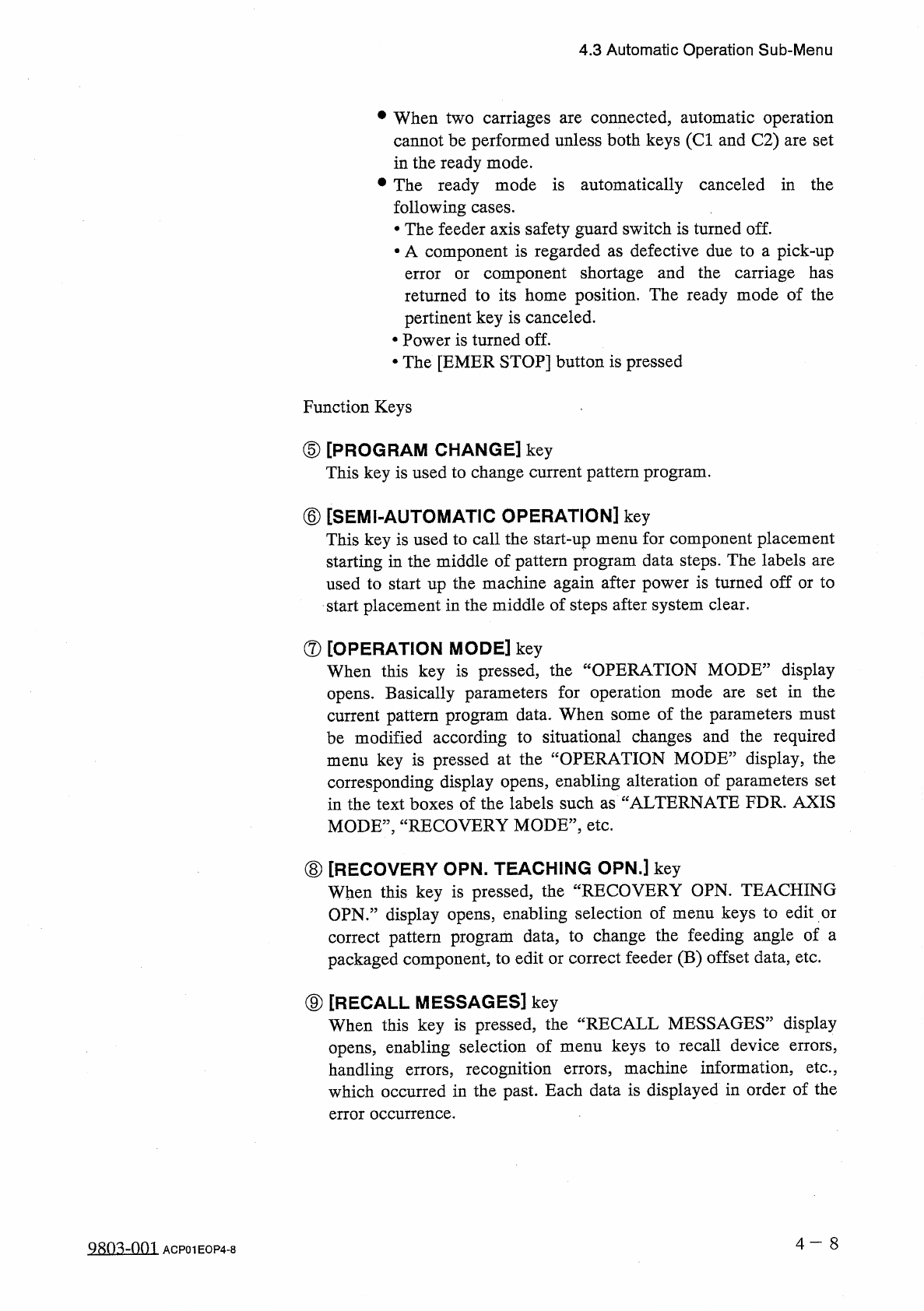
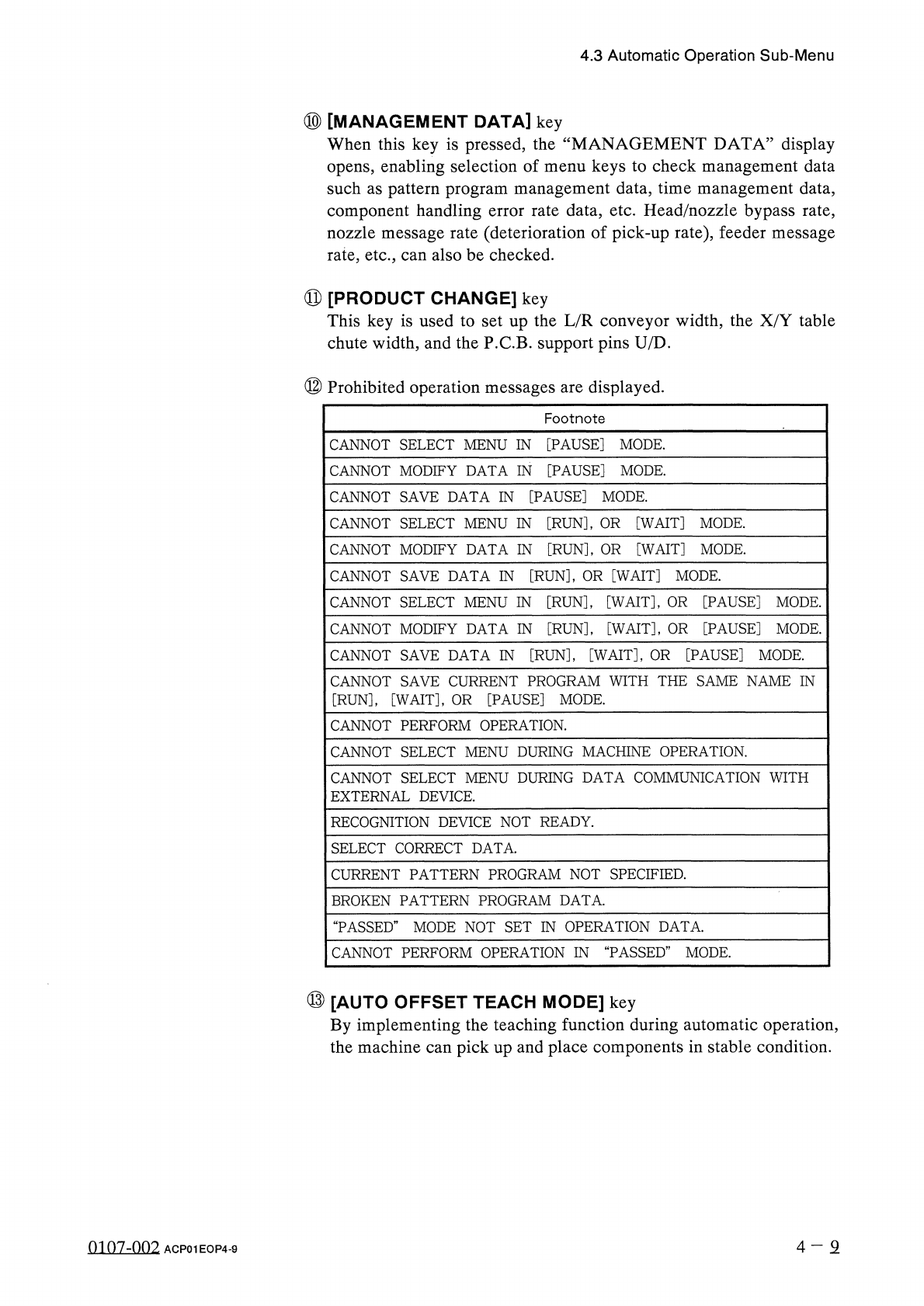
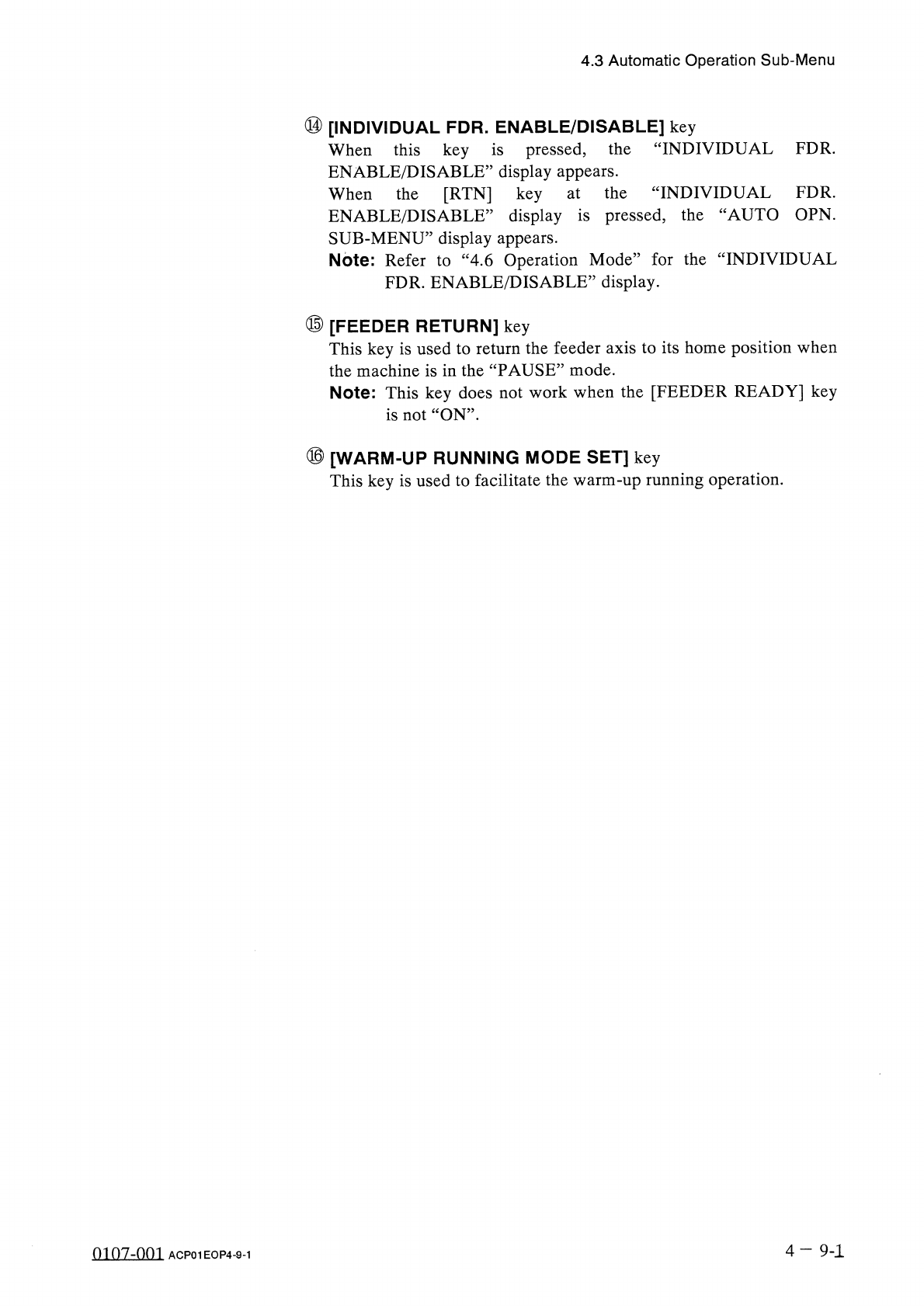
4.3 Automatic Operation Sub - Menu ⑩ [ MANAGEMENT DATA ] key When this key is pressed , the “ MANAGEMENT DATA ” display opens , enabling selection of menu keys to check management data such as pattern program management …
4.3
Automatic
Operation
Sub
-
Menu
•
When
two
carriages
are
connected
,
automatic
operation
cannot
be
performed
unless
both
keys
(
Cl
and
C
2
)
are
set
in
the
ready
mode
.
•
The
ready
mode
is
automatically
canceled
in
the
following
cases
.
•
The
feeder
axis
safety
guard
switch
is
turned
off
.
•
A
component
is
regarded
as
defective
due
to
a
pick
-
up
component
shortage
and
the
carriage
has
returned
to
its
home
position
.
The
ready
mode
of
the
pertinent
key
is
canceled
.
•
Power
is
turned
off
.
•
The
[
EMER
STOP
]
button
is
pressed
error
or
Function
Keys
⑤
[
PROGRAM
CHANGE
]
key
This
key
is
used
to
change
current
pattern
program
.
⑥
[
SEMI
-
AUTOMATIC
OPERATION
]
key
This
key
is
used
to
call
the
start
-
up
menu
for
component
placement
starting
in
the
middle
of
pattern
program
data
steps
.
The
labels
are
used
to
start
up
the
machine
again
after
power
is
turned
off
or
to
start
placement
in
the
middle
of
steps
after
system
clear
.
⑦
[
OPERATION
MODE
]
key
When
this
key
is
pressed
,
the
“
OPERATION
MODE
”
display
opens
.
Basically
parameters
for
operation
mode
are
set
in
the
current
pattern
program
data
.
When
some
of
the
parameters
must
be
modified
according
to
situational
changes
and
the
required
menu
key
is
pressed
at
the
“
OPERATION
MODE
”
display
,
the
corresponding
display
opens
,
enabling
alteration
of
parameters
set
in
the
text
boxes
of
the
labels
such
as
“
ALTERNATE
FDR
.
AXIS
MODE
'
“
RECOVERY
MODE
'
etc
.
⑧
[
RECOVERY
OPN
.
TEACHING
OPN
.
]
key
When
this
key
is
pressed
,
the
“
RECOVERY
OPN
.
TEACHING
OPN
.
”
display
opens
,
enabling
selection
of
menu
keys
to
edit
or
correct
pattern
program
data
,
to
change
the
feeding
angle
of
a
packaged
component
,
to
edit
or
correct
feeder
(
B
)
offset
data
,
etc
.
⑨
[
RECALL
MESSAGES
]
key
When
this
key
is
pressed
,
the
“
RECALL
MESSAGES
”
display
opens
,
enabling
selection
of
menu
keys
to
recall
device
errors
,
handling
errors
,
recognition
errors
,
machine
information
,
etc
.
,
which
occurred
in
the
past
.
Each
data
is
displayed
in
order
of
the
error
occurrence
.
4
-
8
Q
^
m
-
OOl
ACP
01
EOP
4
-
8
4.3
Automatic
Operation
Sub
-
Menu
⑩
[
MANAGEMENT
DATA
]
key
When
this
key
is
pressed
,
the
“
MANAGEMENT
DATA
”
display
opens
,
enabling
selection
of
menu
keys
to
check
management
data
such
as
pattern
program
management
data
,
time
management
data
,
component
handling
error
rate
data
,
etc
.
Head
/
nozzle
bypass
rate
,
nozzle
message
rate
(
deterioration
of
pick
-
up
rate
)
,
feeder
message
rate
,
etc
.
,
can
also
be
checked
.
⑪
[
PRODUCT
CHANGE
]
key
This
key
is
used
to
set
up
the
L
/
R
conveyor
width
,
the
X
/
Y
table
chute
width
,
and
the
P
.
C
.
B
.
support
pins
U
/
D
.
⑫
Prohibited
operation
messages
are
displayed
.
Footnote
CANNOT
SELECT
MENU
IN
[
PAUSE
]
MODE
.
CANNOT
MODIFY
DATA
IN
[
PAUSE
]
MODE
.
CANNOT
SAVE
DATA
IN
[
PAUSE
]
MODE
.
CANNOT
SELECT
MENU
IN
[
RUN
]
,
OR
[
WAIT
]
MODE
.
CANNOT
MODIFY
DATA
IN
[
RUN
]
,
OR
[
WAIT
]
MODE
.
CANNOT
SAVE
DATA
IN
[
RUN
]
,
OR
[
WAIT
]
MODE
.
CANNOT
SELECT
MENU
IN
[
RUN
]
,
[
WAIT
]
,
OR
[
PAUSE
]
MODE
.
CANNOT
MODIFY
DATA
IN
[
RUN
]
,
[
WAIT
]
,
OR
[
PAUSE
]
MODE
.
CANNOT
SAVE
DATA
IN
[
RUN
]
,
[
WAIT
]
,
OR
[
PAUSE
]
MODE
.
CANNOT
SAVE
CURRENT
PROGRAM
WITH
THE
SAME
NAME
IN
[
RUN
]
,
[
WAIT
]
,
OR
[
PAUSE
]
MODE
.
CANNOT
PERFORM
OPERATION
.
CANNOT
SELECT
MENU
DURING
MACHINE
OPERATION
.
CANNOT
SELECT
MENU
DURING
DATA
COMMUNICATION
WITH
EXTERNAL
DEVICE
.
RECOGNITION
DEVICE
NOT
READY
.
SELECT
CORRECT
DATA
.
CURRENT
PATTERN
PROGRAM
NOT
SPECIFIED
.
BROKEN
PATTERN
PROGRAM
DATA
.
“
PASSED
”
MODE
NOT
SET
IN
OPERATION
DATA
.
CANNOT
PERFORM
OPERATION
IN
“
PASSED
”
MODE
.
⑬
[
AUTO
OFFSET
TEACH
MODE
]
key
By
implementing
the
teaching
function
during
automatic
operation
,
the
machine
can
pick
up
and
place
components
in
stable
condition
.
4
-
2
0107
-
002
ACP
01
EOP
4
-
9
4.3
Automatic
Operation
Sub
-
Menu
⑭
[
INDIVIDUAL
FDR
.
ENABLE
/
DISABLE
]
key
When
this
key
is
pressed
,
the
ENABLE
/
DISABLE
’
’
display
appears
.
When
the
[
RTN
]
key
“
INDIVIDUAL
FDR
.
INDIVIDUAL
FDR
.
ENABLE
/
DISABLE
’
’
display
is
pressed
,
the
“
AUTO
OPN
.
SUB
-
MENU
”
display
appears
.
Note
:
Refer
to
“
4.6
Operation
Mode
”
for
the
“
INDIVIDUAL
FDR
.
ENABLE
/
DISABLE
,
,
display
.
at
the
⑮
[
FEEDER
RETURN
]
key
This
key
is
used
to
return
the
feeder
axis
to
its
home
position
when
the
machine
is
in
the
“
PAUSE
”
mode
.
Note
:
This
key
does
not
work
when
the
[
FEEDER
READY
]
key
is
not
“
ON
”
.
⑯
[
WARM
-
UP
RUNNING
MODE
SET
]
key
This
key
is
used
to
facilitate
the
warm
-
up
running
operation
.
4
—
9
-
1
0107
-
001
ACP
01
EOP
4
-
9
-
1