1OPERATION_.pdf - 第144页
3.6 Automatic Recovery Function • When component shortage errors occur in different feeder in a short interval , the feeders components , reducing loss time for component replenishment . be replenished collectively with …
3.5
Component
Shortage
Detection
Function
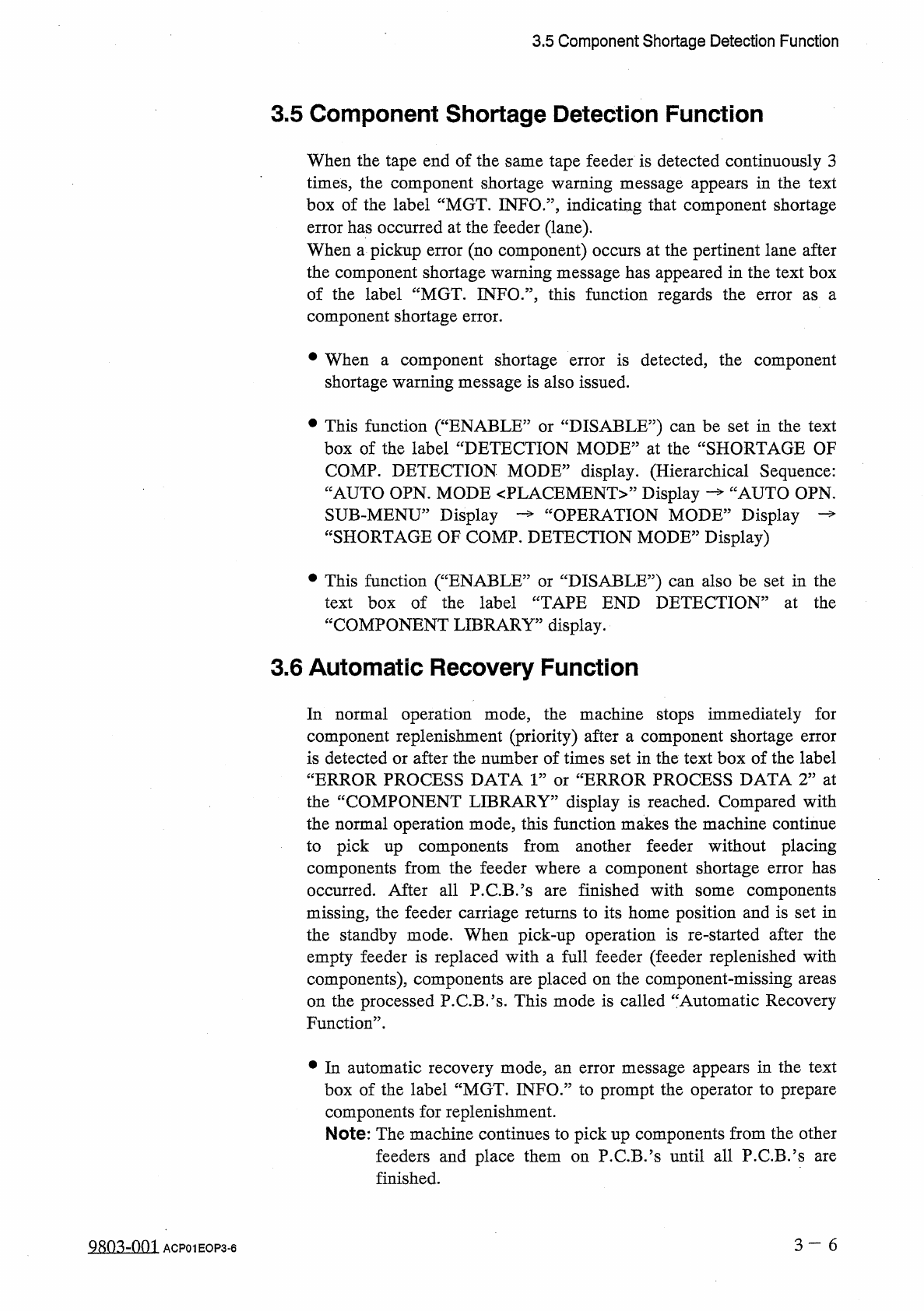
3.5
Component
Shortage
Detection
Function
When
the
tape
end
of
the
same
tape
feeder
is
detected
continuously
3
times
,
the
component
shortage
warning
message
appears
in
the
text
box
of
the
label
“
MGT
.
INFO
.
”
,
indicating
that
component
shortage
error
has
occurred
at
the
feeder
(
lane
)
.
When
a
pickup
error
(
no
component
)
occurs
at
the
pertinent
lane
after
the
component
shortage
warning
message
has
appeared
in
the
text
box
of
the
label
“
MGT
.
INFO
.
”
,
this
function
regards
the
component
shortage
error
.
error
as
a
•
When
a
component
shortage
shortage
warning
message
is
also
issued
.
is
detected
,
the
component
error
•
This
function
(
“
ENABLE
box
of
the
label
“
DETECTION
MODE
”
at
the
“
SHORTAGE
OF
:
DISABLE
?
?
)
can
be
set
in
the
text
or
COMP
.
DETECTION
MODE
”
display
.
(
Hierarchical
Sequence
:
JAUTO
OPN
.
“
AUTO
OPN
.
MODE
〈
PLACEMENT
〉
,
,
Display
SUB
-
MENU
55
Display
“
SHORTAGE
OF
COMP
.
DETECTION
MODE
”
Display
)
OPERATION
MODE
3
Display
•
This
function
(
“
ENABLE
:
text
box
of
the
label
“
TAPE
END
DETECTION
”
at
the
“
COMPONENT
LIBRARY
"
display
.
3.6
Automatic
Recovery
Function
DISABLE
95
)
can
also
be
set
in
the
or
In
normal
operation
mode
,
the
machine
stops
immediately
for
component
replenishment
(
priority
)
after
a
component
shortage
error
is
detected
or
after
the
number
of
times
set
in
the
text
box
of
the
label
“
ERROR
PROCESS
DATA
1
”
or
“
ERROR
PROCESS
DATA
2
”
at
the
“
COMPONENT
LIBRARY
”
display
is
reached
.
Compared
with
the
normal
operation
mode
,
this
function
makes
the
machine
continue
to
pick
up
components
from
another
feeder
without
placing
components
from
the
feeder
where
a
component
shortage
error
has
occurred
.
After
all
P
.
C
.
B
/
s
are
finished
with
some
components
missing
,
the
feeder
carriage
returns
to
its
home
position
and
is
set
in
the
standby
mode
.
When
pick
-
up
operation
is
re
-
started
after
the
empty
feeder
is
replaced
with
a
full
feeder
(
feeder
replenished
with
components
)
,
components
are
placed
on
the
component
-
missing
areas
on
the
processed
P
.
CB
.
’
s
.
This
mode
is
called
“
Automatic
Recovery
Function
”
.
•
In
automatic
recovery
mode
,
an
error
message
appears
in
the
text
box
of
the
label
“
MGT
.
INFO
”
to
prompt
the
operator
to
prepare
components
for
replenishment
.
Note
:
The
machine
continues
to
pick
up
components
from
the
other
feeders
and
place
them
on
P
.
C
.
B
/
s
until
all
P
.
C
.
B
.
’
s
finished
.
are
3
一
6
QRn
^
-
nm
ACP
01
EOP
3
-
6
3.6
Automatic
Recovery
Function
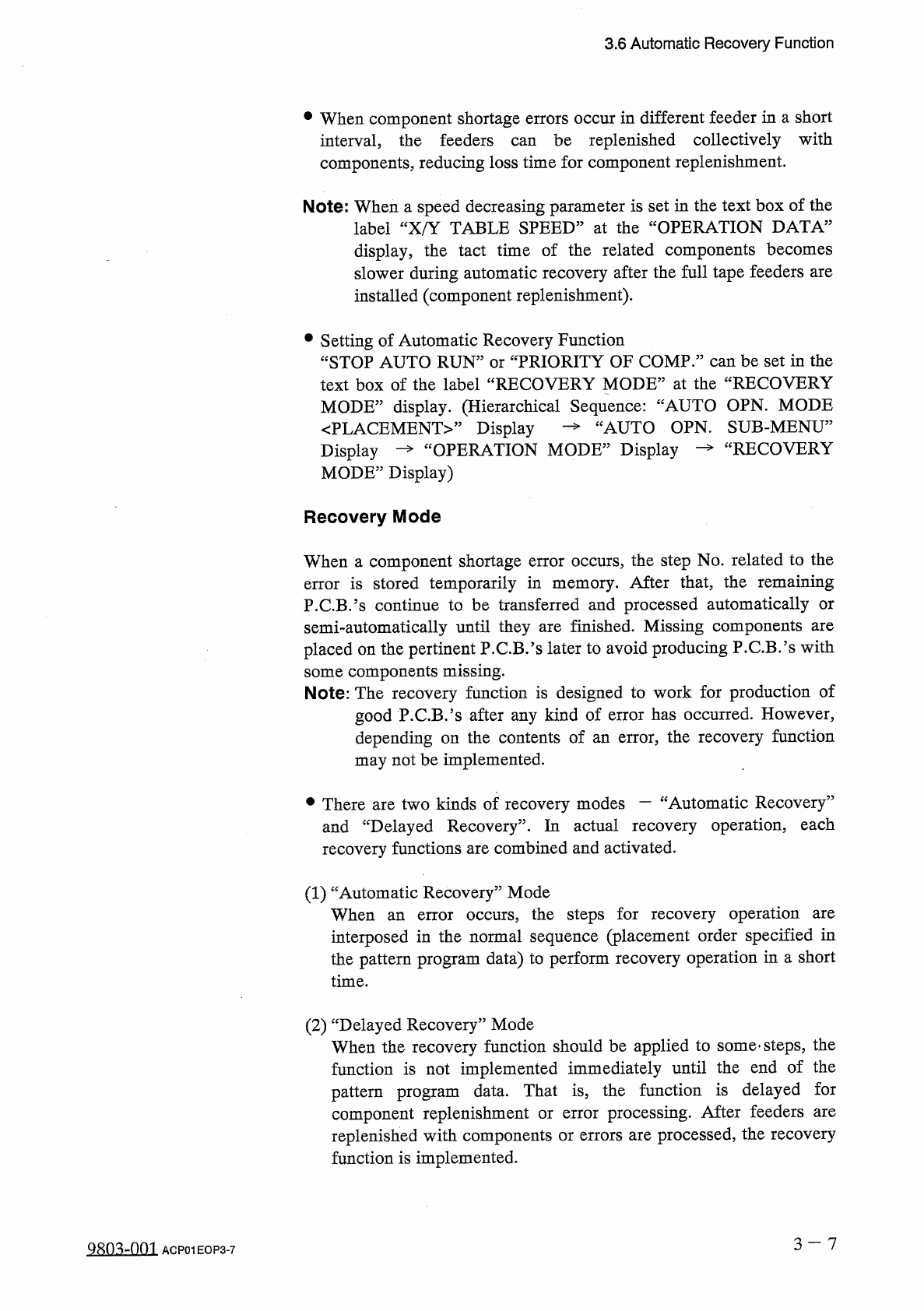
•
When
component
shortage
errors
occur
in
different
feeder
in
a
short
interval
,
the
feeders
components
,
reducing
loss
time
for
component
replenishment
.
be
replenished
collectively
with
can
Note
:
When
a
speed
decreasing
parameter
is
set
in
the
text
box
of
the
label
“
X
/
Y
TABLE
SPEED
”
at
the
“
OPERATION
DATA
”
display
,
the
tact
time
of
the
related
components
becomes
slower
during
automatic
recovery
after
the
full
tape
feeders
are
installed
(
component
replenishment
)
.
•
Setting
of
Automatic
Recovery
Function
“
STOP
AUTO
RUN
”
or
“
PRIORITY
OF
COMP
.
”
can
be
set
in
the
text
box
of
the
label
“
RECOVERY
MODE
”
at
the
“
RECOVERY
MODE
”
display
.
(
Hierarchical
Sequence
:
“
AUTO
OPN
.
MODE
JAUTO
OPN
.
SUB
-
MENU
”
RECOVERY
〈
PLACEMENT
〉
,
,
Display
Display
—
“
OPERATION
MODE
”
Display
MODE
”
Display
)
Recovery
Mode
When
a
component
shortage
error
occurs
,
the
step
No
.
related
to
the
error
is
stored
temporarily
in
memory
.
After
that
,
the
remaining
P
.
C
.
B
.
’
s
continue
to
be
transferred
and
processed
automatically
semi
-
automatically
until
they
are
finished
.
Missing
components
placed
on
the
pertinent
P
.
C
.
B
.
’
s
later
to
avoid
producing
P
.
C
.
B
/
s
with
some
components
missing
.
Note
:
The
recovery
function
is
designed
to
work
for
production
of
good
P
.
C
.
B
.
’
s
after
any
kind
of
error
has
occurred
.
However
,
depending
on
the
contents
of
an
error
,
the
recovery
function
may
not
be
implemented
.
or
are
•
There
are
two
kinds
of
recovery
modes
一
“
Automatic
Recovery
”
and
“
Delayed
Recovery
”
.
In
actual
recovery
operation
,
each
recovery
functions
are
combined
and
activated
.
(
1
)
“
Automatic
Recovery
”
Mode
When
interposed
in
the
normal
sequence
(
placement
order
specified
in
the
pattern
program
data
)
to
perform
recovery
operation
in
a
short
time
.
occurs
,
the
steps
for
recovery
operation
are
an
error
(
2
)
“
Delayed
Recovery
”
Mode
When
the
recovery
function
should
be
applied
to
some
-
steps
,
the
function
is
not
implemented
immediately
until
the
end
of
the
pattern
program
data
.
That
is
,
the
function
is
delayed
for
component
replenishment
or
replenished
with
components
or
errors
are
processed
,
the
recovery
function
is
implemented
.
processing
.
After
feeders
are
error
3
-
7
Q
80
^
-
nm
ACP
01
EOP
3
-
7
3.7
Alternate
Mode
3.7
Alternate
Mode
Every
time
a
component
shortage
error
occurs
at
a
feeder
,
the
machine
selects
the
other
feeders
in
the
specified
order
,
reducing
downtime
of
the
machine
for
component
replenishment
.
3.7
.
1
Alternate
Feeder
Axis
Data
arranged
equally
on
feeder
carriages
#
1
and
#
2
Tape
feeders
located
on
the
right
and
left
sides
of
the
machine
.
When
a
component
are
shortage
error
or
a
chuck
error
(
continuous
errors
on
the
same
lane
)
is
detected
on
one
feeder
carriage
,
the
machine
automatically
selects
the
other
feeder
carriage
and
continues
to
produce
P
.
C
.
B
.
’
s
.
The
error
-
caused
feeder
carriage
returns
to
its
home
position
and
is
set
in
the
standby
mode
,
enabling
the
operator
to
replace
an
empty
feeder
with
a
full
one
(
component
replenishment
)
.
When
this
function
is
used
,
deterioration
of
operation
rate
can
be
prevented
.
•
When
80
(
4
Q
)
or
less
types
of
components
(
8
mm
tape
feeders
)
used
and
only
one
carriage
is
required
for
component
placement
on
all
P
.
C
.
B
/
s
,
the
alternate
feeder
axis
function
can
be
used
effectively
to
avoid
down
time
(
deterioration
of
operation
rate
)
of
the
machine
for
component
replenishment
and
maintain
total
productivity
.
are
Note
:
The
underlined
feeder
Nos
.
apply
to
TCM
-
3100
J
.
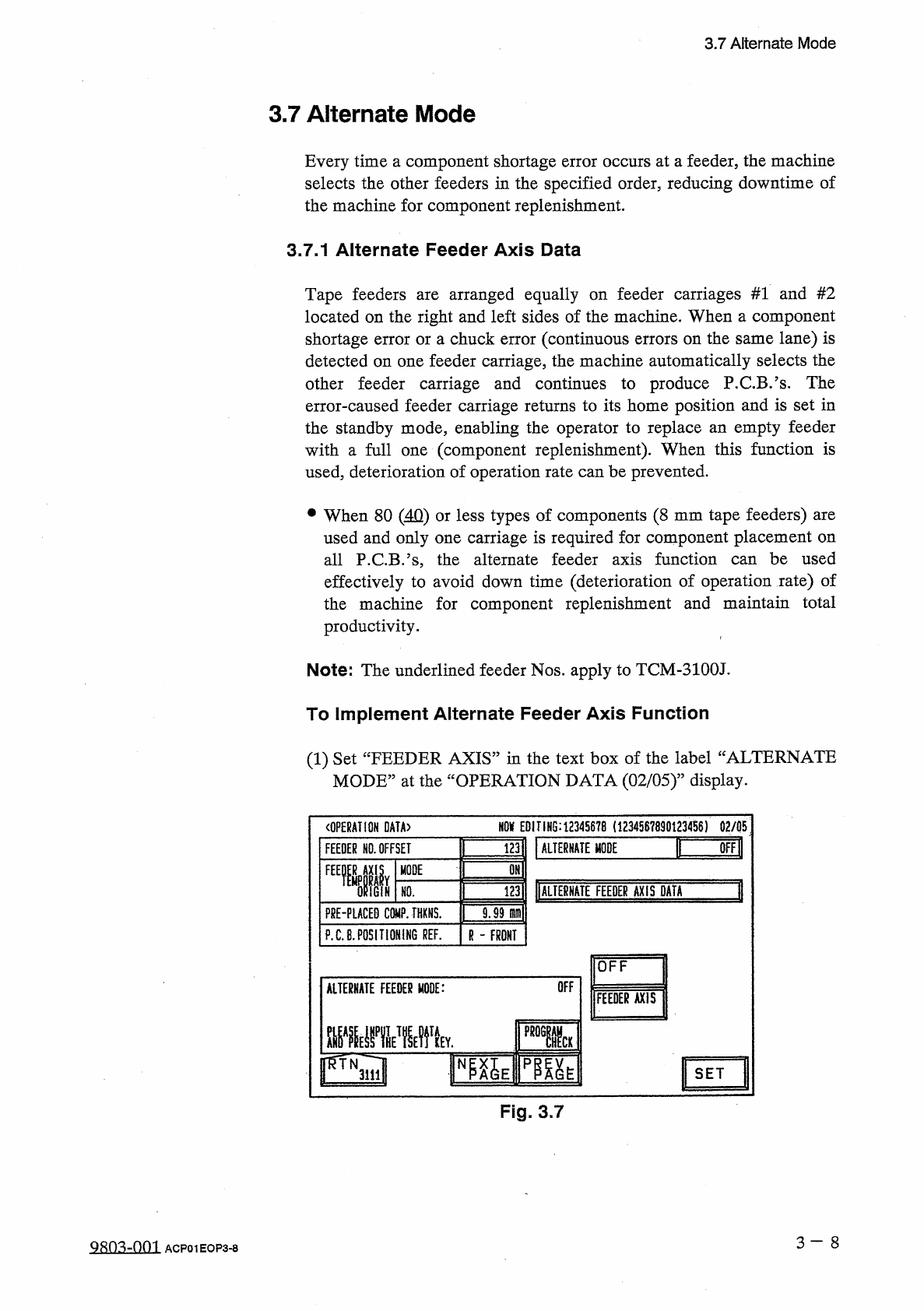
To
Implement
Alternate
Feeder
Axis
Function
(
1
)
Set
“
FEEDER
AXIS
”
in
the
text
box
of
the
label
“
ALTERNATE
MODE
,
,
at
the
“
OPERATION
DATA
(
02
/
05
)
”
display
.
m
EDITING
:
12345678
(
1234567890123456
)
02
/
05
〈
OPERATION
DATA
〉
I
画
謹
ALTERNATE
MODE
FEEDER
NO
.
OFFSET
OMl
FEEMIIY
MODE
1
调
DALIE
臟
TE
FEEDER
AXIS
DATA
IGiN
HO
.
F
8
E
-
PLACED
COMP
.
THXNS
.
9.99
m
\
P
.
C
.
B
.
POSITIONING
REF
.
R
-
FRONT
OFF
OFF
ALTERNATE
FEEDER
MODE
:
FEEDER
AXIS
■
■
MV
l
SET
Fig
.
3.7
3
一
8
QRO
^
-
001
ACP
01
EOP
3
-
8