1OPERATION_.pdf - 第67页
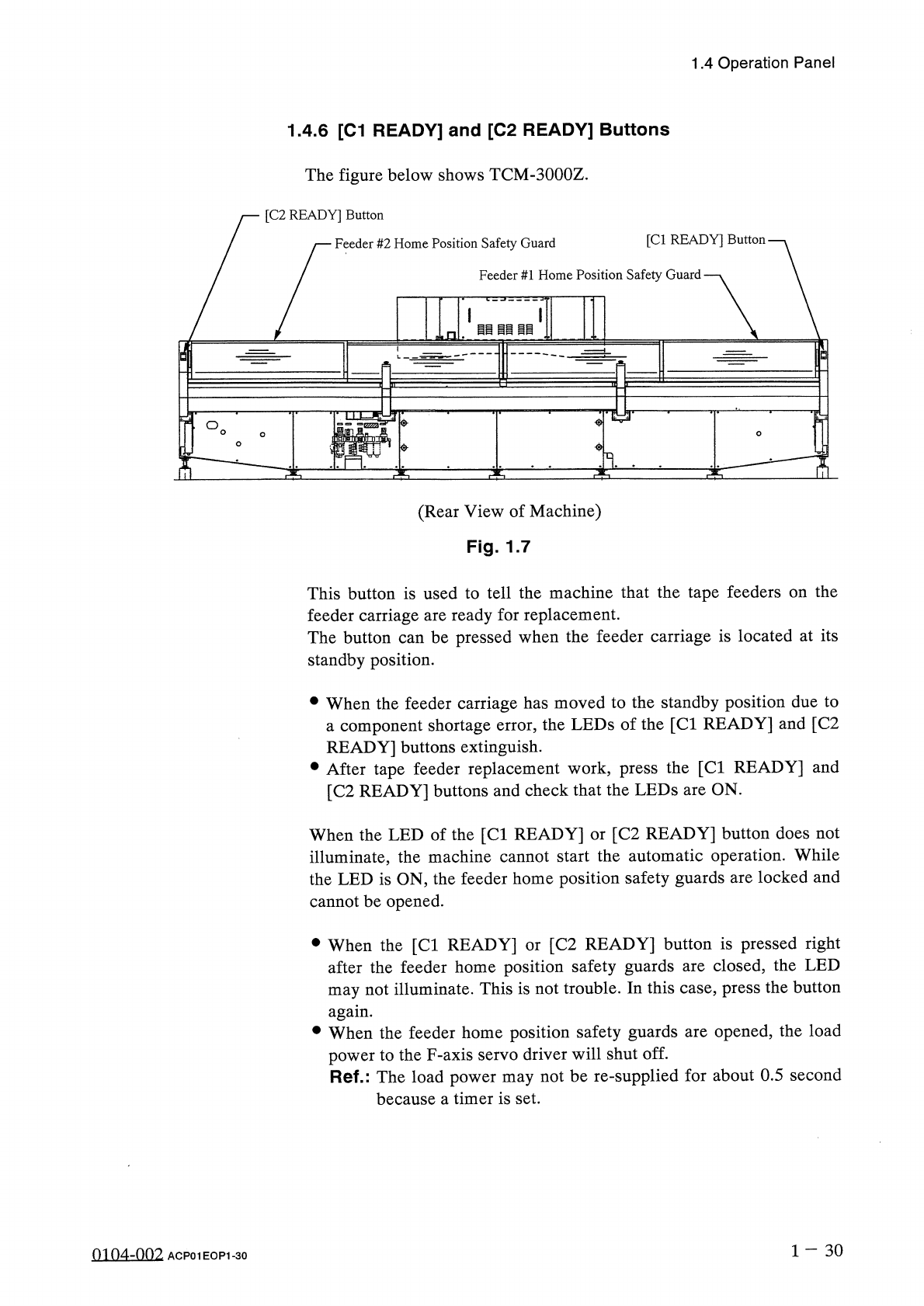
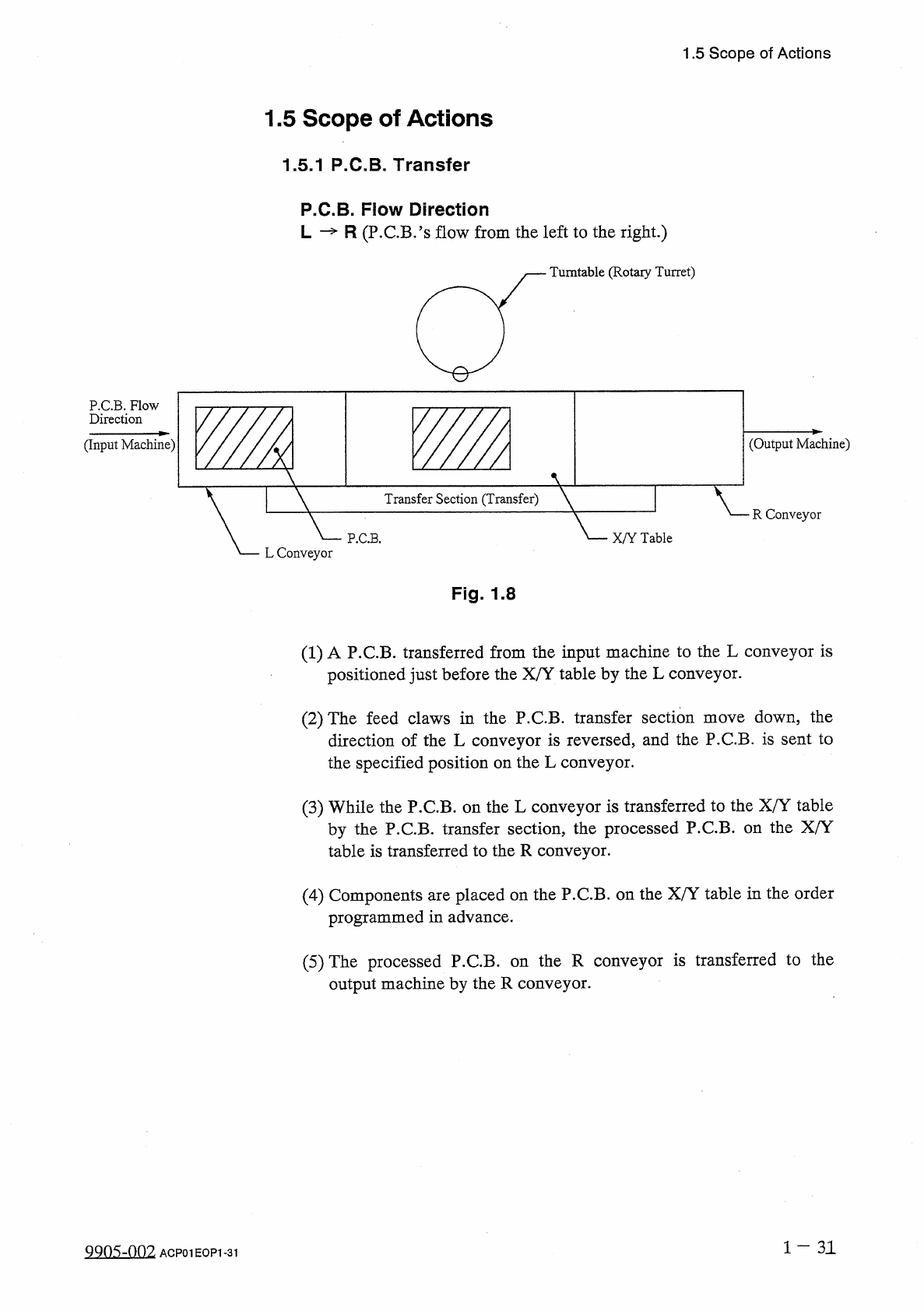
1.4 Operation Panel 1.4 . 6 [ C 1 READY ] and [ C 2 READY ] Buttons The figure below shows TCM - 3000 Z . [ C 2 READY ] Button A ( Rear View of Machine ) Fig . 1.7 This button is used to tell the machine that the tape fe…
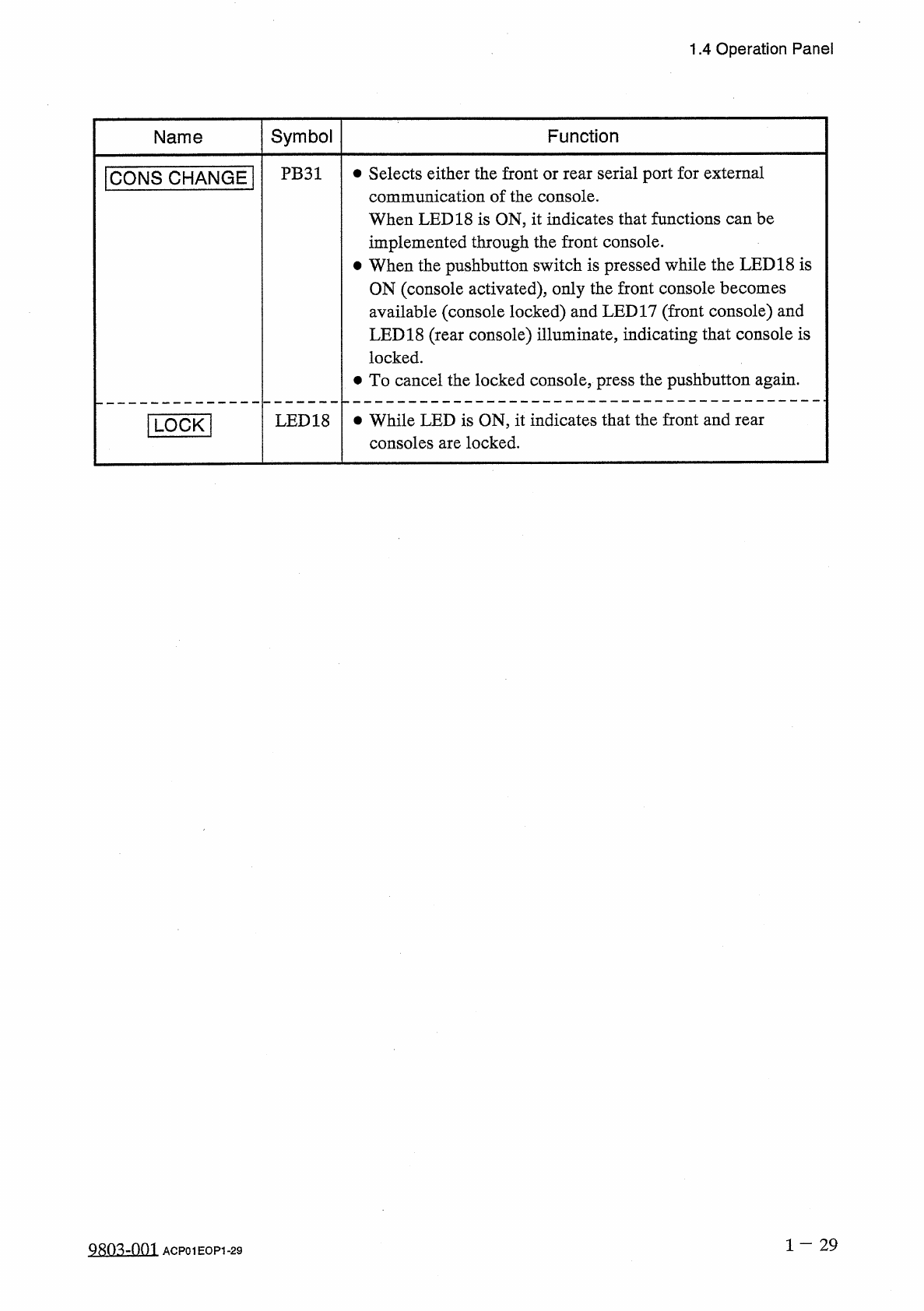
1.4
Operation
Panel
Symbol
Name
Function
PB
31
•
Selects
either
the
front
or
rear
serial
port
for
external
communication
of
the
console
.
When
LED
18
is
ON
,
it
indicates
that
functions
can
be
implemented
through
the
front
console
.
•
When
the
pushbutton
switch
is
pressed
while
the
LED
18
is
ON
(
console
activated
)
,
only
the
front
console
becomes
available
(
console
locked
)
and
LED
17
(
front
console
)
and
LED
18
(
rear
console
)
illuminate
,
indicating
that
console
is
locked
.
•
To
cancel
the
locked
console
,
press
the
pushbutton
again
.
ICONS
CHANGE
|
LED
18
•
While
LED
is
ON
,
it
indicates
that
the
front
and
rear
consoles
are
locked
.
1
LOCK
]
2803
=
1301
ACP
01
EOF
1
-
29
1.4
Operation
Panel
1.4
.
6
[
C
1
READY
]
and
[
C
2
READY
]
Buttons
The
figure
below
shows
TCM
-
3000
Z
.
[
C
2
READY
]
Button
A
(
Rear
View
of
Machine
)
Fig
.
1.7
This
button
is
used
to
tell
the
machine
that
the
tape
feeders
on
the
feeder
carriage
are
ready
for
replacement
.
The
button
can
be
pressed
when
the
feeder
carriage
is
located
at
its
standby
position
.
•
When
the
feeder
carriage
has
moved
to
the
standby
position
due
to
a
component
shortage
error
,
the
LEDs
of
the
[
Cl
READY
]
and
[
C
2
READY
]
buttons
extinguish
.
•
After
tape
feeder
replacement
work
,
press
the
[
Cl
READY
]
and
[
C
2
READY
]
buttons
and
check
that
the
LEDs
are
ON
.
When
the
LED
of
the
[
Cl
READY
]
or
[
C
2
READY
]
button
does
not
illuminate
,
the
machine
cannot
start
the
automatic
operation
.
While
the
LED
is
ON
,
the
feeder
home
position
safety
guards
are
locked
and
cannot
be
opened
.
•
When
the
[
Cl
READY
]
or
[
C
2
READY
]
button
is
pressed
right
after
the
feeder
home
position
safety
guards
are
closed
,
the
LED
may
not
illuminate
.
This
is
not
trouble
.
In
this
case
,
press
the
button
again
.
•
When
the
feeder
home
position
safety
guards
are
opened
,
the
load
power
to
the
F
-
axis
servo
driver
will
shut
off
.
Ref
.
:
The
load
power
may
not
be
re
-
supplied
for
about
0.5
second
because
a
timer
is
set
.
1
-
30
0104
-
002
ACP
01
EOP
1
-
30
1.5
Scope
of
Actions
1.5
Scope
of
Actions
1.5
.
1
P
.
C
.
B
.
Transfer
P
.
C
.
B
.
Flow
Direction
L
—
R
(
P
.
C
.
B
.
’
s
flow
from
the
left
to
the
right
.
)
Turntable
(
Rotary
Turret
)
P
.
C
.
B
.
Flow
Direction
(
Input
Machine
)
(
Output
Machine
)
V
Transfer
Section
(
Transfer
)
R
Conveyor
P
.
C
.
B
.
X
/
Y
Table
L
Conveyor
Fig
.
1.8
(
1
)
A
P
.
C
.
B
.
transferred
from
the
input
machine
to
the
L
conveyor
is
positioned
just
before
the
X
/
Y
table
by
the
L
conveyor
.
down
,
the
direction
of
the
L
conveyor
is
reversed
,
and
the
P
.
C
.
B
.
is
sent
to
the
specified
position
on
the
L
conveyor
.
(
2
)
The
feed
claws
in
the
P
.
C
.
B
.
transfer
section
move
(
3
)
While
the
P
.
C
.
B
.
on
the
L
conveyor
is
transferred
to
the
X
/
Y
table
by
the
P
.
C
.
B
.
transfer
section
,
the
processed
P
.
C
.
B
.
on
the
X
/
Y
table
is
transferred
to
the
R
conveyor
.
(
4
)
Components
are
placed
on
the
P
.
C
.
B
.
on
the
X
/
Y
table
in
the
order
programmed
in
advance
.
the
R
conveyor
is
transferred
to
the
(
5
)
The
processed
P
.
C
.
B
.
output
machine
by
the
R
conveyor
.
on
1
-
31
QQ
05
-
nf
)
2
ACP
01
EOP
1
-
31