1OPERATION_.pdf - 第165页
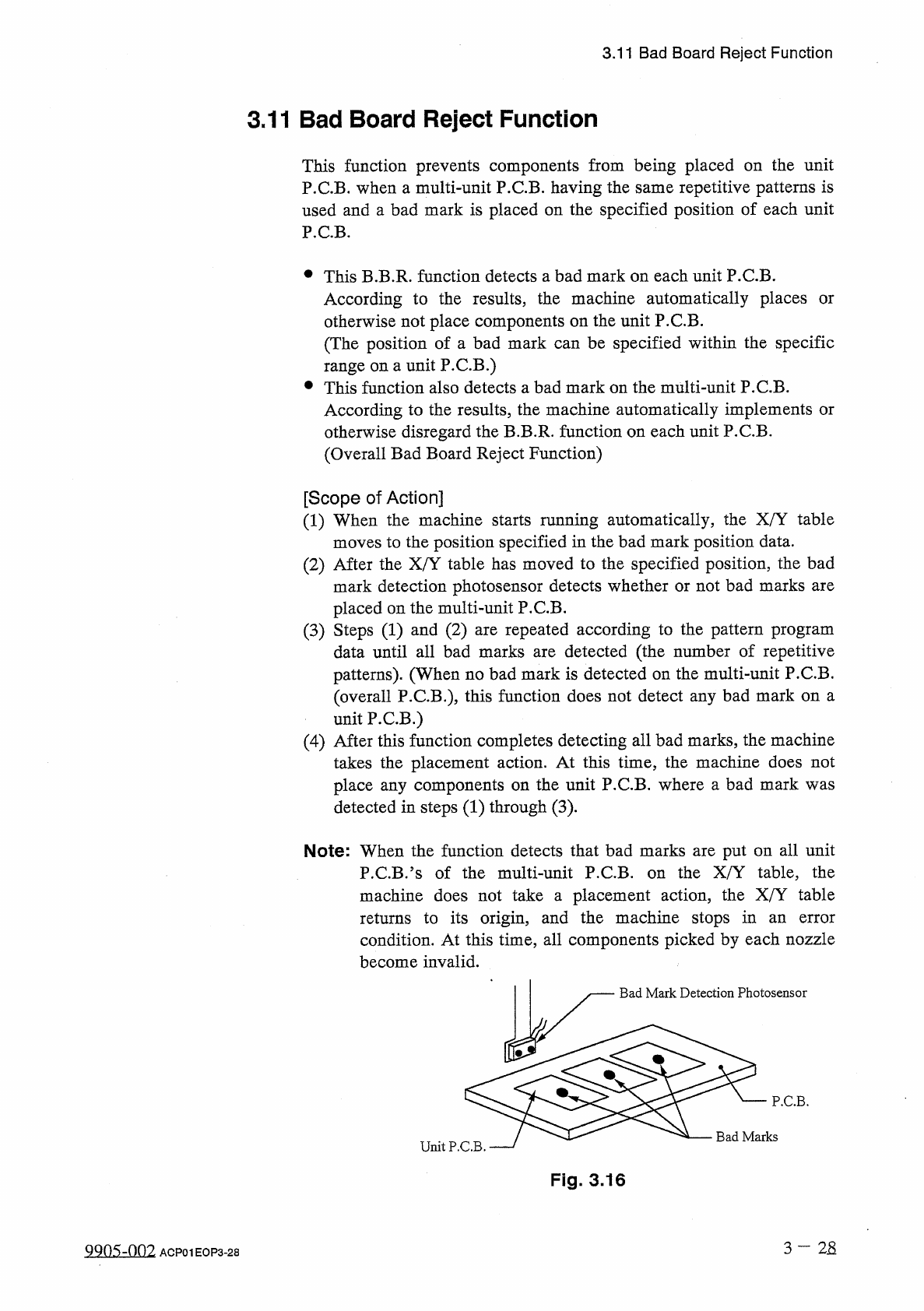
3.11 Bad Board Reject Function 3.11 Bad Board Reject Function This function prevents components from being placed on the unit P . C . B . when a multi - unit P . C . B . having the same repetitive patterns is used and a …
3.10
Simplified
Packaging
Direction
Change
Function
⑤
When
the
machine
is
in
the
“
STOP
:
“
PAUSE
”
mode
,
or
component
carriage
data
edit
operation
can
be
performed
.
Note
:
It
is
prohibited
to
change
the
component
ID
and
library
data
defined
individually
for
each
directly
because
they
component
.
are
•
When
components
having
carrier
data
different
from
that
of
the
components
being
used
are
supplied
,
it
is
necessary
to
change
the
carrier
data
of
the
components
set
on
the
pertinent
lane
.
Change
the
DATA
EDIT
”
display
.
(
Hierarchical
Sequence
:
AUTO
OPN
.
;
AUTO
OPN
.
SUB
-
MENU
”
data
at
the
“
COMPONENT
CARRIAGE
earner
MODE
<
PLACEMENT
>
Display
Display
^
“
RECOVERY
OPN
.
TEACHING
OPN
”
Display
“
COMPONENT
CARRIAGE
DATA
EDIT
”
Display
)
3
-
27
9803
-
nni
ACF
01
EOP
3
-
27
3.11
Bad
Board
Reject
Function
3.11
Bad
Board
Reject
Function
This
function
prevents
components
from
being
placed
on
the
unit
P
.
C
.
B
.
when
a
multi
-
unit
P
.
C
.
B
.
having
the
same
repetitive
patterns
is
used
and
a
bad
mark
is
placed
on
the
specified
position
of
each
unit
P
.
C
.
B
.
•
This
B
.
B
.
R
.
function
detects
a
bad
mark
on
each
unit
P
.
C
.
B
.
According
to
the
results
,
the
machine
automatically
places
otherwise
not
place
components
on
the
unit
P
.
C
.
B
.
(
The
position
of
a
bad
mark
can
be
specified
within
the
specific
range
on
a
unit
P
.
C
.
B
.
)
•
This
function
also
detects
a
bad
mark
on
the
multi
-
unit
P
.
C
.
B
.
According
to
the
results
,
the
machine
automatically
implements
or
otherwise
disregard
the
B
.
B
.
R
.
function
on
each
unit
P
.
C
.
B
.
(
Overall
Bad
Board
Reject
Function
)
or
[
Scope
of
Action
]
(
1
)
When
the
machine
starts
running
automatically
,
the
X
/
Y
table
moves
to
the
position
specified
in
the
bad
mark
position
data
.
(
2
)
After
the
X
/
Y
table
has
moved
to
the
specified
position
,
the
bad
mark
detection
photosensor
detects
whether
or
not
bad
marks
are
placed
on
the
multi
-
unit
P
.
C
.
B
.
(
3
)
Steps
(
1
)
and
(
2
)
are
repeated
according
to
the
pattern
program
data
until
all
bad
marks
are
detected
(
the
number
of
repetitive
patterns
)
.
(
When
no
bad
mark
is
detected
on
the
multi
-
unit
P
.
C
.
B
.
(
overall
P
.
C
.
B
.
)
,
this
function
does
not
detect
any
bad
mark
on
a
unit
P
.
C
.
B
.
)
(
4
)
After
this
function
completes
detecting
all
bad
marks
,
the
machine
takes
the
placement
action
.
At
this
time
,
the
machine
does
not
place
any
components
on
the
unit
P
.
C
.
B
.
where
a
bad
mark
was
detected
in
steps
(
1
)
through
(
3
)
.
Note
:
When
the
function
detects
that
bad
marks
are
put
on
all
unit
the
X
/
Y
table
,
the
P
.
C
.
B
-
?
s
of
the
multi
-
unit
P
.
C
.
B
.
machine
does
not
take
a
placement
action
,
the
X
/
Y
table
returns
to
its
origin
,
and
the
machine
stops
in
condition
.
At
this
time
,
all
components
picked
by
each
nozzle
on
an
error
become
invalid
.
Bad
Mark
Detection
Photosensor
P
.
C
.
B
.
Bad
Marks
Unit
P
.
C
.
B
.
Fig
.
3.16
3
—
2
S
ggos
-
oni
ACP
01
EOP
3
-
28
3.11
Bad
Board
Reject
Function
•
Selection
of
Black
or
White
Mark
Comparatively
Bright
P
.
C
.
B
.
(
P
.
C
.
B
.
with
a
lot
of
light
reflex
)
:
Use
a
black
mark
.
Comparatively
Dark
P
.
C
.
B
.
(
P
.
C
.
B
.
with
a
little
light
reflex
)
:
Use
a
white
mark
.
•
Preparation
before
Use
of
Unit
P
.
C
.
B
.
B
.
B
.
R
.
Detection
Function
(
1
)
Create
pattern
program
data
.
Refer
to
“
Chapter
2
Pattern
Program
Data
”
in
the
instruction
manual
(
SECTION
II
PROGRAMMING
MANUAL
)
for
details
.
(
2
)
Adjust
the
amplifier
sensitivity
of
the
unit
P
.
C
.
B
.
B
.
B
.
R
.
detection
photosensor
.
Refer
to
“
Chapter
2
Replacement
of
Parts
”
in
the
instruction
manual
(
SECTION
M
MAINTENANCE
MANUAL
)
for
details
.
QQO
^
-
Om
3
—
28
-
1
ACP
01
EOP
3
-
28
-
1