3_AVS-V2_MCT-UM-internal_EN_07-2019.pdf - 第114页
ASM AVS - U SER M ANUAL P AGE 114 OF 182 - Pr inte r Mo de “ Acc umul ate”: In thi s mod e, all m easu reme nt po int s from al l se lec ted m eas ureme nts are e valua te d to - get her. Thi s me ans, fo r exam ple , on…
ASM AVS - USER MANUAL
PAGE 113 OF 182
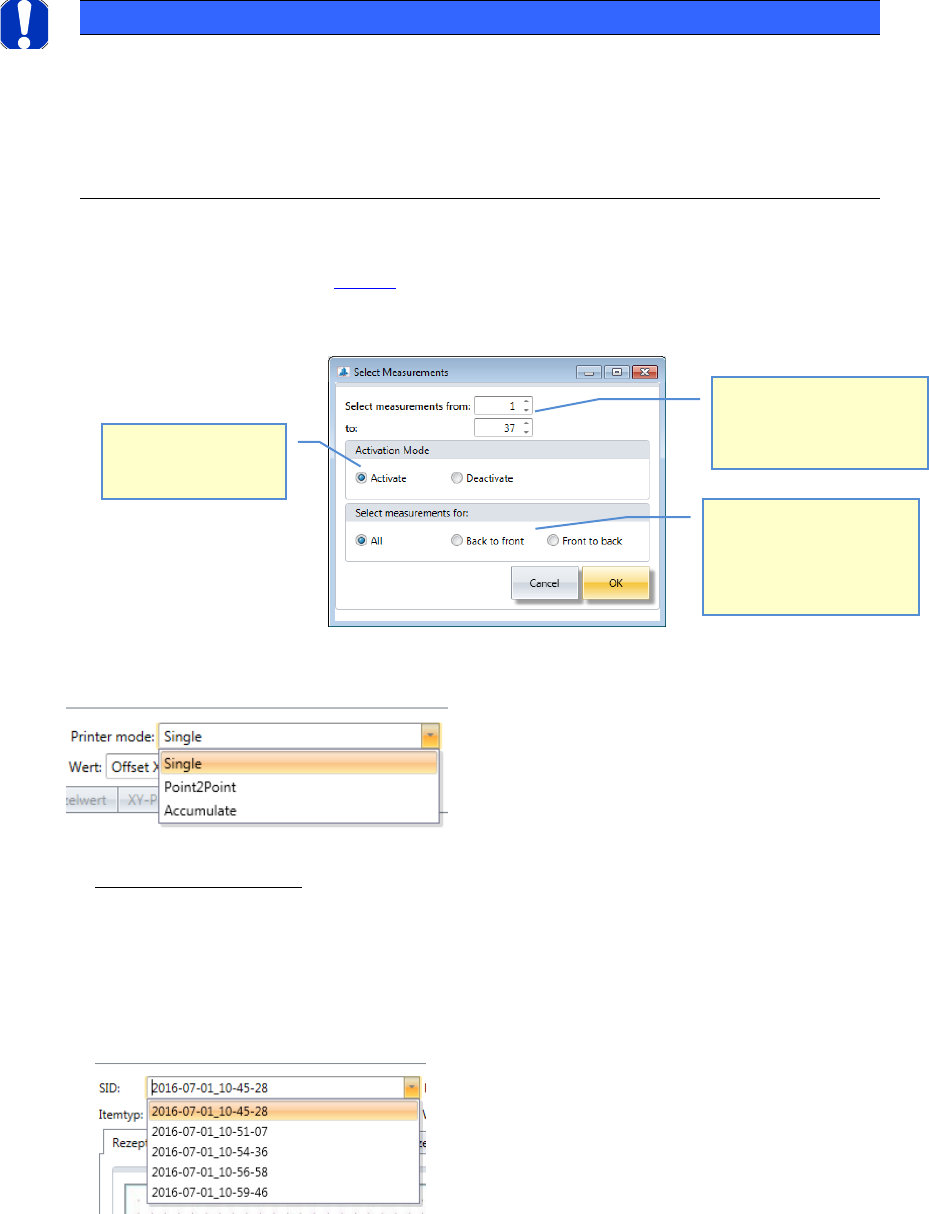
4. Multiple selection of SID’s to be analyzed:
Due to the facts described in 4.2.7.1 it is necessary for the printer MCT’s, to select numbers of
measurements at once. Click onto the button “Select” in area 4.
A dialog will appear which helps to Activate/Deactivate measurements:
5. Printer mode:
For printers, the result of the calculations can be getting in 3 different modes.
- Printer mode “Single”:
In this mode, a single measurement is evaluated.
Even if you have selected multiple measurements in the list, in the evaluation views only
one measurement is displayed.
You must select the measurement you want to evaluate from the list of parameter "SID".
The SID can be found in the list, in the column "File Name".
NOTICE
! Comment the measurement !
As far as possible, you should comment each measurement in order to document the
previously incurred changes.
This is useful to find a common thread among the adjustments and, above all, to see
the start and end of each stage (offset adjustment, MFU).
Choose which measure-
ments (from/to) should be
prepared with the actions
beleow.
Choose, if you want to
activate, or deactivate
measurements.
Choose, if the action
should be carried out on
either on “All Measure-
ments”, on the “Back to
Front”, or “Front to Back”.
ASM AVS - USER MANUAL
PAGE 114 OF 182
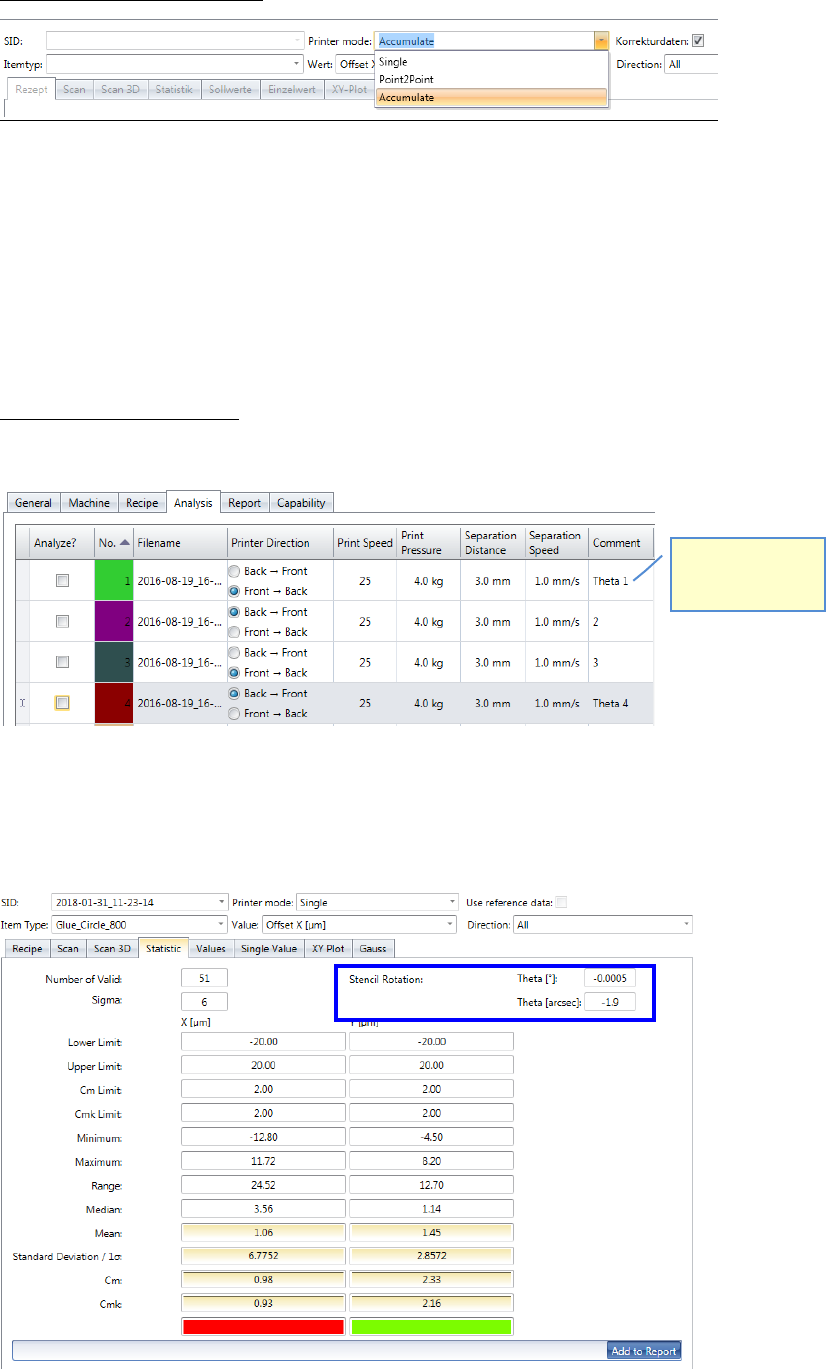
- Printer Mode “Accumulate”:
In this mode, all measurement points from all selected measurements are evaluated to-
gether.
This means, for example, on a board with 28 measuring points and 20 selected measure-
ments that 28 x 20 = 560 measured values are evaluated.
With printer projects, this mode is for matching the offsets (X / Y) and the stencil rotation
(θ) used.
Step 1 at printer projects: Adjusting the stencil rotation θ (Theta)
4 boards must be printed, 2 in each direction.
These 4 measurements are going to be evaluated in the mode „Accumulate“.
If the printer mode is not “Point2Point”, the value for the stencil rotation is shown in the
top right corner of the “Statistic” view.
Remember to
comment the
measurements!
ASM AVS - USER MANUAL
PAGE 115 OF 182
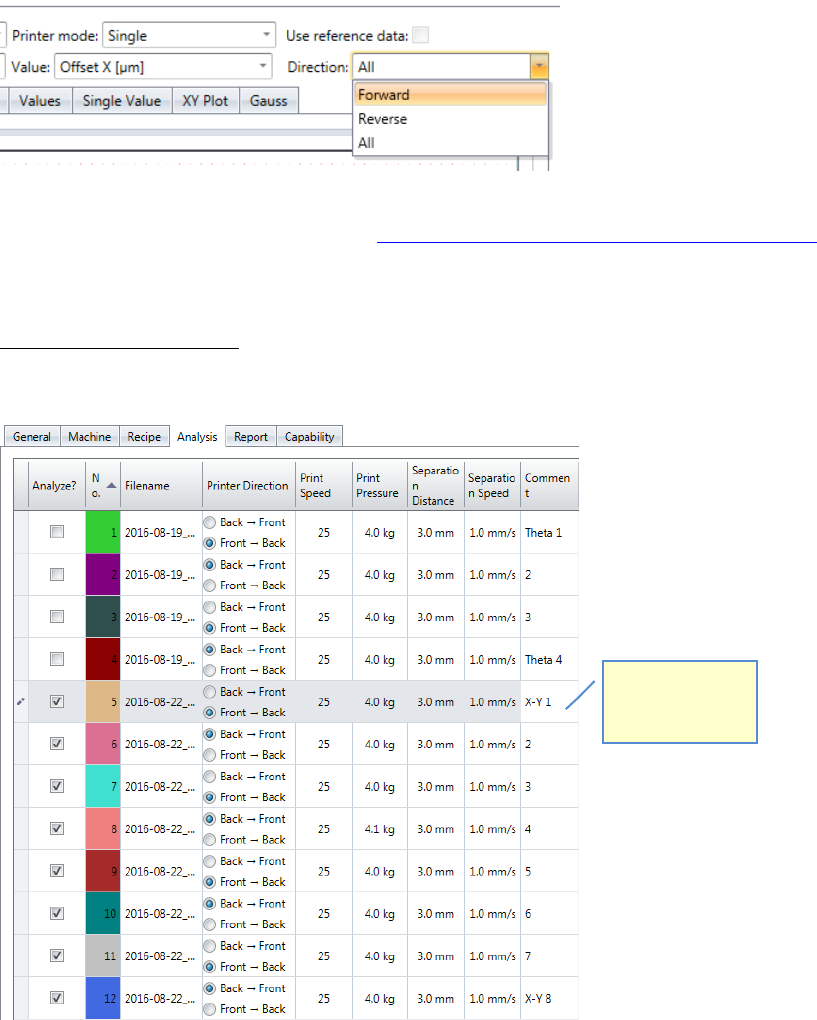
Additionally filter the measurements for the printing direction to get the values for each
direction separately, because these are the values you must enter in the printing machine.
Adjusting parameters on the printer, see 7.2 Corrections of Offset values on DEK printers.
Step 2 at printer projects: Adjusting the X-/Y- Offsets
4 board must be printed, 2 in each direction.
Remember to
comment each
measurement!