3_AVS-V2_MCT-UM-internal_EN_07-2019.pdf - 第81页
ASM AVS - U SER M ANUAL P AGE 81 OF 182 5. 2.23 C rea tin g, editi ng , mo ving mac hi nes 5.2.23.1 Edit/Create a machine Cre ate a M achi ne, e ithe r by using the Mac hine Me nu, o r ri ght mouse cl ick on the line in …
ASM AVS - USER MANUAL
PAGE 80 OF 182
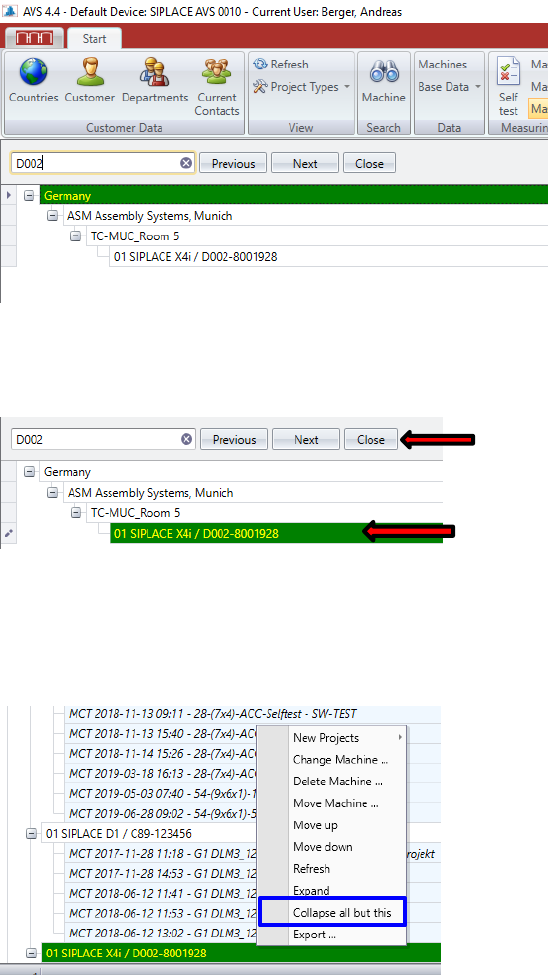
The entries with the characters found are displayed directly below in the structure tree, filtered.
1. Click on the search result you would like to find in order to highlight it green!
Now close the search function.
The entire structure tree will be opened and the highlighted line (yellow font on green back-
ground) will be at the bottom in the visible area.
To reduce the structure tree to the most necessary, click with the right mouse button on the se-
lected search result and select the function "Collapse all but this" from the pop-up menu.
You now see only the search result (the machine) embedded in the structure.
2. Double-click on the search result!
The software automatically jumps to the selected entry and opens the individual tree nodes
there. The rest is closed and you can start working right away.
ASM AVS - USER MANUAL
PAGE 81 OF 182
5.2.23 Creating, editing, moving machines
5.2.23.1 Edit/Create a machine
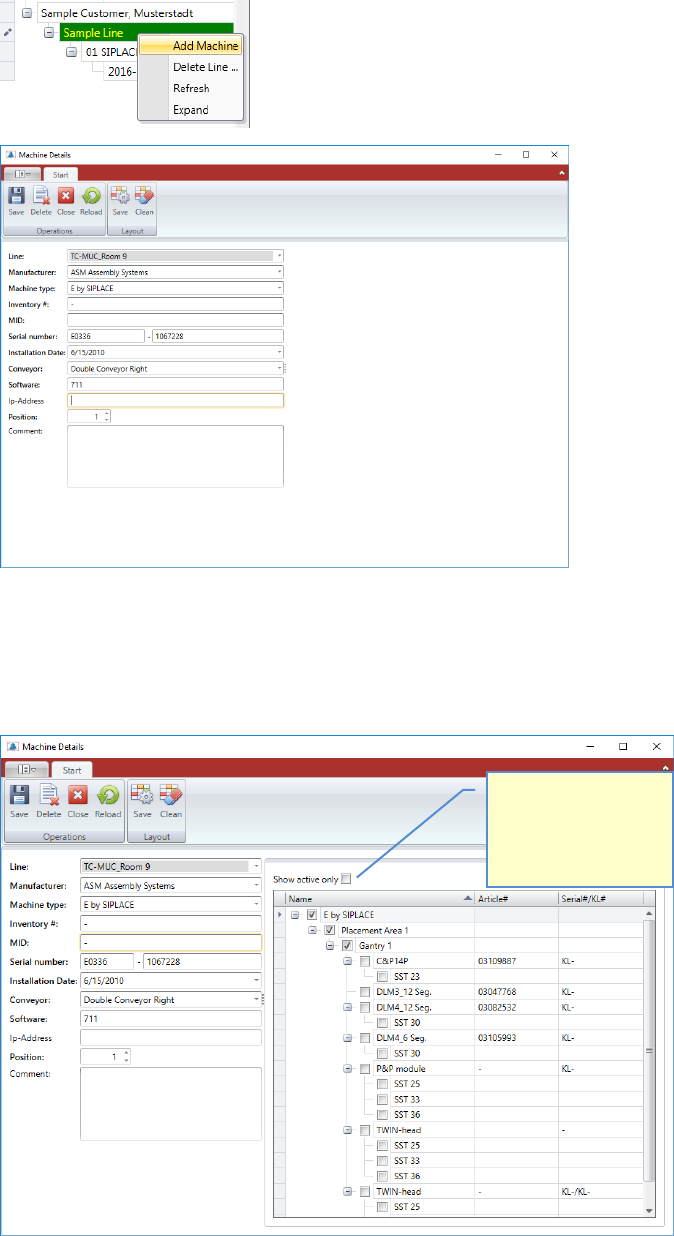
Create a Machine, either by using the Machine Menu, or right mouse click on the line in the
structure tree.
For the creation of a machine, the corresponding machine type must be available.
Fill out the base data on the left side of the window first.
Once you press the save button, you get the possible configuration of the selected machine
type, on the right side of the window.
Check this box, to see
the configuration of
your machine, without
all other possible
configurations.
ASM AVS - USER MANUAL
PAGE 82 OF 182
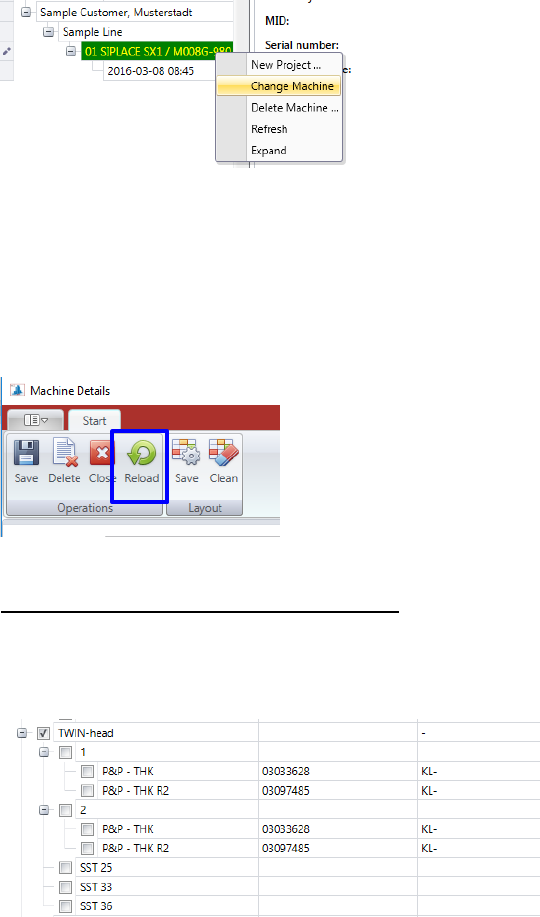
Now you can configure your machine, setting the checkboxes on the relevant heads, and camer-
as.
When you activate the box “Show active only”, you can see the configuration of your machine,
without all other possible configurations.
You can change a machine which is already existing, right-click on the corresponding machine
(machine number) and choose the »Change Machine« function.
The same “Machine Details” view is opening as shown above for the configuration of a new ma-
chine.
If machines have already been configured with older software versions of the AVS software, the
machine type data must be reloaded due to changes in the structure, in order then to be able to
select the actual machine configuration.
Use the button “Reload” therefore.
Special feature TWI head (head hierarchy):
If a TWIN-head, or any other head with head hierarchy selected, thus, after activating the check-
box, a substructure is opened in which the headers (modules), which are created in the header
hierarchy, are listed. These must then be selected accordingly.
The specification limits are set automatically depending on the corresponding machine
type/head/camera configuration.