3_AVS-V2_MCT-UM-internal_EN_07-2019.pdf - 第78页
ASM AVS - U SER M ANUAL P AGE 78 OF 182 5. 2.20 Ba se Dat a – Im por t/E xport Thi s fu ncti on is to get a v iew o f the hi story of Im port and Exp ort jobs to the AVS Data base . In - fo rmat ion a bo ut th e da ta st…
ASM AVS - USER MANUAL
PAGE 77 OF 182
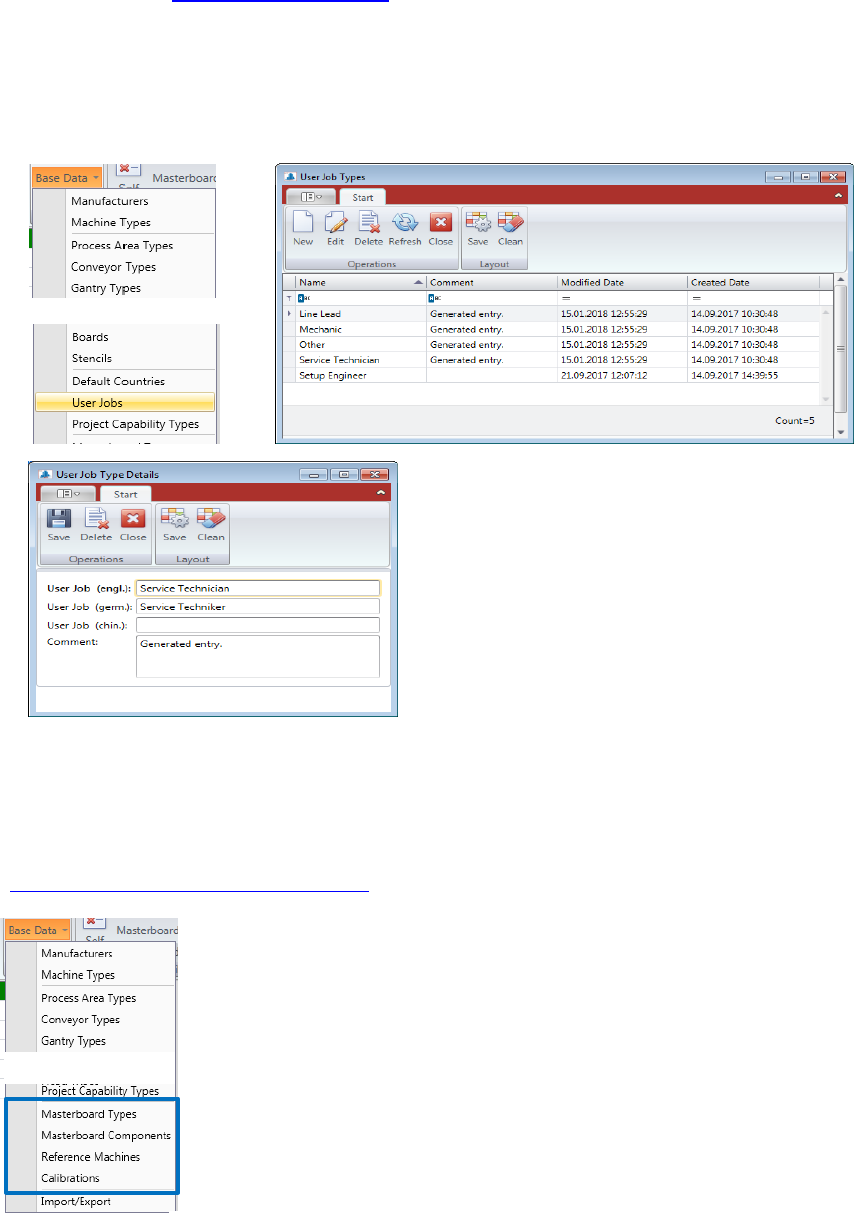
5.2.18.17 Base Data – User Jobs
In Contact Data 5.2.17 Current Contacts you can select Job descriptions out of a list.
This list is coming from the BaseData – User Jobs table.
Double Click the “User Job” you want to change or mark the line and press “Edit” to open the
“User Job Details” view.
Press “New” if you want to add another User Job into the database.
5.2.19 Base Data - Capability of measuring equipment
All Information regarding measuring capability of the AVS equipment you find in the manual
“4_AVS-V2_Certification_EN_MM-YYYY”.
ASM AVS - USER MANUAL
PAGE 78 OF 182
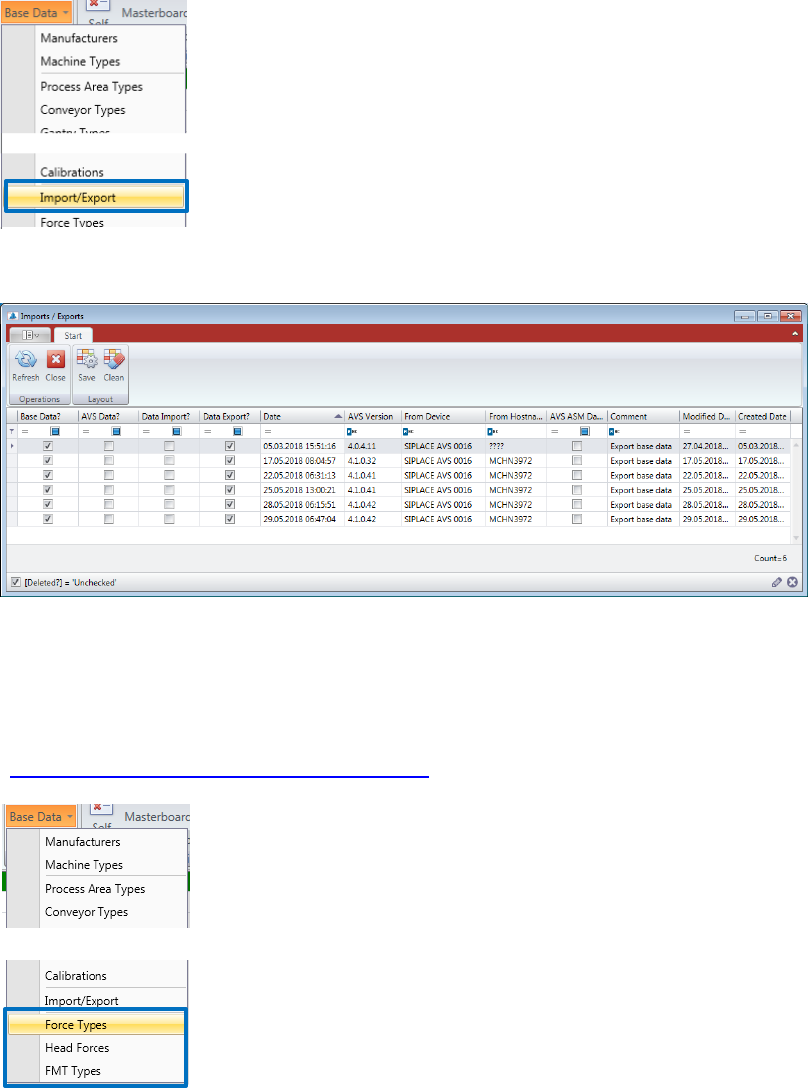
5.2.20 Base Data – Import/Export
This function is to get a view of the history of Import and Export jobs to the AVS Database. In-
formation about the data structure, see „2_AVS-V2_Software Installation_EN_MM-YYYY“.
In the window appearing, you can see each Import Export documented.
5.2.21 Base Data – Placement Force Measurement
All Information to placement force measurement with the AVS Software, you can find in
“6_AVS_V2_FMT_UM-internal_EN_MM-YYYY ”.
ASM AVS - USER MANUAL
PAGE 79 OF 182
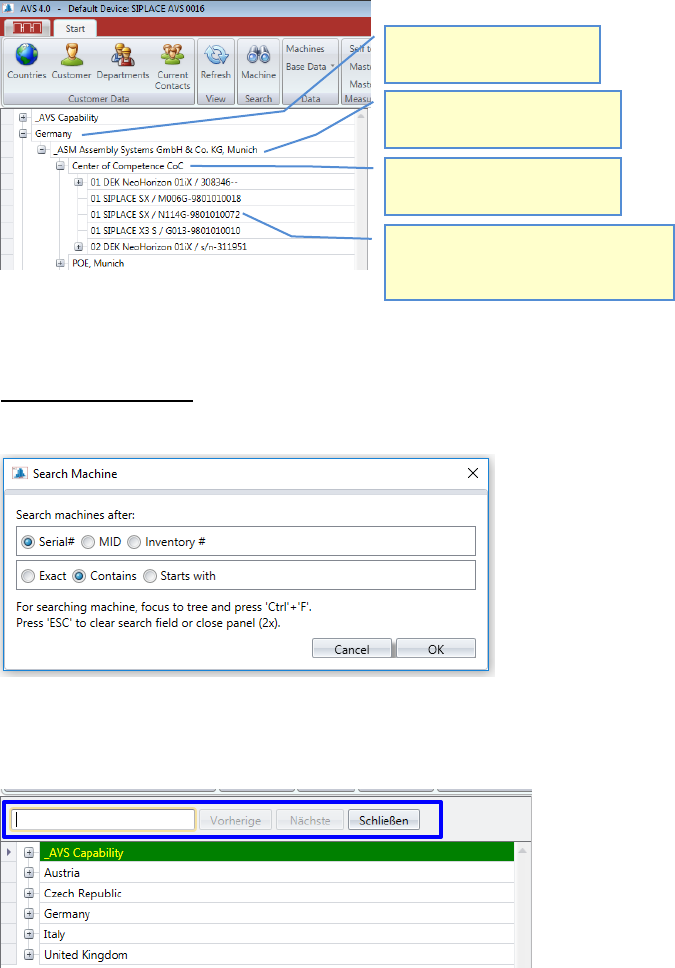
5.2.22 Navigation to the SIPLACE machine
To find the machine that has to be measured, you can choose between
two different ways.
1. Navigation via the structure tree on the left-hand side
2. Navigation using the search function in the structure tree
SEARCH FUNCTION
Before starting a machine search, you need to adjust the search parameters.
Choose for what term you want to search and how the software should search for that.
Now press "Ctrl-F" and an editable text field will open between the menu bar and the structure
tree.
Enter your search term. The search starts with the input of the first character.
1. Select a line, resp. open
the knot (+).
2. Select a country, resp.
open the knot (+).
2. Select a customer, resp.
open the knot (+).
4. Under the line you find the allo-
cated machines with the number
of the position in the line.