3_AVS-V2_MCT-UM-internal_EN_07-2019.pdf - 第57页
ASM AVS - U SER M ANUAL P AGE 57 OF 182 5.2.18.5 Base Data – Transport Lanes Pe nding o n t he Param ete r Co nveyo r Ty pes , a mach ine can have more tha n one Co nveyo r lan e. The re are no t m any deta ils a bout th…
ASM AVS - USER MANUAL
PAGE 56 OF 182
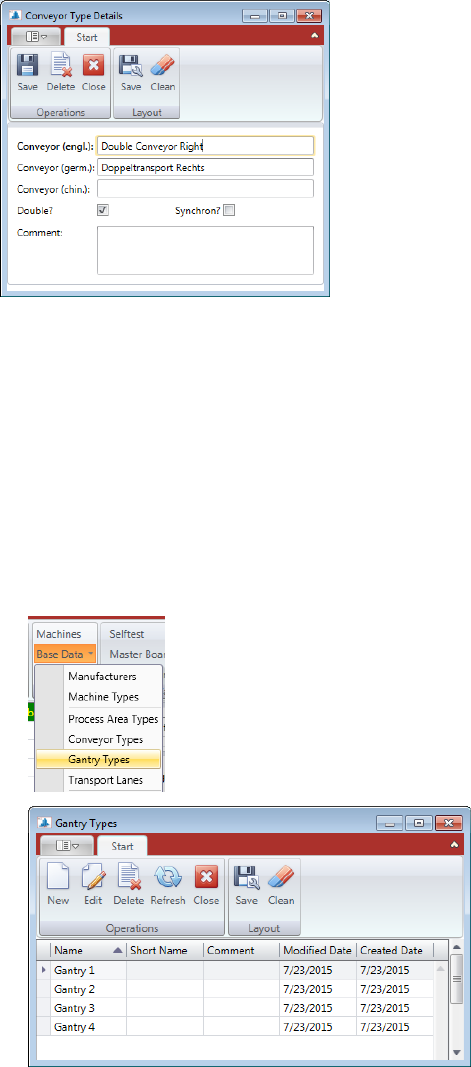
Additional to the identifying of the "conveyor type" the checkbox "double?" must be considered.
Activate the box when it is a "double transport" (two tracks) and disable it, if it is a one track
"Single conveyor".
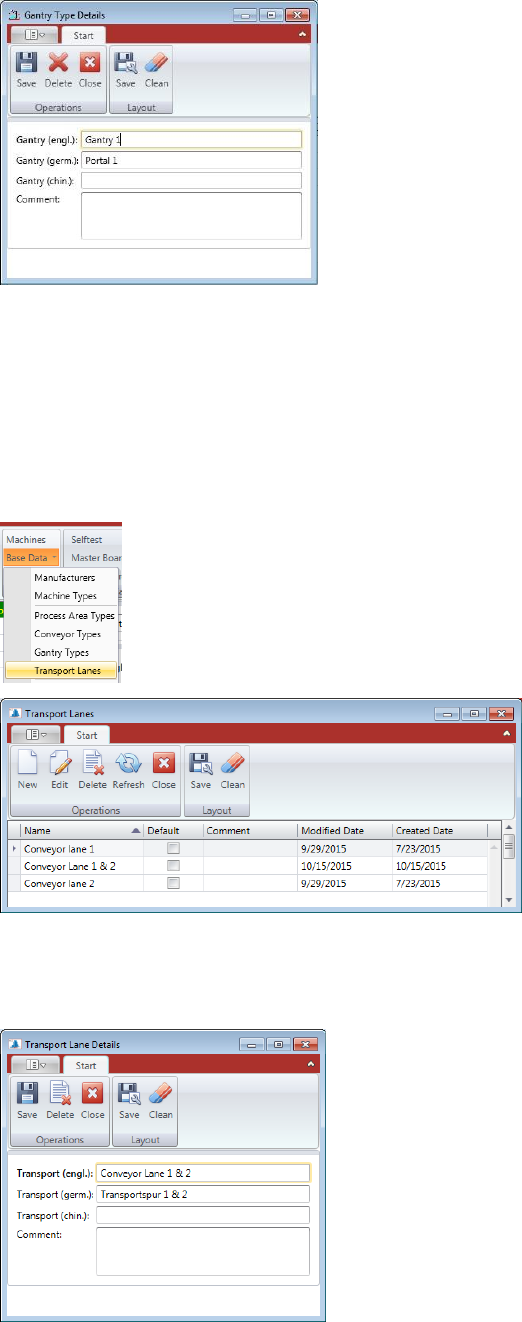
5.2.18.4 Base Data – Gantry Types
A machine can have different numbers of gantries.
There are not many details about this data, it is just in order to configure a machine correctly.
Double Click the Gantry Type you want to change or mark the line and press “Edit” to open
the “Gantry Type Details” view.
Press “New” if you want to add another Gantry Type into the database.
ASM AVS - USER MANUAL
PAGE 57 OF 182
5.2.18.5 Base Data – Transport Lanes
Pending on the Parameter Conveyor Types, a machine can have more than one Conveyor
lane.
There are not many details about this data, it is just in order to configure a machine correctly.
Double Click the Transport Lane you want to change or mark the line and press “Edit” to open
the “Transport Lane Details” view.
Press “New” if you want to add another Transport Lane into the database.
If the machine has a double conveyor, you must determine in the measuring project, either you
measure just lane 1, or just lane 2, or both.
ASM AVS - USER MANUAL
PAGE 58 OF 182
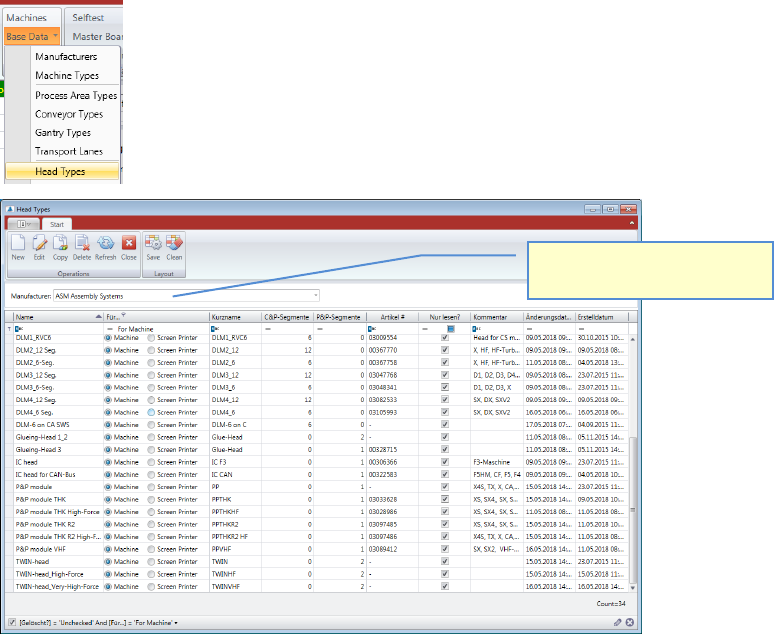
5.2.18.6 Base Data – Head Types
Placement machines have placement heads, which are mounted on gantries.
Heads must be configured in order to assign them to a machine configuration later.
You must select the manufacturer first, to show the list of head types.
Double Click the Head Type you want to change or mark the line and press “Edit” to open the
“Head Type Details” view.
Press “New” if you want to add another Head Type into the database.
Select the manufacturer, to
show the head Types in a list