3_AVS-V2_MCT-UM-internal_EN_07-2019.pdf - 第43页
ASM AVS - U SER M ANUAL P AGE 43 OF 182 To selec t a dev ice, th is mus t alrea dy b e cre ate d in the data base , a s des cri bed in 5 .2.1 8.13 . Aft er selec ting t he dev ice , t he butto n " Save " o n t …
ASM AVS - USER MANUAL
PAGE 42 OF 182
5.2 »ASM AVS Software«
5.2.1 ASM AVS Software under SIPLACE Icon
5.2.2 Properties
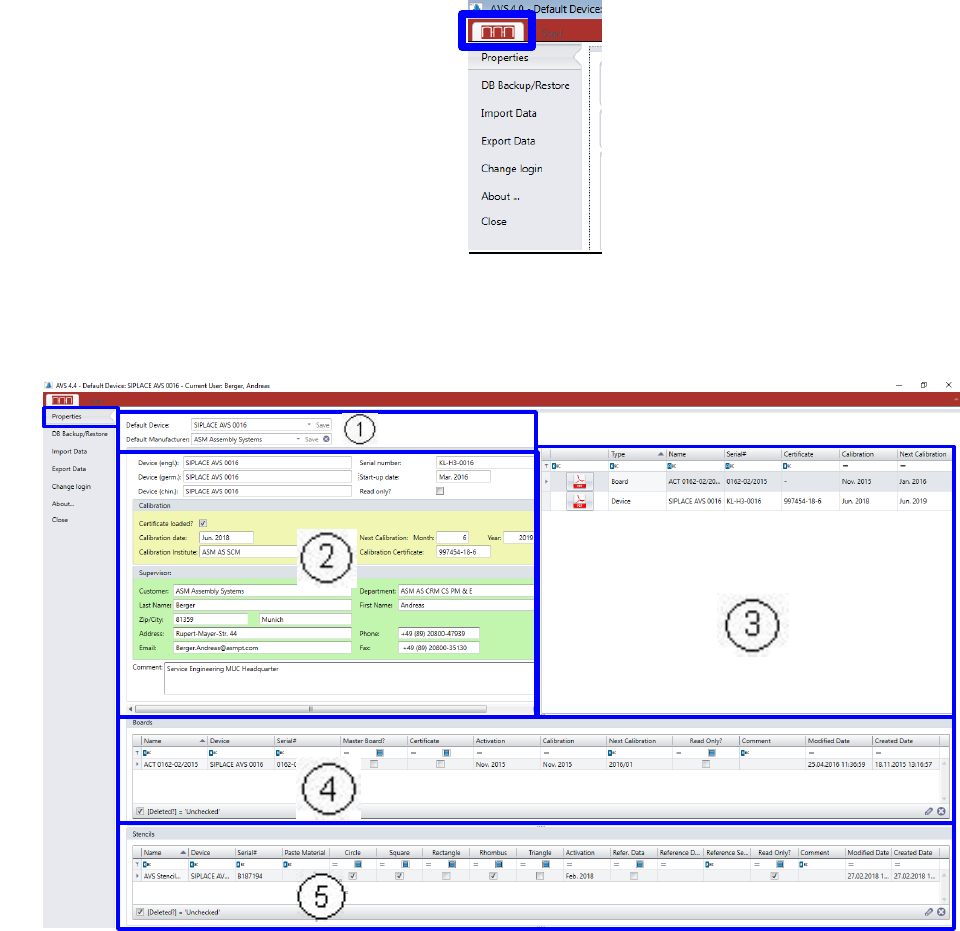
In “Properties, you find all relevant information to the present AVS device.
(1) Default Device:
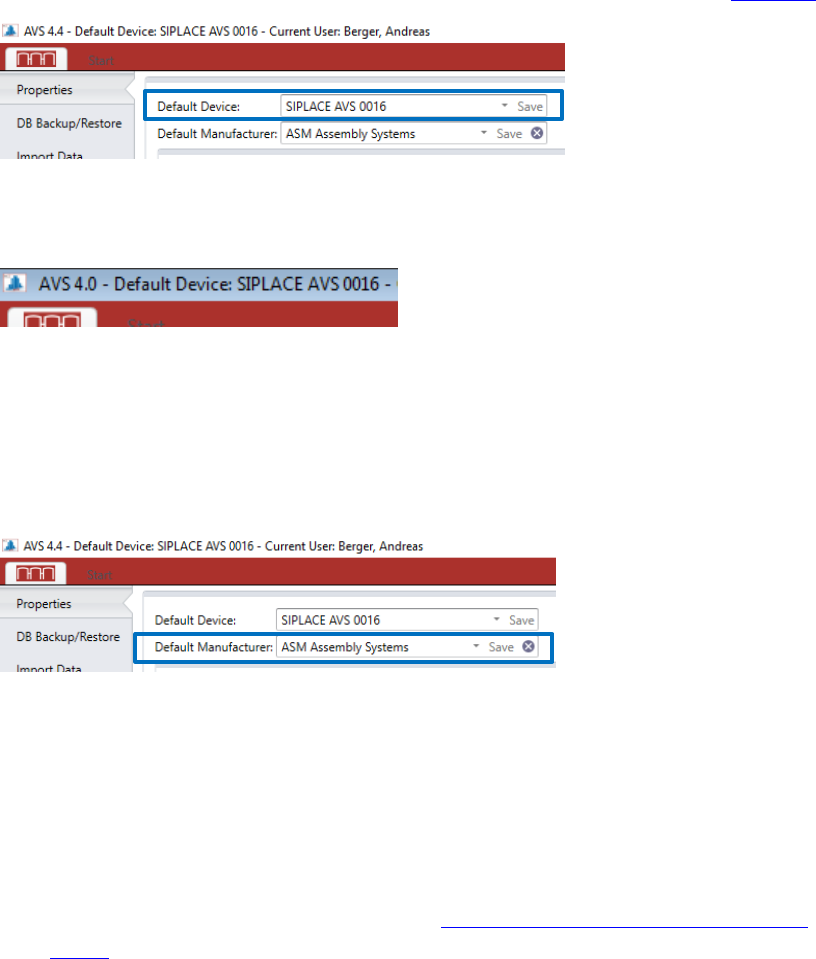
Each device must be signed as default in the software.
Thus, the software must be informed about which device number it is in the present case.
Click on the SIPLACE icon in the menu bar and then click the area “Properties”.
In the top menu row, beside the
„Start“ panel, you find a SIPLACE
Icon. Under this panel there are
some general functions of the
AVS Software.
ASM AVS - USER MANUAL
PAGE 43 OF 182
To select a device, this must already be created in the database, as described in 5.2.18.13.
After selecting the device, the button "Save" on the left side must be pressed.
The name of the selected device is in the taskbar also displayed at the top.
Also choose a standard manufacturer here (e.g. ASM Assembly Systems)!
As a result, in the individual dialogs, in which modules must be selected, the modules of
the standard manufacturer are always listed by default, and it is then possible to switch
over to other manufacturers.
(2) General Information to the device. Shows the same like in the view “Base Data” – “De-
vices” – “Details”.
(3) In this area, all relevant Certificates are listed:
- AVS Device Certificate
- Glass plates (Boards) Certificate, which are connected to the device.
- Certificate of the reference-machine (see “4_AVS-V2_Certification_Edition_E_MM-
YYYY ”)
Click on the pdf file to open it.
The files you found in the folder C:\AVS\Certificates\....
(4) Boards:
In this area, all boards (glass plates) are listed, that are allocated to the default device.
(5) Stencils:
In this area, all stencils are listed, that are allocated to the default device.
ASM AVS - USER MANUAL
PAGE 44 OF 182
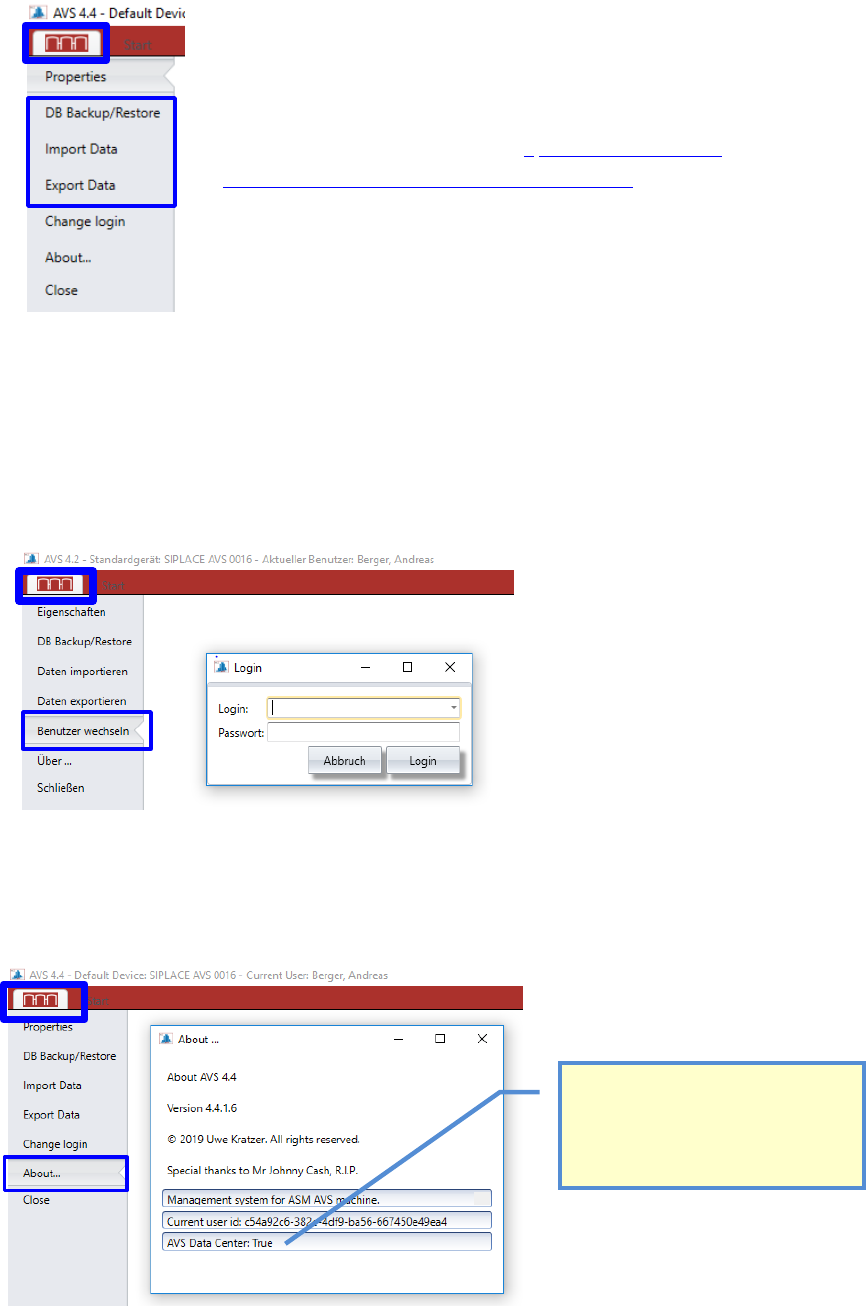
5.2.3 Data Transfers
5.2.4 Change User
It is possible to change the user without having to restart the software.
This has advantages especially for devices that are used in manufacturing, because the device is
often used by different users.
5.2.5 About….
Here you find the information about the software version which is installed on the device.
Detailed Information to the menu points of the Data
Transfers you find in the manual „ 2_AVS-V2_Software
Installation_Edition_12-2017_EN_MM-YYYY“
This Boolean is only True on the AVS
Software Server in MUC Headquarter.
Different functions can only be used on
this PC (e.g. Create Master-Boards for
Calibration,….).