3_AVS-V2_MCT-UM-internal_EN_07-2019.pdf - 第61页
ASM AVS - U SER M ANUAL P AGE 61 OF 182 5.2.18.7 Base Data – Squeegee Types Pr inte rs h ave Squee gees ins tead of hea ds, w hic h are mo unte d on gant ries . The squ eegee m ust b e co nfigu red , in or der to as sig …
ASM AVS - USER MANUAL
PAGE 60 OF 182
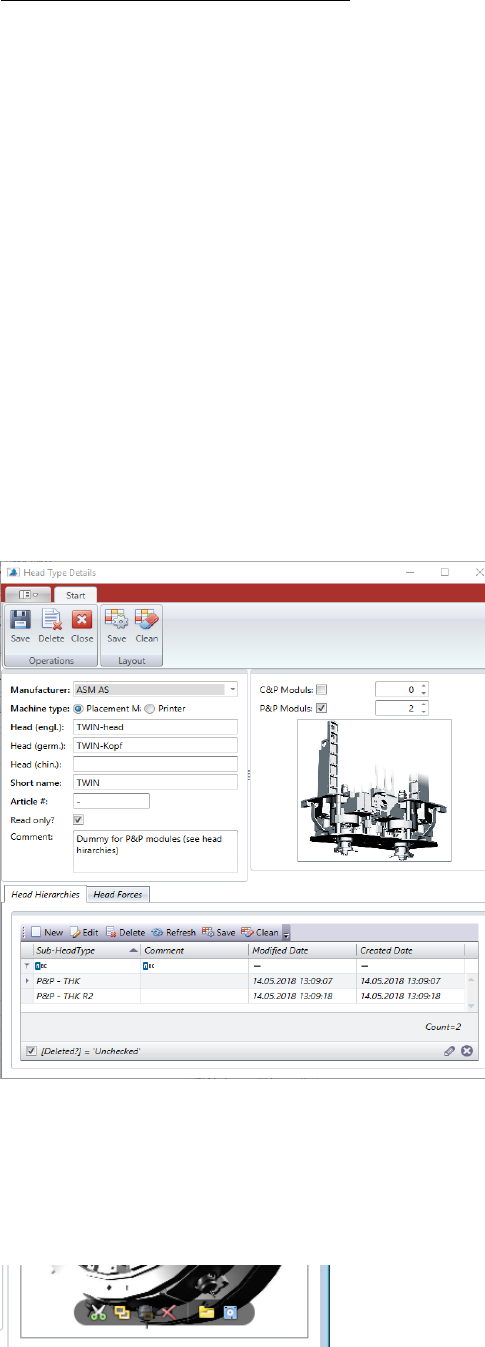
Special feature P & P and TWIN head:
Due to partially incompatible changes, new article numbers became necessary for the P&P
modules.
P&P module THK [03033628-]
P&P module THK R2 [03097485-]
In order to be able to select the two head types (article numbers) as alternatives in a ma-
chine configuration, a higher-level dummy head type must be created in such a case.
P&P Head:
A head type is created that contains no item numbers and no force values but contains en-
tries in the Head Hierarchy area. There the two above-mentioned module types are listed.
When integrating a P&P head into a machine type configuration, the dummy, i.e. the
P&P head, must be integrated there.
Later when creating a machine, the modules entered in the head hierarchy list are then
offered for selection for this (dummy) head type.
You can add a photo to each head type.
The buttons for loading the image to the data set is going to be visible by moving the mouse
over the image, or the empty image field.
ASM AVS - USER MANUAL
PAGE 61 OF 182
5.2.18.7 Base Data – Squeegee Types
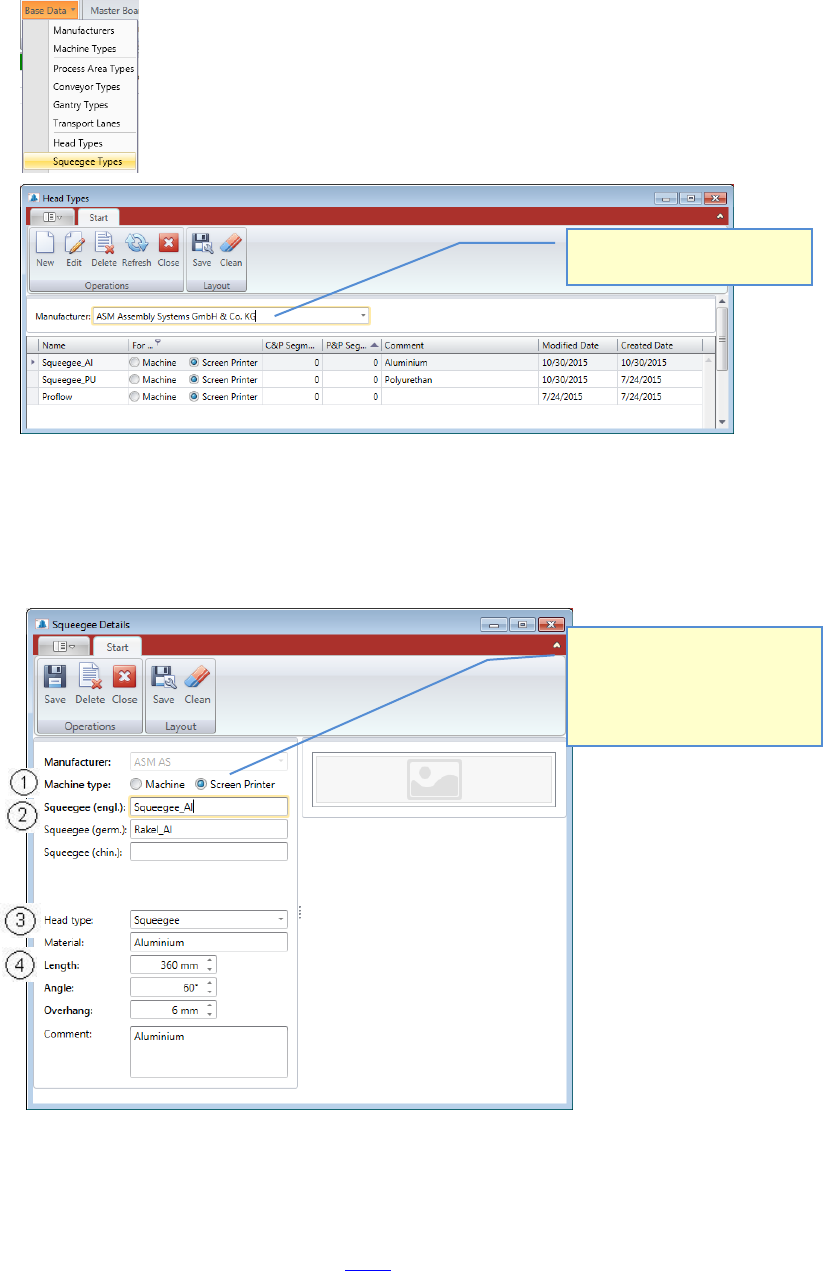
Printers have Squeegees instead of heads, which are mounted on gantries.
The squeegee must be configured, in order to assign it to a printer configuration.
You must select the manufacturer first, to show the list of squeegee types.
Double Click the Head Type you want to change or mark the line and press “Edit” to open the
“Head Type Details” view.
Press “New” if you want to add another Squeegee Type into the database.
The data for a Printer Head (Squeegee) consists about:
1. Machine type: Machine or Screen printer.
This is a general parameter for the data which where needed for configuration and specifi-
cation (see 3
rd
area described in 5.2.8).
Here it must be determined
whether it is a head for place-
ment machine or printer, since
the same dialog is used for
placement heads and squeegees.
Select the manufacturer, to
show the head Types in a list
ASM AVS - USER MANUAL
PAGE 62 OF 182
2. Name as known from the official documentation.
3. For Printers we can distinguish various head types.
At the present stage 2 types are entered into the software.
A squeegee with steel sheets and a squeegee with polyurethane strips.
4. The following parameters must be added to the data set:
• Material (plastic, alu, steel, …..)
• Length
• Angle (in which angle is the slider standing to the stencil)
• Overhang (how far are the lateral oblique metal strips sticking out from the slider)
A comment as well as an image of the head can be allocated, too.
The buttons for loading the image to the data set is going to be visible by moving the mouse
over the image, or the empty image field.
5.2.18.8 Base Data – Camera Types
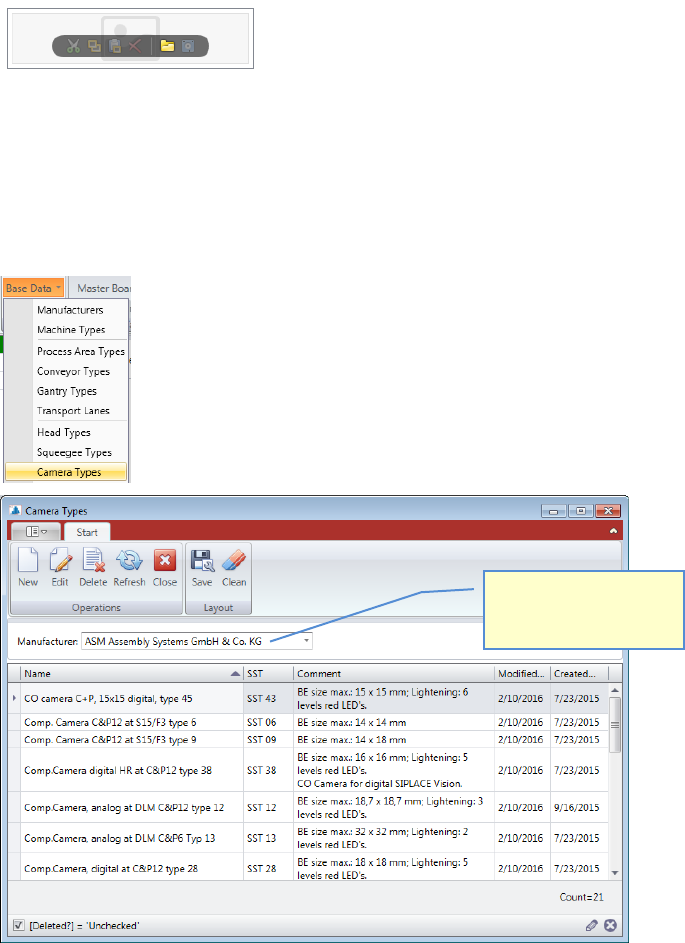
Each placement head needs a camera in combination to measure the component.
The camera head combination is the main configuration for the specification.
Select a manufacturer to
show the list of camera
types.