3_AVS-V2_MCT-UM-internal_EN_07-2019.pdf - 第76页
ASM AVS - U SER M ANUAL P AGE 76 OF 182 Det ails on Ref eren ce dat a: Beca use of t he m ate rial use d a nd t he me cha nical struc tu re o f a prin ter s ten cil , it canno t be co nside red as a c erti fied mea suri …

ASM AVS - USER MANUAL
PAGE 75 OF 182
(4) Construction Data: A stencil may comprise a plurality of different openings (applica-
tions).
- Applications Type: Here the applications used on the stencil are described in de-
tails. First, set the checkboxes to what type it is.
Thereafter, the size of each application must be provided as a value.
- Number of Dots: for each application type used, the corresponding number of
points in X and Y direction must be specified.
(5) Reference Machine:
Stencils can be measured on a CMM system.
The relevant data for a Reference Machine must be add. It is the information about a
Coordinates Measurement Machine (CMM), which is used to measure the reference Da-
ta.
The data in the purple colored area should not be edit.
Use the buttons in the menu area to load a reference machine to the stencil, which has
been add to the database. See also “4_AVS-V2_Certification_EN_MM-YYYY”.
(6) ReferenceData: If the stencil was measured on a CMM machine, the reference data must
be load to the database.
Therefore, use the buttons in the menu area to read out the data from the text-file, that
comes from the reference machine.
The data were automatically filled.
(7) Recipes:
Here you can directly bind the template to one or more recipes with which this template
can work. As a result of this preselection later in a measurement project, after selecting a
template, only these linked recipes are offered for selection.
NOTICE
Stencil Reference Data
The so-called. "Reference Data" contains the offsets of each item based on the nominal values, in relation
to the global reference marks.
These values are used in the ASM AVS software, as a table for correcting the measurement results, so as to
reduce the influence of the stencil quality on the individual measurement.
The use / non-use of the correction data, has no effect on the MCT results.
Because the MCT verified the repeatability of 20 printings.
The correction data are only to improve the results of the individual measurement.
ASM AVS - USER MANUAL
PAGE 76 OF 182
Details on Reference data:
Because of the material used and the mechanical structure of a printer stencil, it cannot be
considered as a certified measuring instrument.
The accuracy of the positions and size of the holes is too small, so they represent a major ef-
fect on a single measurement.
For this reason, a "Point2Point" calculation is carried out for the MCT.
But to basically bring the readings on a better measure, namely already for the adjustment,
correction data are used for the stencil.
If the checkbox "correction data" is enabled, the values are subtracted directly from the
measured values.
Although now, each individual measurement is reflecting the print quality and the stencil
quality is already calculated out of the result, a Board2Board measurement or a calculation
Point2Point must be performed, to determine the repeatability (printers MCT).
Because due to the materials used, a reliable stability or validity of the correction values is
not ensured.
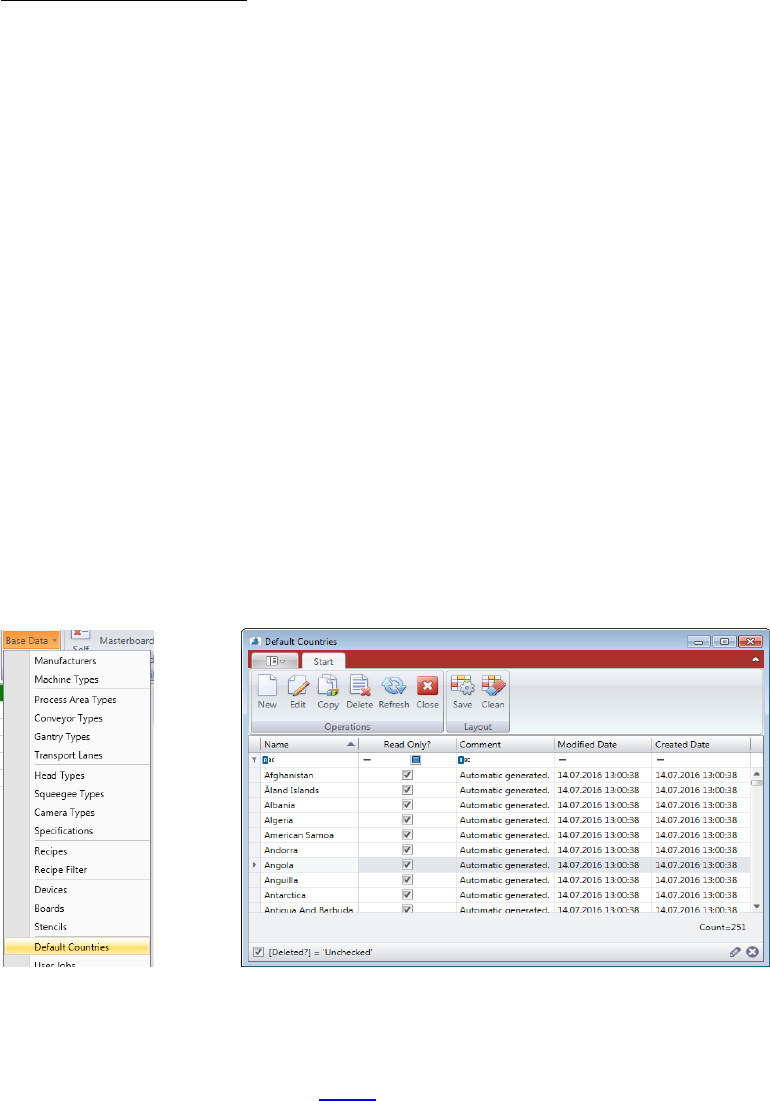
5.2.18.16 Base Data – Default Countries
In the structure tree, you can add countries. Therefore, these countries must be available in
the database.
If you miss a country which you plan to add to the tree, you need to add the country to de-
fault countries base data first! See 5.2.14
ASM AVS - USER MANUAL
PAGE 77 OF 182
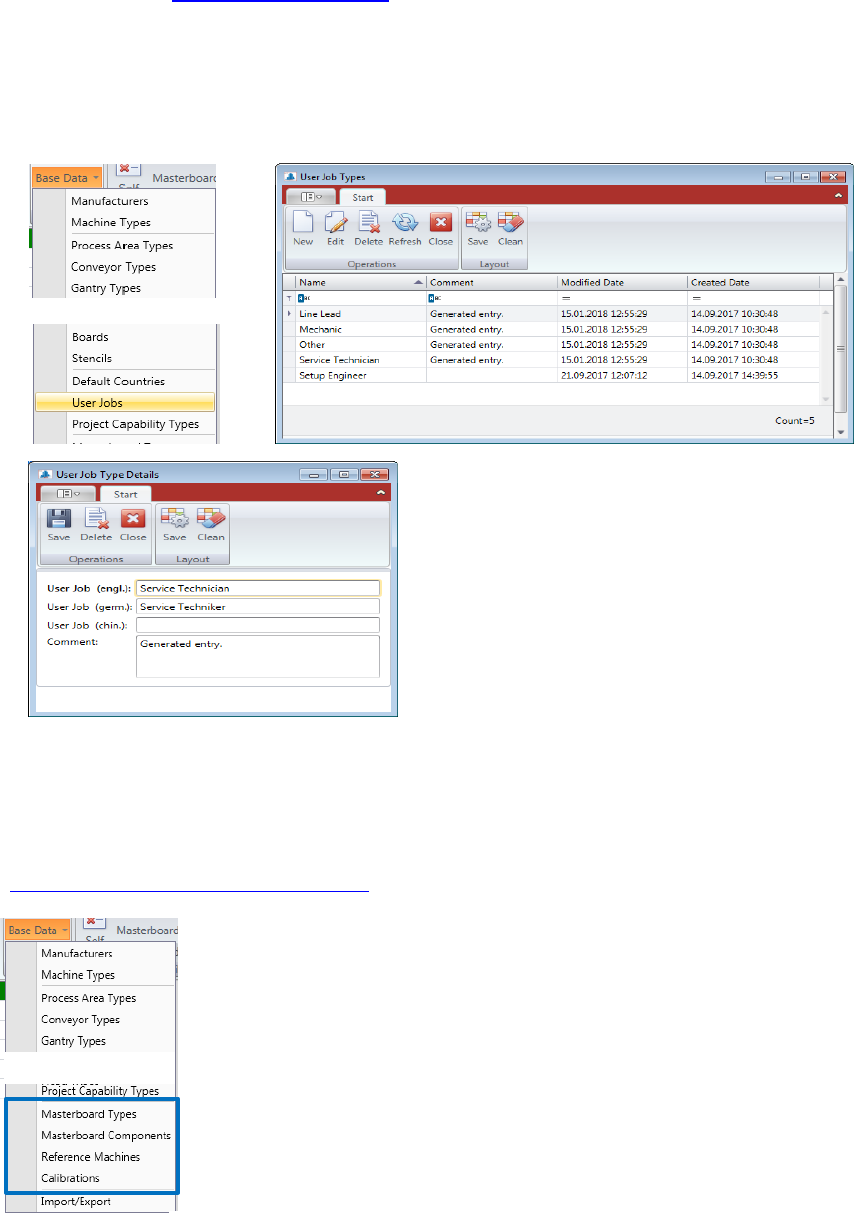
5.2.18.17 Base Data – User Jobs
In Contact Data 5.2.17 Current Contacts you can select Job descriptions out of a list.
This list is coming from the BaseData – User Jobs table.
Double Click the “User Job” you want to change or mark the line and press “Edit” to open the
“User Job Details” view.
Press “New” if you want to add another User Job into the database.
5.2.19 Base Data - Capability of measuring equipment
All Information regarding measuring capability of the AVS equipment you find in the manual
“4_AVS-V2_Certification_EN_MM-YYYY”.