3_AVS-V2_MCT-UM-internal_EN_07-2019.pdf - 第28页
ASM AVS - U SER M ANUAL P AGE 28 OF 182 • Switc h o n th e dev ice at the powe r sw itch . The com pute r boo ts a utom atic ally. The ASM AV S dev ice ha s no dis play an d co ntrol eq u ipme nt (mo ni tor, keyb oar d o…
ASM AVS - USER MANUAL
PAGE 27 OF 182
3.2 Powering up the ASM AVS
DANGER
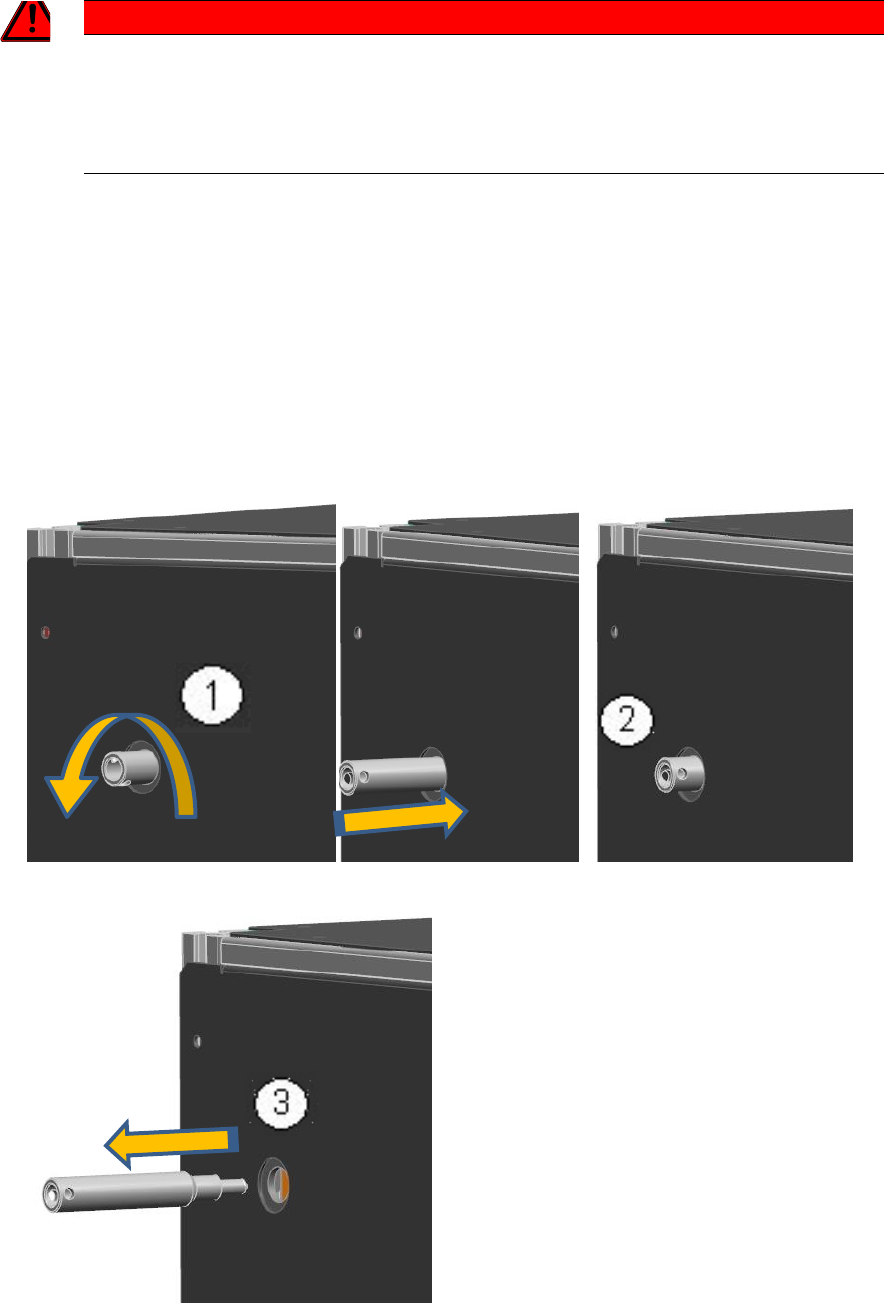
2T!!! REMOVE THE TRANSPORT PROTECTION !!!
The transport lock must be removed before switching on the device, since the axles are powered directly
by the connection of the supply voltage.
However, it is necessary to push the portal from the proximity limit switches, using the locking pin.
• Turn the transport safety pin out of the device! (1)
• If the pen is completely unscrewed from the thread, press the pen again purely to the me-
chanical stop in the device (2).
Thus, the portal will be shifted to the thread length in the middle of the unit, so that the limit
switch of the X-axis is free.
• Then remove the pin from the device. (3)
ASM AVS - USER MANUAL
PAGE 28 OF 182
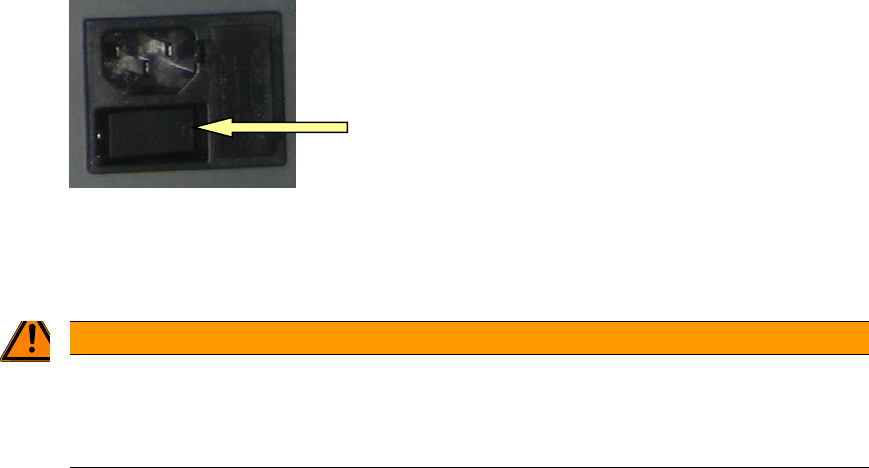
• Switch on the device at the power switch.
The computer boots automatically.
The ASM AVS device has no display and control equipment (monitor, keyboard or mouse).
WARNING
2TNo connection of the AVS to the customers network
Therefore, it is not permitted, to connect the »ASM AVS« device into the customer’s network (key-
word: virus protection).
The ASM AVS is controlled via a remote desktop connection to the service engineer's notebook.
Once the ASM AVS's computer has finished booting then it is possible to establish a Remote
Support connection on the notebook via the LAN.
3.3 Shutdown of ASM AVS
As the display and the control of the ASM AVS runs via a remote desktop connection, the operat-
ing system of the computer cannot be shut down via the powered »start menu«.
Alternative 1:
Press Alt+F4 together. Now you get a dialog, in which you can select the »Shut Down« mode and
confirm with OK. Wait approx. 1 minute and then turn off the device at the power switch.
Alternative 2:
Right Mouse Click into the task bar on the bottom of the ASM AVS screen and open the »Task
manager«.
Now you can »shut down« the ASM AVS computer via the »ShutDown« menu. Wait approx. 1
minute and then turn off the device at the power switch.
ASM AVS - USER MANUAL
PAGE 29 OF 182
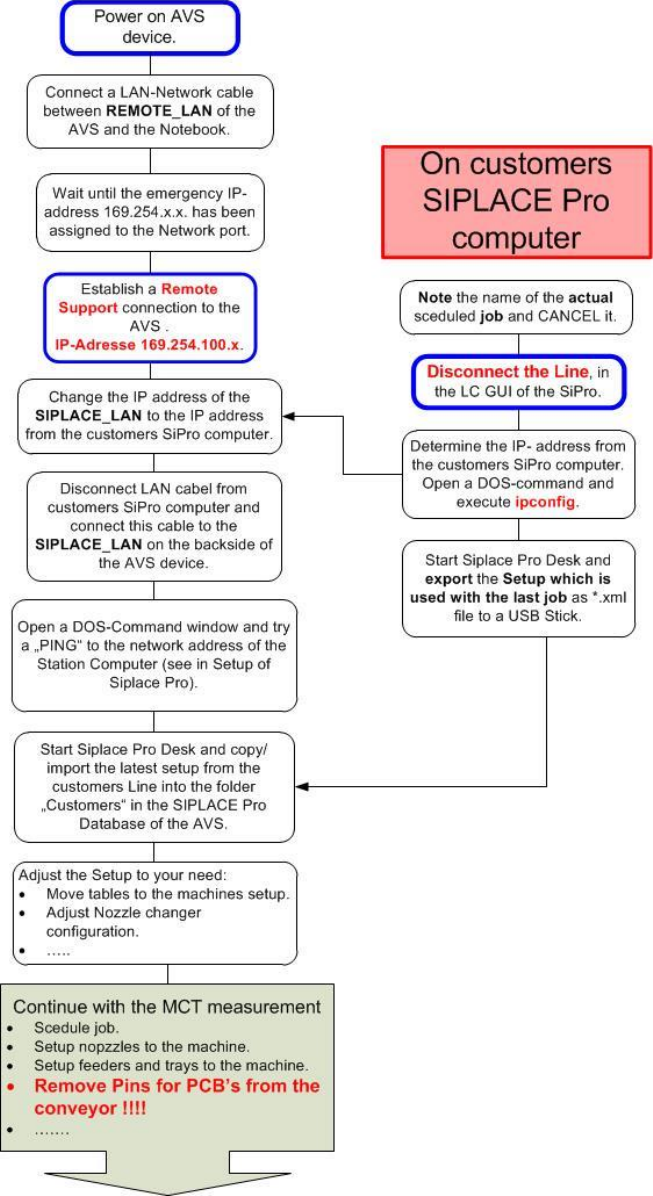
3.4 Overview of preparation and post processing work on customer site
The following Flow charts are showing the necessary steps for the preparation of an MCT as well
as for the post processing work.
3.4.1 Preparation of an MCT on customer site