3_AVS-V2_MCT-UM-internal_EN_07-2019.pdf - 第55页
ASM AVS - U SER M ANUAL P AGE 55 OF 182 Dou ble Clic k t he Pro ces s Ar e a Typ e yo u w ant to c hange or m a rk the line an d pre ss “Edi t” to ope n t he “P roce ss Type D et ails” v iew. Pre ss “ New” if you wa nt t…
ASM AVS - USER MANUAL
PAGE 54 OF 182
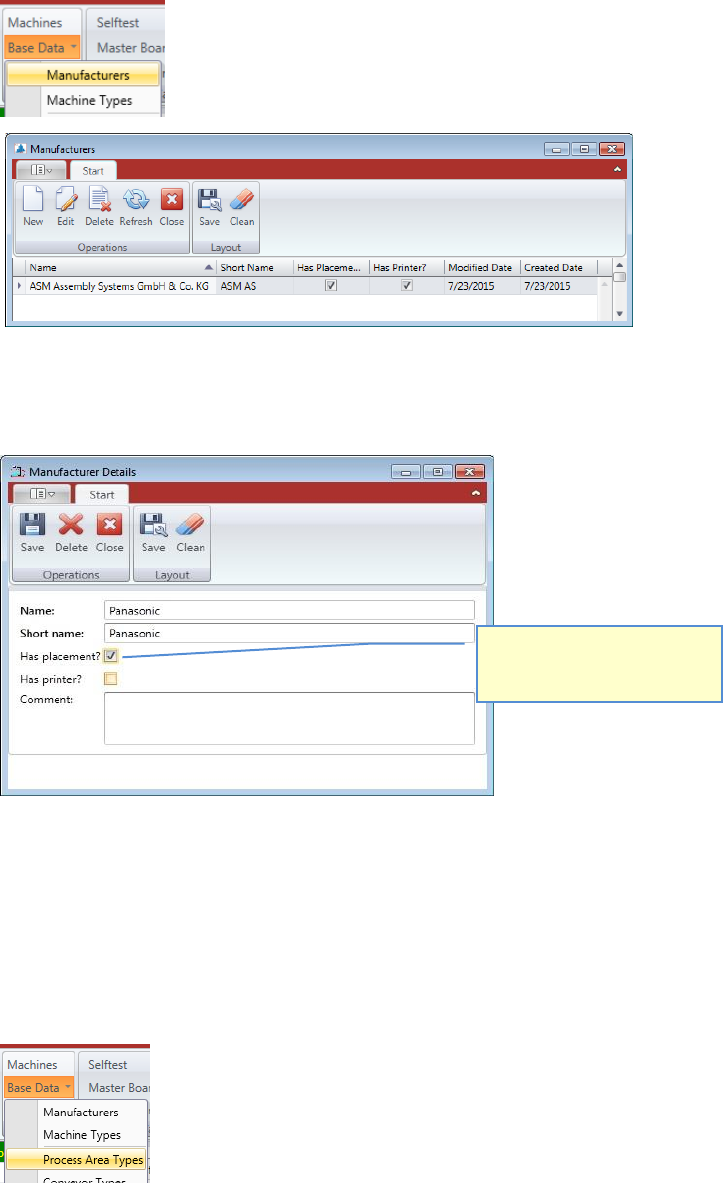
5.2.18.1 Base Data – Manufacturers
Here you can add different manufacturers of placement equipment or printers (publicize in
the software).
Double Click the Manufacturer you want to change, or mark the line and press “Edit” to open
the “Manufacturer Details” view.
Press “New” if you want to add another Manufacturer to the database.
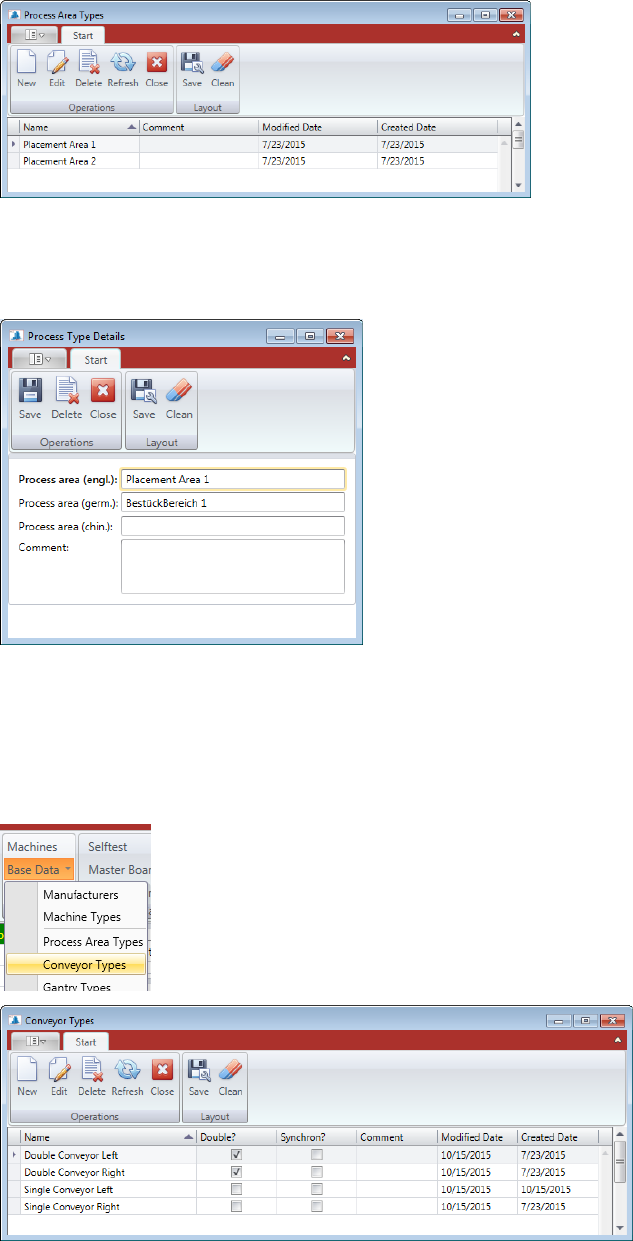
5.2.18.2 Base Data – Process Area Types
Depending on the concept, a machine can have one, two or more process area types.
Process area means an area where the PCB is stopped and clamped for production.
There are not many details in this data, it is just to be able to configure a machine correctly
Select, either the manufacturer
has placement machines, or
printers, or both.
ASM AVS - USER MANUAL
PAGE 55 OF 182
Double Click the Process Area Type you want to change or mark the line and press “Edit” to
open the “Process Type Details” view.
Press “New” if you want to add another Process Area Type into the database.
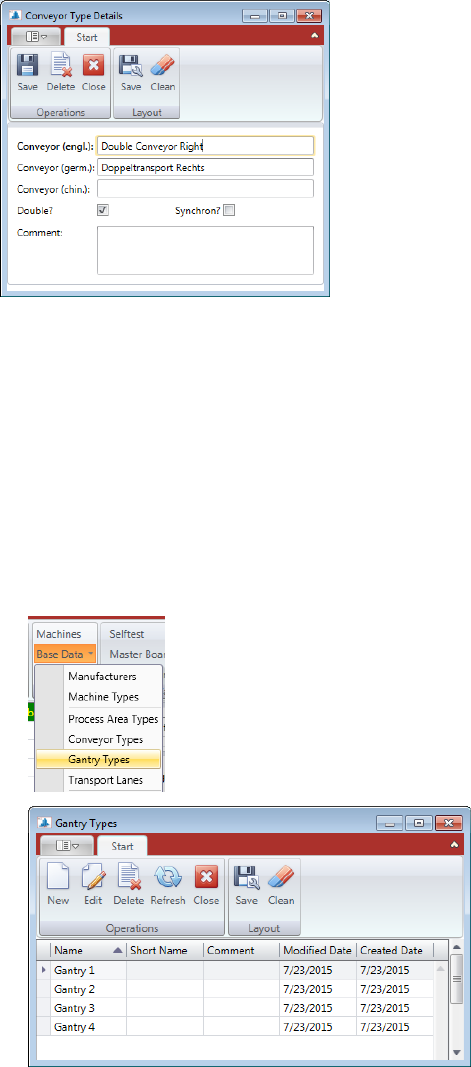
5.2.18.3 Base Data – Conveyor Types
A machine can have different types of PCB conveyors.
Such as “Single Conveyor”, “Dual Conveyor”, ….
Double Click the Conveyor Type you want to change or mark the line and press “Edit” to open
the “Conveyor Type Details” view.
Press “New” if you want to add another Conveyor Type into the database.
ASM AVS - USER MANUAL
PAGE 56 OF 182
Additional to the identifying of the "conveyor type" the checkbox "double?" must be considered.
Activate the box when it is a "double transport" (two tracks) and disable it, if it is a one track
"Single conveyor".
5.2.18.4 Base Data – Gantry Types
A machine can have different numbers of gantries.
There are not many details about this data, it is just in order to configure a machine correctly.
Double Click the Gantry Type you want to change or mark the line and press “Edit” to open
the “Gantry Type Details” view.
Press “New” if you want to add another Gantry Type into the database.