3_AVS-V2_MCT-UM-internal_EN_07-2019.pdf - 第49页
ASM AVS - U SER M ANUAL P AGE 49 OF 182 5. 2.15 C us tome r D ata Cli ck t he “ Cus tom er ” Butto n in t he Me nue ba r. In the fol lowi ng w indo w, se lec t the co untry f rom w hich y o u wan t to proc ess custo me r…
ASM AVS - USER MANUAL
PAGE 48 OF 182
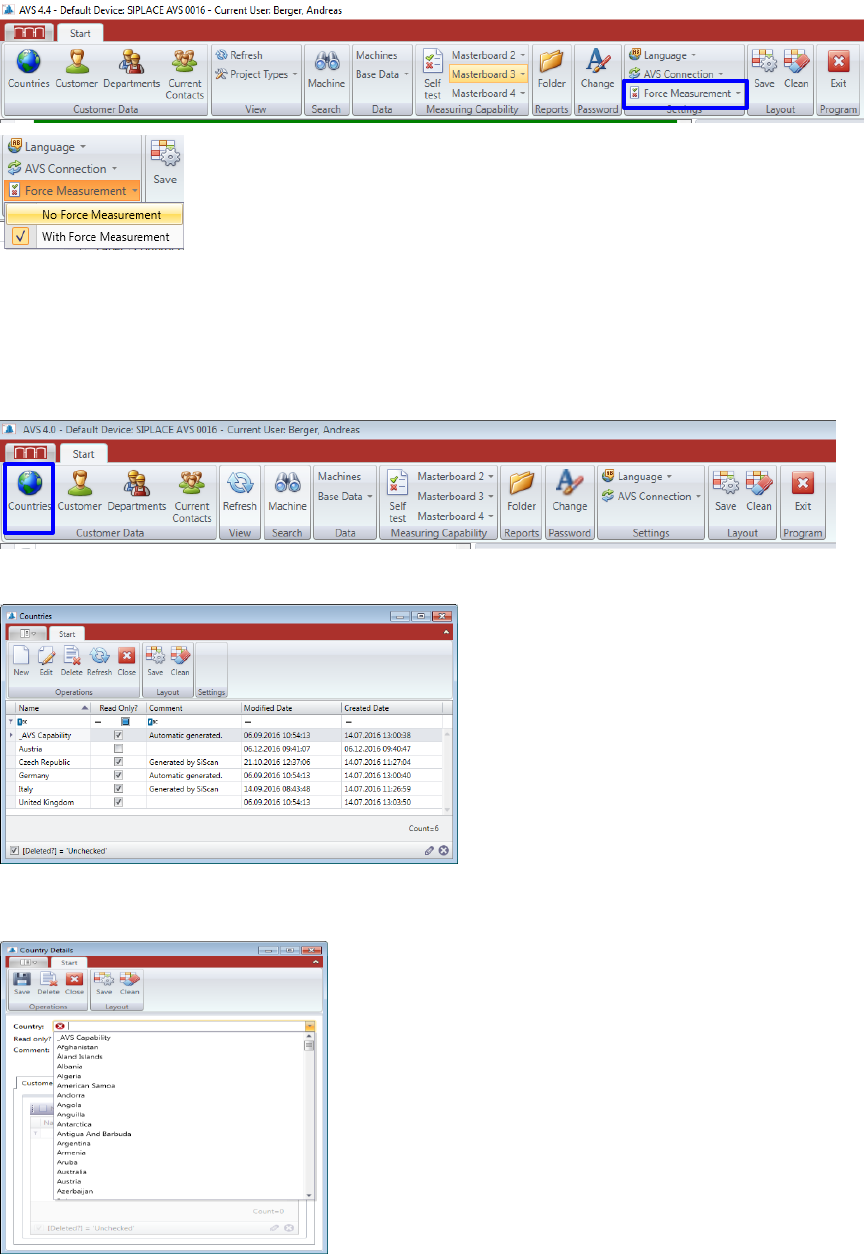
5.2.13 Placement Force Measurement
From the released software version 4.4.1.4, a setup with implemented placement force meas-
urement can also be installed.
The function of the force measurement can still be switched off for the entire software.
5.2.14 Countries
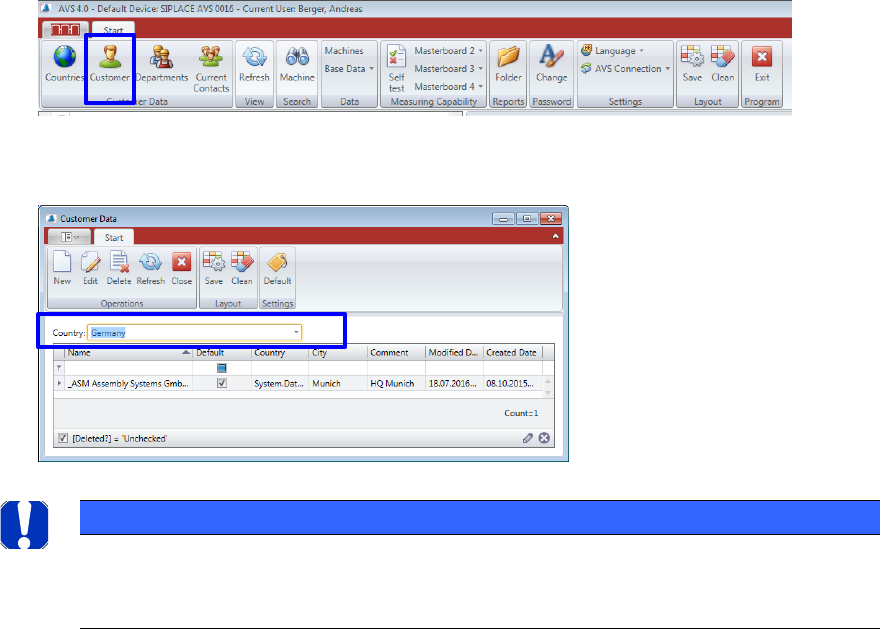
If a country is missed in the tree, it can be applied via the menu item "Countries”.
Click on the button "countries" in the menu bar.
The following window shows the list of all countries, which are already listed in the tree.
Here you can remove countries from the list and create “New” ones.
When applying new countries, you can select the country names from an existing list (standard
ASM AVS - USER MANUAL
PAGE 49 OF 182
5.2.15 Customer Data
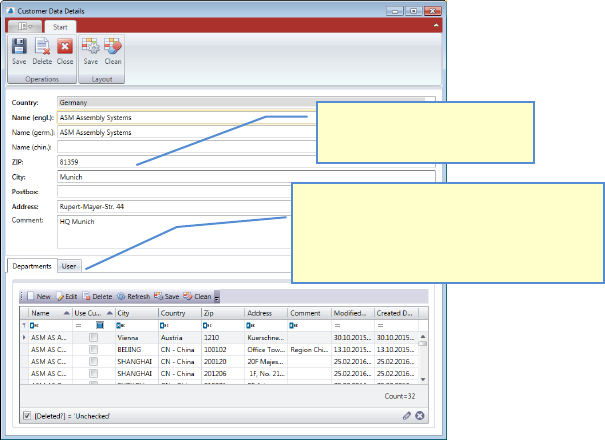
Click the “Customer” Button in the Menue bar.
In the following window, select the country from which you want to process customer data.
A list with all customers of this country, opens.
To define a customer as the default, select the appropriate customer in the list and press the
button "Default" in the menu area.
Double Click the Customer you want to change, or mark the line and press “Edit” to open the
“Customer Details” view.
Press “New” if you want to add another customer to the database.
NOTICE
For the basic function of the Software, a standard customer must be advised.
Means, a customer must be defined as standard.
At the Login, when starting the Software, only users from this standard customer are listed for the login.
ASM AVS - USER MANUAL
PAGE 50 OF 182
5.2.15.1 Customer Data Details
The data structure for Contacts/Users is as follows: Customer -> Department -> Con-
tact/User
Enter Customer name (Company name) and address.
3TTo create3T 3Ta3T 3Tcontact with a3T 3Tcustomer3T, a division 3Thas to be created3T 3Tfirst3T.
One department at least must be created
to each customer.
This can be done here directly after
saving the customer data once.
1. The customer data also
contain the address data.