3_AVS-V2_MCT-UM-internal_EN_07-2019.pdf - 第54页
ASM AVS - U SER M ANUAL P AGE 54 OF 182 5.2.18.1 Base Data – Manufacturers Her e yo u c an a dd di ffer ent manu fact urer s of pl aceme nt e qui pment or pri nters (p ubli cize in the sof twa re) . Dou ble Cl ick t he M…
ASM AVS - USER MANUAL
PAGE 53 OF 182
5.2.18 Base Data
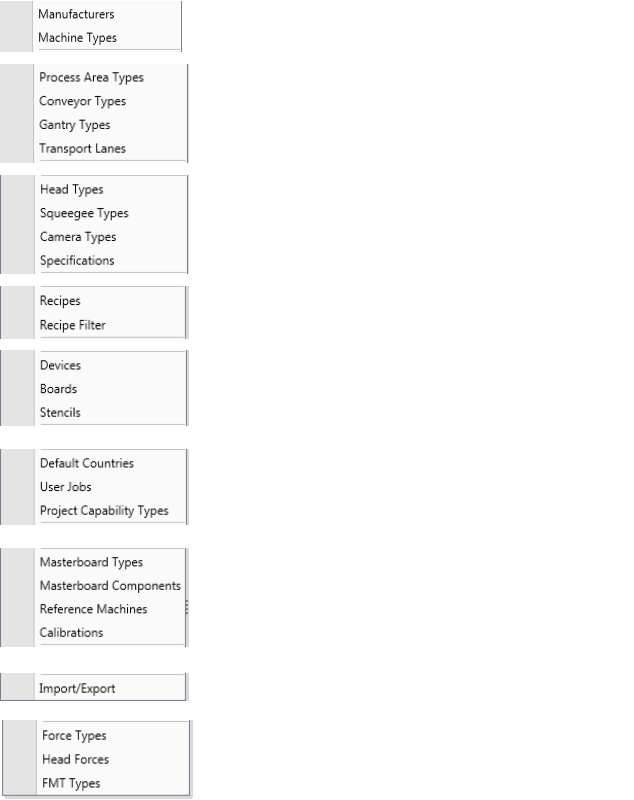
In the group “Base Data” of the menu you find the “Base Data” List.
Here you find all the necessary configurable Data, to be able to set up a measurement project.
The Base Data menu is separated in different areas.
The 1
st
area is about manufacturers and fully
configured machine types.
The 2
nd
area consists of data which are needed
for configuration of machines, but do not affect
the specification of the machine.
The 3
rd
area consists of data which are needed
for configuration of machines and do affect the
specification of the machine.
The 4
th
area is the Recipe Editor (measuring plans).
The 5
th
area consists of data for the equipment
what is needed to measure MCTs, that have serial
numbers and calibration certificates or data.
The 6
th
area: - default countries
- User jobs for contacts
- Additional text for report to edit
The 7
th
area consists of data for the verifica-
tion/certification of the AVS device.
The 8
th
area gives you information to the history
of import and export of data.
The 9
th
consist of all base data required for the
measurement of placement forces.
ASM AVS - USER MANUAL
PAGE 54 OF 182
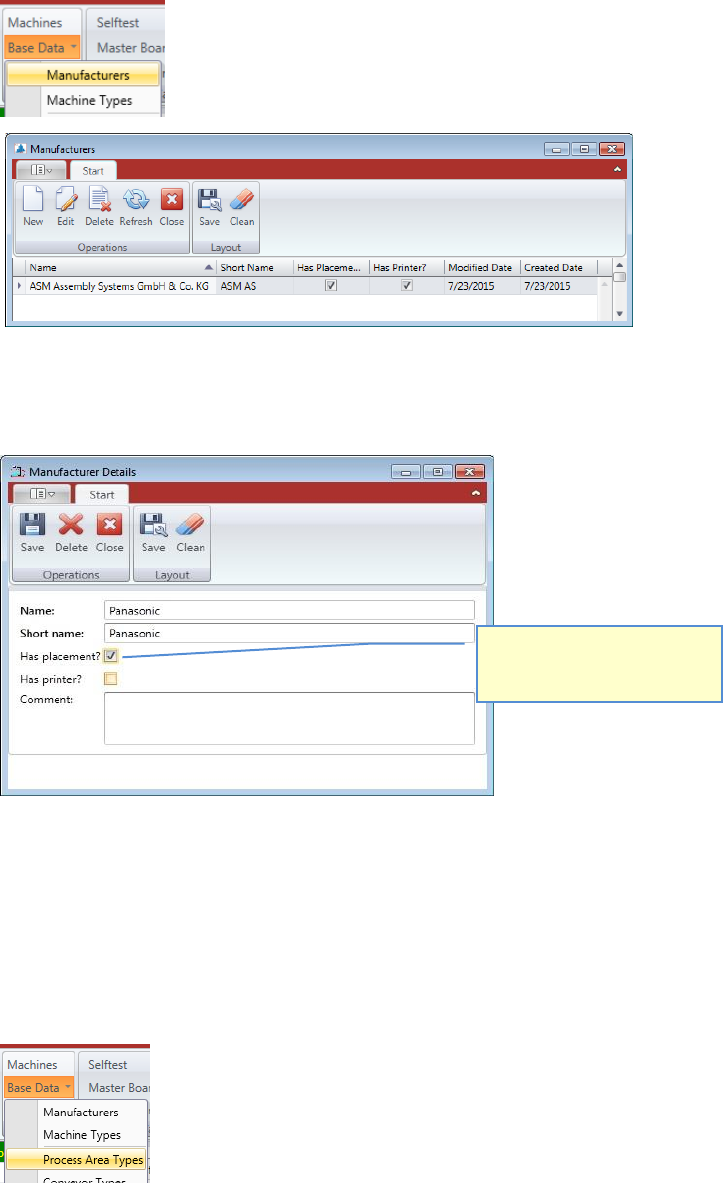
5.2.18.1 Base Data – Manufacturers
Here you can add different manufacturers of placement equipment or printers (publicize in
the software).
Double Click the Manufacturer you want to change, or mark the line and press “Edit” to open
the “Manufacturer Details” view.
Press “New” if you want to add another Manufacturer to the database.
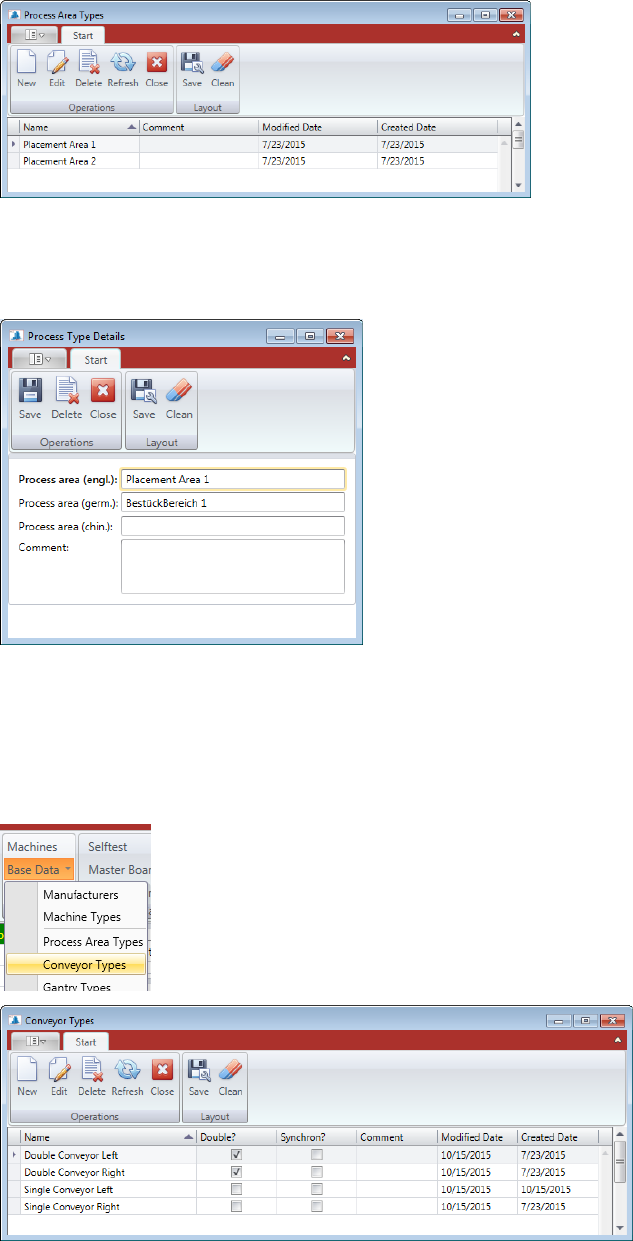
5.2.18.2 Base Data – Process Area Types
Depending on the concept, a machine can have one, two or more process area types.
Process area means an area where the PCB is stopped and clamped for production.
There are not many details in this data, it is just to be able to configure a machine correctly
Select, either the manufacturer
has placement machines, or
printers, or both.
ASM AVS - USER MANUAL
PAGE 55 OF 182
Double Click the Process Area Type you want to change or mark the line and press “Edit” to
open the “Process Type Details” view.
Press “New” if you want to add another Process Area Type into the database.
5.2.18.3 Base Data – Conveyor Types
A machine can have different types of PCB conveyors.
Such as “Single Conveyor”, “Dual Conveyor”, ….
Double Click the Conveyor Type you want to change or mark the line and press “Edit” to open
the “Conveyor Type Details” view.
Press “New” if you want to add another Conveyor Type into the database.