3_AVS-V2_MCT-UM-internal_EN_07-2019.pdf - 第115页
ASM AVS - U SER M ANUAL P AGE 115 OF 182 Addi tio nal ly fi lter t he m easur emen ts fo r t he print ing direc tio n to ge t the va lues for eac h dir ectio n sepa rately , becau se t hes e are th e va lues you m ust en…
ASM AVS - USER MANUAL
PAGE 114 OF 182
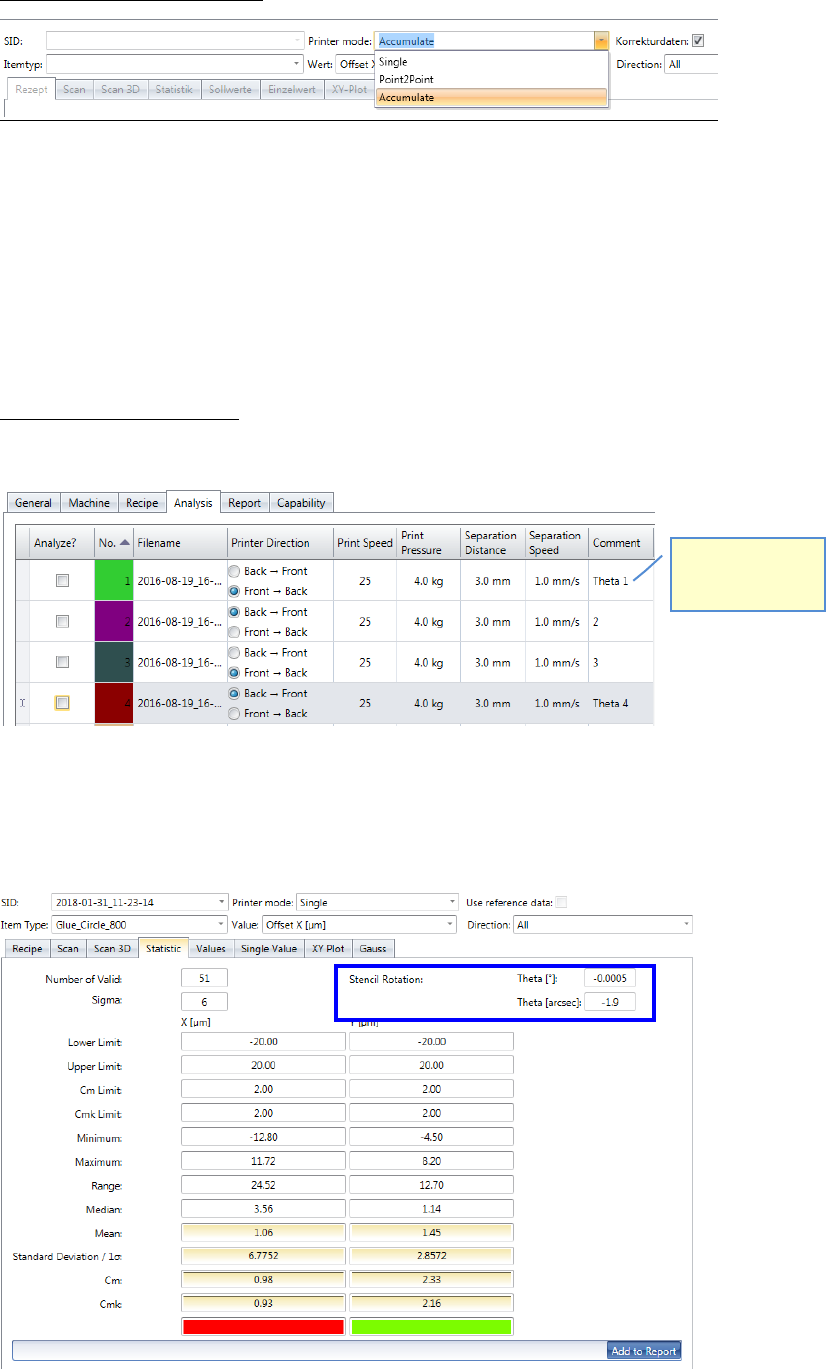
- Printer Mode “Accumulate”:
In this mode, all measurement points from all selected measurements are evaluated to-
gether.
This means, for example, on a board with 28 measuring points and 20 selected measure-
ments that 28 x 20 = 560 measured values are evaluated.
With printer projects, this mode is for matching the offsets (X / Y) and the stencil rotation
(θ) used.
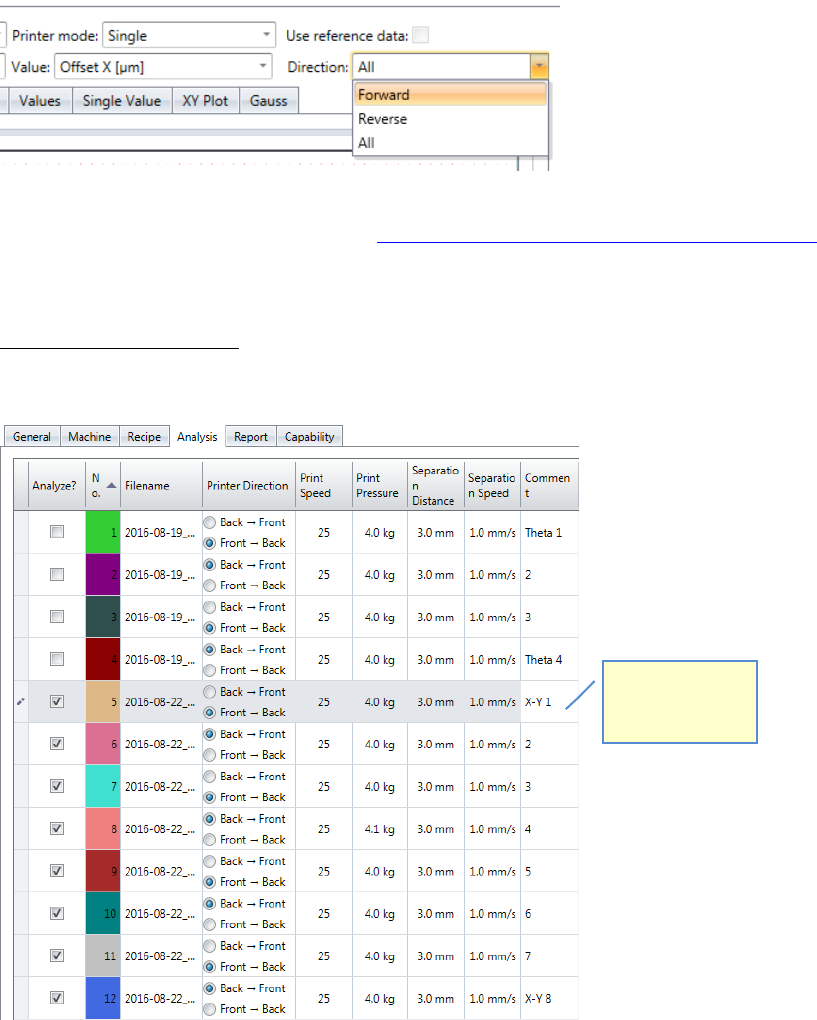
Step 1 at printer projects: Adjusting the stencil rotation θ (Theta)
4 boards must be printed, 2 in each direction.
These 4 measurements are going to be evaluated in the mode „Accumulate“.
If the printer mode is not “Point2Point”, the value for the stencil rotation is shown in the
top right corner of the “Statistic” view.
Remember to
comment the
measurements!
ASM AVS - USER MANUAL
PAGE 115 OF 182
Additionally filter the measurements for the printing direction to get the values for each
direction separately, because these are the values you must enter in the printing machine.
Adjusting parameters on the printer, see 7.2 Corrections of Offset values on DEK printers.
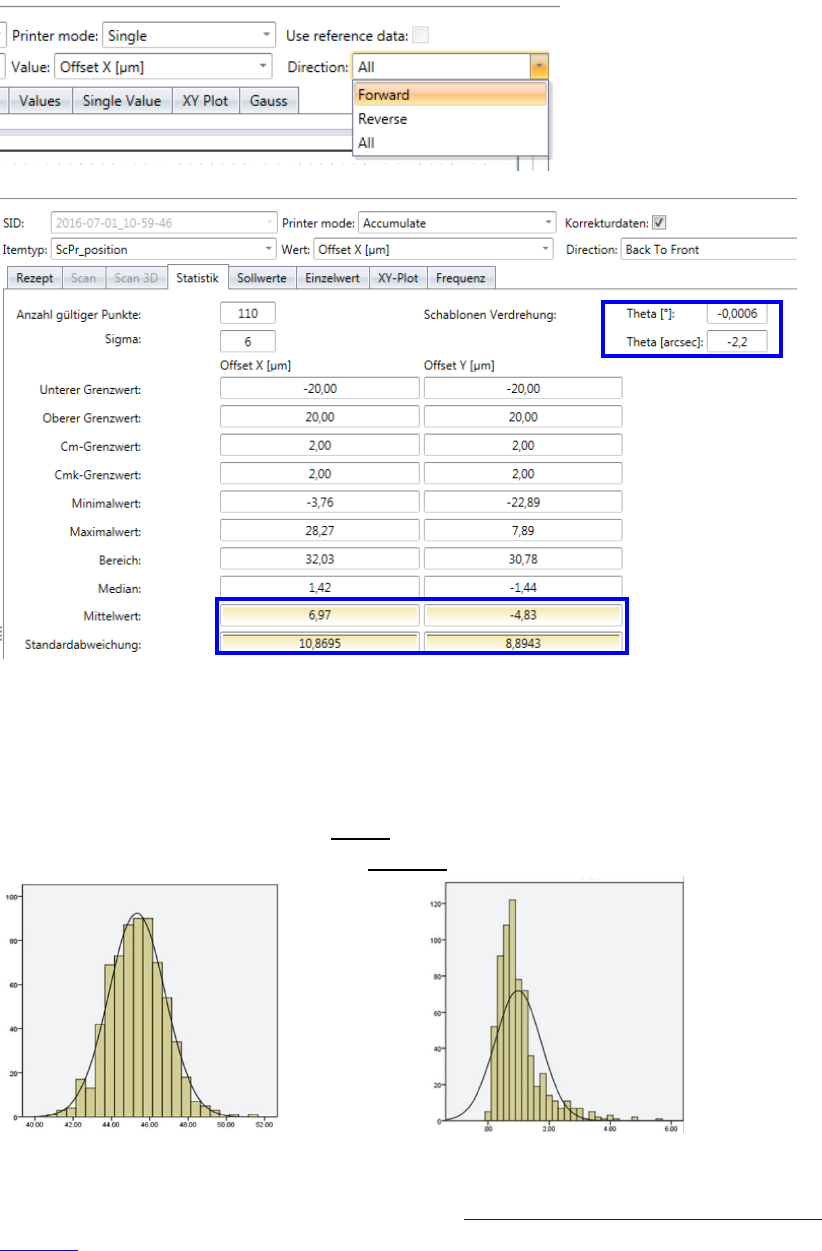
Step 2 at printer projects: Adjusting the X-/Y- Offsets
4 board must be printed, 2 in each direction.
Remember to
comment each
measurement!
ASM AVS - USER MANUAL
PAGE 116 OF 182
The 4 measurements are evaluated in the printer mode „Accumulate“.
Additionally filter the measurements for the printing direction to get the values for each
direction separately, because these are the values you must enter in the printing machine.
To decide which of the two values (median, mean) to use for the correction, you need to
look at the result in the "frequency" chart (Gaussian bell curve).
If it is a normal distribution, use the MEAN.
If it is not a normal distribution, use the MEDIAN.
Normal distributed, use MEAN Not normal distributed, use MEDIAN
Adjusting the correction values on the printer, see 7.2 Corrections of Offset values on DEK
printers.