3_AVS-V2_MCT-UM-internal_EN_07-2019.pdf - 第46页
ASM AVS - U SER M ANUAL P AGE 46 OF 182 Bot tom of t he wi ndow : Ma ny vie ws show an area at th e bot tom of the w indo w, w hic h s hows y ou o ther rel at ing d ata. For the di ffere nt T abs t he re y ou h ave the p…
ASM AVS - USER MANUAL
PAGE 45 OF 182
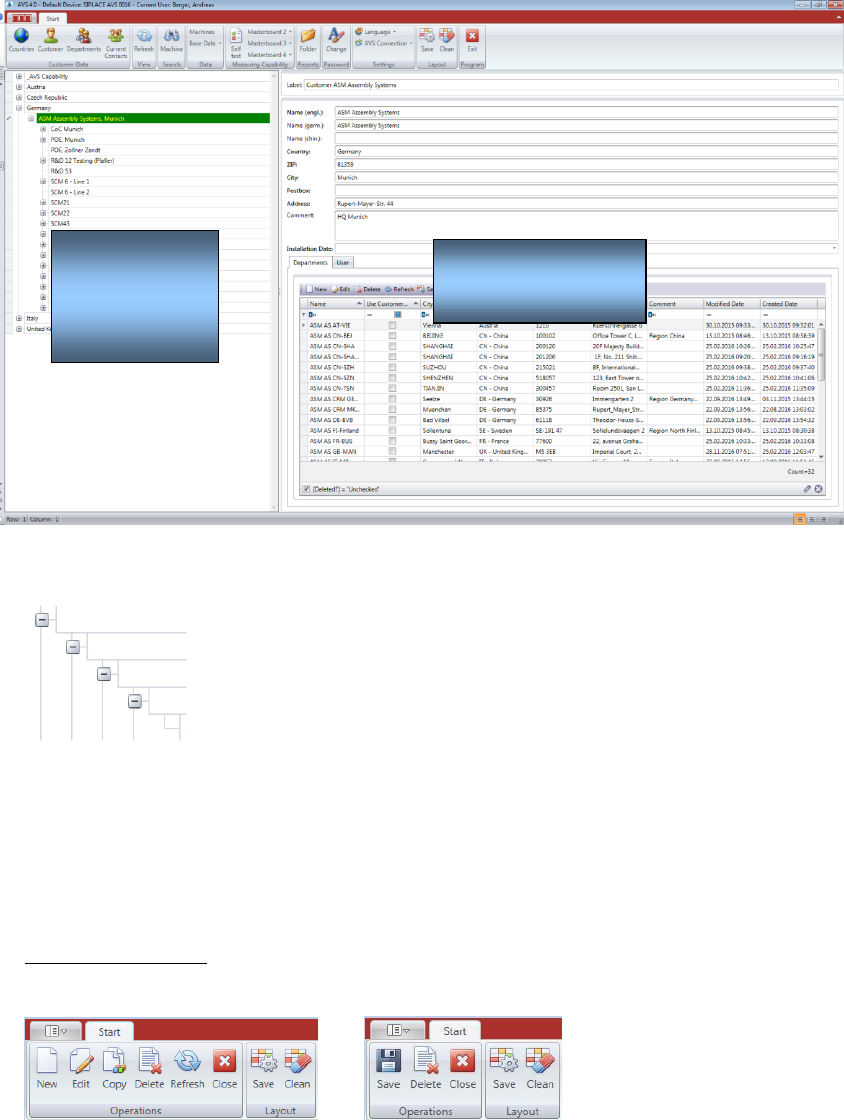
5.2.6 ASM AVS Software under Start panel
The structure tree in the left part is built on as follows:
Country,
Customer,
Line,
Machine,
Project
The part on the right side, shows the detailed information to the selected element in the struc-
ture tree.
5.2.7 Principles of the AVS SW views
Top of the window:
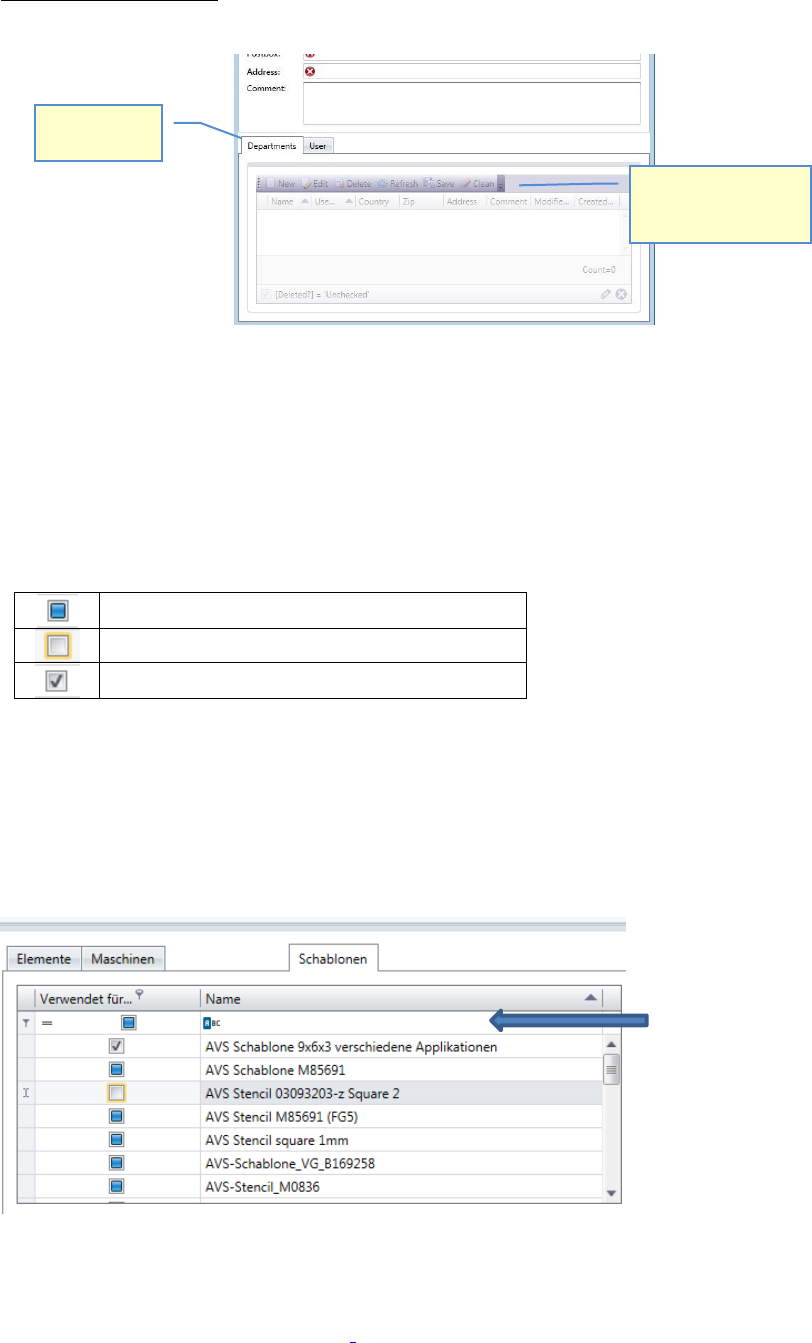
The different views of the software have principle structure, which is similar to each view.
Menu area in windows for selection Menu area in Editing windows
Each dialog, has an “Operations” group and a “Layout” group.
In the dialogs for selection you find the functions “New”, “Edit”, “Copy” and “Refresh”, beside
the standard functions “Save”, “Delete” and “Close”.
If you press the “Save” button in the layout group, you save the settings for the Window, regard-
ing size and division of the different areas in the view.
The button “Save” in the Operations group saves the valid data, listed in the view.
Information
Navigation
(structure
tree)
ASM AVS - USER MANUAL
PAGE 46 OF 182
Bottom of the window:
Many views show an area at the bottom of the window, which shows you other relating data.
For the different Tabs there you have the possibility to get an overview of the relating data and
to add new relating data, if you miss them in the lists.
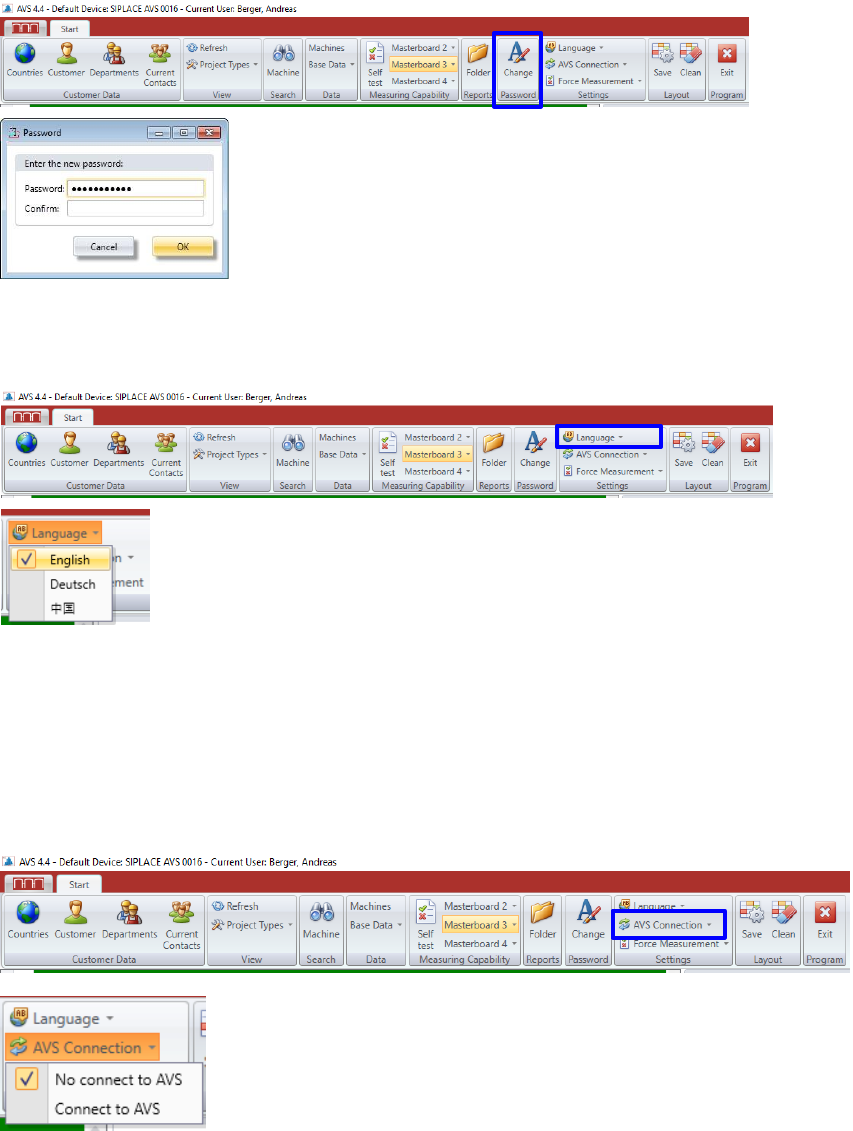
5.2.8 Tables with selection check boxes
The checkboxes in the selection tables has 3 status.
No selection has been made yet
Not assigned
Assigned
In each table there is a possibility of filtering in the first line.
This is especially helpful with check boxes, where you can filter for selected (assigned) entries.
For text fields, unfortunately, only the beginning text can be searched, it is not possible to search
for contained characters in the text.
5.2.9 Data Structure of the AVS Software
Details on the structure of the data in the AVS Software can be found in section „2_AVS-
V2_Software Installation_Edition_.....“.
Tabs with
relating data
You can directly add a
new, or edit valid
relating data.
Line for
filtering
ASM AVS - USER MANUAL
PAGE 47 OF 182
5.2.10 Change User Password
Here you can change the password.
5.2.11 Setting the Language
Click on the Button “Language” in the Group Settings of the menu bar.
5.2.12 AVS Connection
The AVS software can be installed on the AVS device as well as on another computer (e.g. work
notebook).
In order to operate the software on another computer, the connection to the device, i.e. to the
AVS_Scan software, must be interrupted.
It opens a list from which the desired language can be selected.
It is the language of the software interface.
It is currently available in 3 languages, with only English and German
fully available. The language of the later generated protocol is set in the
project.