3_AVS-V2_MCT-UM-internal_EN_07-2019.pdf - 第40页
ASM AVS - U SER M ANUAL P AGE 40 OF 182 5 Sof twar e 5.1 Gen er al ( Pref ac e) The Ins tall atio n o f th e So ftwa re is de scri bed in „ 2_ AVS -V2_S oft ware Inst all atio n_ Edit ion_ ….“ . The ASM AV S dev ice sof …
ASM AVS - USER MANUAL
PAGE 39 OF 182
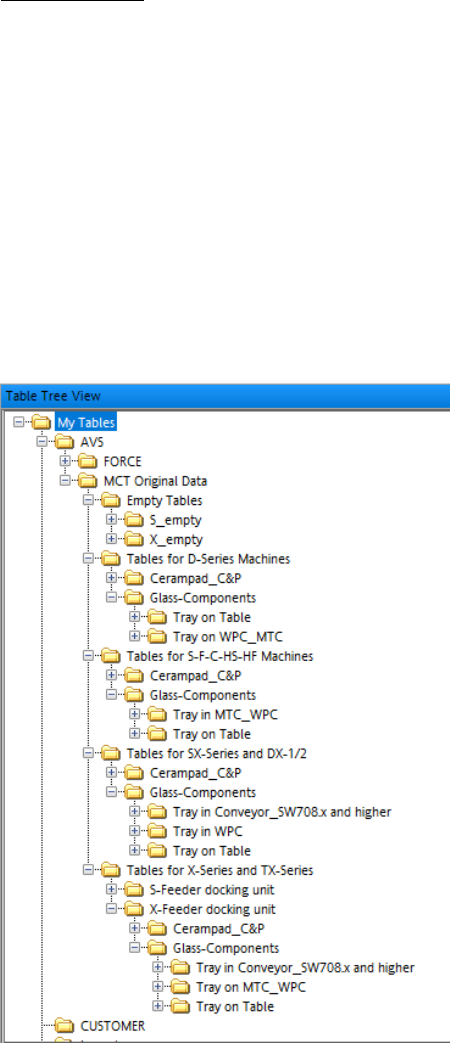
Tables for MCT:
The folder “AVS\MCT Original Data” contains table descriptions as well, to make it more easy to fi-
nally configure the setup.
There is one folder with empty tables to clean up a setup copied from the customers line configu-
ration.
The structure for Tables is like follows:
Tables for machine types => Component Types =>
Then, in case of glass components in tray, the descriptions are sorted in “Tray on Table” and “Tray
on Tray Feeder”.
In case of machine types with Software 708.x and higher, there is also a folder for Tray in Conveyor
descriptions.
ASM AVS - USER MANUAL
PAGE 40 OF 182
5 Software
5.1 General (Preface)
The Installation of the Software is described in „2_AVS-V2_Software Installation_Edition_….“.
The ASM AVS device software primarily consists of 2 parts:
• Part 1 (administration, referred to as the »ASM AVS Software« below):
Here, all the necessary data relating to machines, customers, contacts, measurement- plans
(recipes) and projects is managed in a database.
• Part 2 (measuring/analysis, referred to as the Software »AVS_Scan« below):
This is responsible for performing and analyzing measurements on the basis of the data
passed by the first part. It includes axis control, image acquisition using SIPLACE Vision and
also makes it possible to analyze the measured data and create reports.
The »ASM AVS Software« (Part 1) provides the user of the ASM AVS a database that always
contains the following data:
• Customer data (accounts)
• Data for contacts at the customer (contacts)
• Machine data (serial numbers and configurations)
• Specifications (depending on machine configuration)
• And data required for organizing the recipes (measurement plans) and the measurement pro-
jects…
5.1.1 Starting the »ASM AVS Software«
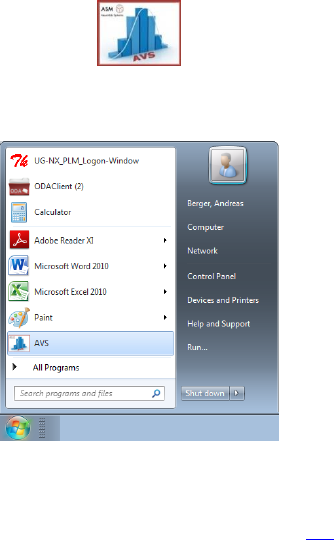
To start the "ASM AVS Software", click this
icon on the desktop or use the Start menu:
The software in general consists of 2 parts, as already described in 5.1.
ASM AVS - USER MANUAL
PAGE 41 OF 182
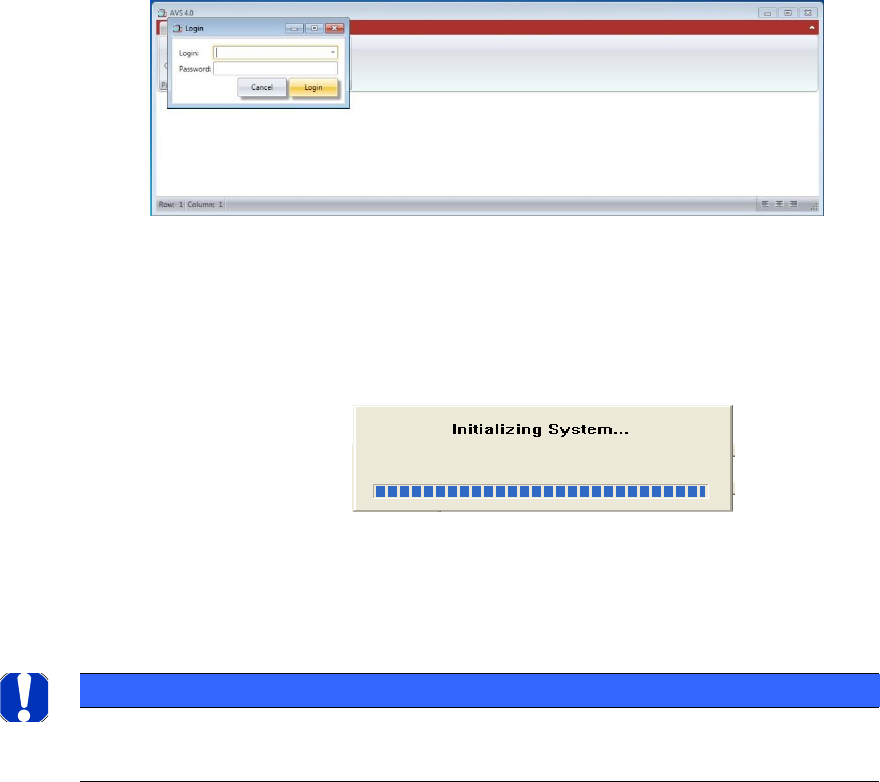
When the software is started, both software components are started at once.
A login window is displayed for the »ASM AVS Software« component. Logging in to the software
using login data has the advantage that users are known during subsequent processing and are
able to use their own data in reports.
The AVS_Scan Software is started too.
The window of this software is coming to the front shortly and shows the progress identifier for
the reference run of the axis system.
The system is initialized, and the axes move to the reference position.
NOTICE
If the software does not now revert to the part 1 of the software, ("ASM AVS Soft-ware"),
press the »Alt« +»Tab« keys to switch.