3_AVS-V2_MCT-UM-internal_EN_07-2019.pdf - 第143页
ASM AVS - U SER M ANUAL P AGE 143 OF 182 If you have re name d an item , c lick on »S ave « in t he gr oup »T ask « to tak e ove r th e new name int o t he re cipe . Aft erw ards y ou c an use the it em s ri ght away . 5…
ASM AVS - USER MANUAL
PAGE 142 OF 182
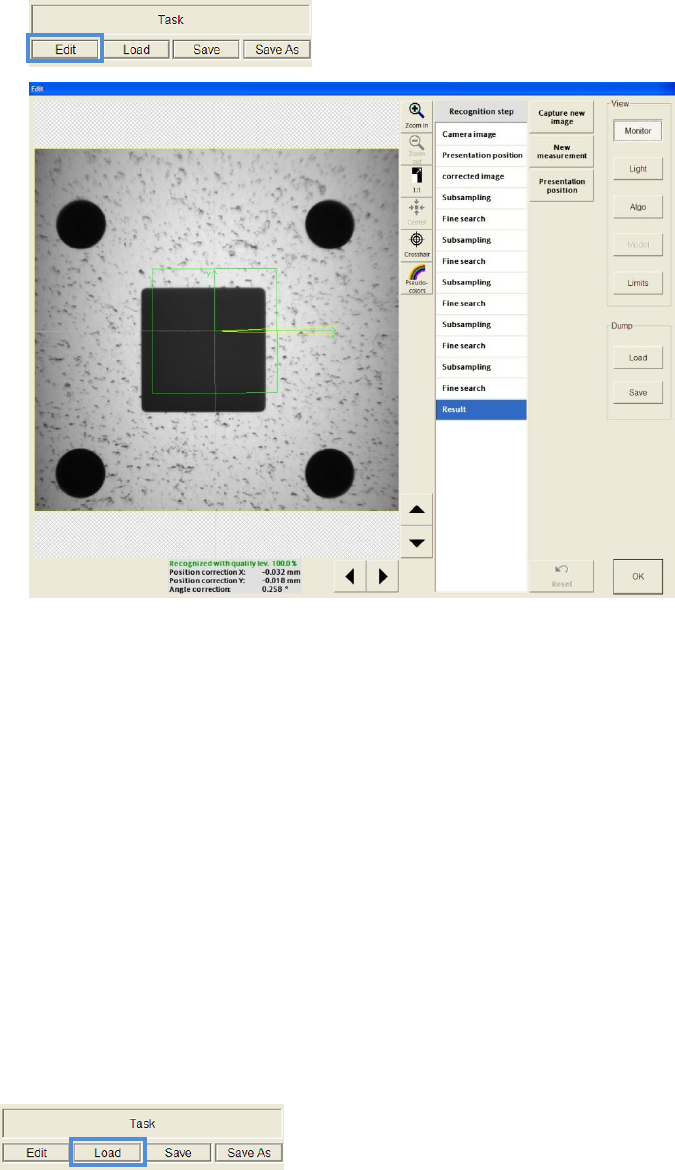
• To adjust the SIPLACE Vision settings of the Task, click on »Edit« in the group
»Task«. But here it is not possible to edit the component settings!
5.3.5.2.3 Save component(s),tasks
If you have created a new item (task), you can save this as a template for further recipes
Click on »Save As« in the group »Task«
5.3.5.2.4 Delete component(s) / tasks
You can delete items from the list of recipe
Click on »Delete« in the row of item
But only the component from the list of recipe will be deleted!
Templates from the template directory cannot be deleted over this mask
but have to remove via the Windows Explorer.
5.3.5.2.5 Load components
You can load an available component into the recipe.
Click on »Load« in the group »Task«.
Choose the required component (item) from the dialog.
If you want to load more than one item into the recipe, you should consider using well distin-
guishable names of items.
ASM AVS - USER MANUAL
PAGE 143 OF 182
If you have renamed an item, click on »Save« in the group »Task« to take over the new name
into the recipe.
Afterwards you can use the items right away.
5.3.5.2.6 Characteristic of components with four times measurement
Component which are bigger than 3mm, have to be measured with four times
measurement. Therefore the task template »Quadruple Picture.sit« is available.
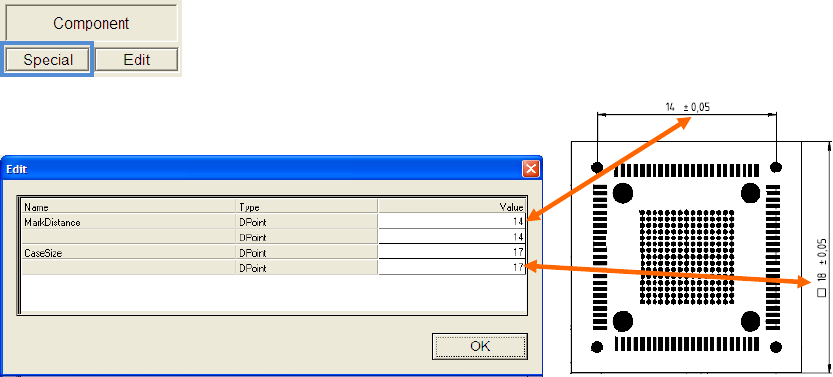
To describe the pitch of the individual measuring points and the size of the
component body, click the button »Special« in the group »Component«.
Enter the correct values for the MarkDistance (pitch) and
the CaseSize (body size).
ASM AVS - USER MANUAL
PAGE 144 OF 182
5.3.5.3 Component (Item) positions
After the required glas board was selected for the recipe like described in
4.3.5.1 and the components (items) were loaded into the recipe like in 4.3.5.2,
now the components can be distributed
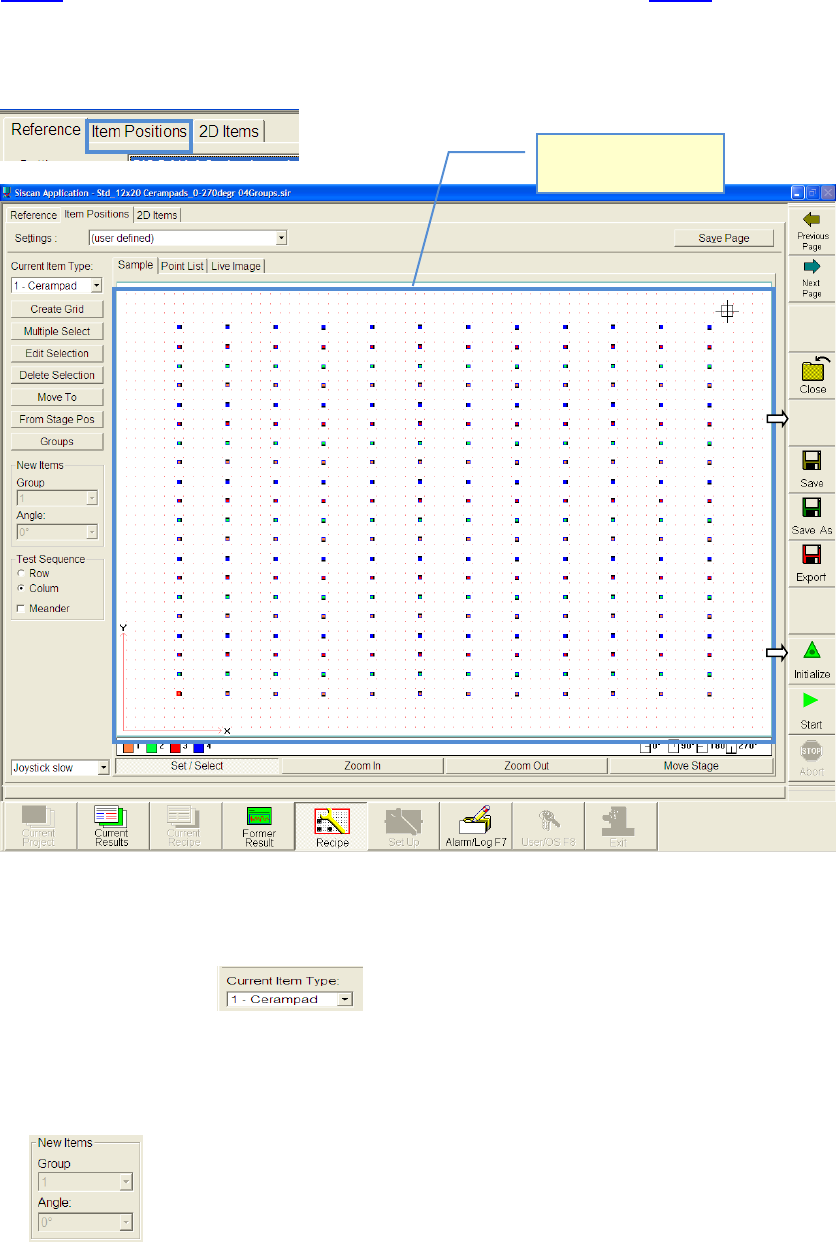
Switch to the partial view »Item Positions«.
5.3.5.3.1 Placing components on board
• Choose component.
• Activate function „Set/Select“.
• In advance you can adjust the group and angle group of the component which you want to
place now
• Click with the mouse on the position of the glas board,
where you want to place the first component
View from top side of
the board.