4OM-1003-007.pdf - 第119页
(2) Attachment of V acuum Nozzle • Before attaching a vacuum nozzle, check that the end of the nozzle is not damaged, the tapered section is unscratched, the pick-up hole unclogged, and the grip section undeformed. • Sel…
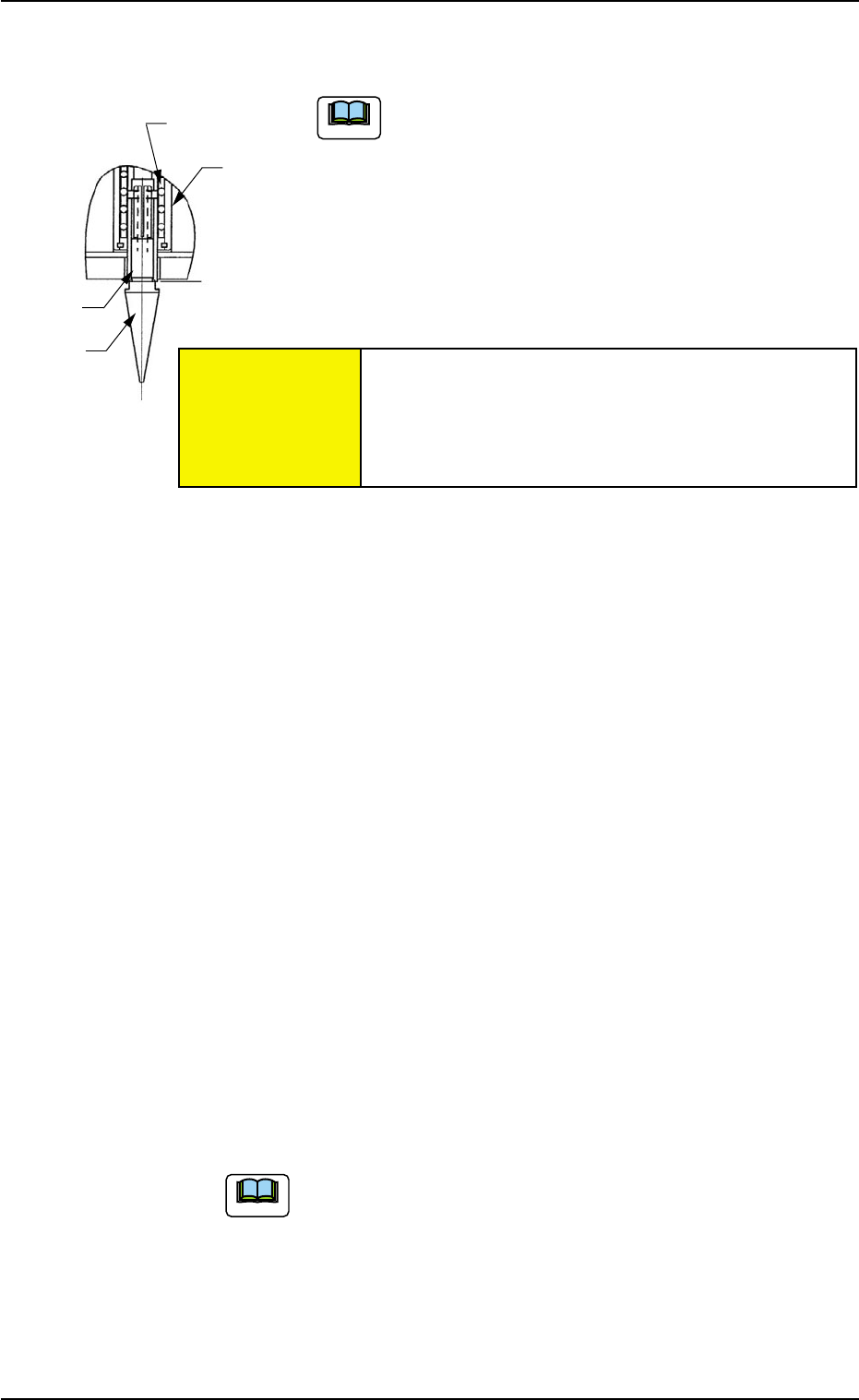
Retainer Cage
External
Cylinder
Shaft
Vacuum
Nozzle
(1-8) Pull down the nozzle removal jig to detach the vacuum nozzle.
A miniature stroke bearing is used at the nozzle up/
down movement section which consists of the shaft,
the retainer cage, and the external cylinder units.
When the section is disassembled by mistake, be
sure to correctly reassemble each unit which belongs
to the section.
When the nozzle is detached, the miniature stroke
bearing and the shaft section should not be removed.
(1-9) Press the [Noz Next] button (*8) and select the nozzle # to
be detached subsequently.
(1-10) Select the [Head #n] button (*7) and press the [ON] button
(entitled "MOVE"). In 2 seconds, press the [ENABLE] button
on the operation panel.
Another nozzle on the same head can be selected.
Repeat the steps, starting with Step (1-7) until all nozzles
are detached from the same head.
(1-11) Select the [Turret Indexing (+)] button (*5) and press the
[ON] button (entitled "MOVE"). In 2 seconds, press the [EN-
ABLE] button on the operation panel.
The rotary turret starts rotating and the subsequent head
moves to the nozzle detachment position.
Repeat the steps, starting with Step (1-7) until all nozzles
are detached from all heads.
When the rotary turret is rotated with a nozzle being
attached, select the [Turret Indexing (-)] button (*6)
and press the [ON] button (entitled "MOVE"). The
rotary turret rotates backward by 1 pitch.
1.4 Maintenance Method
Fig. 4A66
0511-003 1-53
AIL01ETRP
Note
Note
Avoid getting the removed vacuum nozzle
magnetized.
When the nozzle is magnetized, an error will occur
in component pick-up or placement.
CAUTION
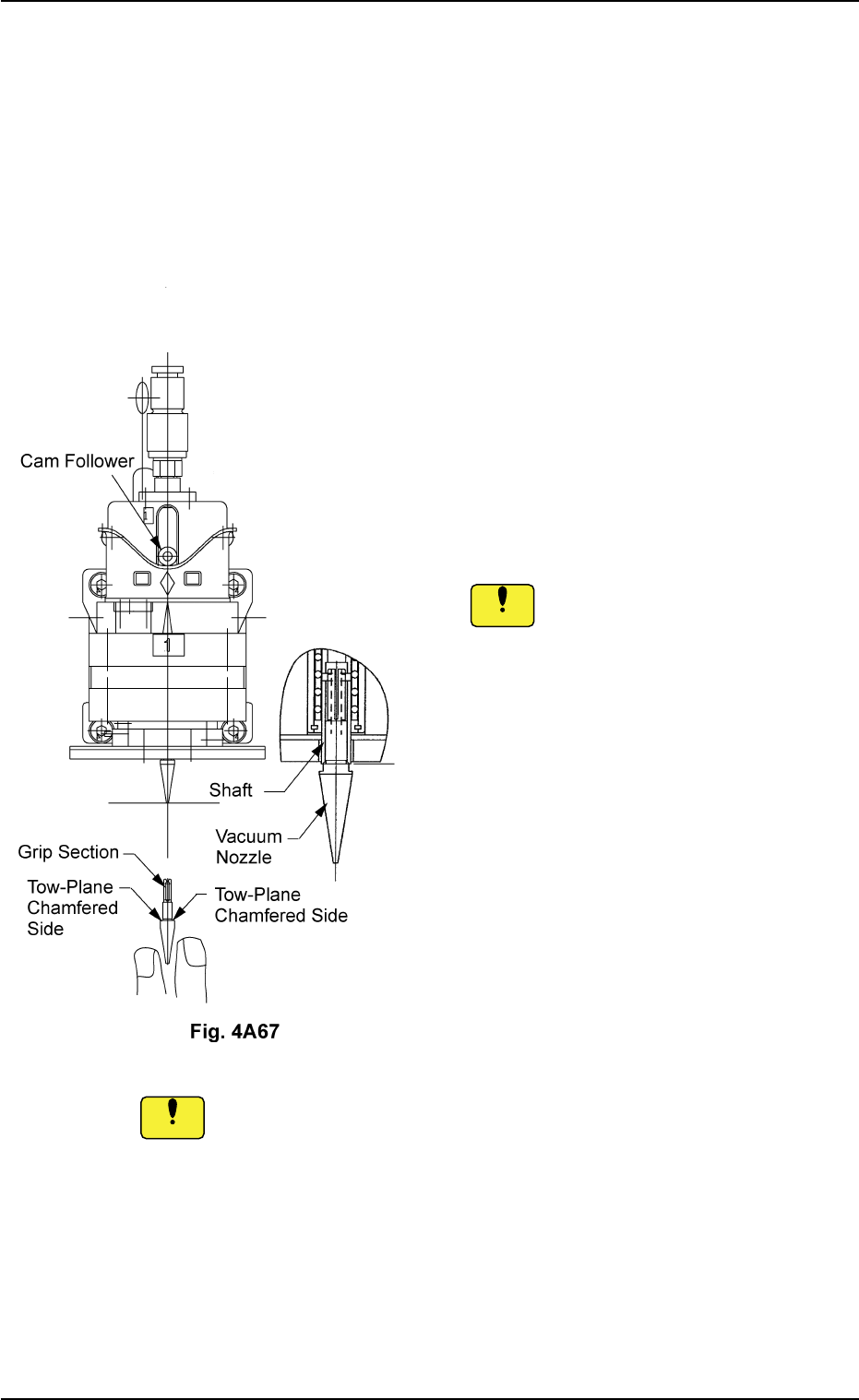
(2) Attachment of Vacuum Nozzle
• Before attaching a vacuum nozzle, check that the end of the nozzle
is not damaged, the tapered section is unscratched, the pick-up hole
unclogged, and the grip section undeformed.
• Select the nozzle which meets the parameters specified in the place-
ment head nozzle data.
(2-1) Move the center shaft of the nozzle position
No. to be attached toward the front side of
the machine.
(2-2) While holding the cam follower with your fin-
ger, orient the two-plane chamfered side
horizontally and insert the vacuum nozzle
over the shaft until it stops.
Inserting a nozzle forcibly over the shaft
in wrong direction deforms the grip
section.
(2-3) Set the [OPERATION] switch to the "RUN"
side.
(2-4) Use the "Head/Nozzle" tab in the "TEACH-
ING" window (submenu) and perform a
teaching operation on the nozzle.
Do not scratch the diffusion plate while attaching a vacuum nozzle.
0511-003 1-54 AIL01ETRP
1.4 Maintenance Method
Notice
Notice
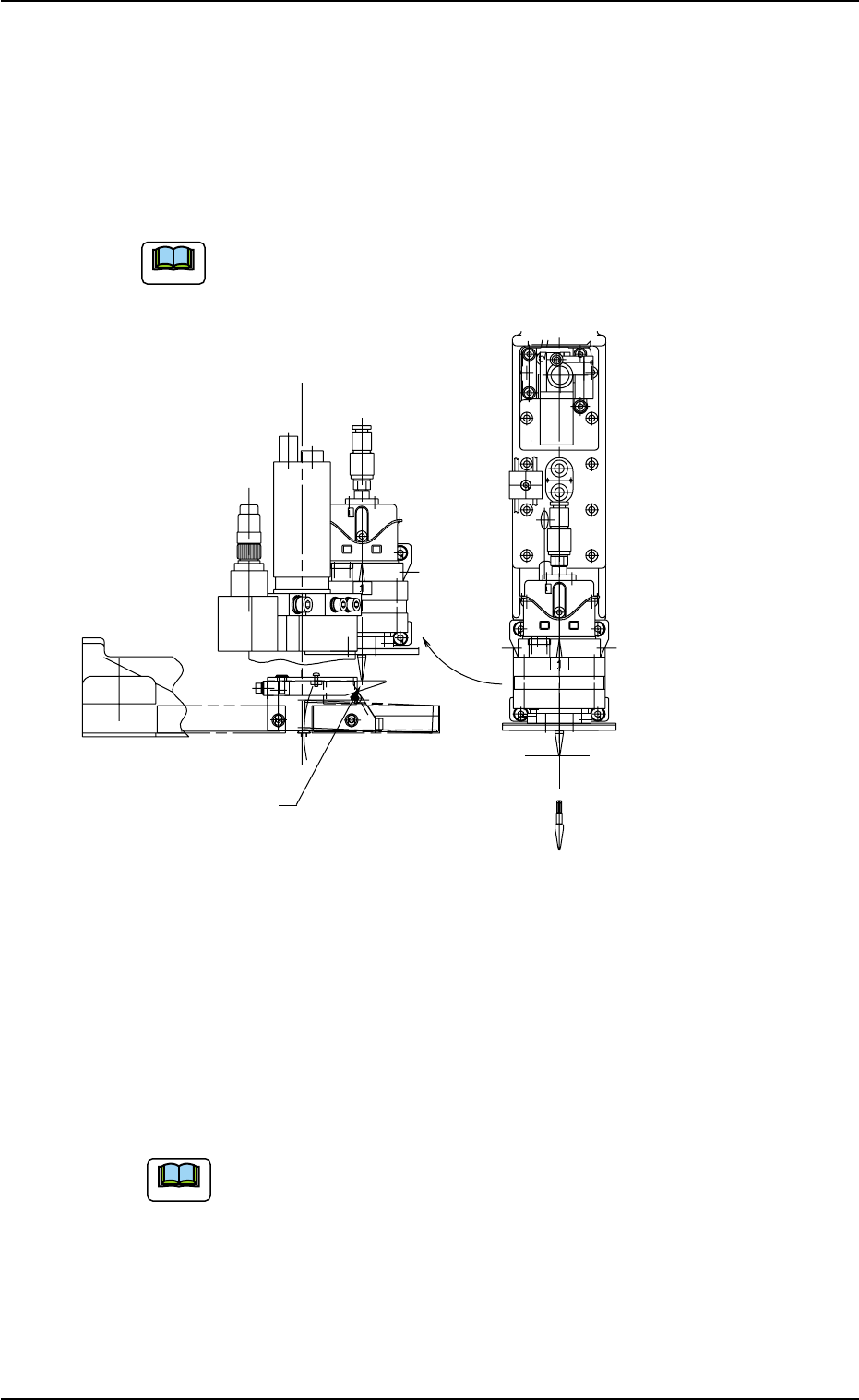
(3) Checking of Attached Vacuum Nozzle
• After the vacuum nozzle is attached, rotate the rotary turret with the
cam hand-rotating wheel to let the nozzle pass over the component
removal plate. Check that the end of the nozzle does not touch the
plate. If it touches the plate, re-attach the vacuum nozzle.
The vacuum nozzle should be set in the descending mode
when it passes over the component removal plate.
Fig. 4A68
(4) Nozzle Offset Teaching
Refer to "5.1 "Head/Nozzle" Tab" in "Section 6" of "Volume 2: Opera-
tion (Supervisor)" for details and perform teaching operations.
Wipe off dirt and dust on the end of a nozzle which was detected as
defective through teaching operation and then re-perform the teaching
operation.
Refer to "5.1 "Head/Nozzle" Tab" in "Section 6" of "Volume 2:
Operation (Supervisor)" for the items to be checked when a
nozzle is detected as a defective one through teaching opera-
tion.
When the machine operation is started with a defective
nozzle (detected by teaching operation) attached, the nozzle
is bypassed and not used.
0511-002 1-55
AIL01ETRP
1.4 Maintenance Method
Component Removal Plate
The plate is attached on at station No. 8.
Station No. 6
(Component Placement)
Note
Note