印刷机通用说明书(中英文版) 450+.pdf - 第100页
- 100 - Pix 5-8(transmission is overtime) 出现该状况主要有两种情况: There are two reasons when this situation h appens. 1 运 输马 达启动 时,运 输导 轨 上没 有 PCB ; There is no PCB on the transmission rail whe n th e tran smission motor start-up.…
- 99
-
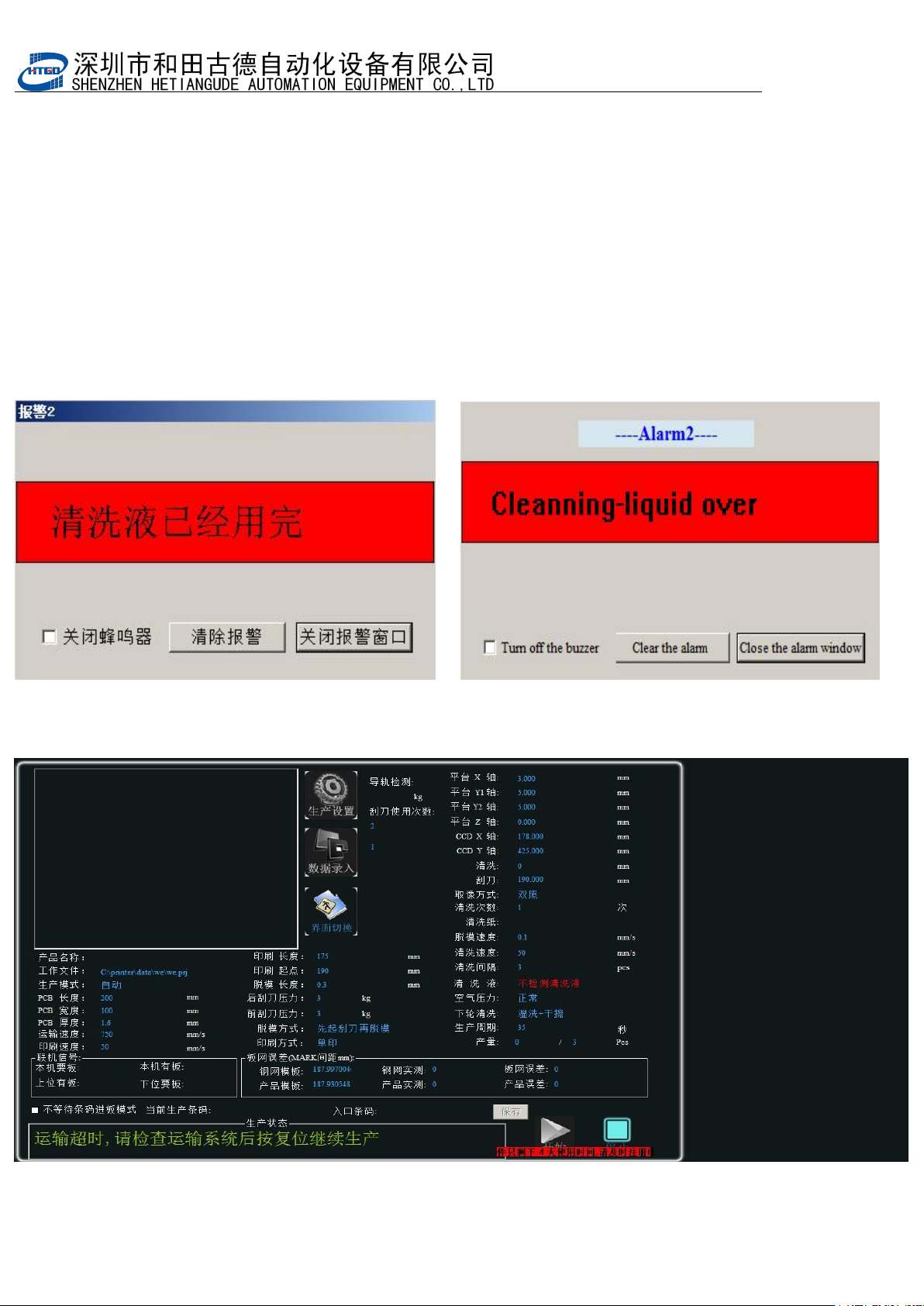
7.清洗液用完警示,如图 5-7 所示 The cleaning liquid has been used up. See pix 5-7.
对话框出现时,三色灯会变成红色,蜂鸣器会呜呜作响,同时机器停止运转。提示清洗
液用完了。请打开机器前下门取出清洗液存放壶,并将之灌满并放回原位固定,然后关
闭前下门,并依次按下机器右前面板上的
“
RESET
”
按钮和
“
START/STOP
”
按钮,
机器正常工
作。
The tri-color light will become red and the buzzer will make whining noise and equipment
will stop working at the same time when this dialogue box displays. It means that the
cleaning liquid has been used up. Please open the front bottom door of the equipment to
take out the liquid container and full it with cleaning liquid and place it at this original
position. Close the front bottom door and press in turn the “RESET” button and
“START/STOP” button which is on the front right panel of the equipment. Then equipment
can work normally.
图 5-7(清洗液用完) Pix 5-7(the cleaning liquid has been used up)
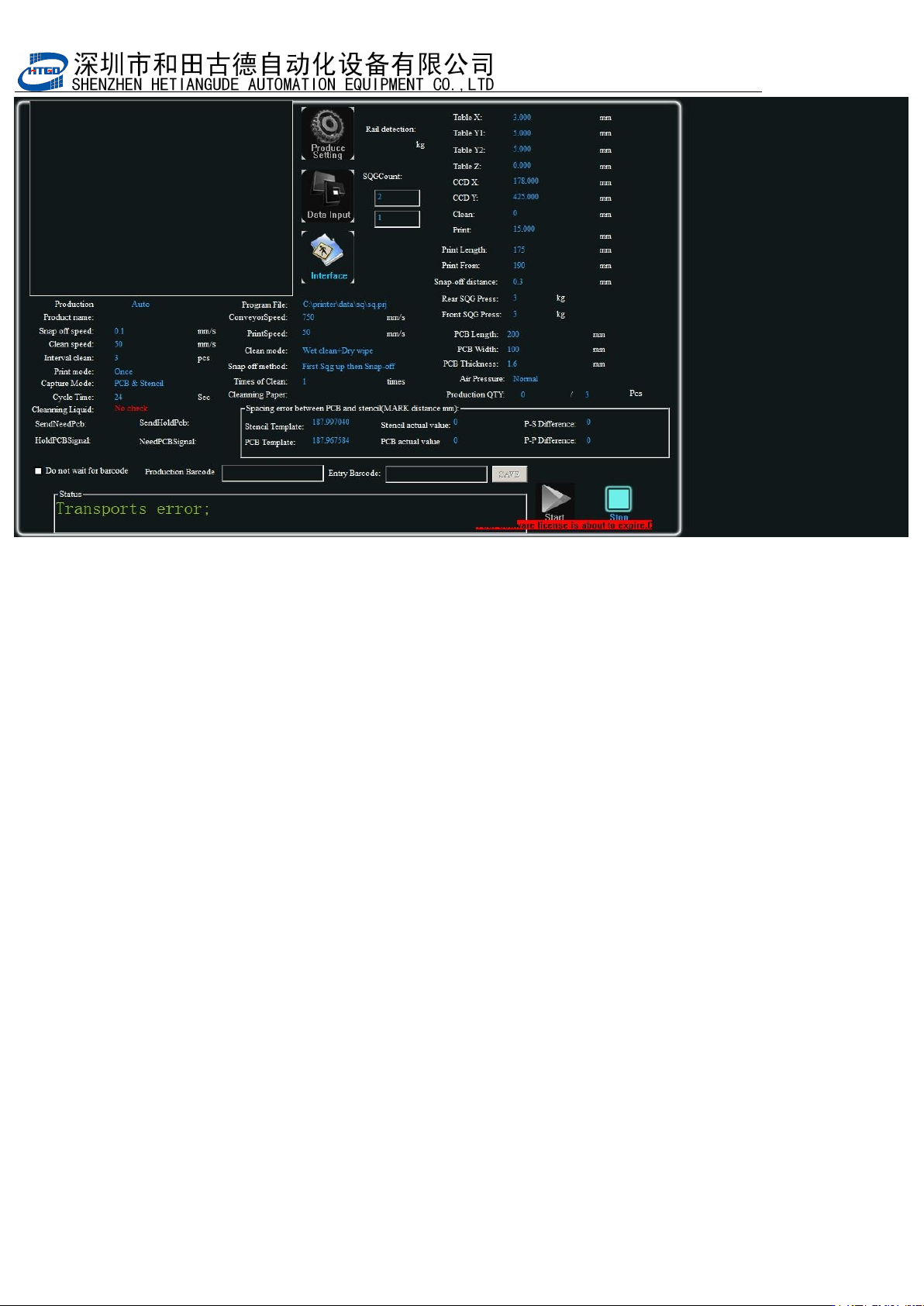
运输超时, 请按复位键警示。如图 5-8 所 示 Please press “reset” button when the
transmission is overtime.
图 5-8(运输超时)
- 100
-
Pix 5-8(transmission is overtime)
出现该状况主要有两种情况:There are two reasons when this situation happens.
1 运输马达启动时,运输导轨上没有 PCB;
There is no PCB on the transmission rail when the transmission motor start-up.
2 CCD 横梁上安装的到板电眼失效。
The board arrive magic eye which is assemble on the CCD beam fails.
解决办法:首先检查运输导轨上有没有 PCB。如果没有,请在运输导轨进板端放入正在生产
或测试的 PCB,按软件提示依次按
“
RESET
”
键,
“
START/STOP
”
键,机器正常工
作;如果有
PCB
,还出现该提示,那就是
CCD
横梁上安装的到板检测电眼失效,请检查电
眼线路接触是否良好,电眼的检测高度是否合适(电眼的有效检测距离会因
PCB
的颜色不同
而有
所变化)排除这些原因后还不能解除该报警,请联系和田古德原厂售后。
Solution: Firstly check whether there is PCB on the transmission rail. If not, please place
the produced or tested PCB on the board passing point of the transmission rail. Press in
turn the “RESET” button and “START/STOP” button according to the indication from the
software and equipment can work normally. If there is PCB but still occurs the indication,
then the board arrive magic eye which is assemble on the CCD beam fails. Please check
whether the line connection of the magic eye is good and the inspection height of magic
eye is appropriate (The effective inspection distance will change as the different color of
PCB). If the alarm can not be released after all these reasons are excluded, please contact
with the after-sale staff from HTGD
- 101
-
第六章
2D
锡膏检测操作说明
Chapter 6 Operating introduction of 2D solder paste inspection
2D锡膏印刷质量检查与分析功能,对偏移,少锡,漏印,连锡等印刷不良问题能快速检测, 检查印
刷效果,并确保印刷质量
2D solder paste printing quality check and analysis function can inspect fast on printing fails,
such as the offset, insufficient solder paste, missing printing and solder paste bridging etc. It
can check the printing performance and insure the printing quality.
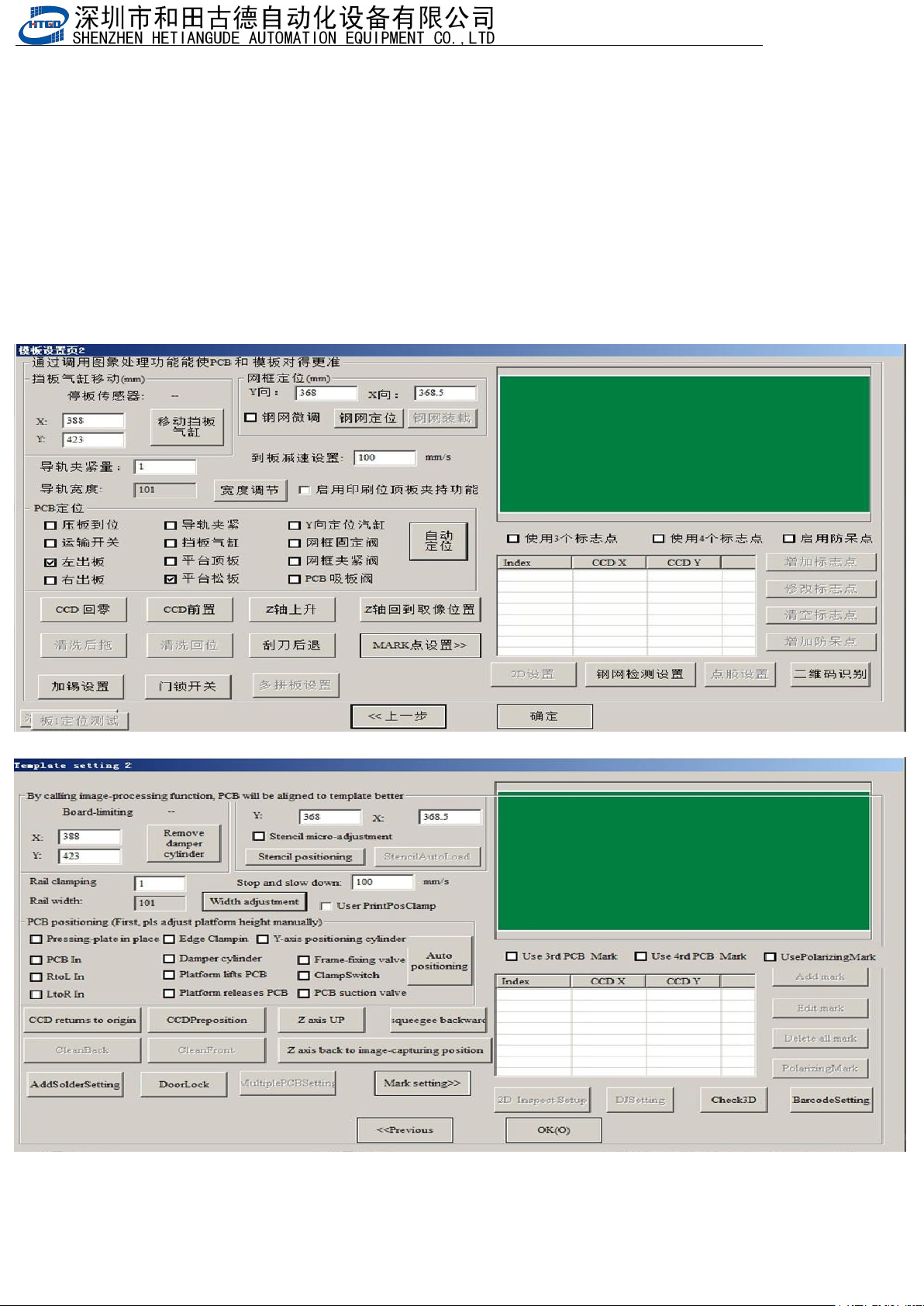
6.1.1 .进入 2D 检测界面,建立检测点。Enter into the inspection interface of 2D.
1.打开做好的程序,然后重新抓捕标志点
Open the program and recapture remark.
图
6-1
(模板设置页
2
)
Pix 6-1(Template setting page 2)