印刷机通用说明书(中英文版) 450+.pdf - 第61页
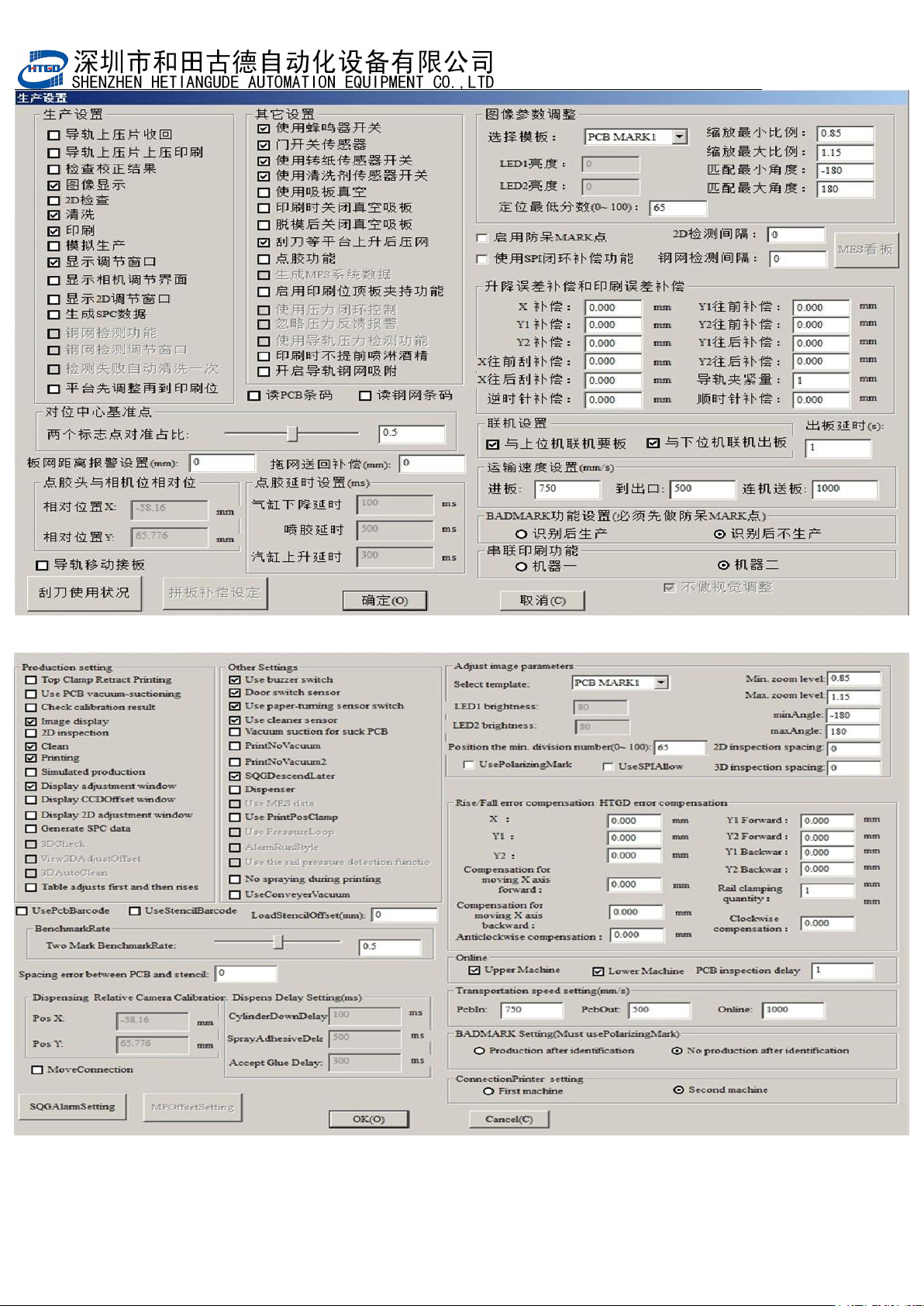
- 61 - 图 3-18 (生产设置界面) Pix 3-18 (production setting interf ace)

- 60
-
Click “
确定
”
(
ok
)
button after above preparation are finished. Then the printing of the
first PCB are finished.
5. 如印刷结果不符合质量要求,应重新进行参数设置或在主界面上点击[ ]按钮进入
图 3-19 界面输入平台及印刷误差补偿值,直到印刷结果满足质量要求,方可正式开始
生产。
If the printing performance can not meet the quality requirement, operator need reset
the parameter or click “ ” (production setting) button to enter the interface of pix
3-19. Input the error compensation value of platform and printing in that interface
until printing performance can not meet the quality requirement and then can start
the production officially.
6. 锡膏印刷质量要求:
The quality requirement of solder paste printing.
本机器设定锡膏厚度在 0.1—0.3mm 之间、焊膏覆盖焊盘的面积在 75%以上即满足质
量要求。
The thickness of solder paste for this printer need be 0.1—0.3mm.There are
above 75% solder paste printed on the bonding pad.
- 61
-
图
3-18
(生产设置界面)
Pix 3-18(production setting interface)
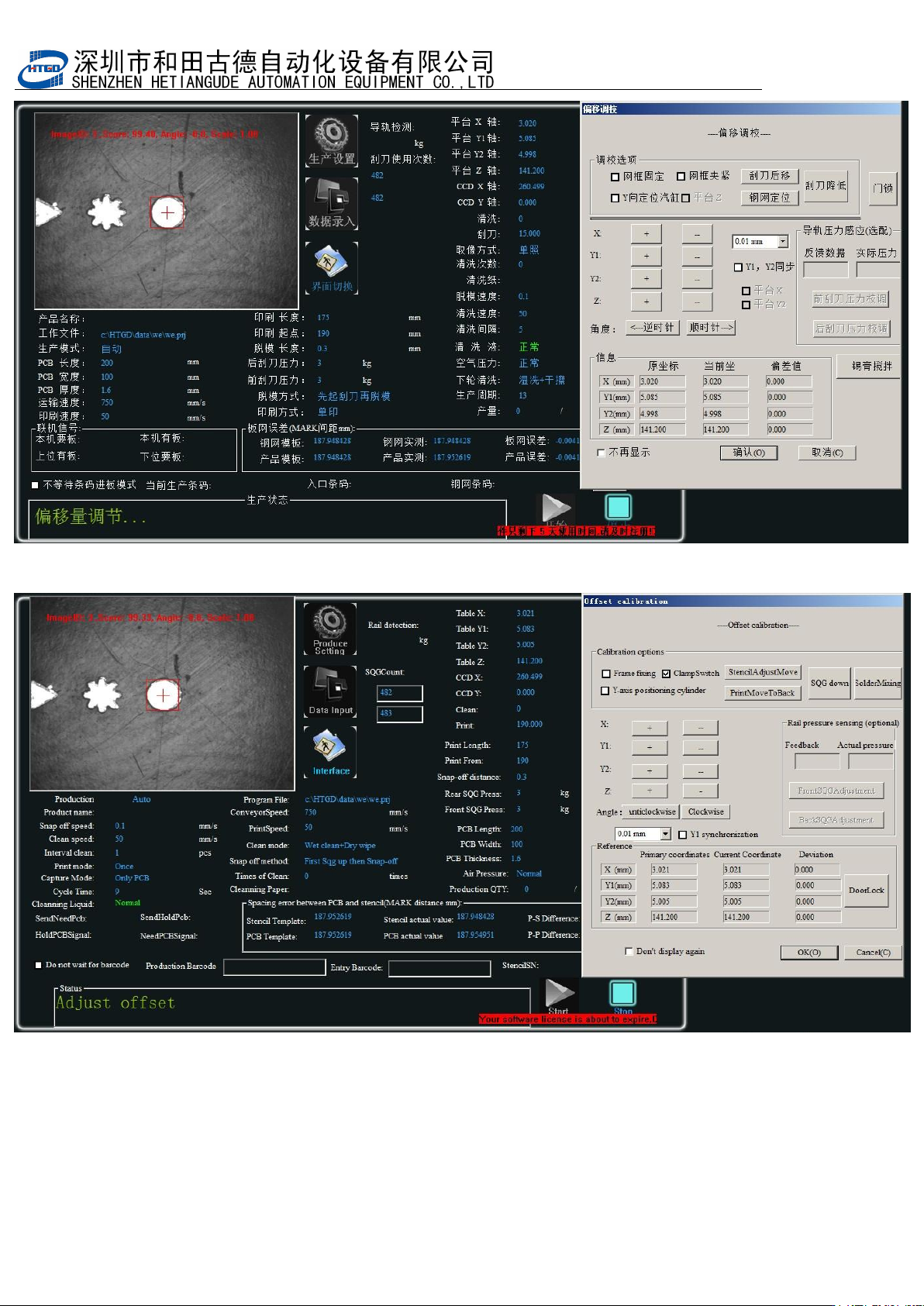
- 62
-
图
3-19
(微调窗口)
Pix 3-19(fine adjusted window)