印刷机通用说明书(中英文版) 450+.pdf - 第169页
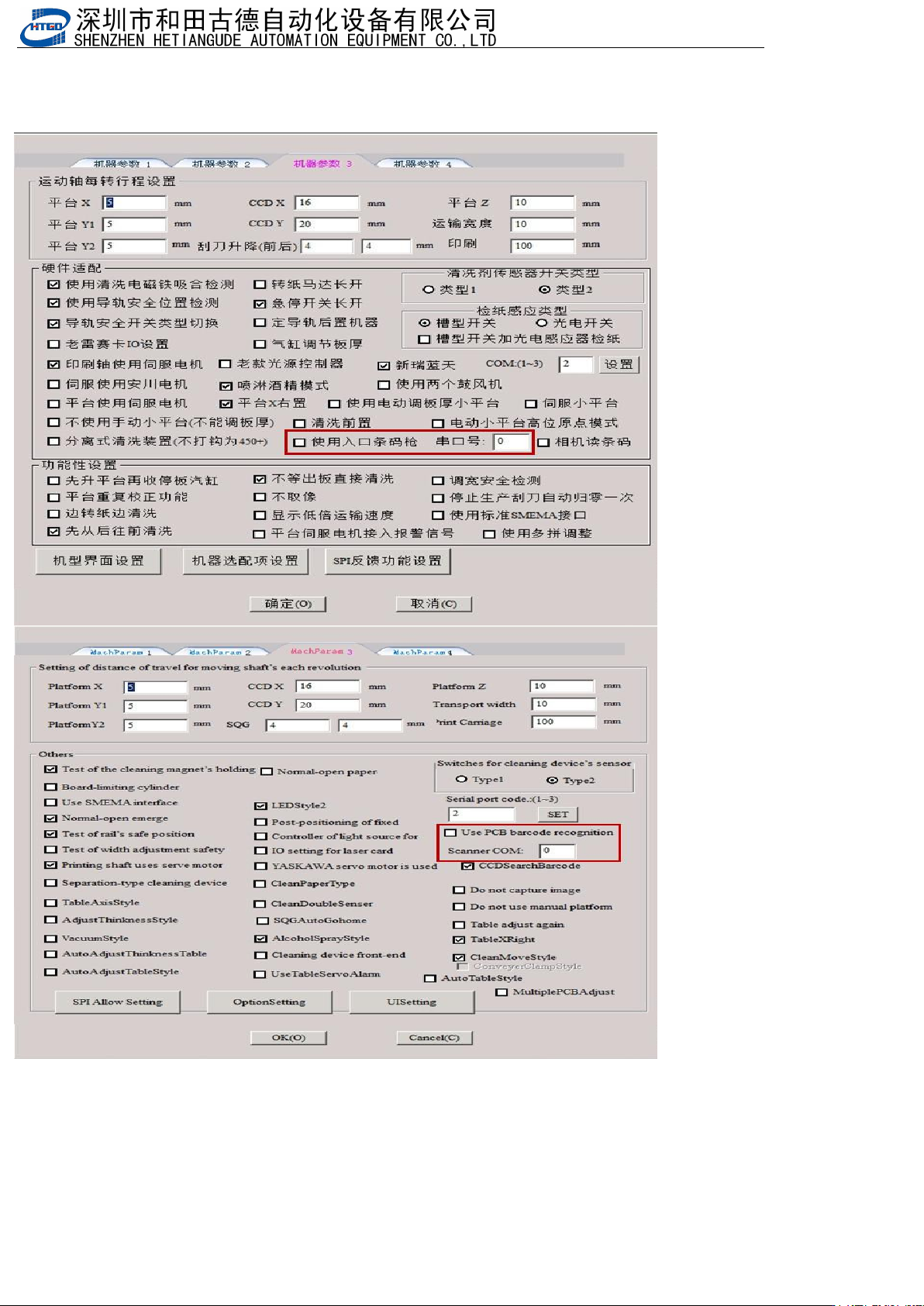
- 169 - 8.1 3入口 条码 枪 E ntr anc e b arc ode g un 1.开启 使用入口 条码 枪功能, 并设 置串口号 Ena ble t he us e of t he e ntra nce b arc ode g un fun cti on an d set t he ser ial p ort n umb er
- 168
-
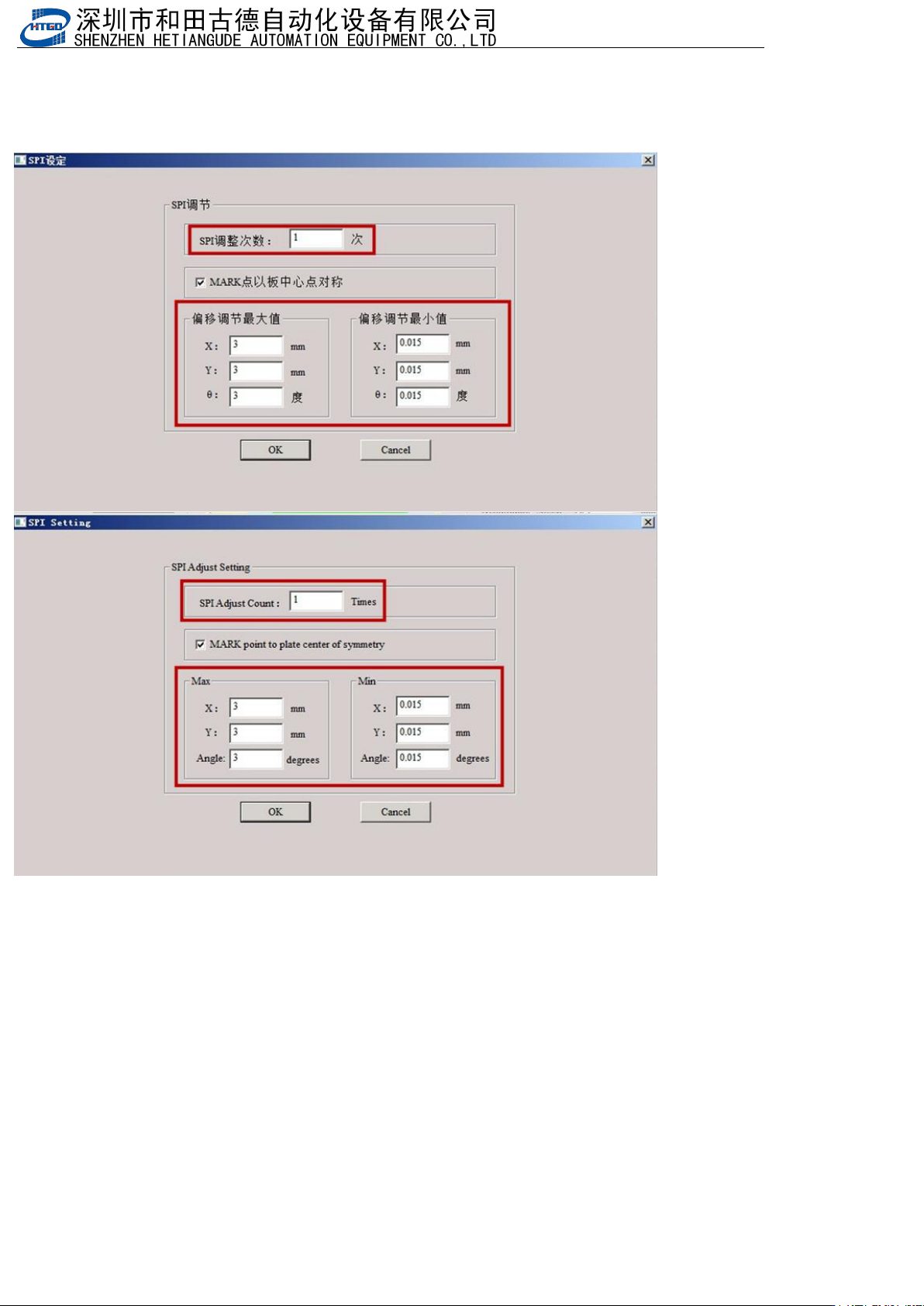
3.设置SPI调整次数(总共调整的次数为10,设置的调整次数是6,前6次补偿是全补偿,后面4次是通过SPI反馈值/第几次调
整),设置可以调整的最大值和最小值
Set the number of SPI adjustments (a total of 10 adjustments, 6 adjustments set, the first 6 compensations
are full compensations, and the last 4 adjustments are based on SPI feedback values/the number of
adjustments), and set the maximum and minimum values that can be adjusted
4.如果生产会报错闪退要把升降包里的sysdata里面的HTGDModule.xml,HTGDModule_old.xml文件拷贝到C:\HTGD\sysdata文件
夹里
If there is an error or crash during production, you need to copy the HTGDModulus. xml and HTGDModulus. old.
xml files from the sysdata in the lift package to the C: \ HTGD \ sysdata folder
- 169
-
8.13入口条码枪 Entrance barcode gun
1.开启使用入口条码枪功能,并设置串口号
Enable the use of the entrance barcode gun function and set the serial port number
- 170
-
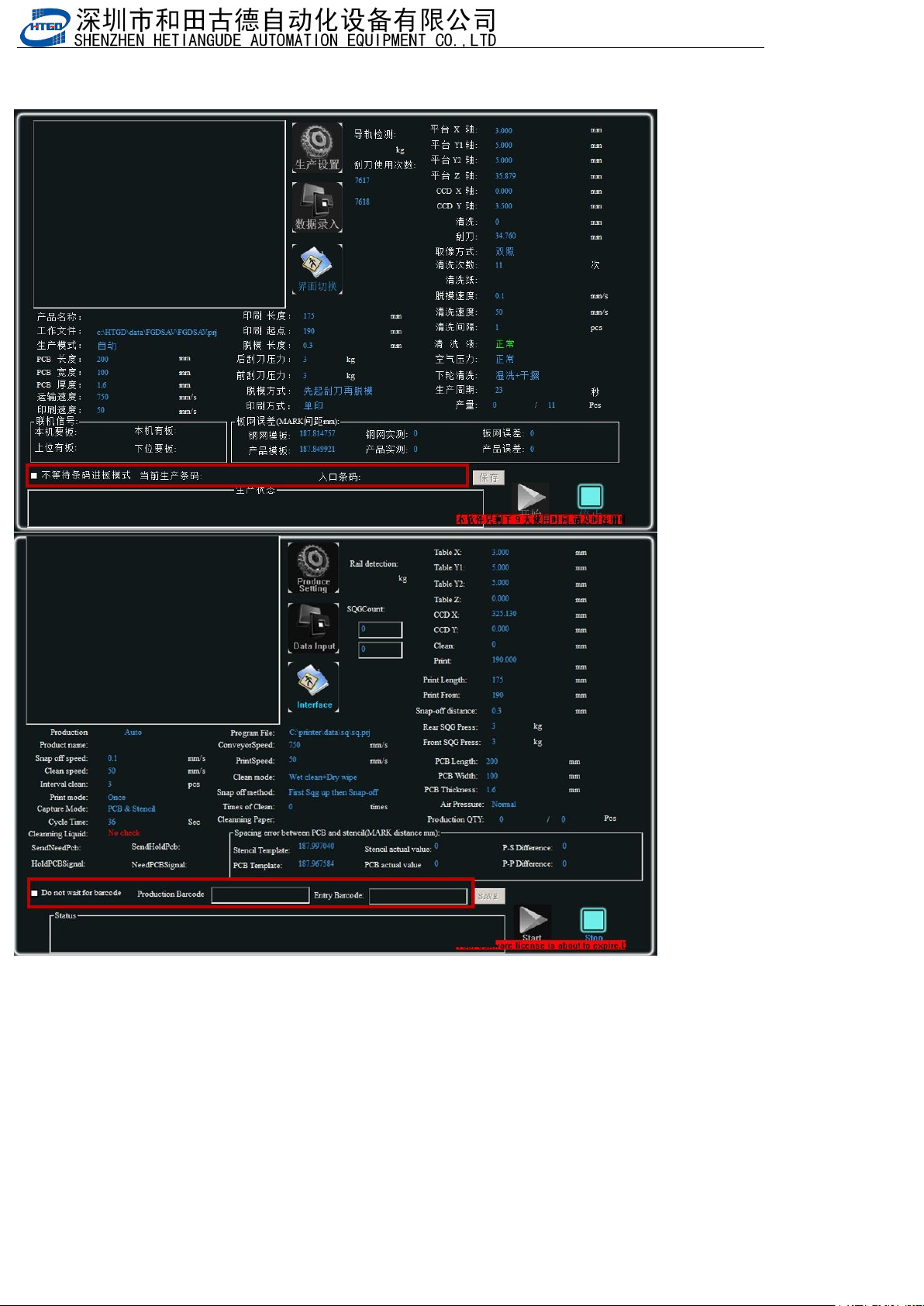
2.生产查看扫码信息,在不使用条码枪可以勾选”不等待条码进板模式”(在暂停时)
Check the scanning information during production, and select the "Do not wait for barcode to enter the board
mode" (when paused) when not using the barcode gun
3.扫码枪设置,如果扫码枪可以设置成9600,NOPARITY,8,ONESTOPBIT,并且条码后面可以加回车换行,那这个条码枪是可以
适配印刷机的
Scanning gun settings: If the scanning gun can be set to 9600, NOPARAITY, 8, ONESTOPBIT, and the
barcode can be followed by a carriage return line break, then this barcode gun can be adapted to
printing machines