印刷机通用说明书(中英文版) 450+.pdf - 第40页
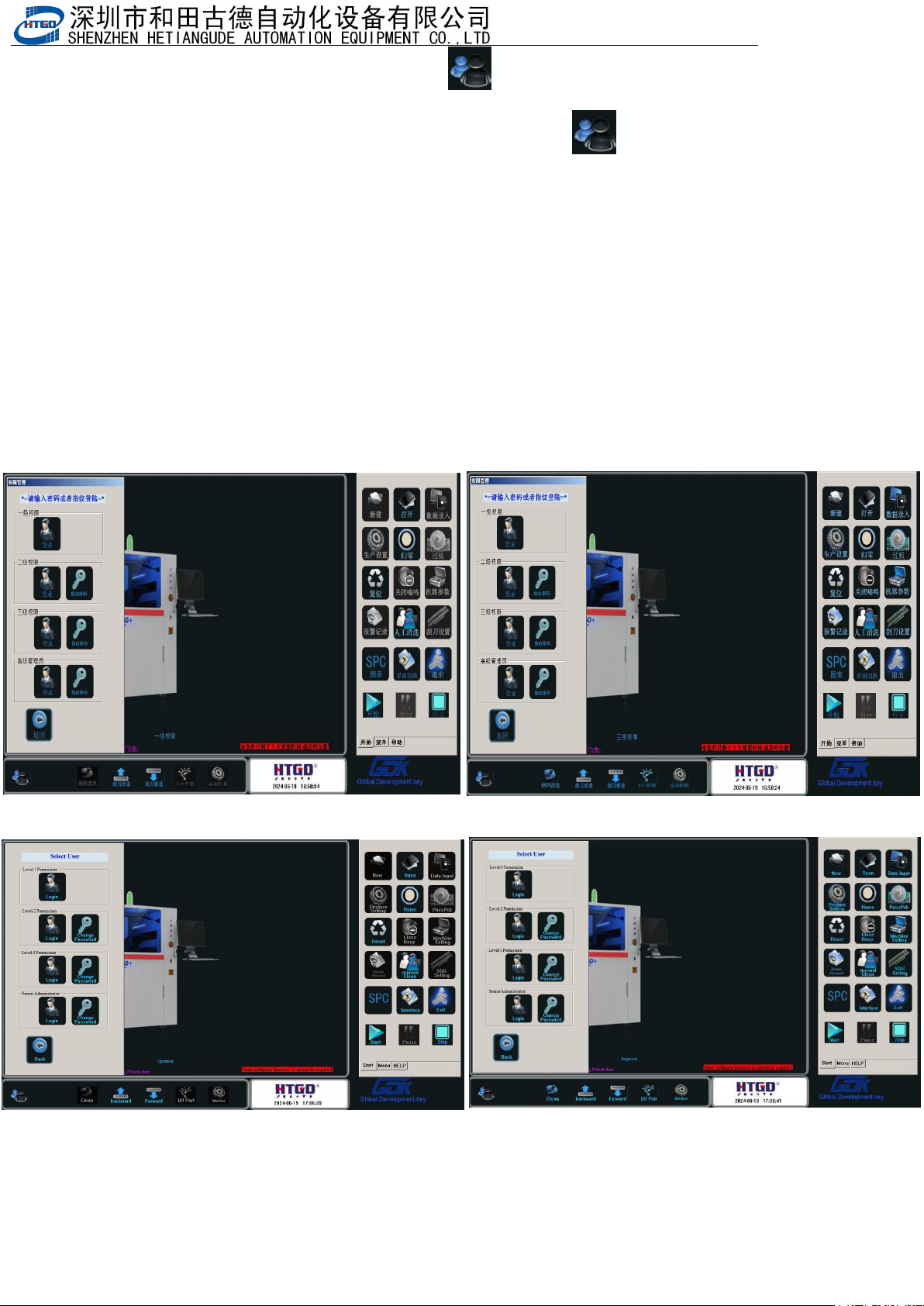
- 40 - 4. 在图 3-4 中点击『退出』或者单击主菜 单 栏 [ ] 按钮,出现 3-5 画面 , 选择 “ 三级权 限 ” 用户,输入密码 “ HTGD ” ,点击确定。进入到 “ 三级权限 ” 用户环境。 Click “ 退 出 ”(exit) butto n in t he pix 3-4 or click “ ” button in the main menu bar . See the interface in th …
- 40
-
4.在图
3-4
中点击『退出』或者单击主菜单栏
[ ]
按钮,出现
3-5
画面
,
选择
“
三级权
限
”
用户,输入密码
“
HTGD
”
,点击确定。进入到
“
三级权限
”
用户环境。
Click “ 退 出 ”(exit) button in the pix 3-4 or click “ ” button in the main menu
bar. See
the interface in the pix 3-5. Select
三级权限(
level 3 permission
)
, input password
"HTGD", click 确 定 and go to the user environment of Level 3 permission
用户权限说明
:
一级权限为最低操作者使用,可以调用旧程序及生产操作。
二级权限有除机器参数与刮刀设置外所有权限。
三级权限可以修改机器参数 3、4 与刮刀设置
Rights management explanation:
Level 1 permission(一级权限) is for the lowest-level operator. Operator can uses old program
and production operation.
In level 2 permission(二级权限), there are all permissions excluding the parameter setting of
equipment and scraper.
In level 3 permission ( 三级权限), operator can revise parameter 3,4 of the equipment and
scraper setting.
图
3-5(
选择不同权限用户并输入对应的用户密码
)
Pix 3-5(Select the permission and input the corresponding password)
- 41
-
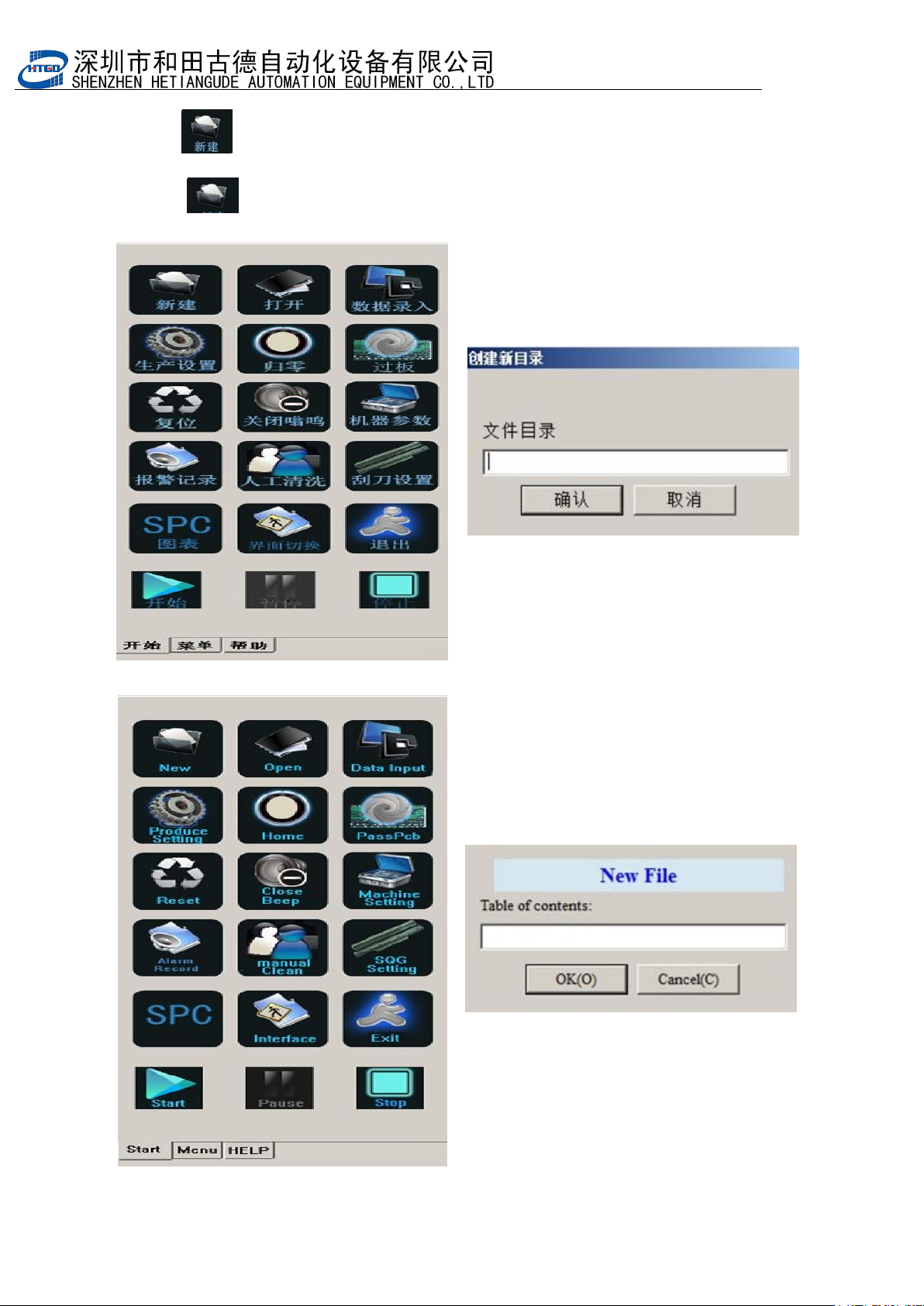
5. 单击[ ]按钮,如图 3-6,新建一个程序,如
“
test
”
,输完文件名后单击[确定]。
进
入
test
程序的设置。如图
3-7
,
3-8
,
3-9
。
Click ” button to create a new application. See Pix 3-6. Name the application
test and click “确定”to go into the setting of the test application. See Pix 3-7, 3-8, 3-9.
图 3-6(要生产的 PCB 的名字)
Pix3-6(the name of the produced PCB)