印刷机通用说明书(中英文版) 450+.pdf - 第138页
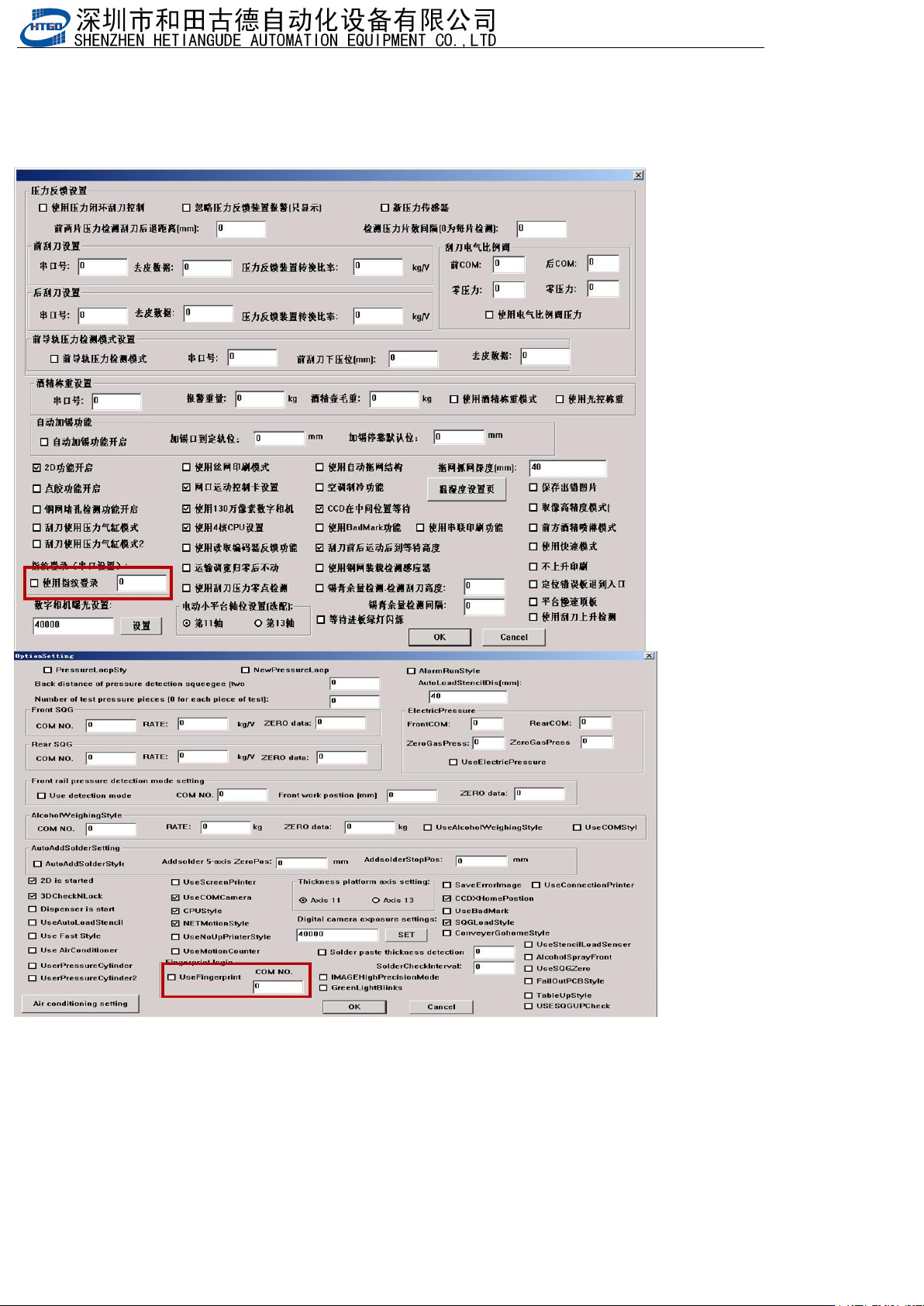
- 138 - 8.7 指纹 模块 Fing erprint m odule 1. 打开 指纹登入 功能, 填入正 确的串 口(机器 参数 3---> 机器 选配项设 置) Open the fing erprint logi n function and enter the correc t serial port (machine pa rameter 3->m achine optional ite m setting…
- 137
-
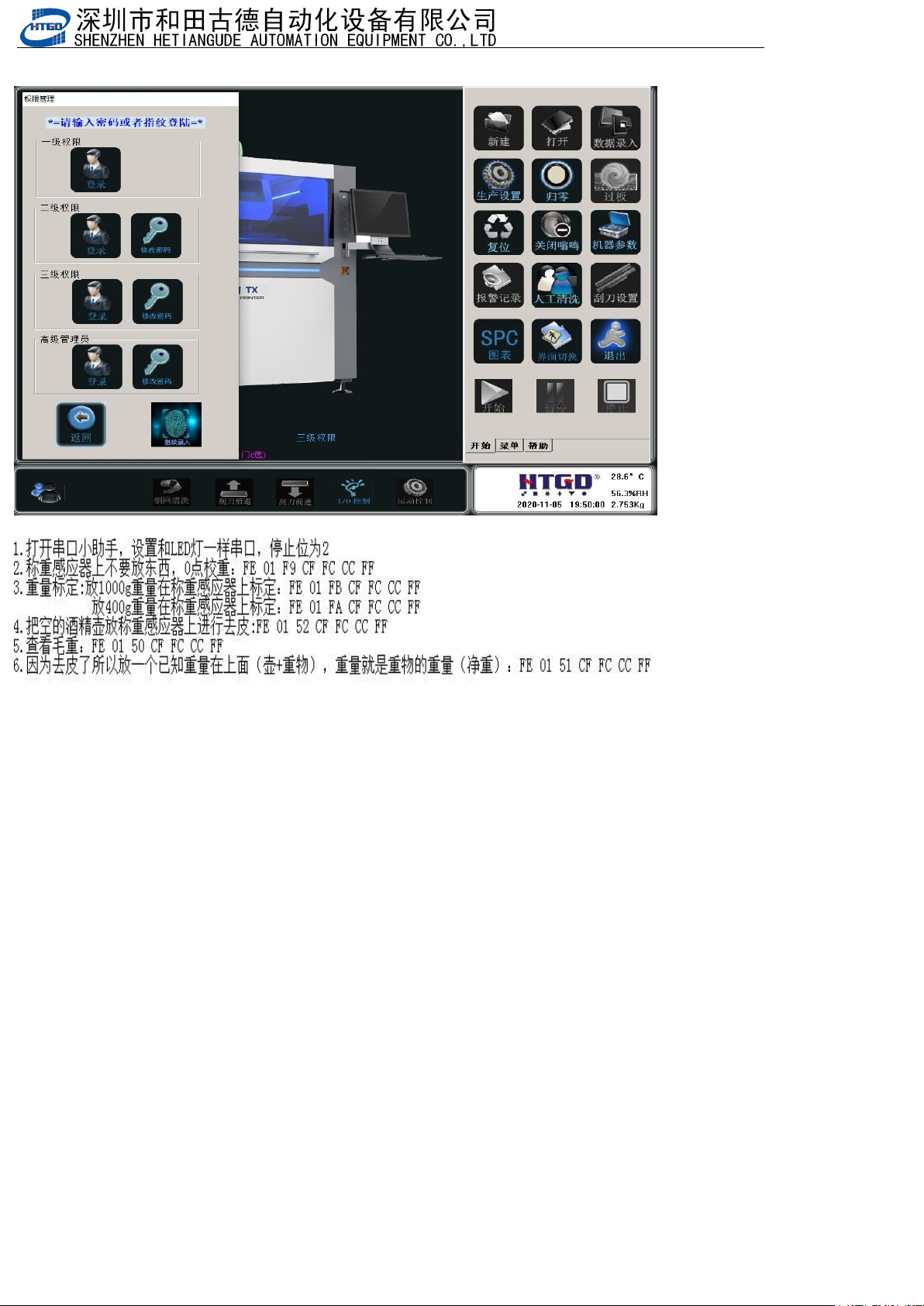
2.然后可以在生产里看到重量,也可以在主界面看到
Then you can see the weight in production and also on the main interface
3.光源称重标定 Light source weighing calibration
- 138
-
8.7 指纹模块Fingerprint module
1.打开指纹登入功能,填入正确的串口(机器参数3--->机器选配项设置)
Open the fingerprint login function and enter the correct serial port (machine parameter 3->machine optional item
settings)
- 139
-
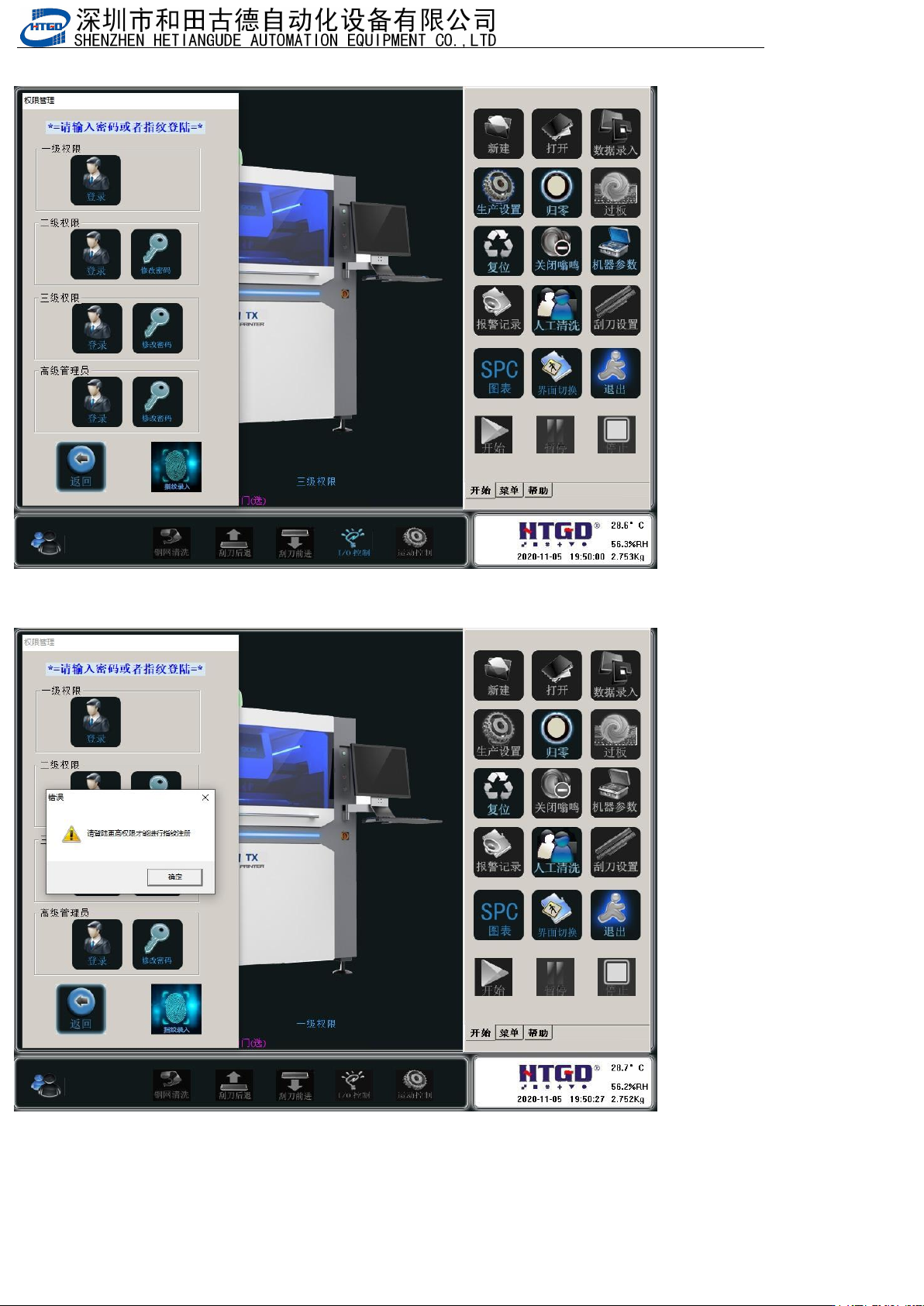
2.保存确定后,退出软件,重新进入软件,然后打开指纹录入
After saving and confirming, exit the software, re-enter the software, and then open fingerprint recording
3.如果提示这个,说明权限不够,要登入三级权限或以上
If this prompt appears, it means that the permissions are not sufficient and you need to log in with third level or
higher permissions