印刷机通用说明书(中英文版) 450+.pdf - 第155页
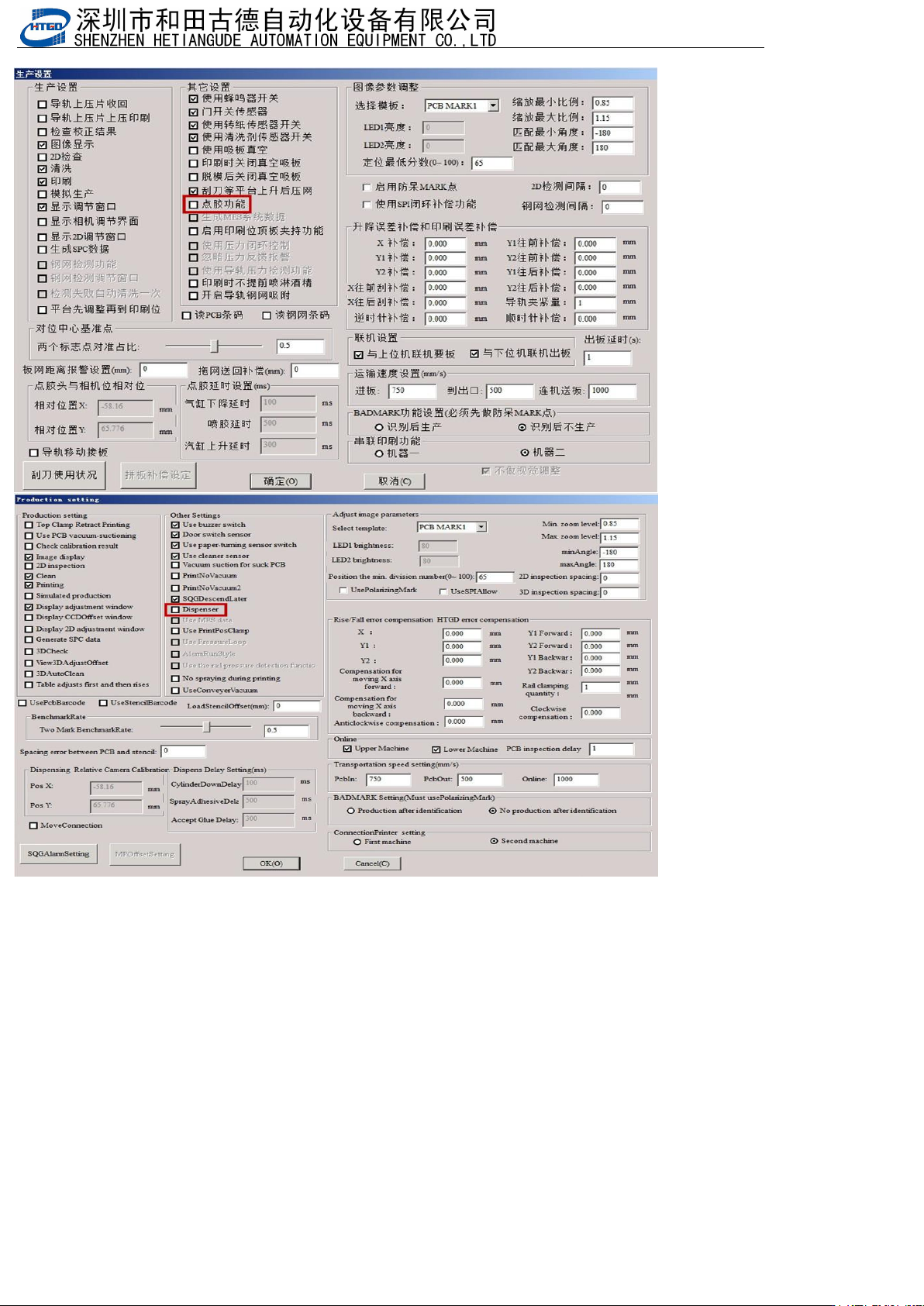
- 155 - 7.生产 开启点胶 功能 Pro ducti on en ables d ispe nsing f unct ion
- 154
-
时,下胶的位置不对时,根据当前位置来调(When the pilot is located , the position of the glue is
not correct, according to the current position)
.
或(or) ,必须选中你要试的坐标,注意选中变色(You must select the coordinates you
want to try.Pay attention to discoloration)
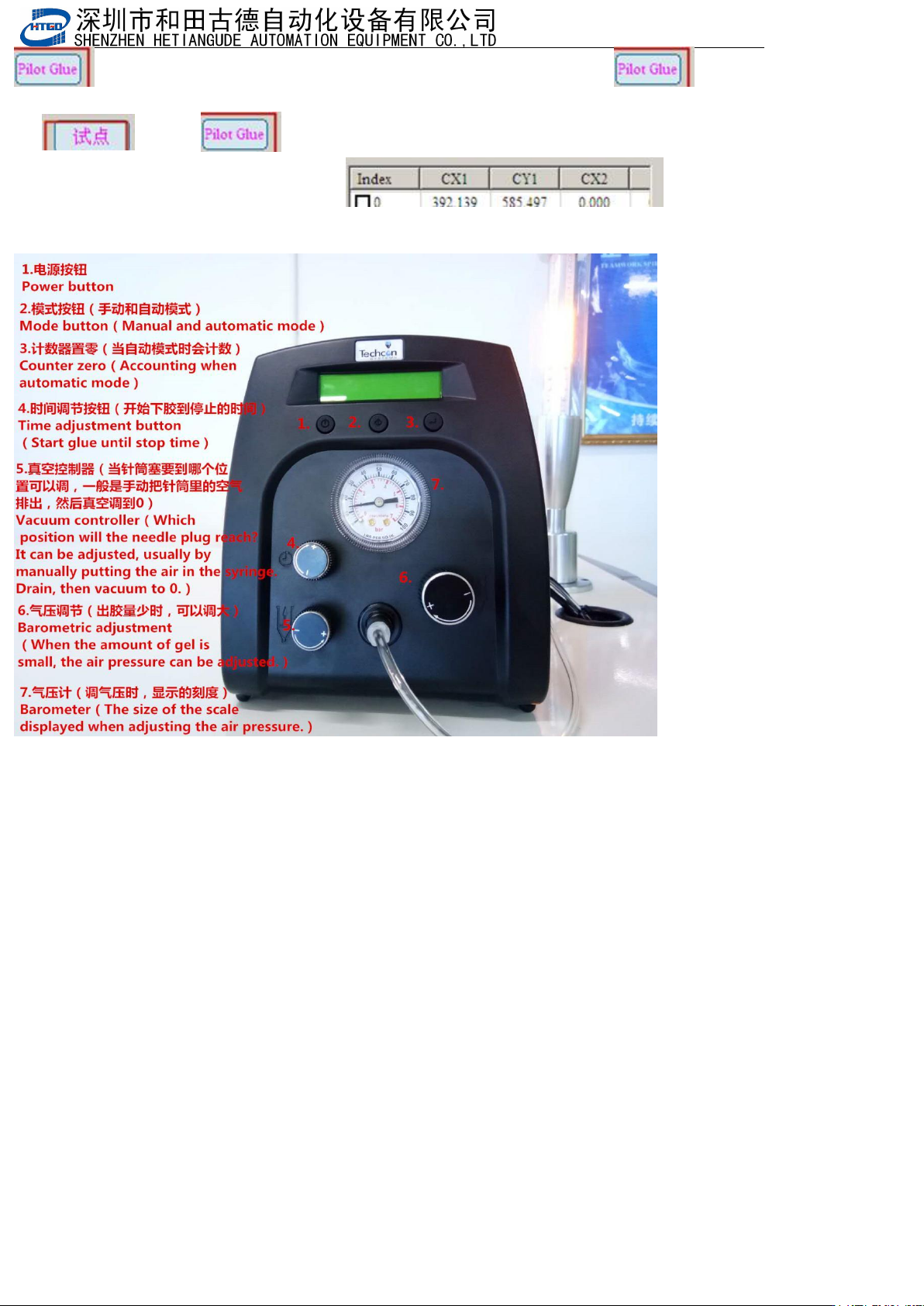
6.点胶喷气设备说明
①.电源按钮
Power button
②.模式按钮(手动和自动模式)
Mode button(Manual and automatic mode)
③.
计数器置零(当自动模式时会计数)
Counter zero(Accounting when automatic mode)
④.
时间调节按钮(开始下胶到停止的时间)
Time adjustmentbutton(Start glue until stop time)
⑤.真空控制器(当针筒塞要到哪个位置可以调,一般是手动把针筒里的空气排出,然后真空调到0)
Vacuum controller(When the syringe plug to which position can be adjusted, it is usually manually discharged
the air in the syringe, and then the vacuum to 0.)
⑥.气压调节(出胶量少时,可以调大)
Barometric adjustment(When the amount of gel is small, the air pressure can be adjusted.)
⑦.气压计(调气压时,显示的刻度)
Barometer(The size of the scale displayed when adjusting the air pressure.)
- 155
-
7.生产开启点胶功能Production enables dispensing function
- 156
-
8.12 SPI,MES共享设置SPI, MES shared settings
一.XP系统共享设置XP system sharing settings
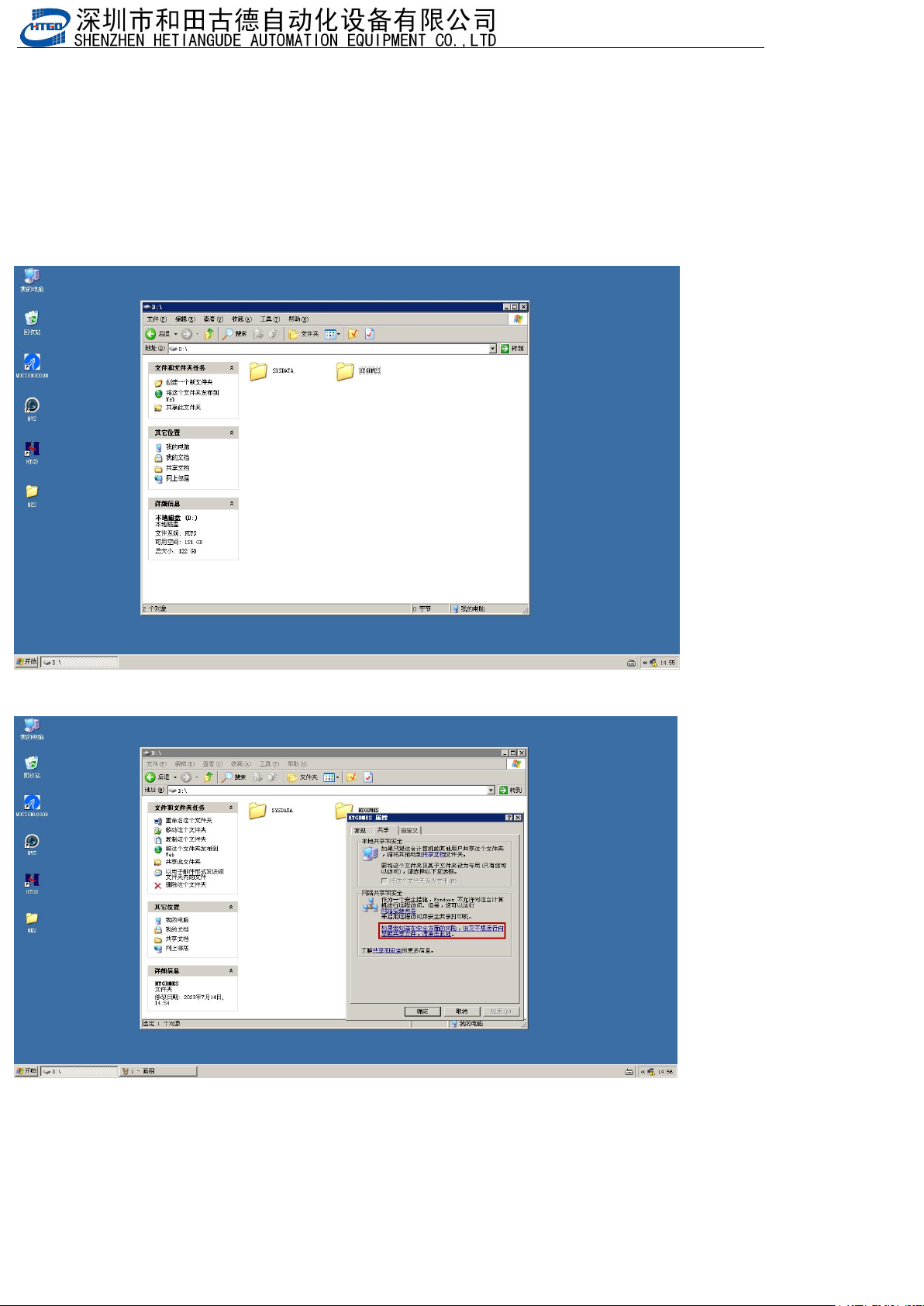
1.新建一个共享文件,(文件名根据自己来设置,我以HTGDMES文件夹为例)
Create a new shared file (with a file name set according to your own preferences, using the
HTGDMES folder as an example)
MES路径(MES path):D:\HTGDMES
SPI
路径(
SPI path
):
D:\SPI\Printer (
保存印刷机数据
Save printing machine data)
,
D:\SPI\SPI (
保存
SPI
数据
Save SPI data)
2.选中文件夹鼠标右键,选择属性,出来这个
Right click on the folder, select Properties, and this will appear