印刷机通用说明书(中英文版) 450+.pdf - 第125页
- 125 - 2. 勾选 “ 锡 膏余 量检测 ” , 确定 并保存 Check solder paste margin detecti on( Solder paste thincness detection) , con firm and save
- 124
-
8.2
锡膏余量检测
(Solder paste margin detection)
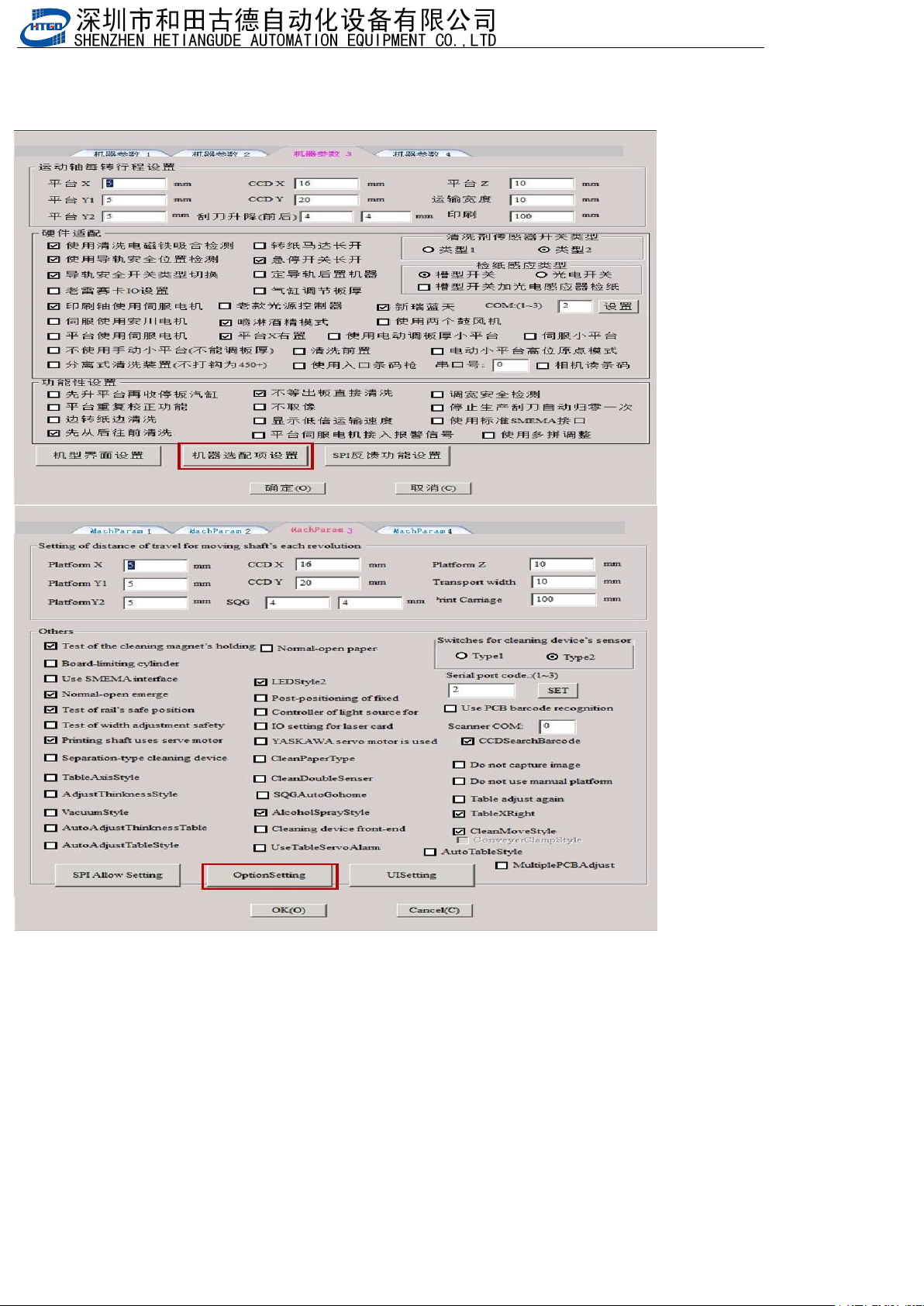
1.打开机器参数,选择机器参数3,点击机器选配项设置
open the machine parameter, select the machine parameter 3, and click the machine option setting
- 125
-
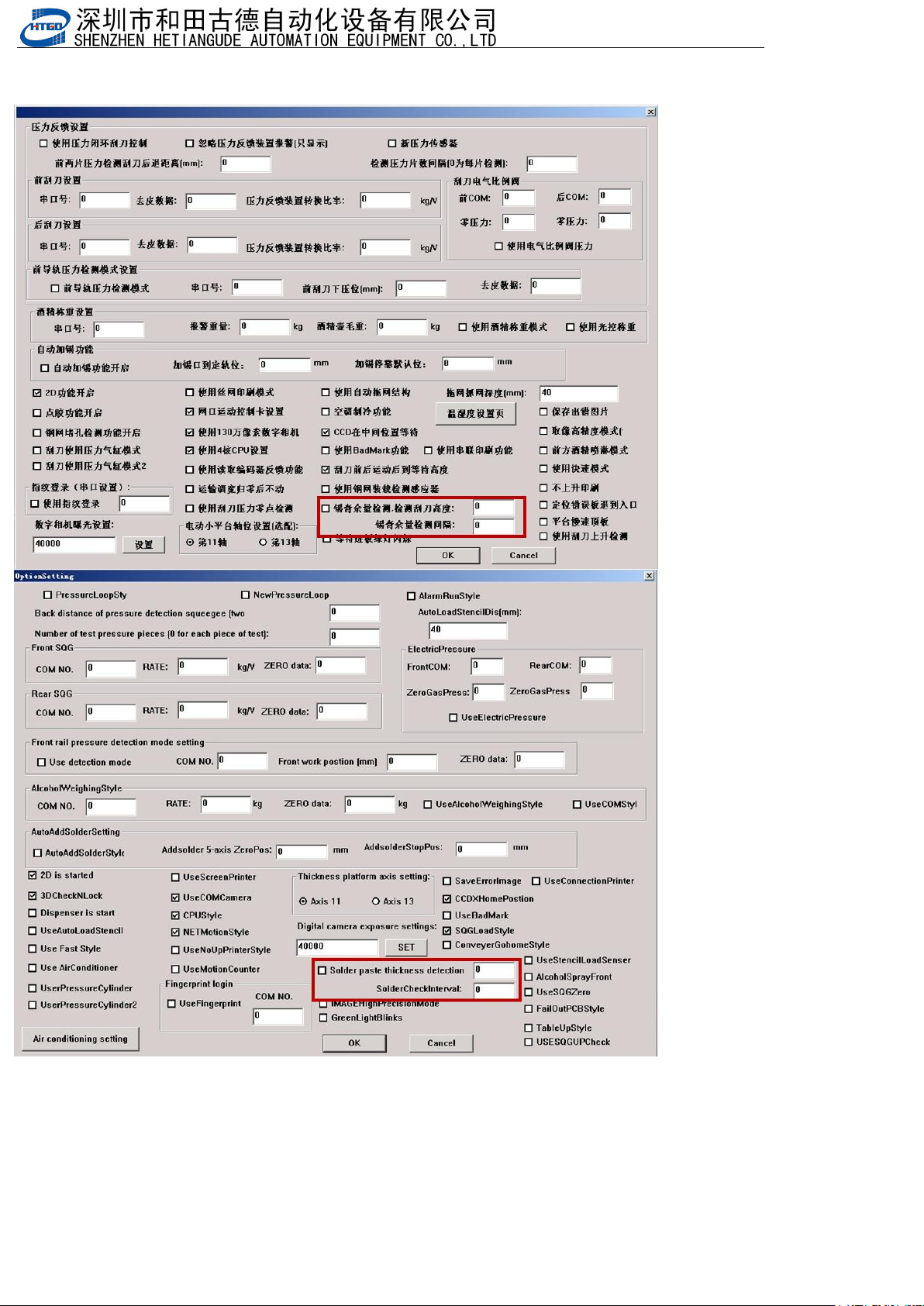
2.勾选“锡膏余量检测”,确定并保存
Check solder paste margin detection( Solder paste thincness detection), confirm and save
- 126
-
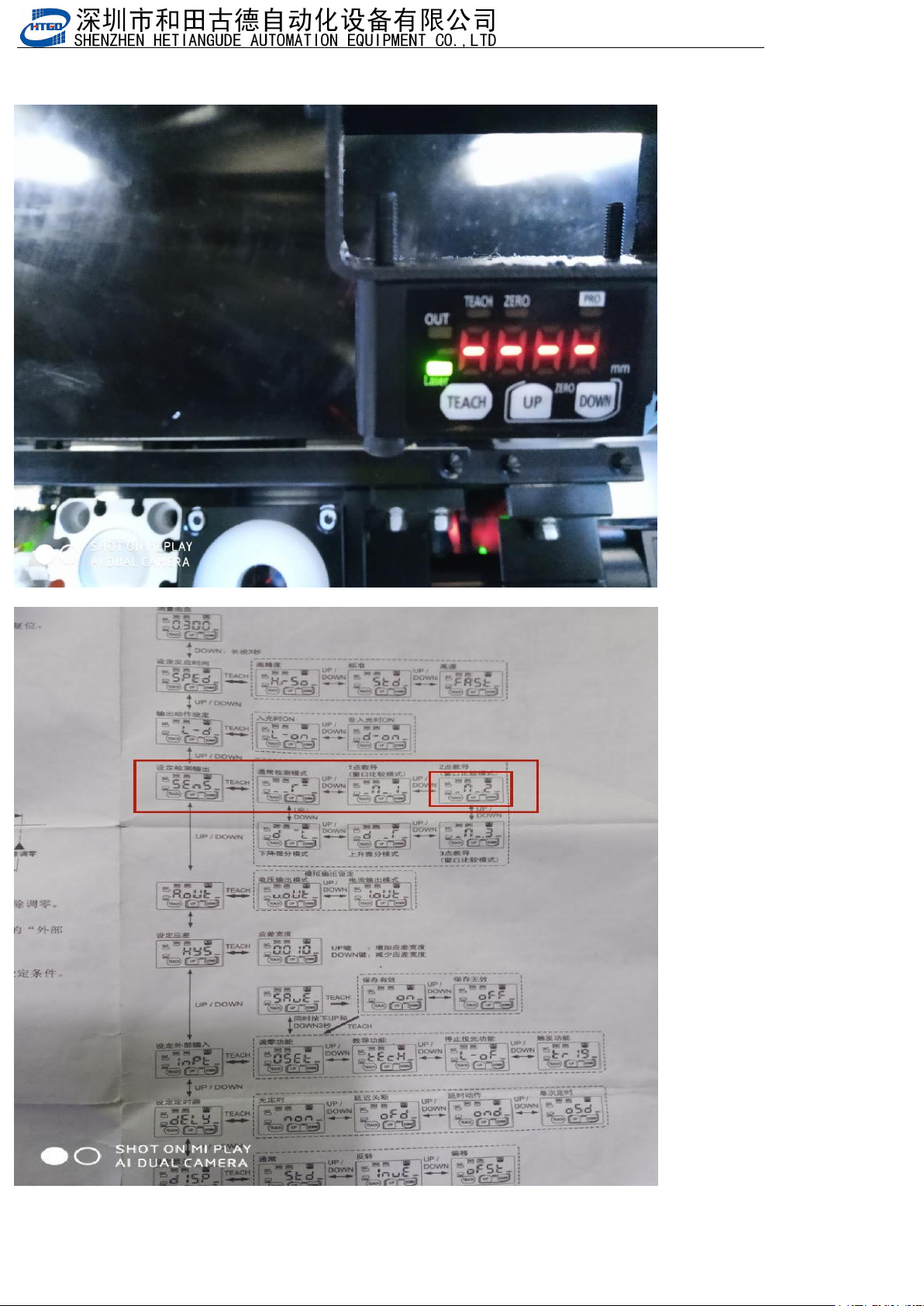
3.设置检测模式,按Down3秒以上,然后按Up或者Down找到下面图中来设置
Set the detection mode, press Down for more than 3 seconds, then press Up or Down to find the image below to set
it