印刷机通用说明书(中英文版) 450+.pdf - 第158页
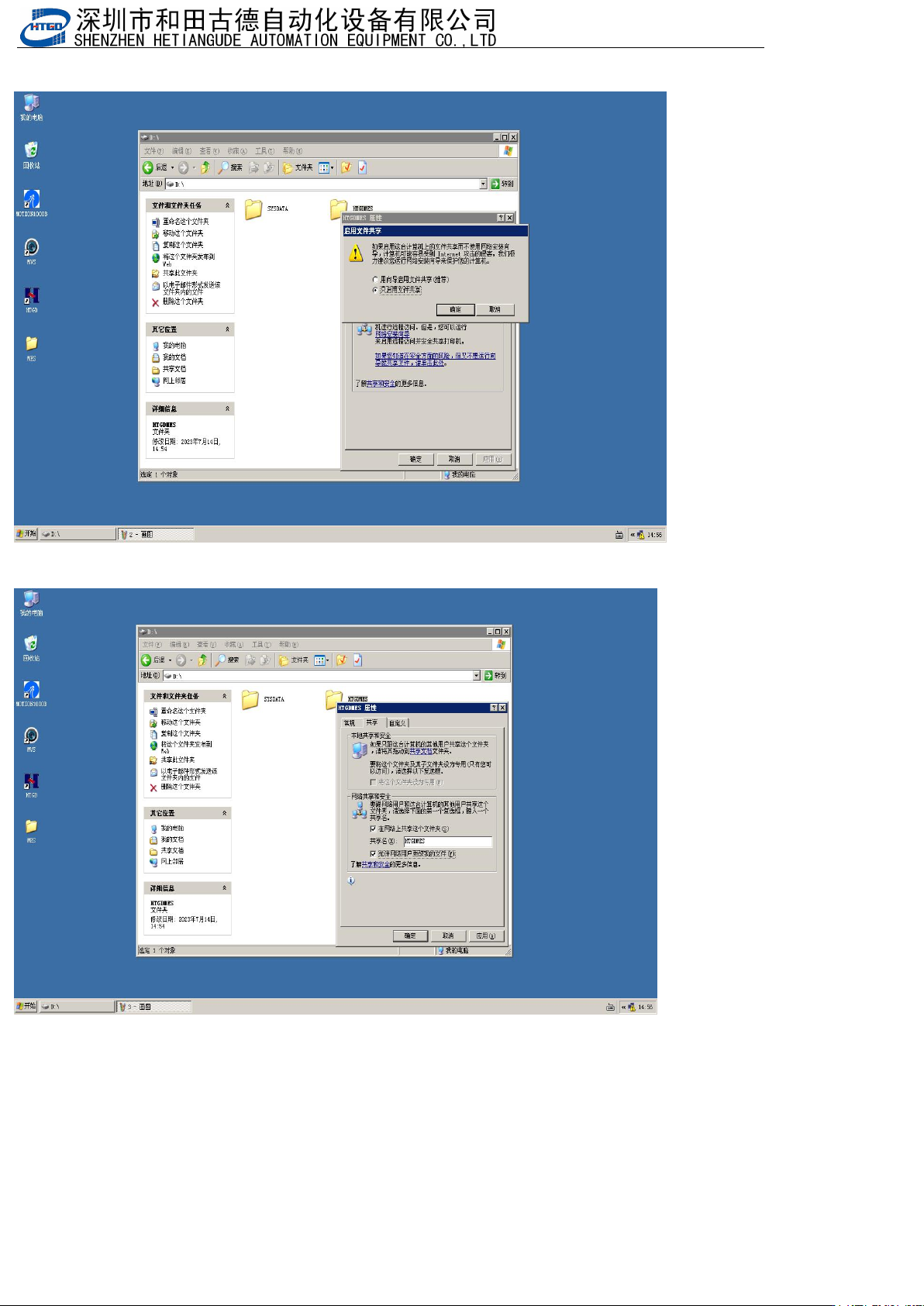
- 158 - 二. Win7 , win10 共享设置 Win7, Win10 sharing settings 1. 新建一个共享文 件,(文件 名根据自己 来设置,我以 HTGDMES 文件夹为例) Create a new s hared file (with a file name s et according to your ow n preferences, using the HTGDMES folder a s an …
- 157
-
3.点击上面红框内容,并设置和下面一样,显示如下
Click on the red box above and set it to look the same as below, as shown below
4.点击确定,并设置和下面一样,显示如下
Click OK and set it to be the same as below, as shown below
5.印刷机设置IP地址,设置IP为192.168.0.2,最后一位所有的电脑不能一样
Set the IP address of the printing machine to 192.168.0.2, and the last digit should not be the same
for all computers
- 158
-
二.
Win7
,
win10
共享设置
Win7, Win10 sharing settings
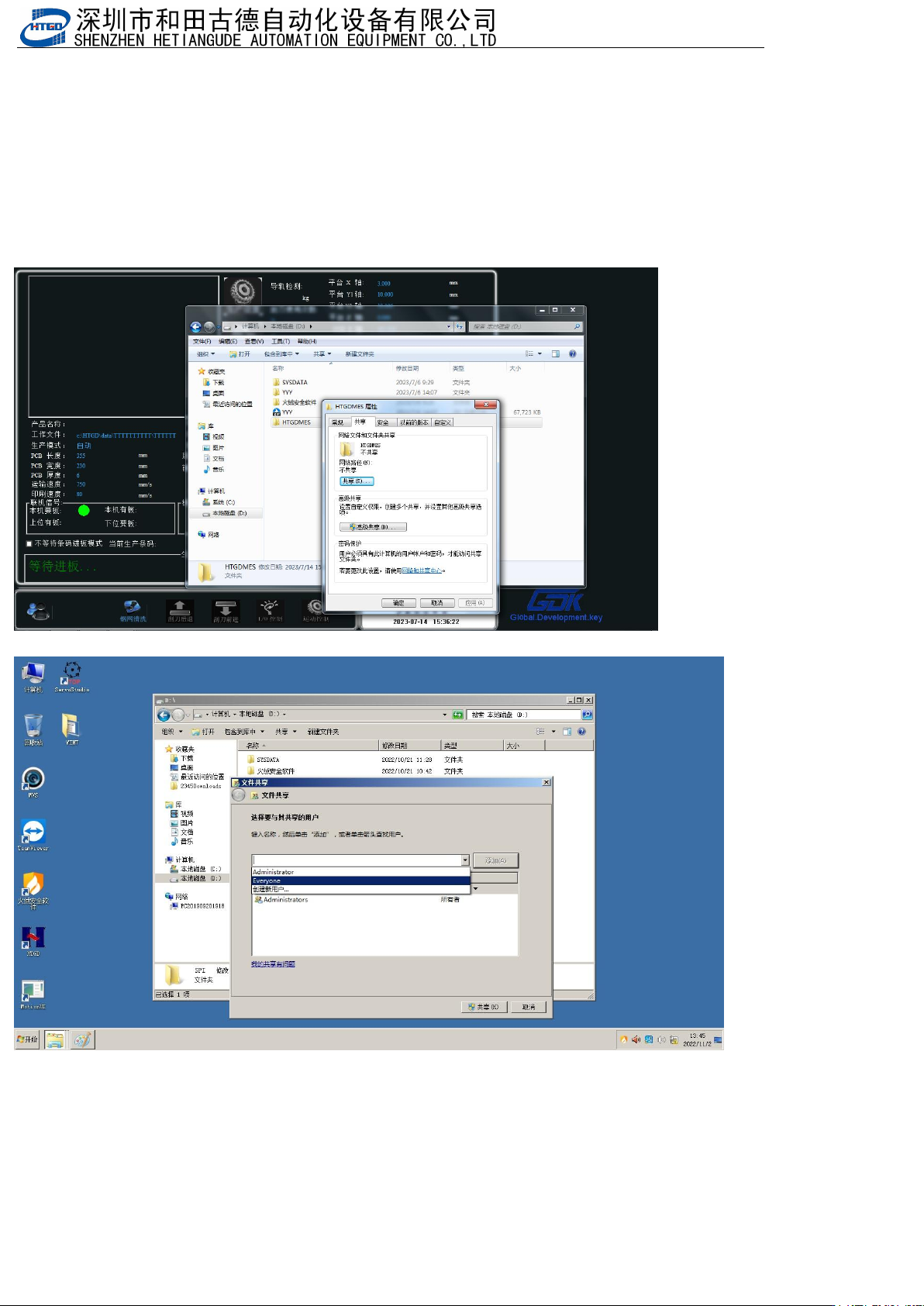
1.
新建一个共享文件,(文件名根据自己来设置,我以
HTGDMES
文件夹为例)
Create a new shared file (with a file name set according to your own preferences, using the
HTGDMES folder as an example)
MES
路径(
MES path
):
D:\HTGDMES
SPI路径(SPI path):D:\SPI\Printer (保存印刷机数据Save printing machine data),D:\SPI\SPI (保存SPI
数据
Save SPI data)
2.文件夹上点右键属性,点击“共享”
Right click on "Properties" on the folder and select "Share"
添加
Everyone
(
Add Everyone
)
- 159
-
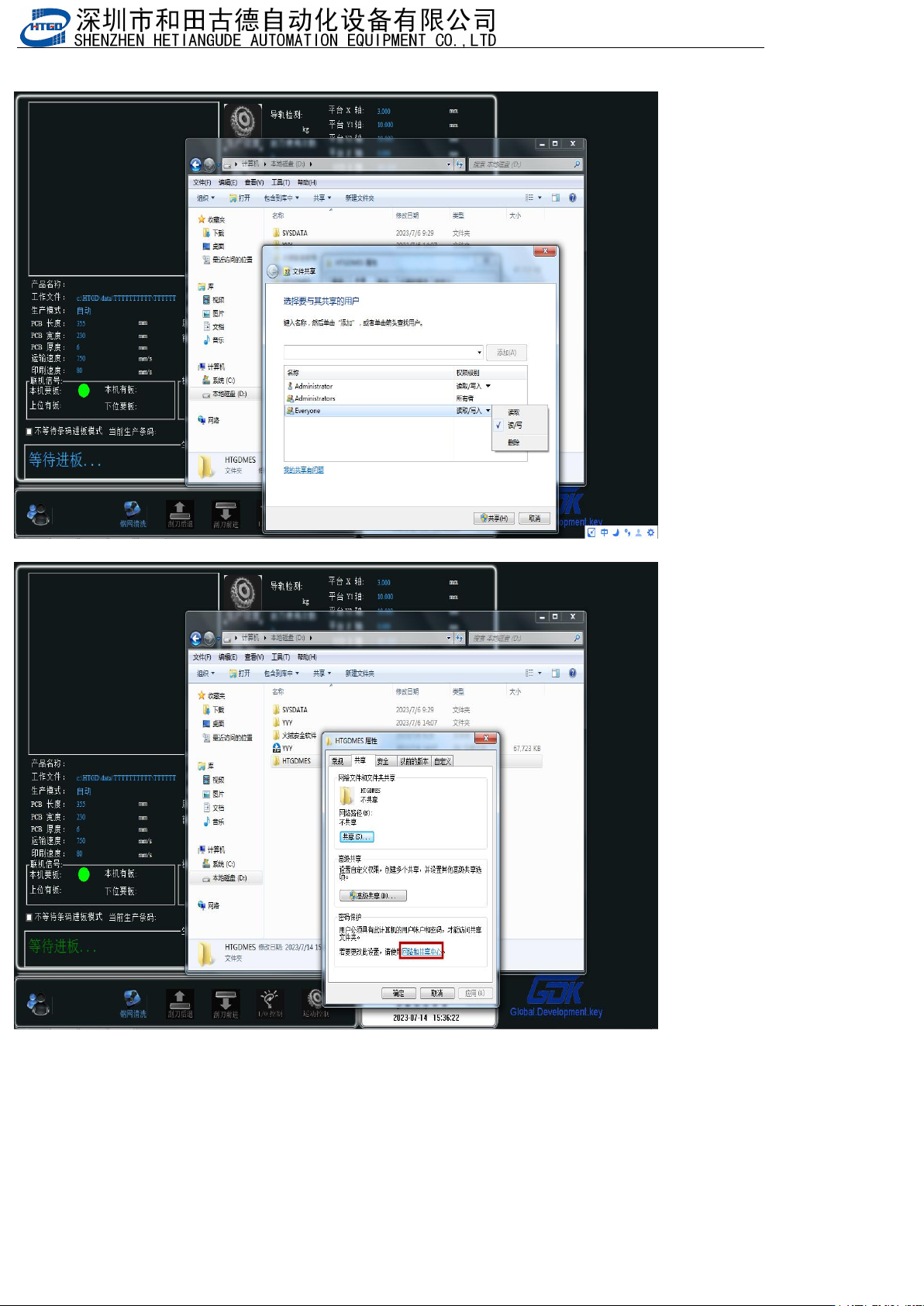
设置Everyone权限,读/写
Set Everyone permissions, read/write
点击“网络和共享中心” Click on 'Network and Sharing Center'