印刷机通用说明书(中英文版) 450+.pdf - 第162页
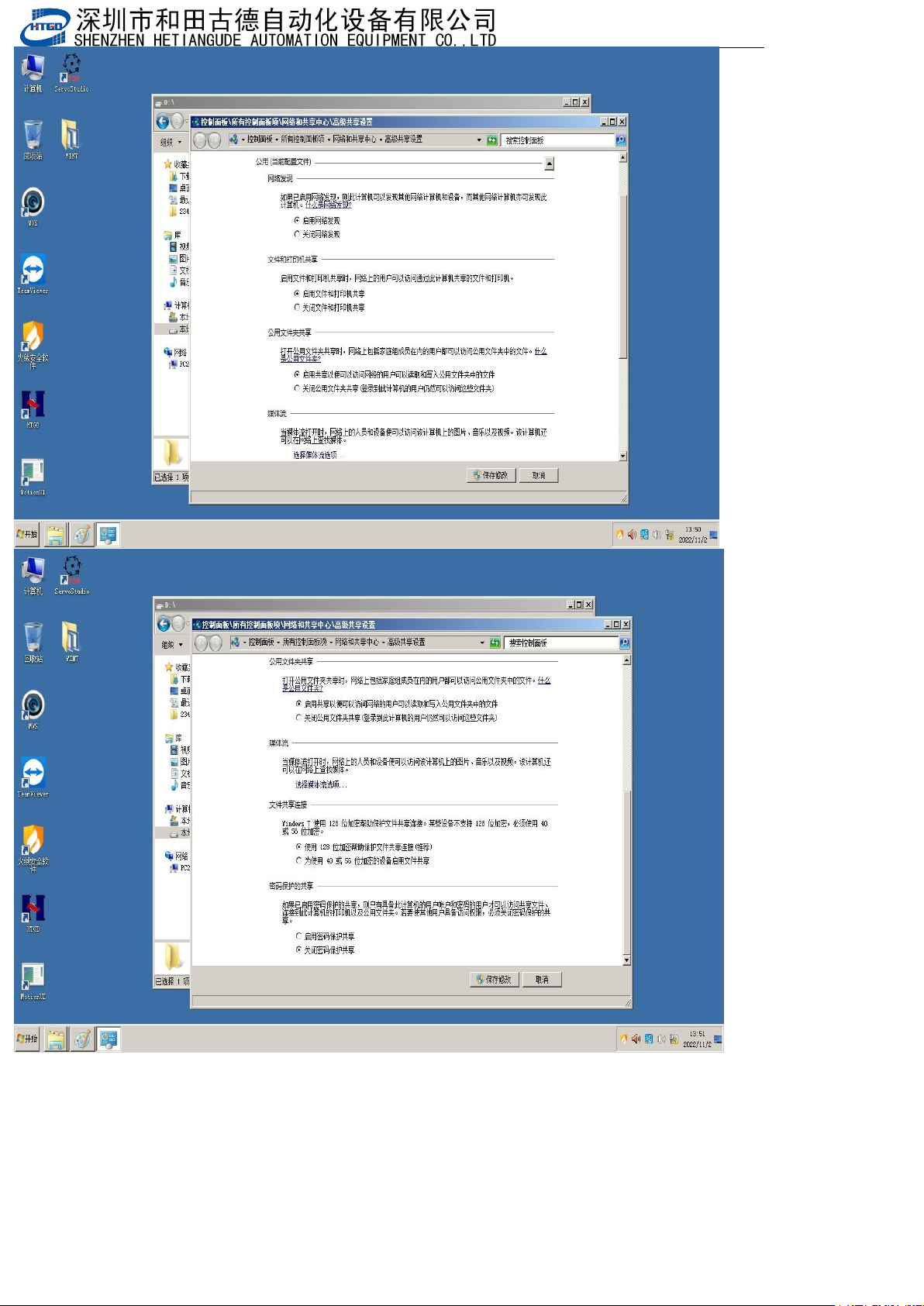
- 162 - win10 系统额外设置, 点开我的电脑的属 性 Window s 1 0 system a dditional s ettings, c lick on the properties of my computer 点开控制面板主 页 Click on the control pa nel home page
- 161
-
印刷机设置
IP
地址,设置
IP
为
192.168.0.2
,最后一位所有的电脑不能一样
Set the IP address of the printing machine to 192.168.0.2, and the last digit should not be the same for all
computers
- 162
-
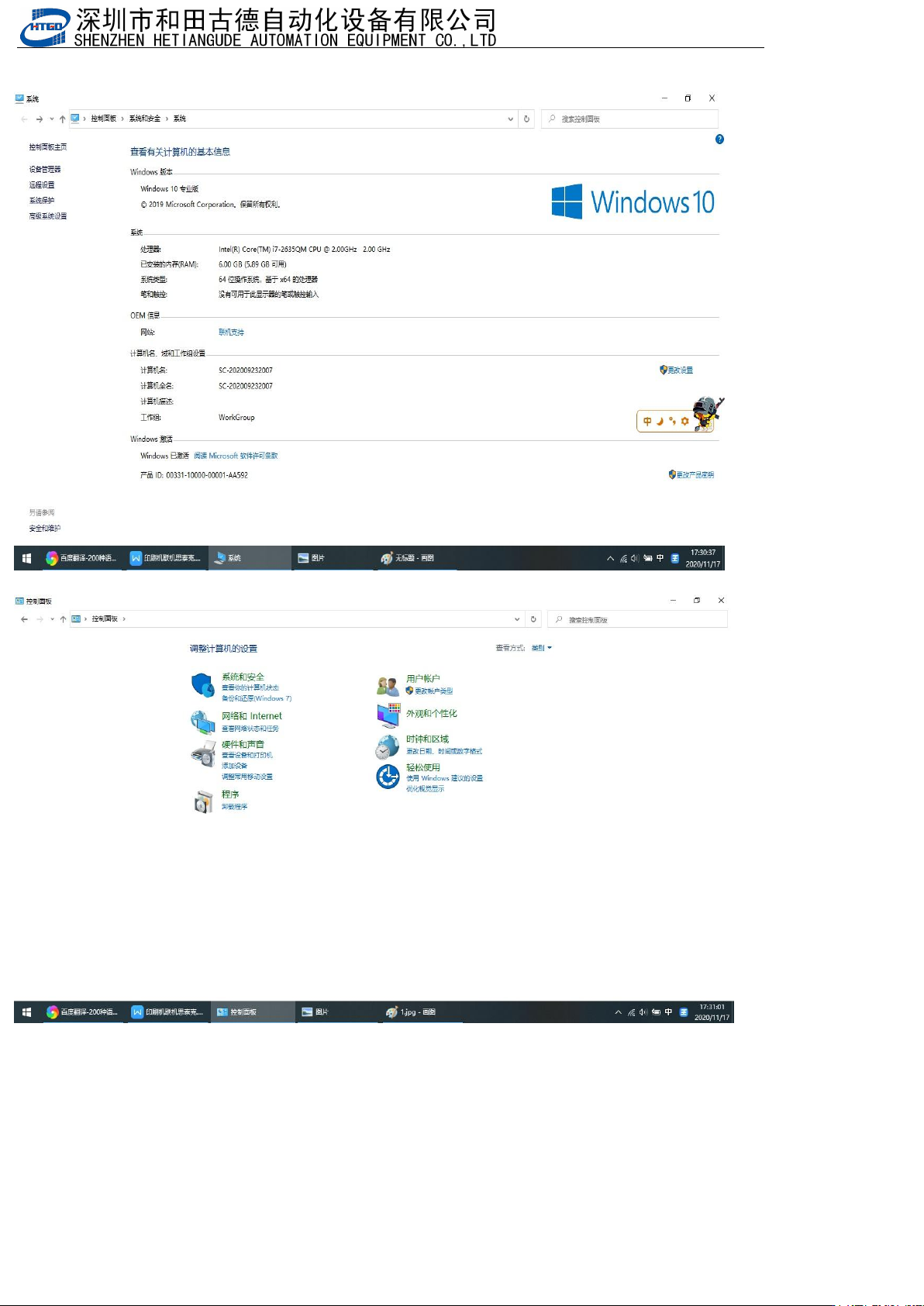
win10系统额外设置,点开我的电脑的属性
Windows 10 system additional settings, click on the properties of my computer
点开控制面板主页 Click on the control panel homepage
- 163
-
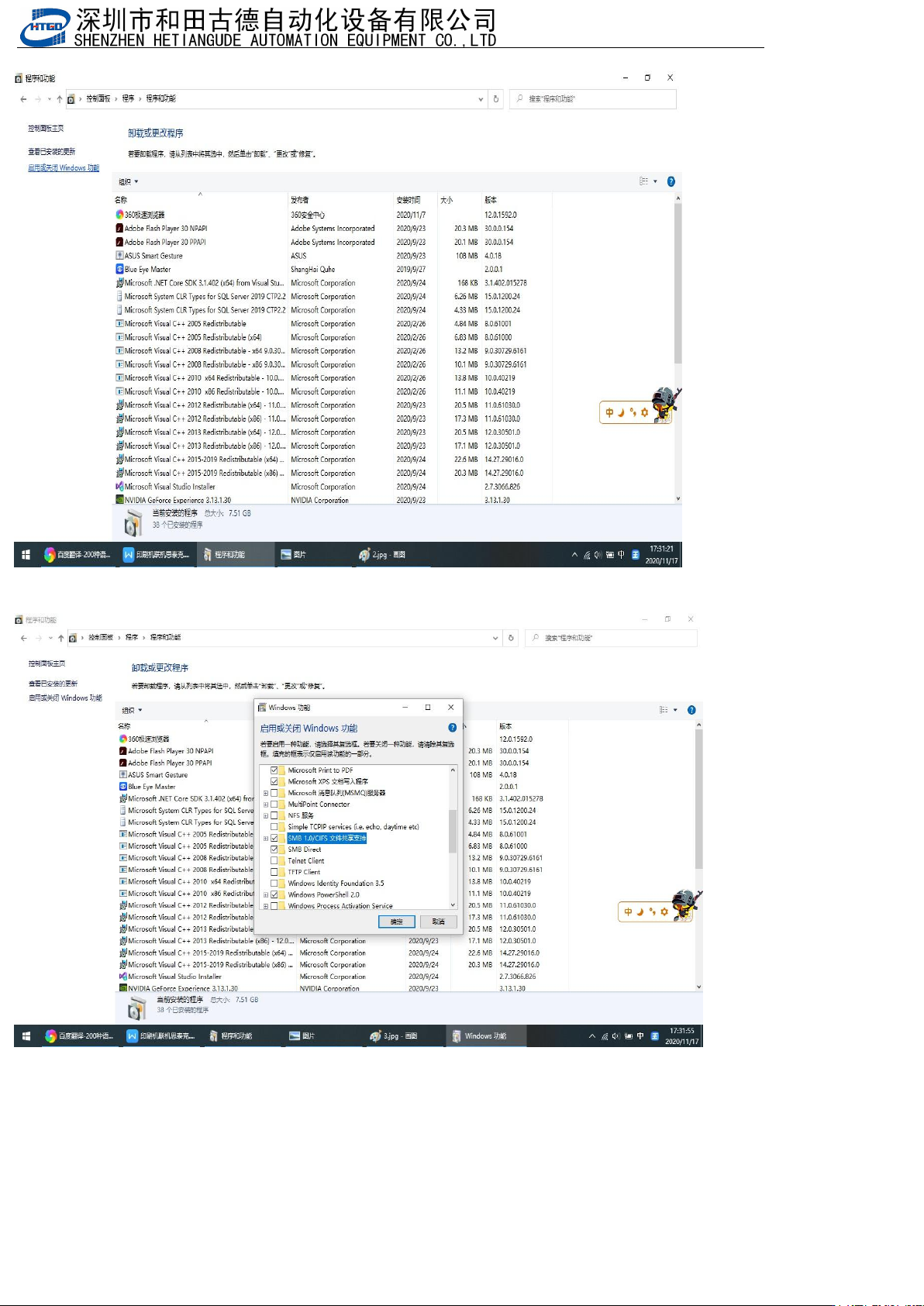
点开程序卸载 Click to uninstall the program
点开启用或关闭windows功能,勾选图中选中的
Click to enable or disable Windows features, and select the option in the picture
检测共享文件能不能被对方访问,假设印刷机IP:192.168.0.2,SPI的IP:192.168.0.3,Win+R快捷键打开“运
行
”
,印刷机访问
SPI
就输入
SPI
的
IP
(
\\192.168.0.3
),
SPI
访问印刷机的就输入印刷机
IP(\\192.168.0.2)
,看
有没有共享的文件夹,如果都能看到说明双方可以访问共享文件夹
Check if the shared file can be accessed by the other party. Assuming that the IP of the printing
machine is 192.168.0.2 and the IP of SPI is 192.168.0.3, the Win+R shortcut key opens "Run". When
the printing machine accesses SPI, enter the IP of SPI (\ \ 192.168.0.3), and when SPI accesses the
printing machine, enter the IP of the printing machine (\ \ 192.168.0.2). Check if there is a shared