印刷机通用说明书(中英文版) 450+.pdf - 第164页
- 164 - folder. I f both can be seen, it means that both pa rties c an ac cess the shared folder 如果不 是共享的 那台 机器想要 共享 文件的路 径可以 通过上面 的方 式找到并 设置到这 台机 器软件 里 If t he machi ne t hat is n ot sharin g w ants to s hare the file p…
- 163
-
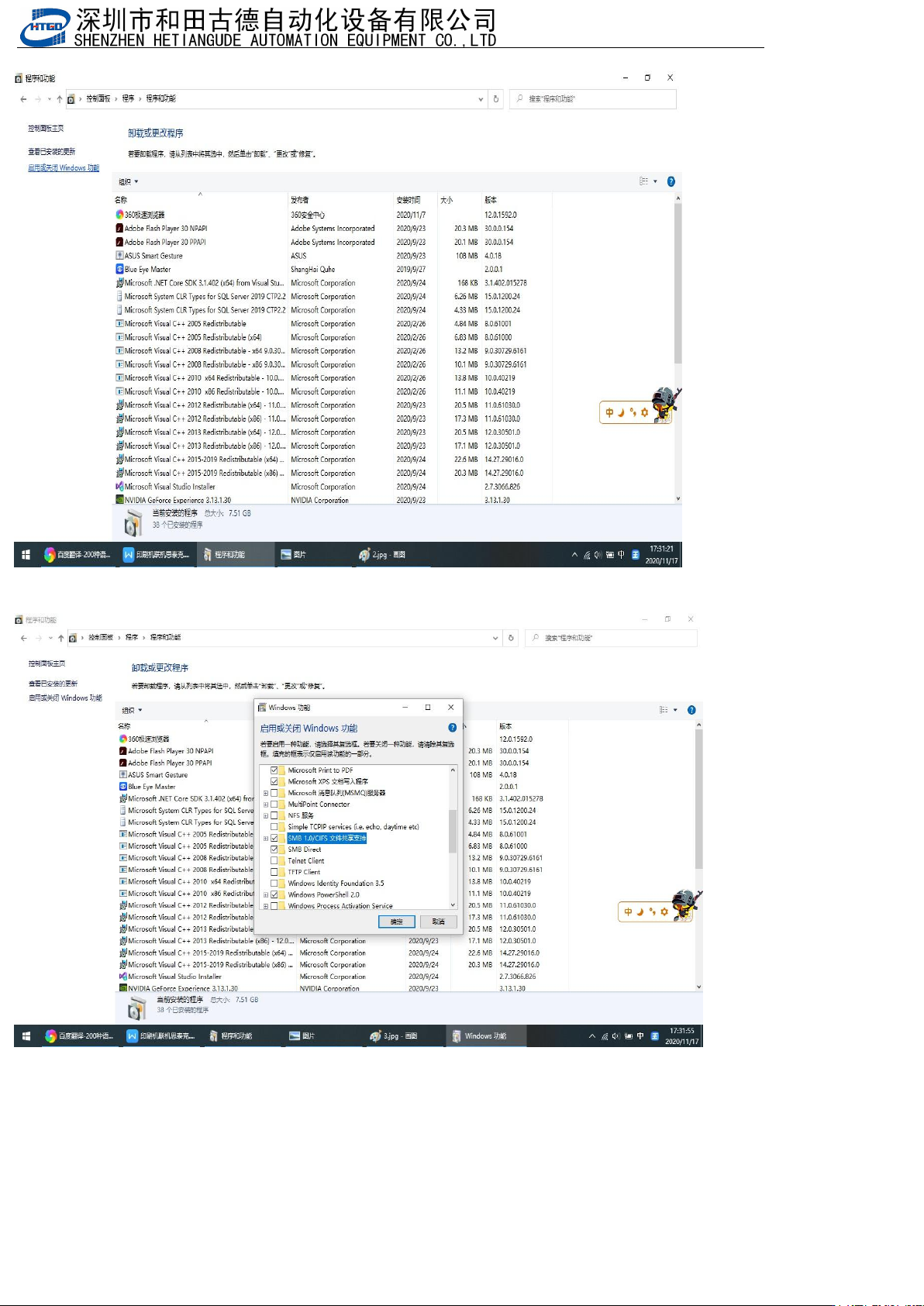
点开程序卸载 Click to uninstall the program
点开启用或关闭windows功能,勾选图中选中的
Click to enable or disable Windows features, and select the option in the picture
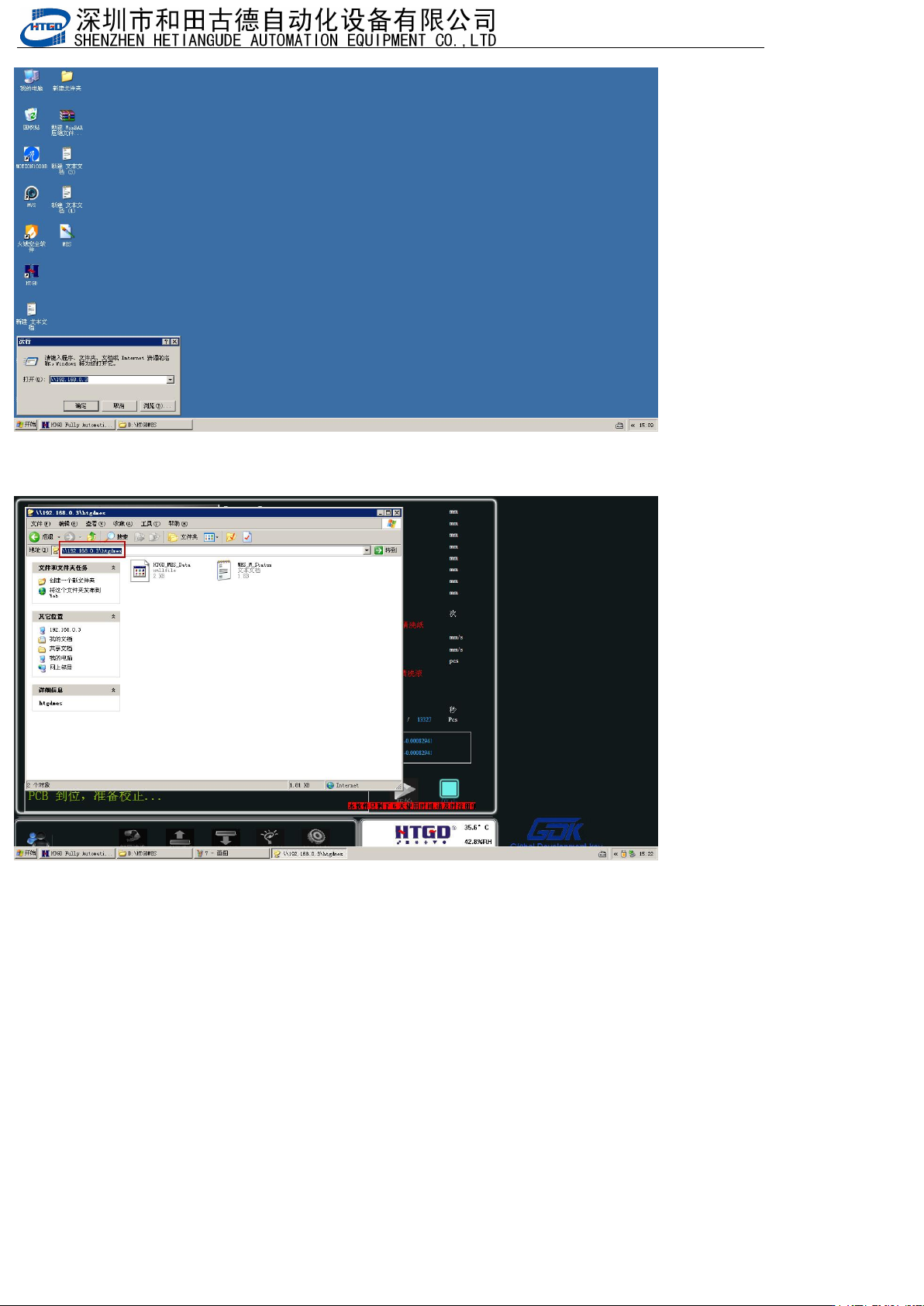
检测共享文件能不能被对方访问,假设印刷机IP:192.168.0.2,SPI的IP:192.168.0.3,Win+R快捷键打开“运
行
”
,印刷机访问
SPI
就输入
SPI
的
IP
(
\\192.168.0.3
),
SPI
访问印刷机的就输入印刷机
IP(\\192.168.0.2)
,看
有没有共享的文件夹,如果都能看到说明双方可以访问共享文件夹
Check if the shared file can be accessed by the other party. Assuming that the IP of the printing
machine is 192.168.0.2 and the IP of SPI is 192.168.0.3, the Win+R shortcut key opens "Run". When
the printing machine accesses SPI, enter the IP of SPI (\ \ 192.168.0.3), and when SPI accesses the
printing machine, enter the IP of the printing machine (\ \ 192.168.0.2). Check if there is a shared
- 164
-
folder. If both can be seen, it means that both parties can access the shared folder
如果不是共享的那台机器想要共享文件的路径可以通过上面的方式找到并设置到这台机器软件里
If the machine that is not sharing wants to share the file path, it can be found and set in the software of
this machine through the above method