印刷机通用说明书(中英文版) 450+.pdf - 第139页
- 139 - 2. 保存 确定后, 退出软 件,重 新进入 软件,然 后打 开指纹录 入 After savi ng and confirm ing, exit the softw are, re-enter the softw are, and then open fingerprin t record ing 3. 如果 提示这个 ,说明 权限不 够,要 登入三级 权限 或以上 If this prom pt appears , …
- 138
-
8.7 指纹模块Fingerprint module
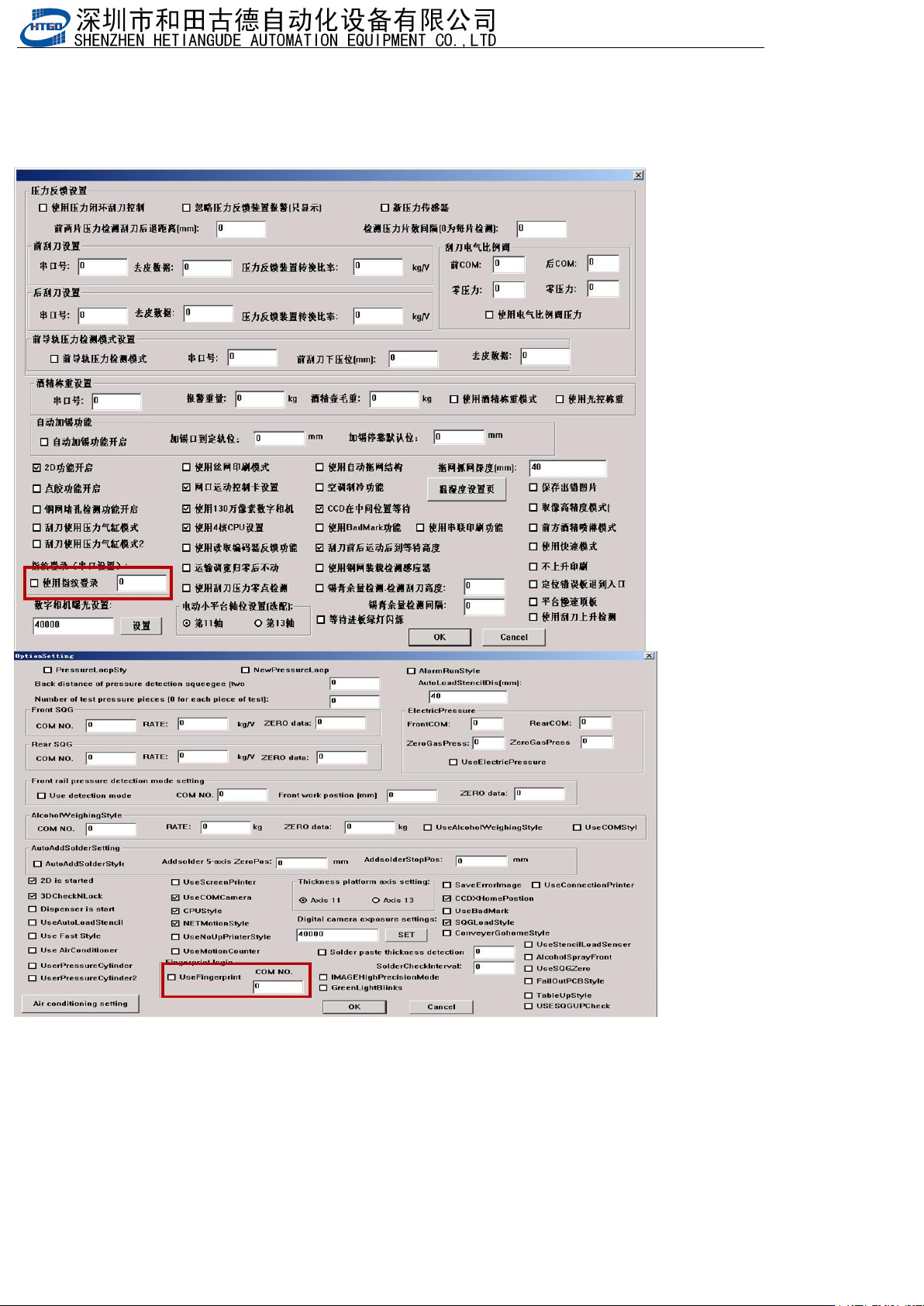
1.打开指纹登入功能,填入正确的串口(机器参数3--->机器选配项设置)
Open the fingerprint login function and enter the correct serial port (machine parameter 3->machine optional item
settings)
- 139
-
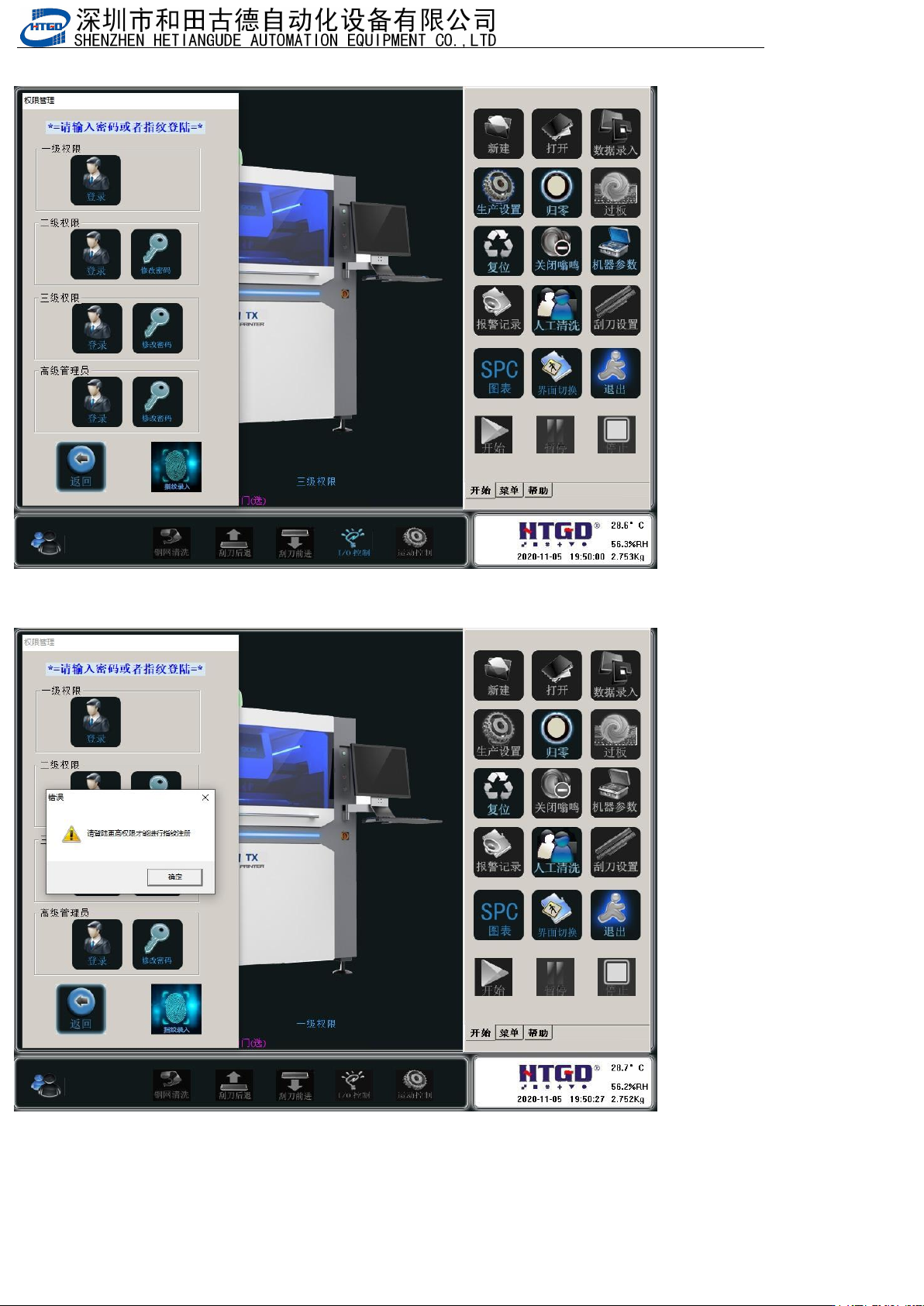
2.保存确定后,退出软件,重新进入软件,然后打开指纹录入
After saving and confirming, exit the software, re-enter the software, and then open fingerprint recording
3.如果提示这个,说明权限不够,要登入三级权限或以上
If this prompt appears, it means that the permissions are not sufficient and you need to log in with third level or
higher permissions
- 140
-
4.
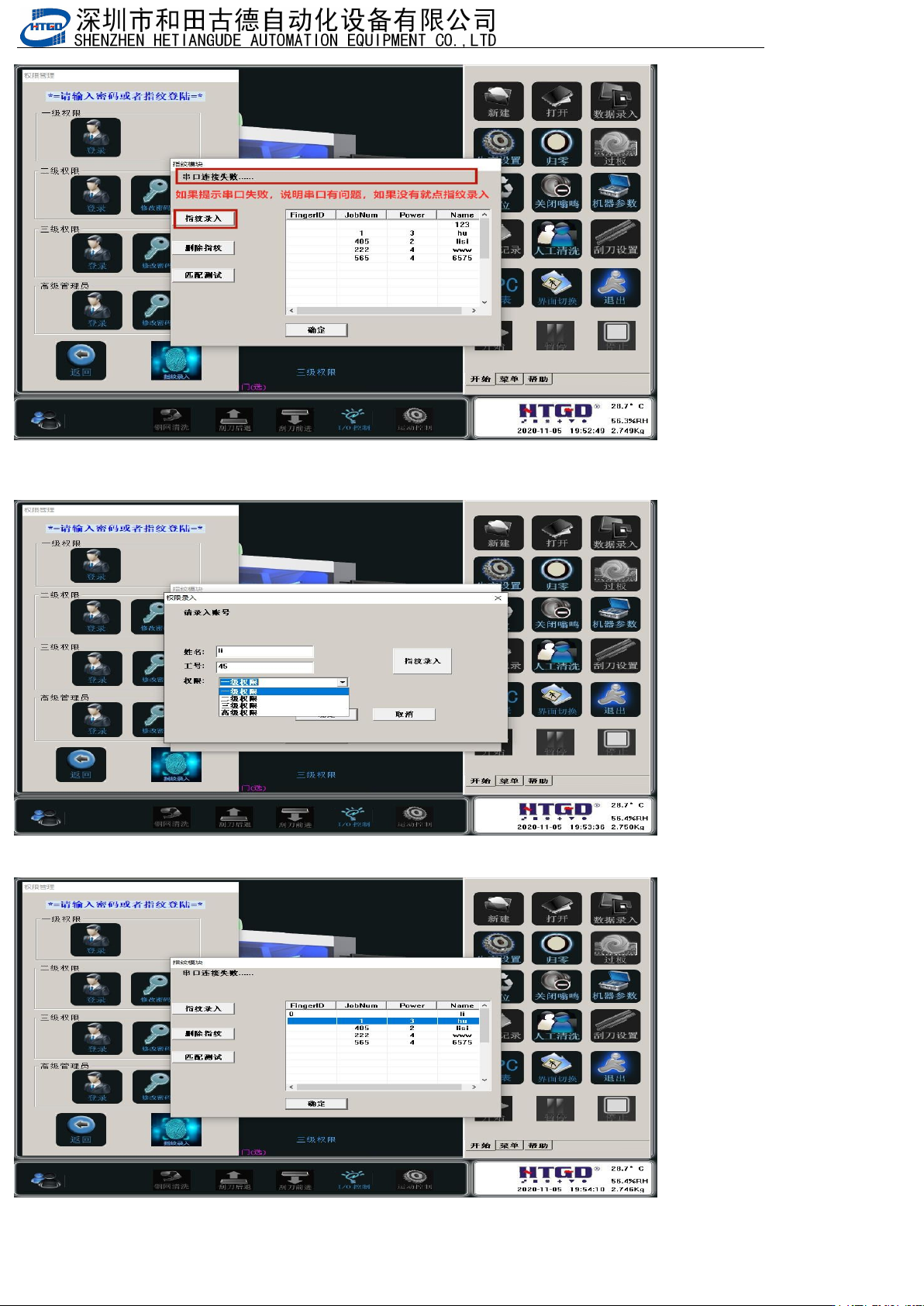
5.填入姓名,工号,选择权限等级,然后点击指纹录入,然后根据提示操作
Fill in your name, employee ID, select the permission level, then click on fingerprint input, and follow the prompts
to operate
6.删除指纹,选中哪个指纹删除哪个指纹,选中状态是
Delete fingerprint, select which fingerprint to delete, what is the selected status