印刷机通用说明书(中英文版) 450+.pdf - 第143页
- 143 - 8.9 B ad Mar k功能 B adM ar k fu nc tio n BAD MARK功能 :机器参 数3选 配项 中勾选使 用B ADMAR K功能 ,做好防 呆点后 ,在生 产设 BADMARK fun ction: Select the option to use BADMARK functio n in machine parame ter 3, an d after setting up error …
- 142
-
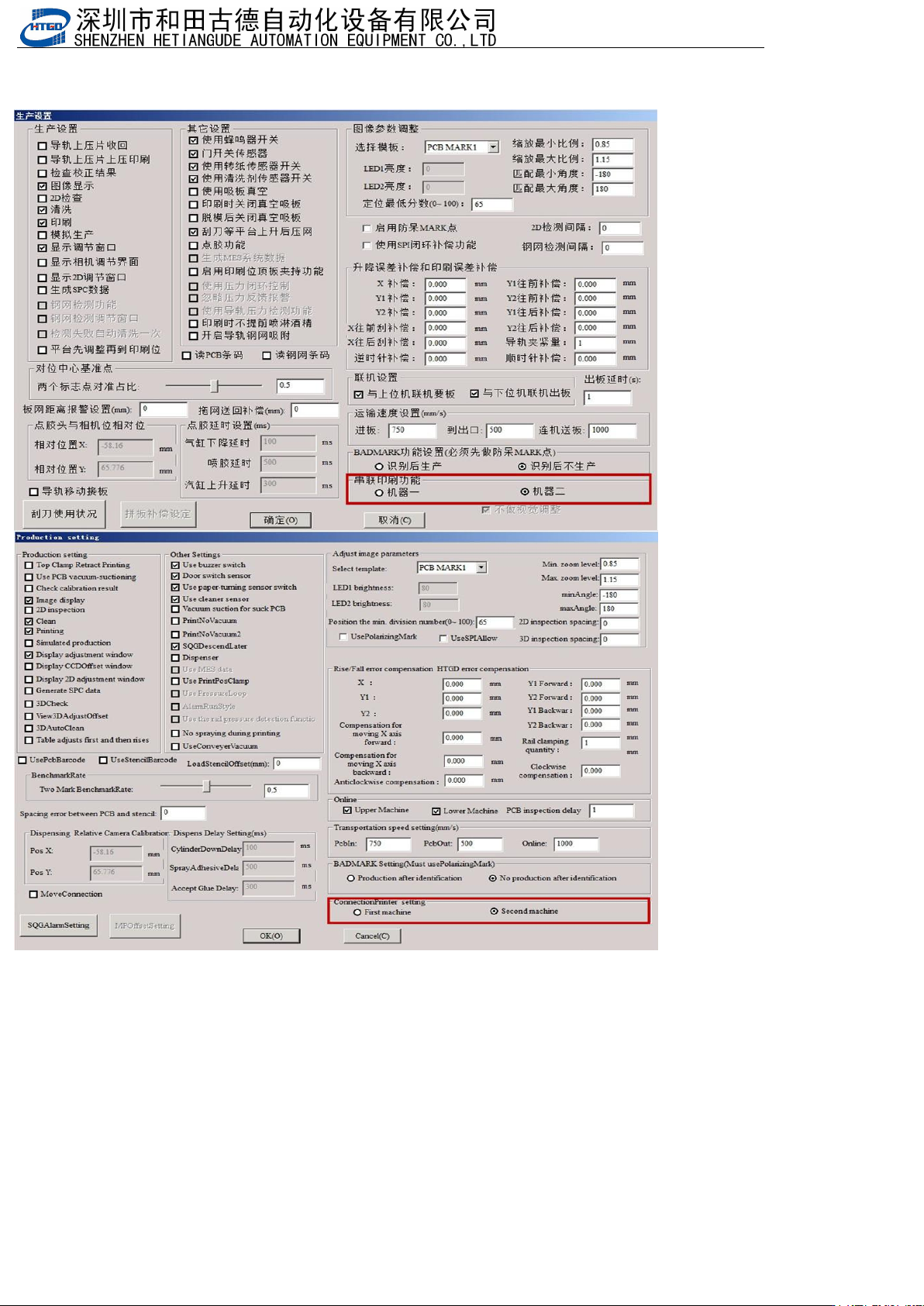
3.生产界面,第一台印刷机勾选机器1,第二台印刷机勾选机器2
Production interface, select machine 1 for the first printing machine and machine 2 for the second printing
machine
4.将机器1的本机有板信号,接到机器2的上位机有板,机器2的要板信号,接到机器1的下位机要板。当两台机开始生产时,
当第二台要板时,第一台机直接过板,等第二台机没有要板信号,第一台机才会生产。第一台机出来的板,如果印刷过,会
同时发送本机有板信号,第二台机收到这个信号,进板时不印刷,如果没有收到上位机有板信号,进板印刷
Connect the local board signal of machine 1 to the upper computer of machine 2, and connect the board signal of
machine 2 to the lower computer of machine 1. When two machines start production, when the second machine
requires a board, the first machine directly passes through the board. Only when the second machine does not
have a board request signal, will the first machine produce. The board produced by the first machine, if printed, will
also send a local board signal. The second machine receives this signal and does not print when entering the
board. If it does not receive a board signal from the upper computer, it will enter the board for printing
- 143
-
8.9 BadMark功能 BadMark function
BADMARK功能:机器参数3选配项中勾选使用BADMARK功能,做好防呆点后,在生产设
BADMARK function: Select the option to use BADMARK function in machine parameter 3, and after setting up error
prevention points, use it in the production equipment
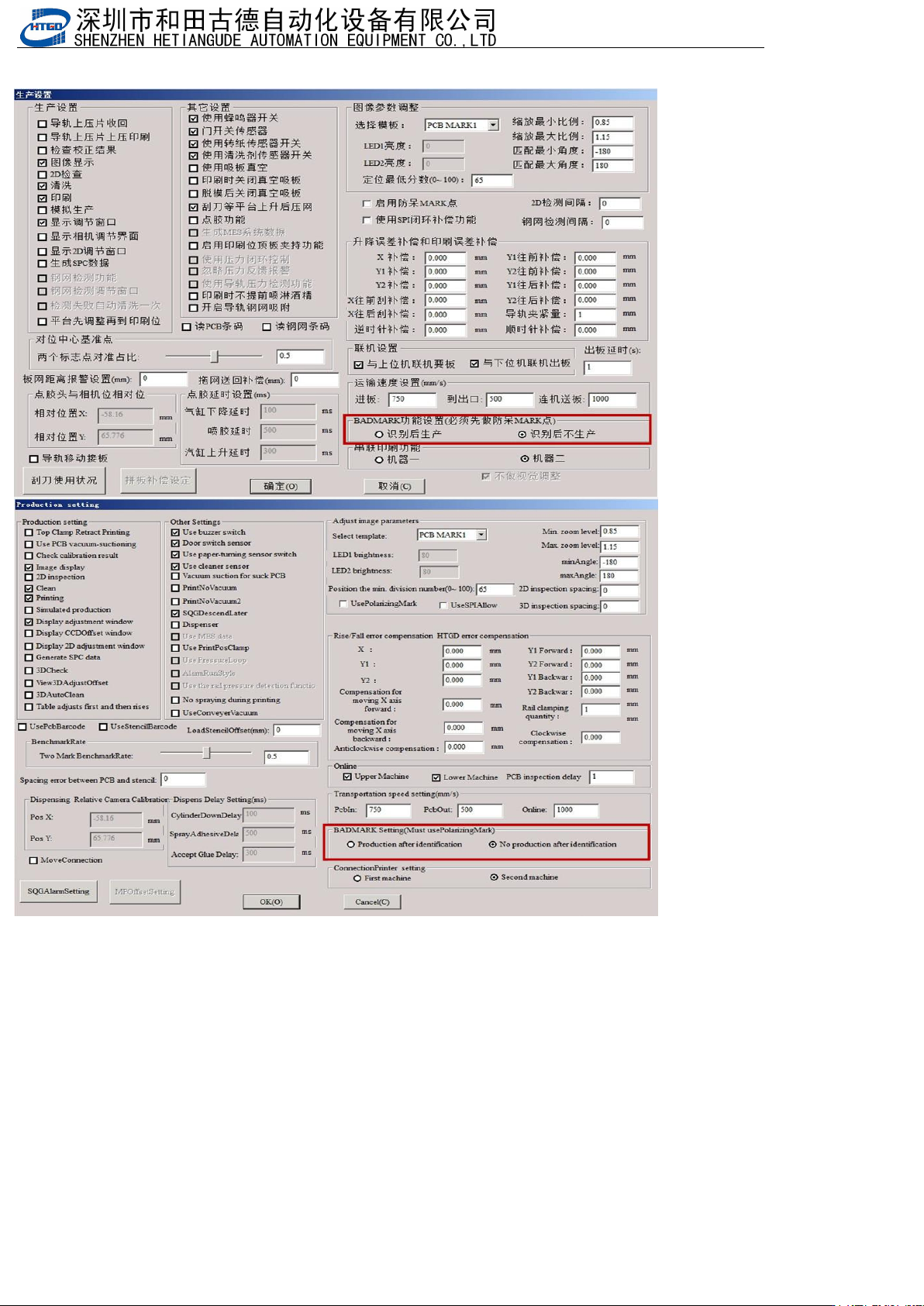
置中可以勾选:识别后生存或者识别后不生产。badmark这个点是用来识别后刷这块板或者不刷这块板
You can check whether to survive after recognition or not to produce after recognition. The 'badmark' point is used
to identify whether to brush this board or not
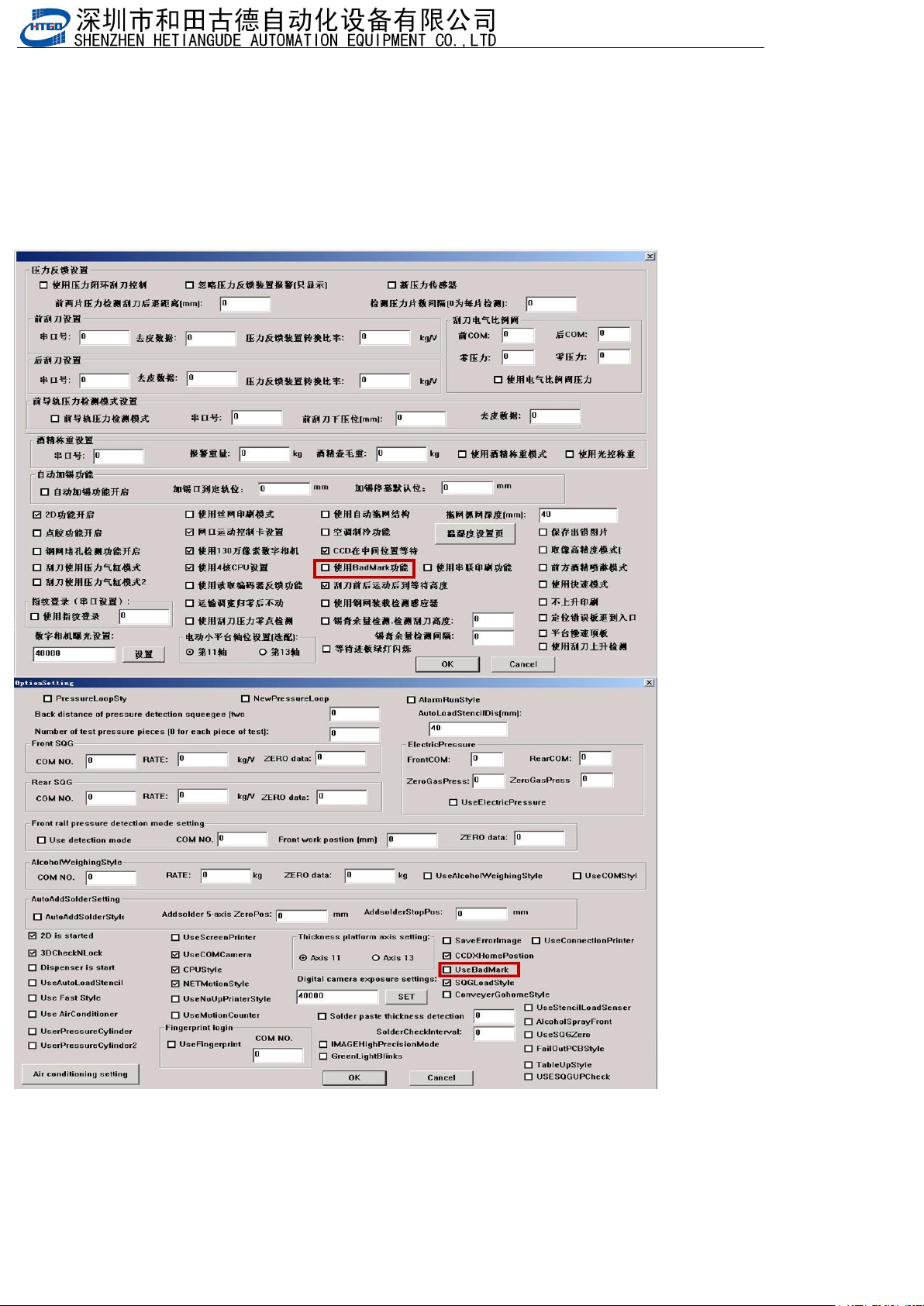
1.选配项勾选使用BadMark功能
Select the option to use BadMark function
- 144
-
2.先做防呆点程序,生产界面设置BADMARK功能设置
First, create a foolproof program and set up BADMARK function settings on the production interface