印刷机通用说明书(中英文版) 450+.pdf - 第126页
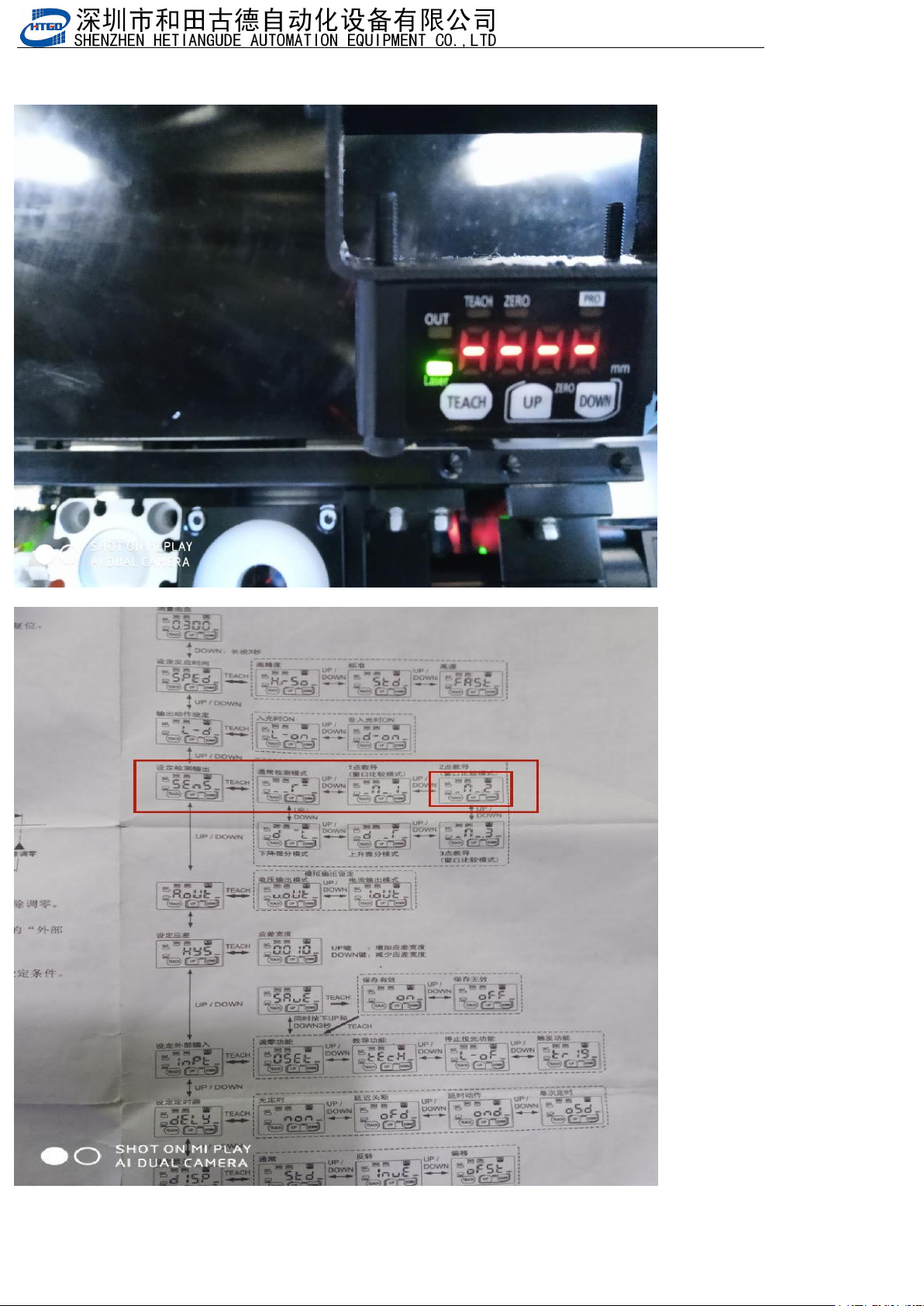
- 126 - 3. 设置 检测模式 ,按 Dow n3 秒以 上,然后 按 Up 或 者 Dow n 找到下面图 中来 设置 Set the detecti on mode, press Down for mor e than 3 seconds, then press Up or Down to find the image below to set it
- 125
-
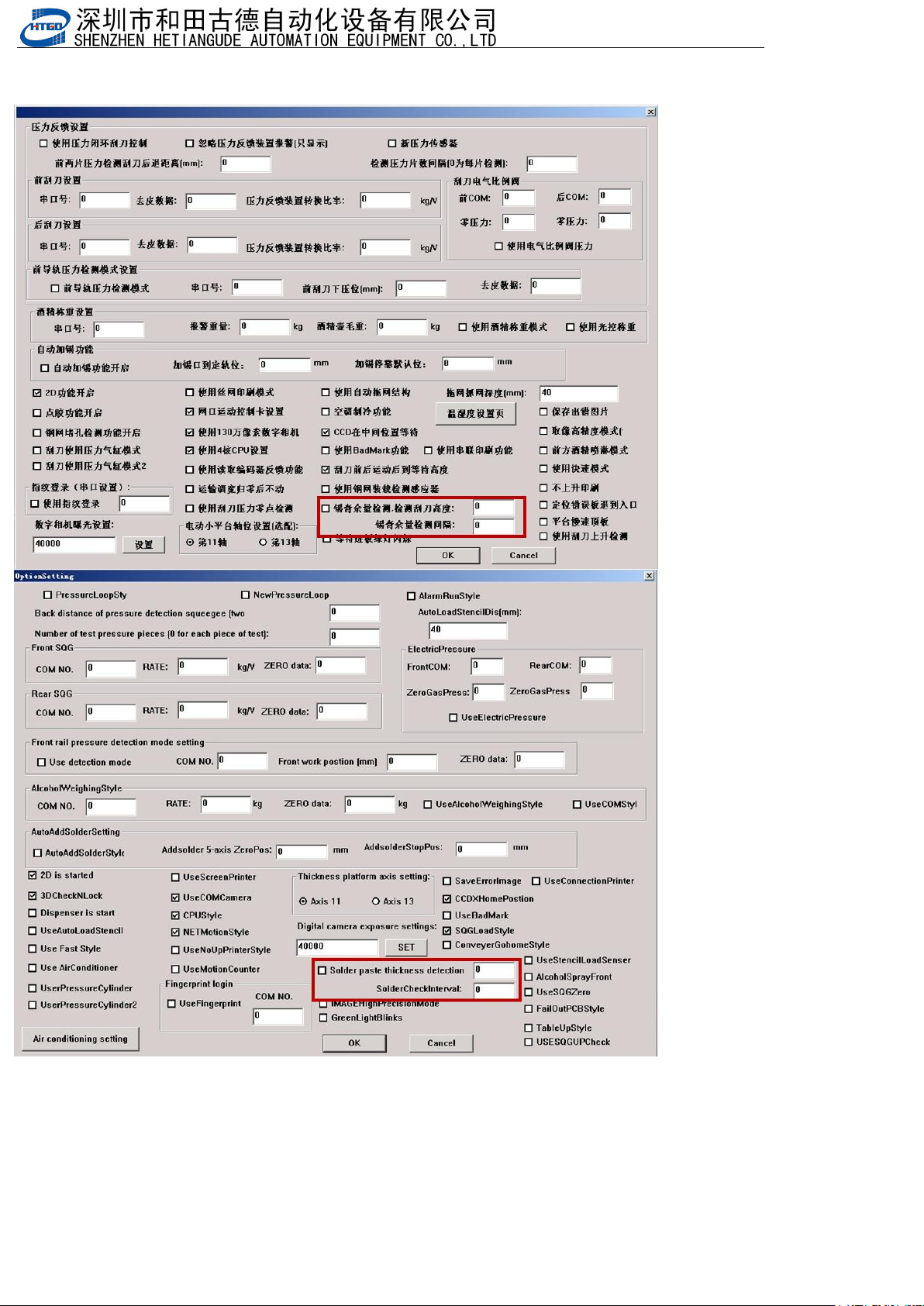
2.勾选“锡膏余量检测”,确定并保存
Check solder paste margin detection( Solder paste thincness detection), confirm and save
- 126
-
3.设置检测模式,按Down3秒以上,然后按Up或者Down找到下面图中来设置
Set the detection mode, press Down for more than 3 seconds, then press Up or Down to find the image below to set
it
- 127
-
4.检测感应器选择的模式是如下图,所以我们要选择在这个范围内不报警,所以要调感应器让感应器的光照在你想要锡膏的
厚度(小于这个数就会报警),然后按感应器TEACH键,然后再让感应器光照在最大的锡膏厚度上,再按TEACH,这样就
可以了。
注意:OUT亮了才有用
The mode selected by the detection sensor is as shown in the figure below, so we need to choose not to alarm in
this range, so we need to adjust the sensor to make the sensor light the thickness of the solder paste you want (it
will alarm if it is less than this number), then press the sensor teach key, then let the sensor light the maximum
solder paste thickness, and then press teach, so it is OK.
Note: only when out is on
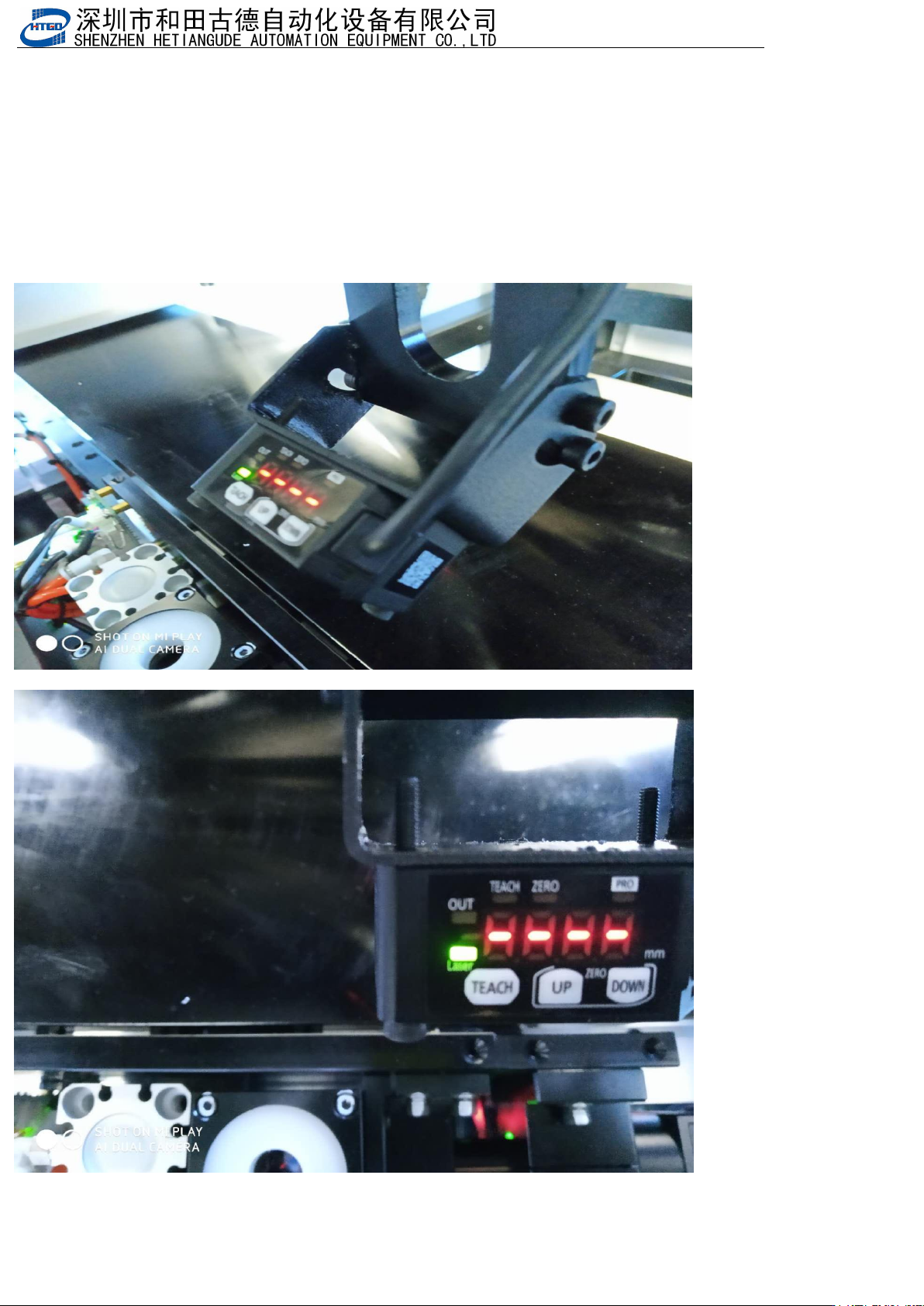
调感应器角度(Adjust the sensor angle):
有信号OUT是黄灯(The signal OUT is a yellow light)