印刷机通用说明书(中英文版) 450+.pdf - 第68页
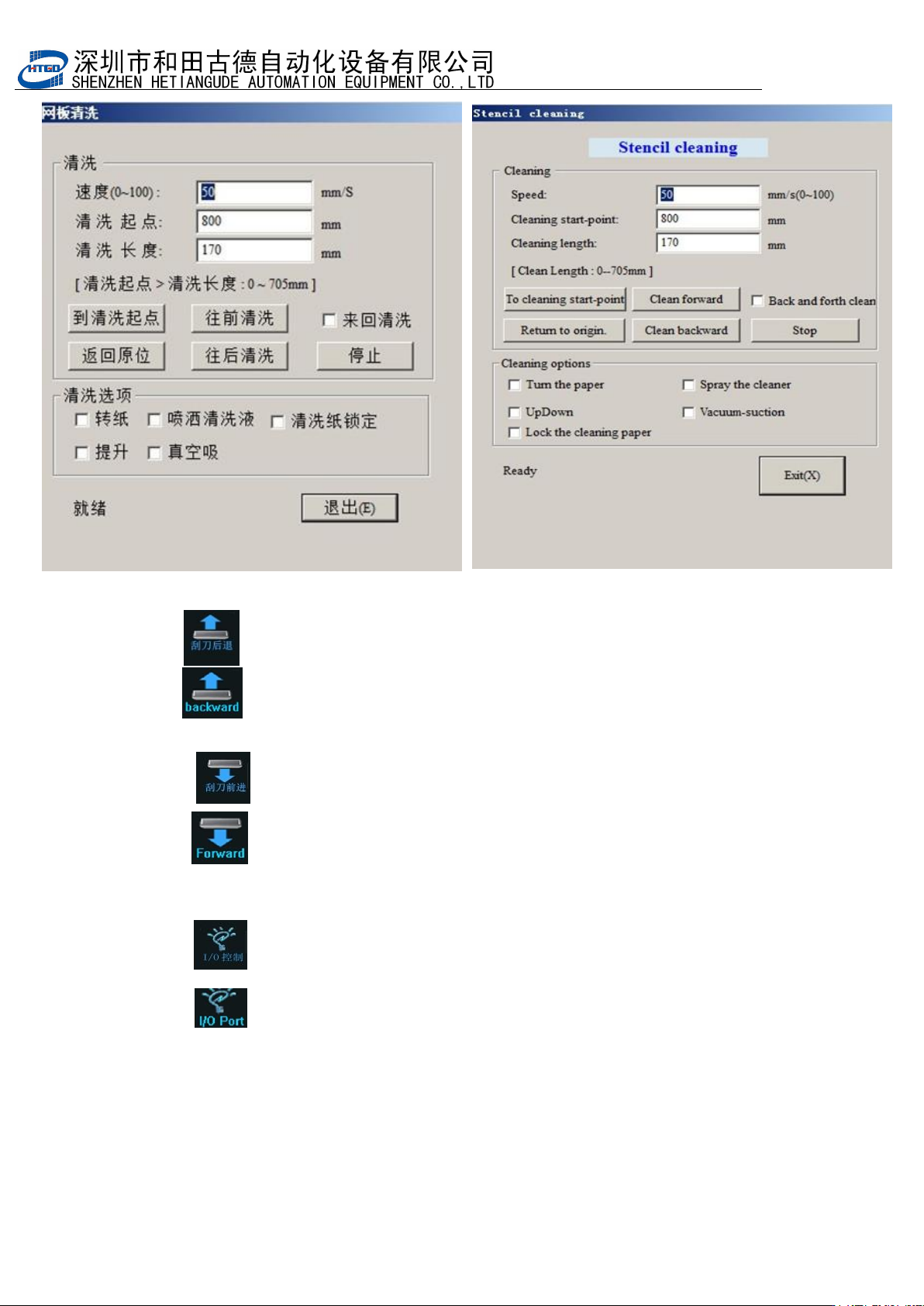
- 68 - 图 4-2 (钢网清洗) Pix 4-2(stencil cle aning 3 . :刮刀后退。点击刮刀向后移动到印刷起点; : Scrap er moves back. Click t his button and scraper will remove to the printing origin. 4 . :刮刀前进。点击刮刀向前移动到印刷终点; : Scrap er moves forward. Click th…
- 67
-
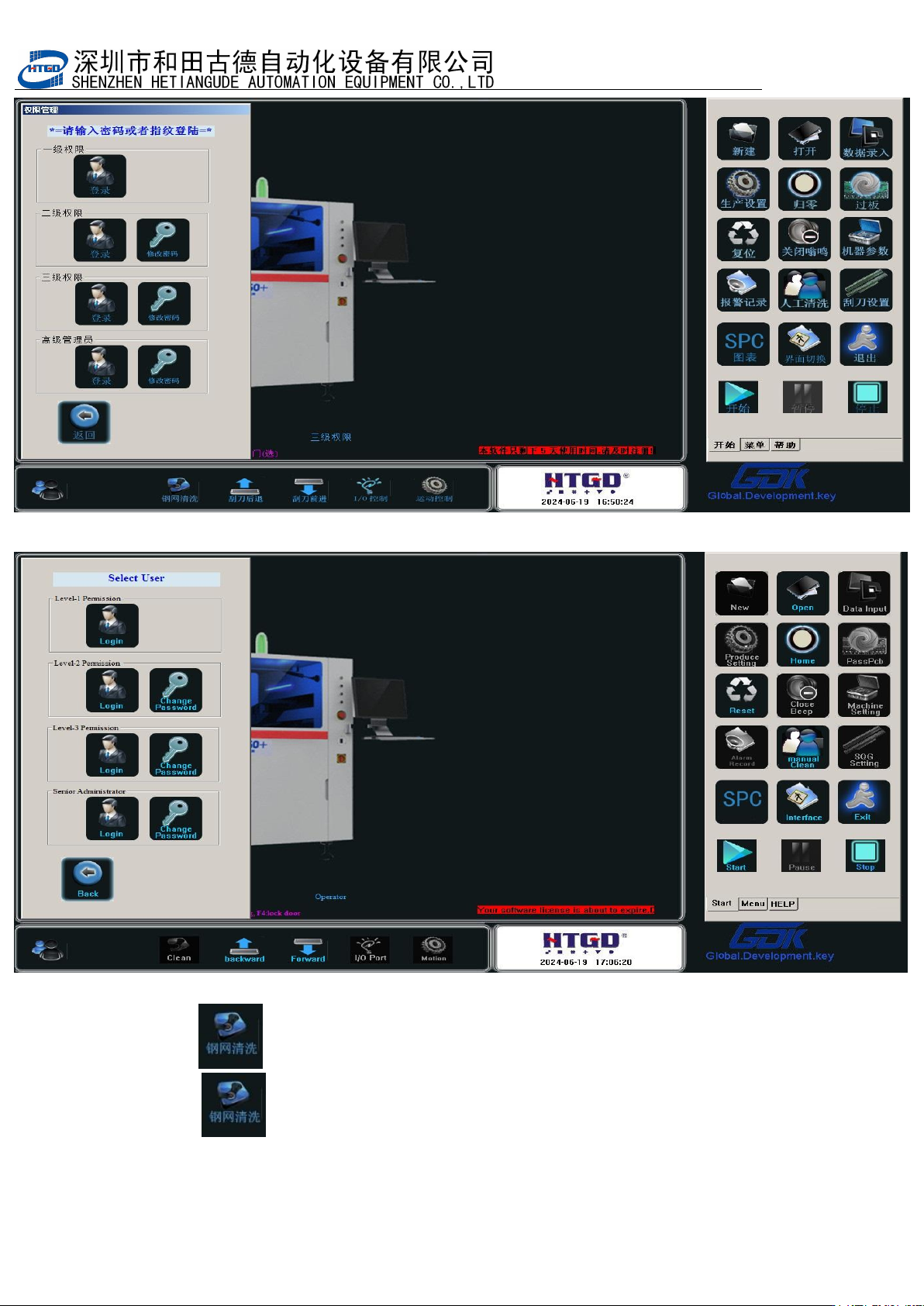
图
4-1
(用户设置界面)
Pix 4-1 (user setting interface)
2. :钢网清洗。当机器自动清洗不能满足工艺要求的情况下,点击该
按钮可对钢网进行人工清洗。洗完后点退出回到机器主界面;
: Stencil cleaning. Click this button to do manual cleaning of
thestencil when the automatic cleaning can not meet the
technology requirement.
- 68
-
图 4-2(钢网清洗) Pix 4-2(stencil cleaning
3. :刮刀后退。点击刮刀向后移动到印刷起点;
: Scraper moves back. Click this button and scraper will remove to
the printing origin.
4
. :刮刀前进。点击刮刀向前移动到印刷终点;
: Scraper moves forward. Click this button and scraper will remove to
the printing end point.
5
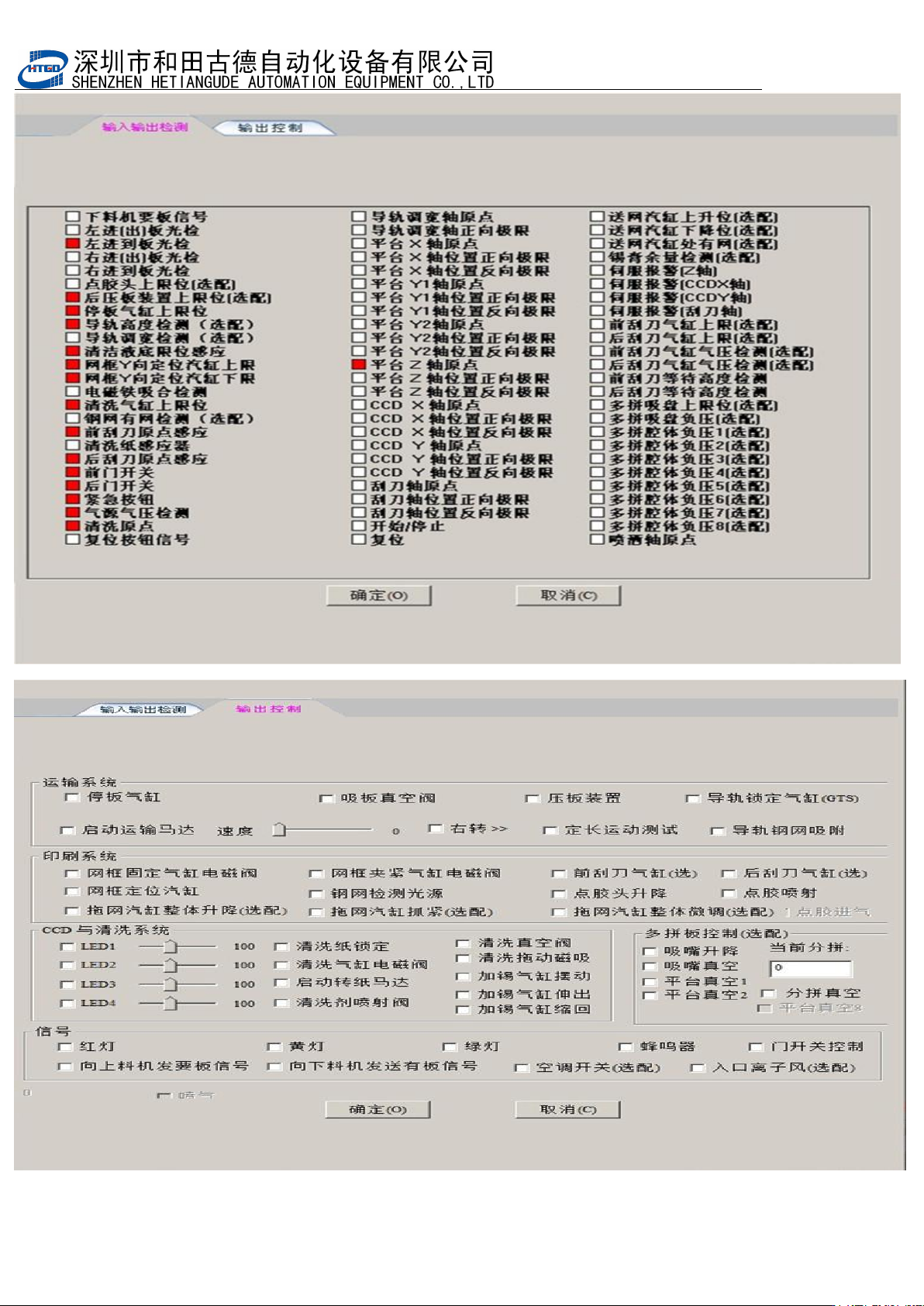
. :
I/O
控制。点击该按钮出现图
4-3
界面,该功能主要用在检测机器的
I/O
是否正常上;
: I/O control. Clicking this button will display the interface on
pix 4-3. This function is used to test whether the I/O of the printer
is normal.
- 69
-
图
4-3
(
I/O
检测)