印刷机通用说明书(中英文版) 450+.pdf - 第39页
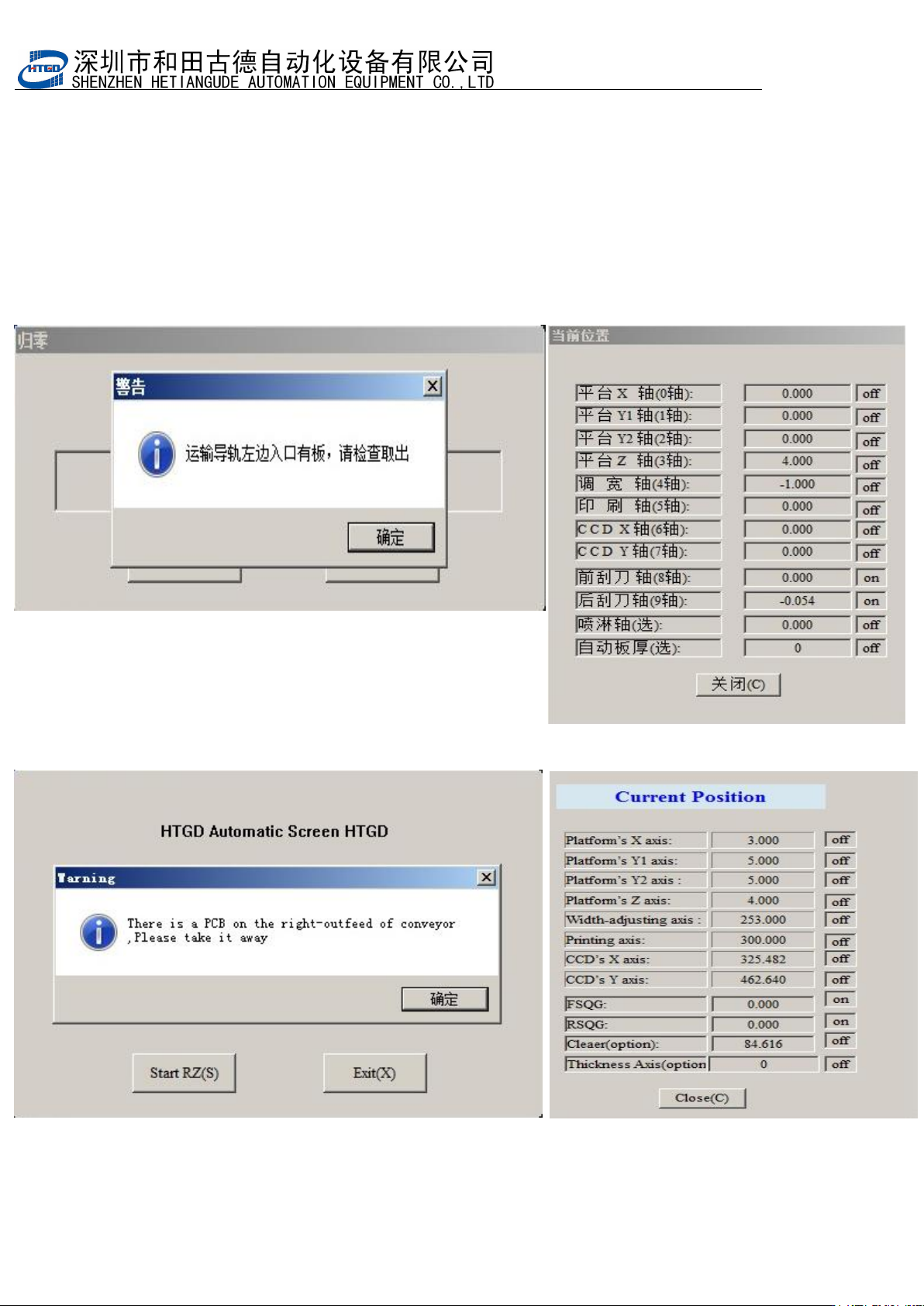
- 38 - 3. 机器会 自动转入归 零模式 。单 击 [ 退出 ] 按 钮, 机 器退 出归 零 模式 ; 单击 [ 开始归零 ] 按钮, 机 器 转 入 归 零 进 程 , 并 自 动 检 测 机 器 内 部 是 否 存 在 PCB 板 , 如 图 3-3, 如 机 器 内 有 PCB , 请在该提示下状态下取出,并单击 [ 确定 ] 按钮 , 机器正式开始归零直到完成 , 如 图 3-4 。 The print er will …
- 38
-
3. 机器会自动转入归零模式。单击[退出]按钮,机器退出归零模式;单击[开始归零]按钮,
机器转入归零进程,并自动检测机器内部是否存在 PCB 板,如图 3-3,如机器内有 PCB,
请在该提示下状态下取出,并单击
[
确定
]
按钮
,
机器正式开始归零直到完成
,
如图
3-4
。
The printer will enter into the mode of returning to zero. Clicking the 退出(exit) button,
the printer exits the mode of returning to zero. Clicking the
开始归零
(return to zero)
button, the printer will enter into the process of returning to zero and inspect
automatically whether there is PCB board inside the printer. See pix 3-3. If there is
PCB board, please take out it according to the indication and click
确定
(OK )button.
The process of returning to zero finished. See pix 3-4.
图 3-3(归零时提示机器内存在 PCB,提示取出)
Pix 3-3 (take out the PCB when the indication comes out during the process of returning to zero)
- 40
-
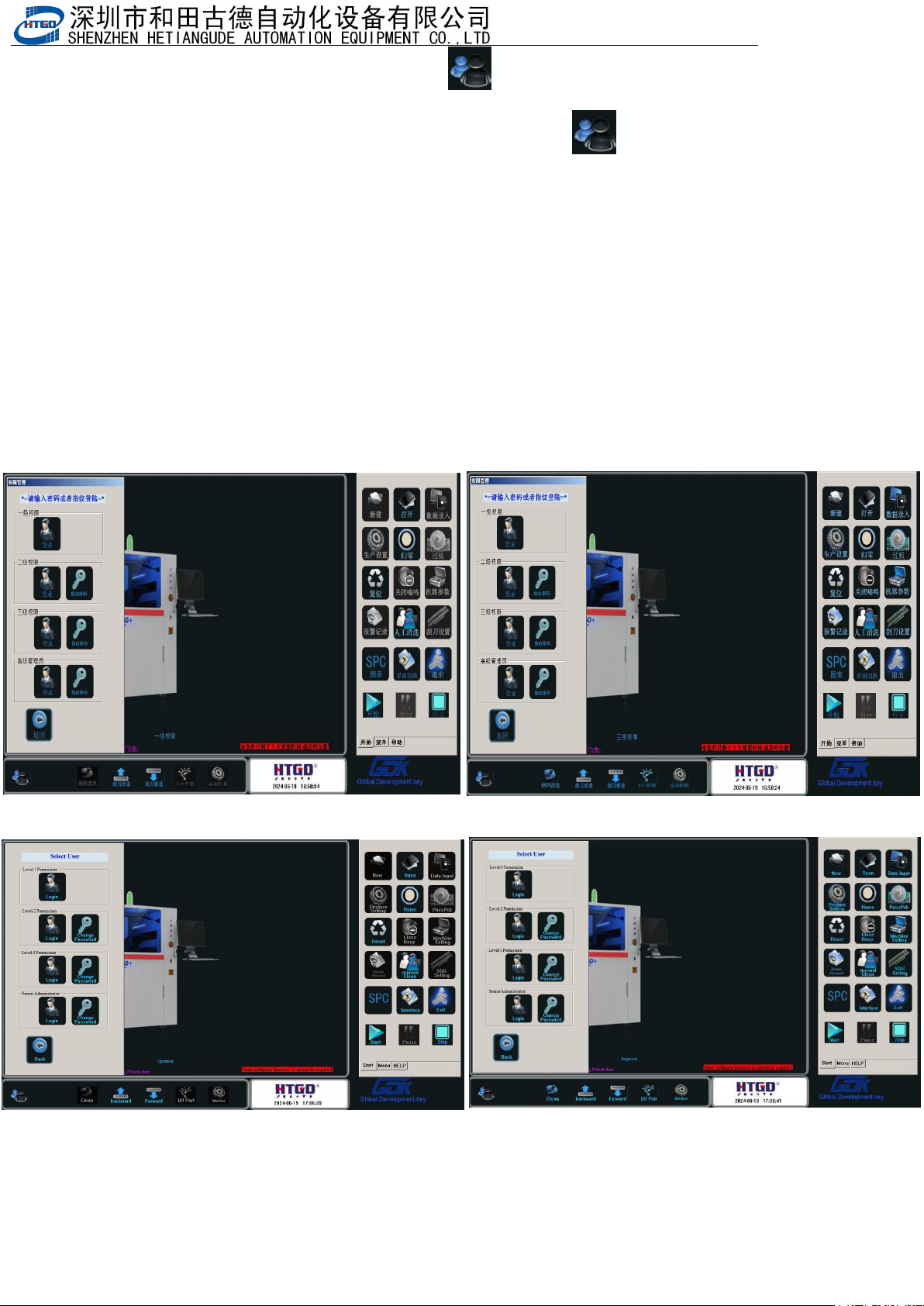
4.在图
3-4
中点击『退出』或者单击主菜单栏
[ ]
按钮,出现
3-5
画面
,
选择
“
三级权
限
”
用户,输入密码
“
HTGD
”
,点击确定。进入到
“
三级权限
”
用户环境。
Click “ 退 出 ”(exit) button in the pix 3-4 or click “ ” button in the main menu
bar. See
the interface in the pix 3-5. Select
三级权限(
level 3 permission
)
, input password
"HTGD", click 确 定 and go to the user environment of Level 3 permission
用户权限说明
:
一级权限为最低操作者使用,可以调用旧程序及生产操作。
二级权限有除机器参数与刮刀设置外所有权限。
三级权限可以修改机器参数 3、4 与刮刀设置
Rights management explanation:
Level 1 permission(一级权限) is for the lowest-level operator. Operator can uses old program
and production operation.
In level 2 permission(二级权限), there are all permissions excluding the parameter setting of
equipment and scraper.
In level 3 permission ( 三级权限), operator can revise parameter 3,4 of the equipment and
scraper setting.
图
3-5(
选择不同权限用户并输入对应的用户密码
)
Pix 3-5(Select the permission and input the corresponding password)