印刷机通用说明书(中英文版) 450+.pdf - 第65页
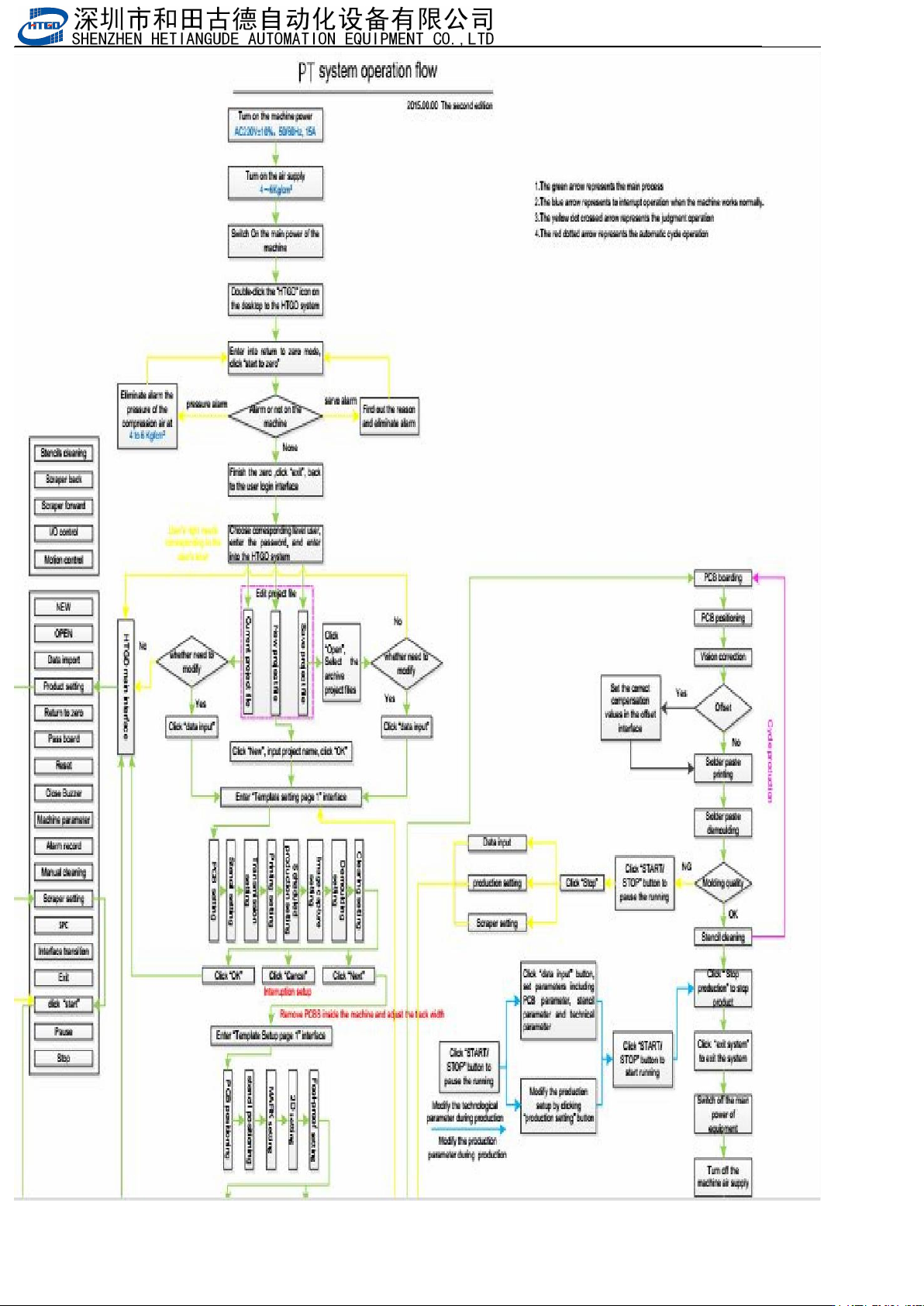
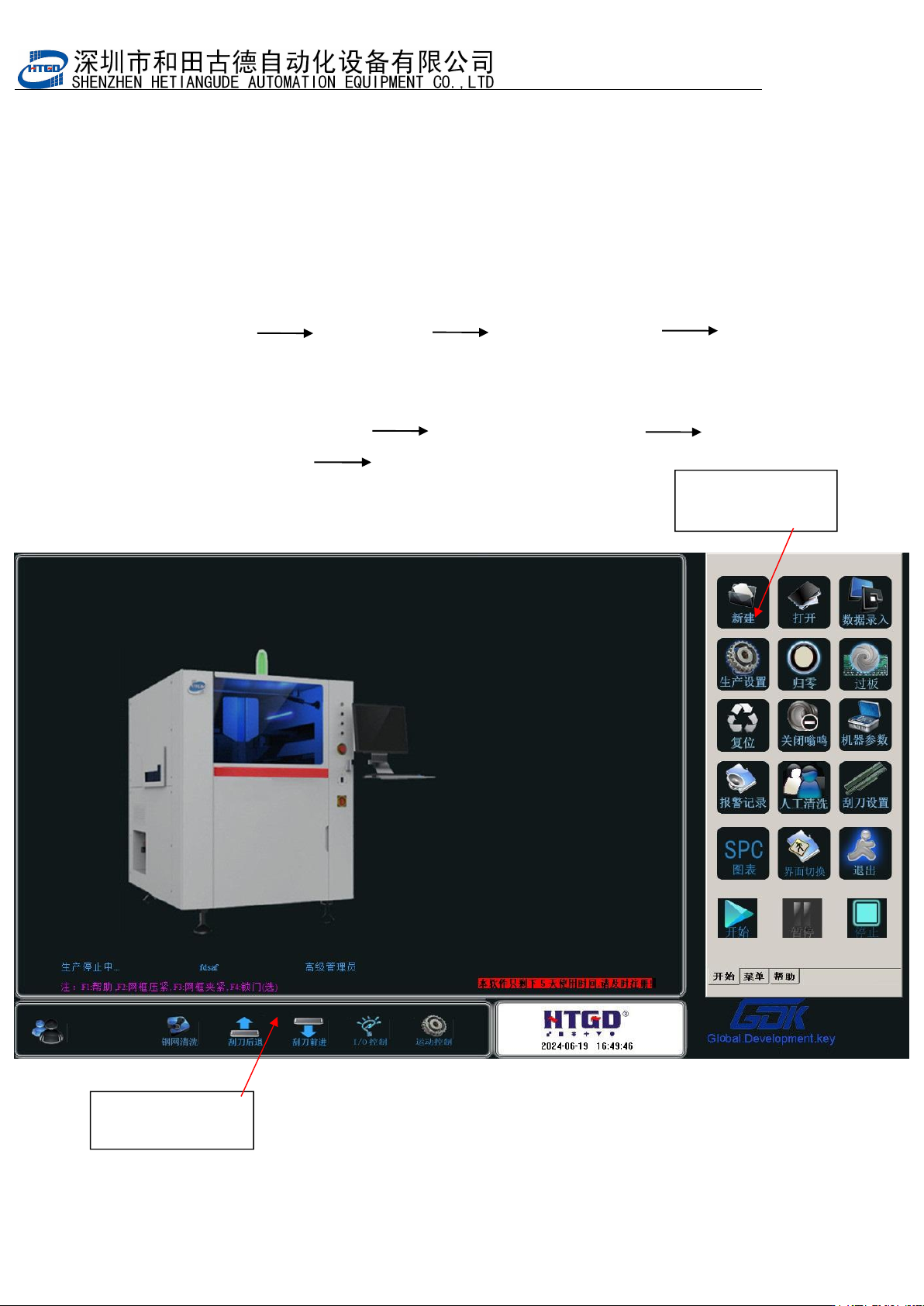
- 65 - 4.2 主窗口组成 M ain w indow c o m p o n e n t s 主 工 具 栏 2 main tool bar 2 m a i n t o o l b a r 2 主 工 具 栏 1 main tool ba r 1 第四章 操作系统说 明 Chapter 4 Intro duction of the opera tion syste m 4.1 系统启 动 System start-up 打开机器…
- 64
-
- 65
-
4.2 主窗口组成 Main window
components
主 工 具 栏2
main tool bar 2
main tool bar 2
主 工 具 栏1
main tool bar 1
第四章 操作系统说明
Chapter 4 Introduction of the operation system
4.1
系统启动 System start-up
打开机器主电源开关,将自动进入主窗口画面。操作程序如下:
打开总电源开关 打开气源开关 打开机器主电源开关 进入机器主画
面(主菜单)
Turn on the main power switch and enter into the main window. Operation steps are as
following:
Turn on general power switch turn on air power switch turn on the main
power switch of the printer enter into the main interface (main menu)
图 4-1 主窗口画面
Pix 4-1 main window
- 66
-
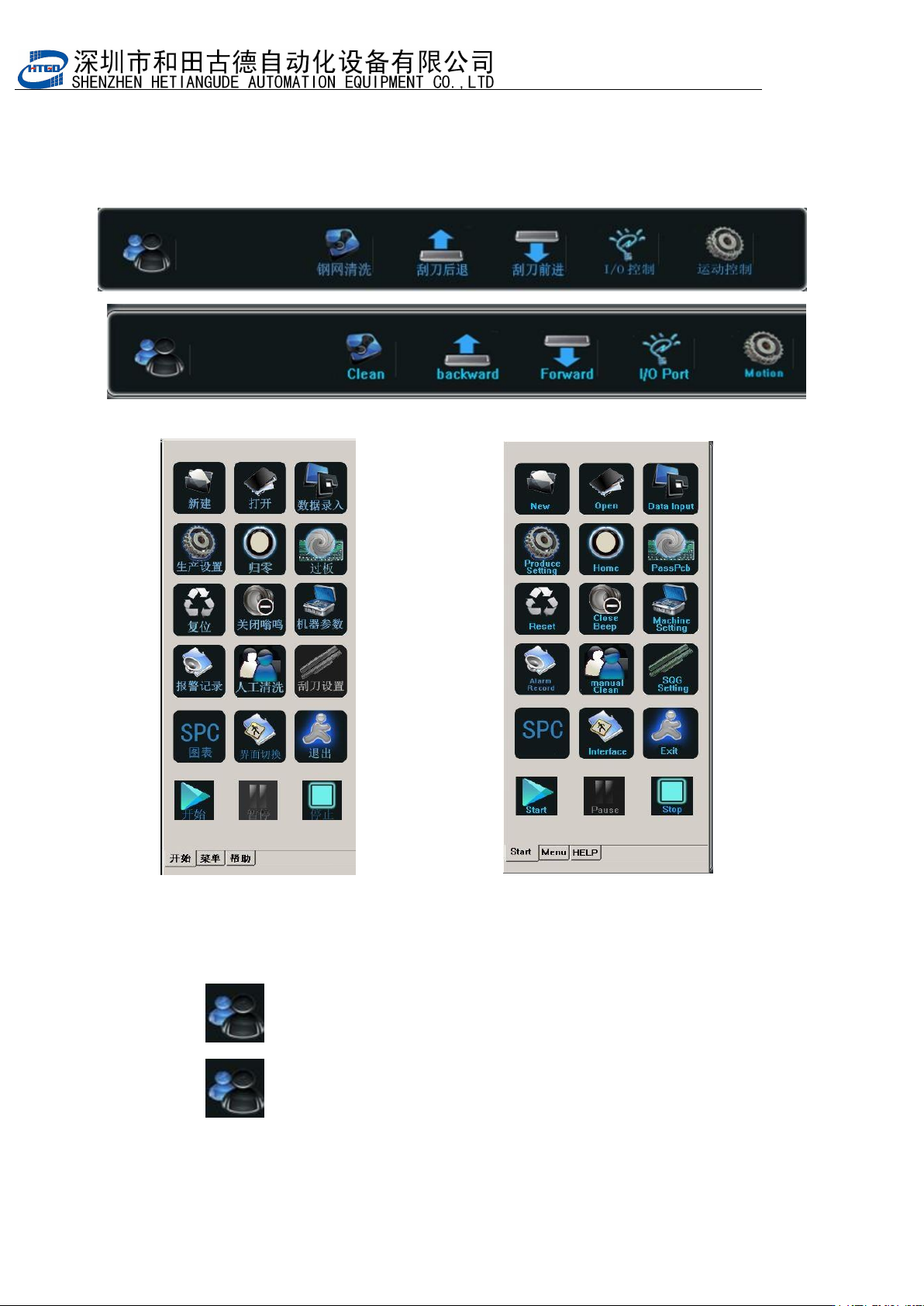
主窗口包括两个部分:
Main window includes two sections:
主工具栏 1 main tool bar 1
主工具栏 2 main tool bar 2
4.2.1
主 工 具
1
栏 功 能 解 释 及 其 操 作
The explanation and operation of
the functions in main tool bar 1.
1. :用户权限。不同的用户有不同的权限;
: User permission. Different users have different permissions.