印刷机通用说明书(中英文版) 450+.pdf - 第144页
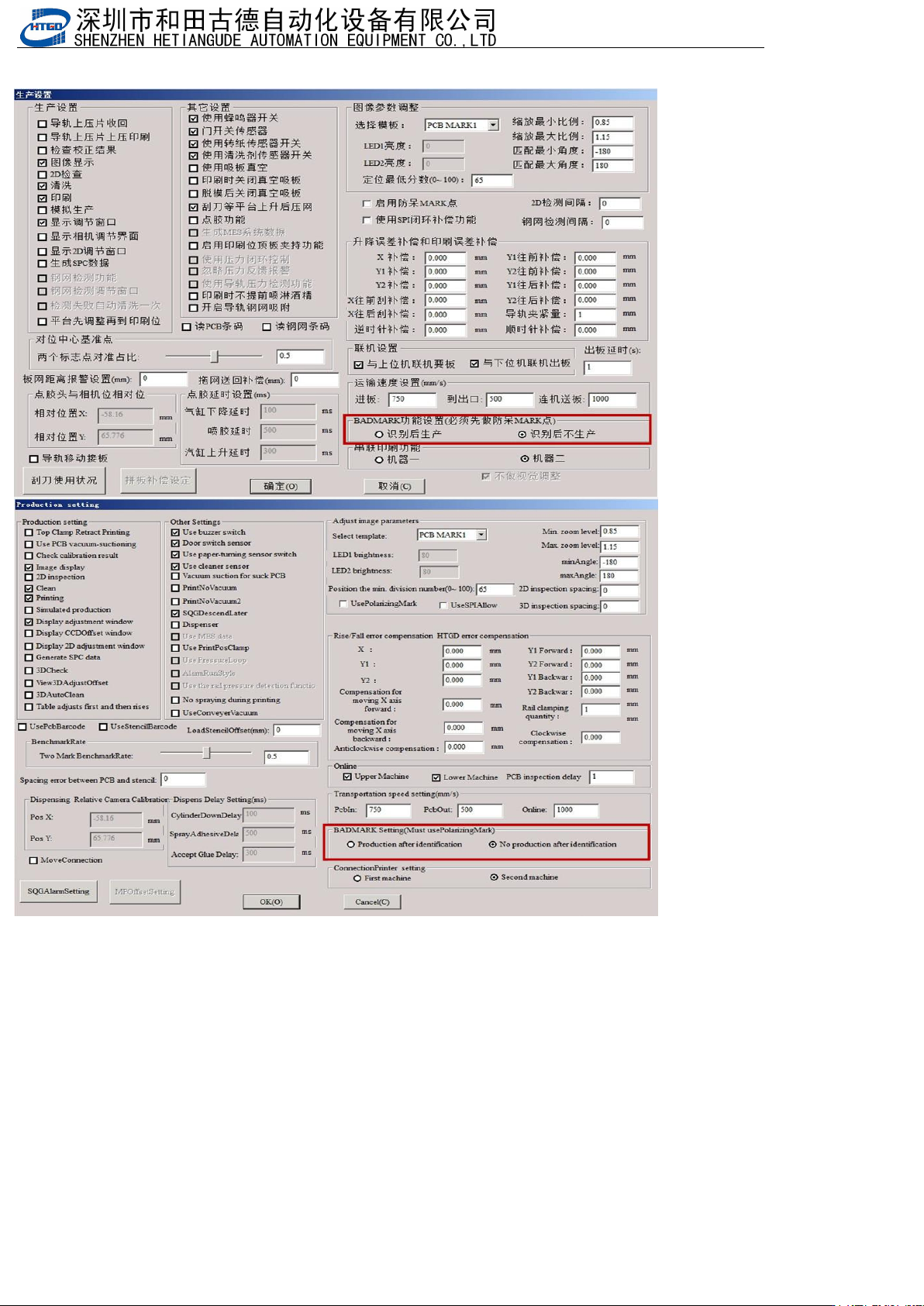
- 144 - 2.先做 防呆点程 序, 生产界面 设置 BAD MARK功能 设置 Fir st, c reate a fo olpr oof p rogra m a nd se t up B ADMAR K f uncti on se tti ngs on t he pr odu ction in ter face
- 143
-
8.9 BadMark功能 BadMark function
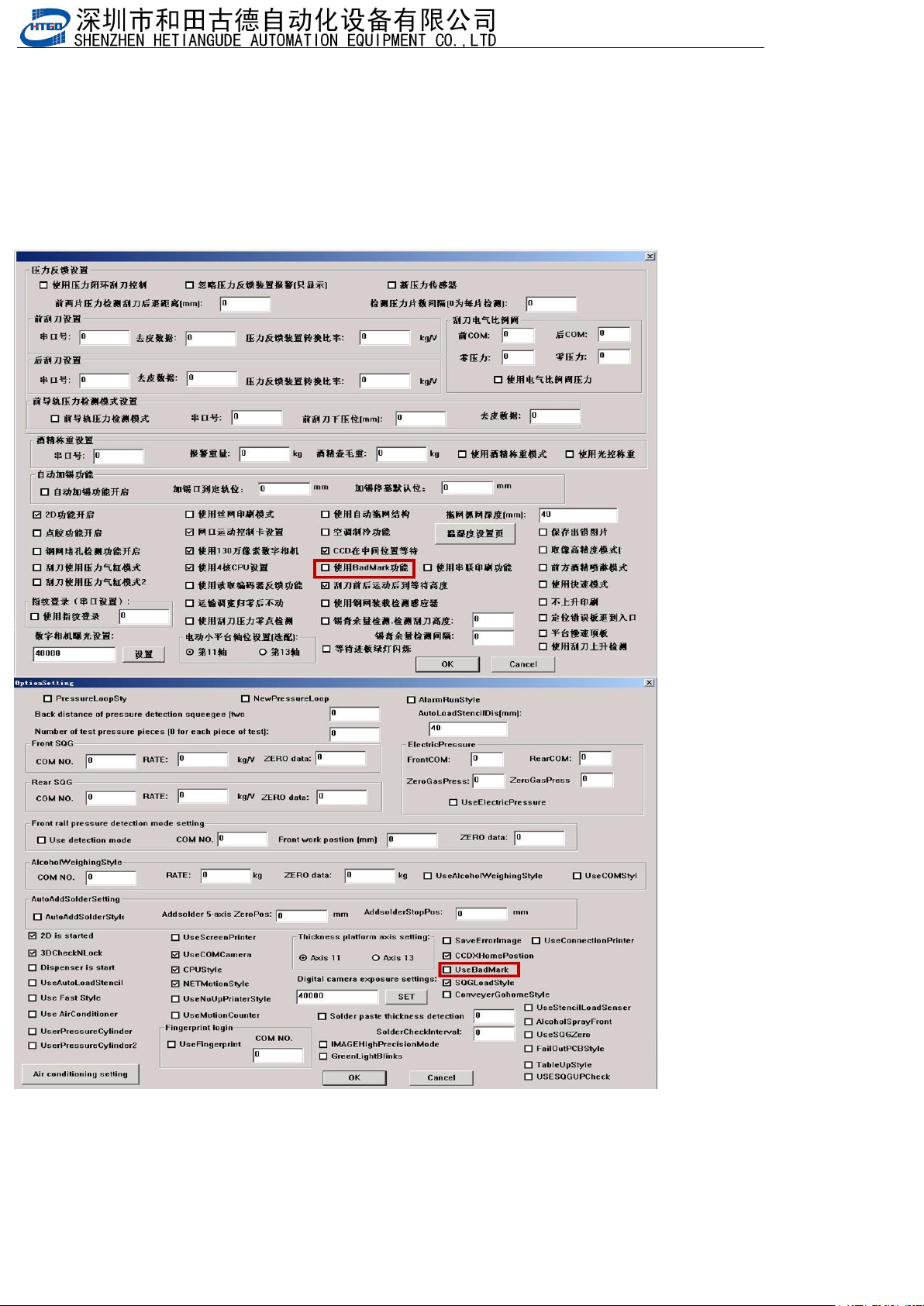
BADMARK功能:机器参数3选配项中勾选使用BADMARK功能,做好防呆点后,在生产设
BADMARK function: Select the option to use BADMARK function in machine parameter 3, and after setting up error
prevention points, use it in the production equipment
置中可以勾选:识别后生存或者识别后不生产。badmark这个点是用来识别后刷这块板或者不刷这块板
You can check whether to survive after recognition or not to produce after recognition. The 'badmark' point is used
to identify whether to brush this board or not
1.选配项勾选使用BadMark功能
Select the option to use BadMark function
- 144
-
2.先做防呆点程序,生产界面设置BADMARK功能设置
First, create a foolproof program and set up BADMARK function settings on the production interface
- 145
-
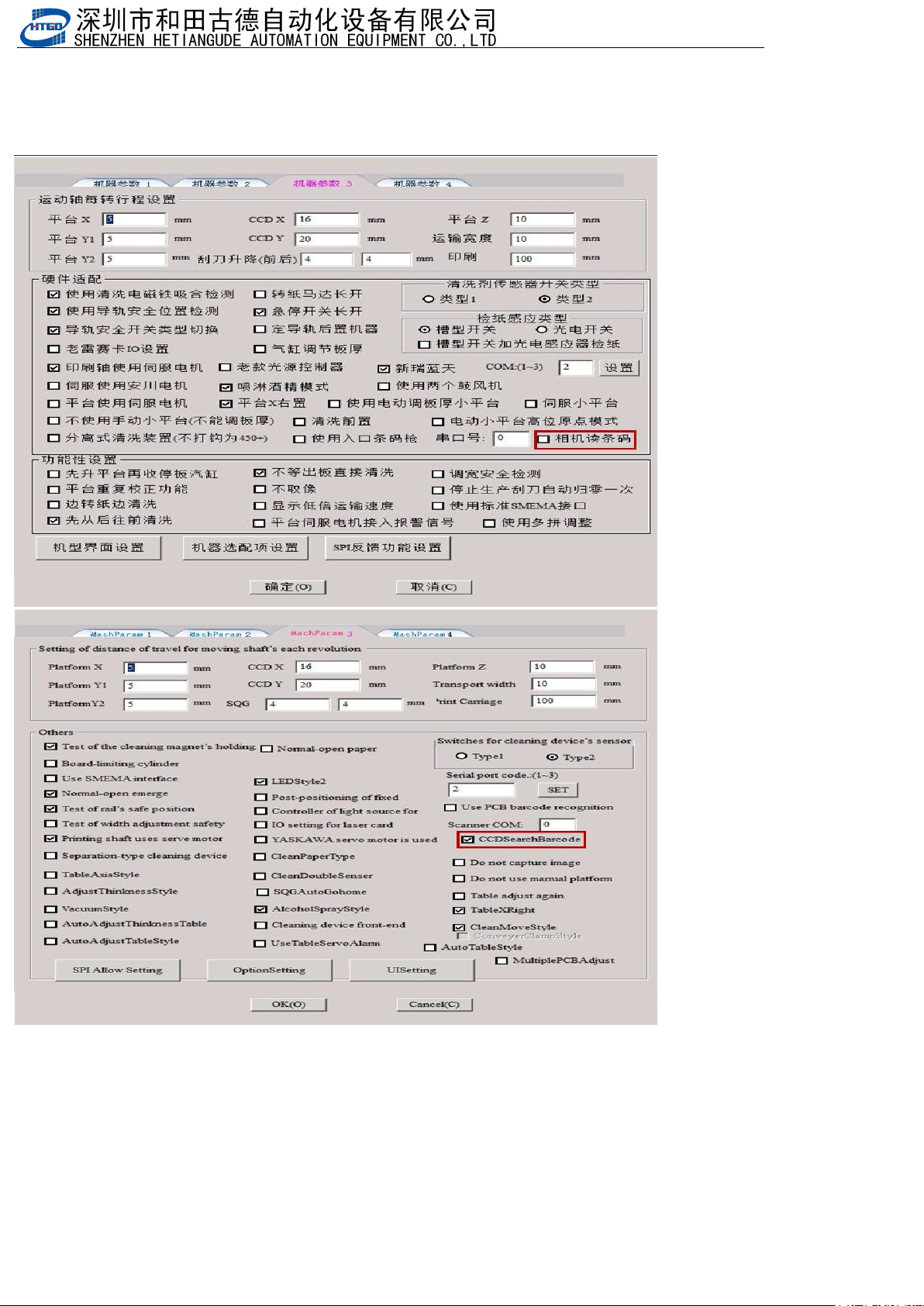
8.10 相机读条码 Camera reads barcode
通过相机到指定位置去识别条码或者二维码
Identify barcodes or QR codes at designated locations using a camera
1.勾选相机读条码 Check the camera to read barcodes